
Allow Saving and Re‑Using Custom Filters on the Dashboard
-
I have a suggestion regarding the filter function in Cloudron.

Would it be possible to improve the current filter so that we can save filter presets and access them later from the dashboard?
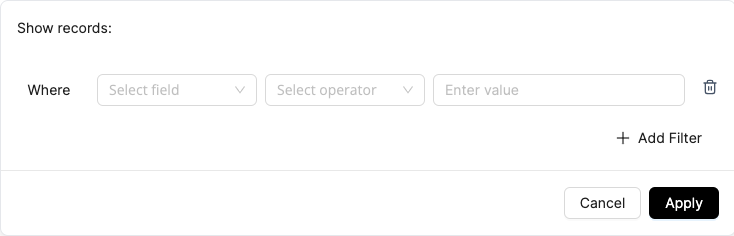
Right now, filters are temporary. Once we move to another page or refresh, the filter is lost, and we have to set it up again.
What I’m imagining is something like this:
- We define a filter based on certain criteria (for example:
- only show apps on a specific domain,
- that have updates available,
- and include a particular tag).
- Then we can save this filter with a name (e.g. “Client A – apps with pending updates”).
- Later, we can quickly select this saved filter from a dropdown or sidebar and apply it with a single click.
Possible use cases:
- Quickly checking which apps for a specific client or domain need updates
- Grouping apps by tags (e.g. production, staging, internal tools) and switching views easily
- Having different saved views for different admins or workflows
A simple “Save filter” / “Manage saved filters” option on the dashboard would already make daily management much easier, especially for users handling many apps and domains.
I hope this feature can be useful for others as well.
Thank you.
Regards. - We define a filter based on certain criteria (for example:
Hello! It looks like you're interested in this conversation, but you don't have an account yet.
Getting fed up of having to scroll through the same posts each visit? When you register for an account, you'll always come back to exactly where you were before, and choose to be notified of new replies (either via email, or push notification). You'll also be able to save bookmarks and upvote posts to show your appreciation to other community members.
With your input, this post could be even better 💗
Register Login