Cloudron makes it easy to run web apps like WordPress, Nextcloud, GitLab on your server. Find out more or install now.


Skip to content
  • Categories
  • Recent
  • Tags
  • Popular
  • Bookmarks
  • Search
Skins
  • Light
  • Brite
  • Cerulean
  • Cosmo
  • Flatly
  • Journal
  • Litera
  • Lumen
  • Lux
  • Materia
  • Minty
  • Morph
  • Pulse
  • Sandstone
  • Simplex
  • Sketchy
  • Spacelab
  • United
  • Yeti
  • Zephyr
  • Dark
  • Cyborg
  • Darkly
  • Quartz
  • Slate
  • Solar
  • Superhero
  • Vapor

  • Default (No Skin)
  • No Skin
Collapse
Brand Logo

Cloudron Forum

Apps - Status | Demo | Docs | Install
  1. Cloudron Forum
  2. Moodle
  3. Moodle Bug: Unable to inject <script>javascript code</script> in blocks or course activities

Moodle Bug: Unable to inject <script>javascript code</script> in blocks or course activities
Scheduled Pinned Locked Moved Solved Moodle
18 Posts 3 Posters 5.6k Views 3 Watching
  • Oldest to Newest
  • Newest to Oldest
  • Most Votes
Reply
  • Reply as topic
Log in to reply
This topic has been deleted. Only users with topic management privileges can see it.
  • T Offline
    T Offline
    taowang
    wrote on last edited by taowang
    #7

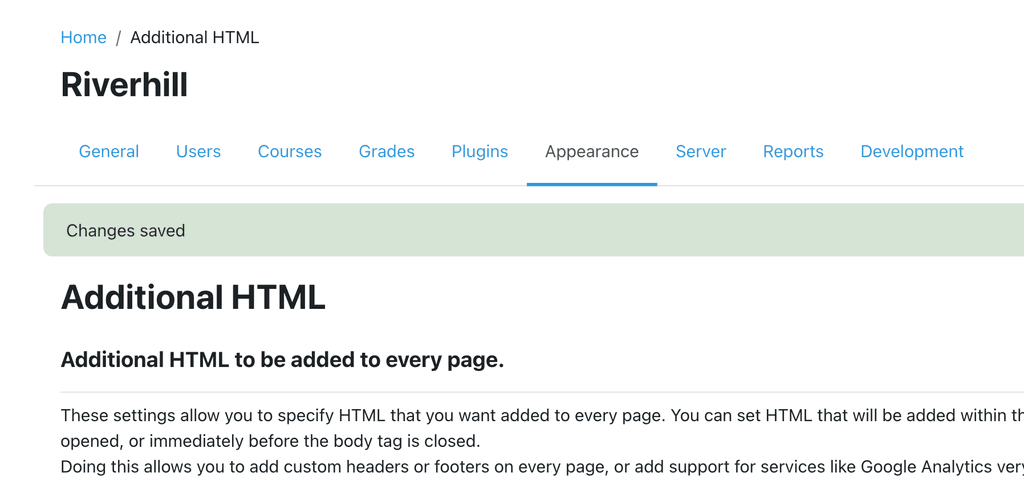
    Injecting the script here works:

    image.png

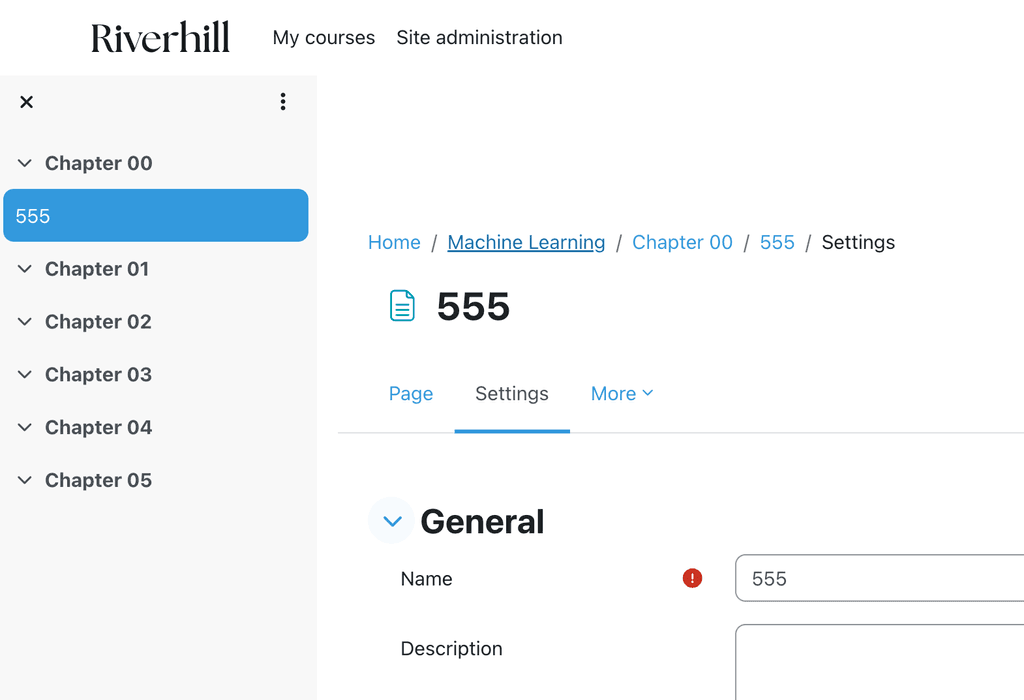
    But injecting in course page does not work:
    image.png

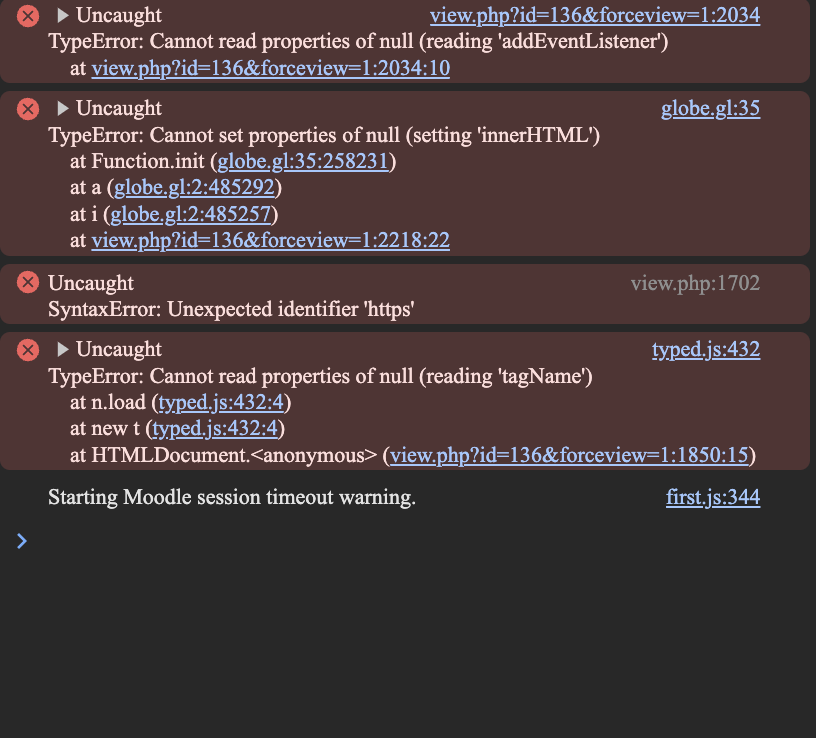
    In the console, there are some errors:
    feb3178b-d13e-4f6d-8d99-186275c99505-image.png

    1 Reply Last reply
    0
    • T Offline
      T Offline
      taowang
      wrote on last edited by
      #8
      This post is deleted!
      1 Reply Last reply
      0
      • T Offline
        T Offline
        taowang
        wrote on last edited by
        #9

        But these errors are not related to the injection problem.

        1 Reply Last reply
        0
        • nebulonN nebulon marked this topic as a question on
        • nebulonN Offline
          nebulonN Offline
          nebulon
          Staff
          wrote on last edited by
          #10

          Those errors seem more like a moodle internal problem and possibly bugs worth reporting upstream unless those come from some of the custom code snippets.

          T 1 Reply Last reply
          0
          • nebulonN nebulon

            Those errors seem more like a moodle internal problem and possibly bugs worth reporting upstream unless those come from some of the custom code snippets.

            T Offline
            T Offline
            taowang
            wrote on last edited by
            #11

            @nebulon yes those bugs are related to my other code snippets, not related to moodle core. The chatbot code itself does not have bugs, because I test it on fresh new moodle instances.

            1 Reply Last reply
            0
            • T Offline
              T Offline
              taowang
              wrote on last edited by
              #12

              I recorded a video to demonstrate the issue.

              https://images.riverhill.ai/王韬·江山学府 2024-08-08 18.34.48.mp4

              1 Reply Last reply
              0
              • T Offline
                T Offline
                taowang
                wrote on last edited by
                #13

                After deeper investigation, it is likely related to CSP.
                But I don't know how the moodle demo site sets its CSP to allow script and css injection directly into course pages.

                1 Reply Last reply
                0
                • J Offline
                  J Offline
                  joseph
                  Staff
                  wrote on last edited by
                  #14

                  @taowang there are browser extensions that allow you to disable CSP. Maybe you can quickly check with those if that is the issue?

                  1 Reply Last reply
                  0
                  • T Offline
                    T Offline
                    taowang
                    wrote on last edited by
                    #15

                    @joseph
                    I just tested the following 4 csp blockers but did not work.
                    The chatbot is still not showing up.
                    I am not sure if these plugins are actually good quality.
                    Some comments say it works, while other say it doesn't work.

                    https://chromewebstore.google.com/detail/disable-content-security/ieelmcmcagommplceebfedjlakkhpden
                    https://chromewebstore.google.com/detail/anti-cors-anti-csp/fcbmpcbjjphnaohicmhefjihollidgkp
                    https://chromewebstore.google.com/detail/allow-csp-content-securit/hnojoemndpdjofcdaonbefcfecpjfflh
                    https://chromewebstore.google.com/detail/csp-unblock/lkbelpgpclajeekijigjffllhigbhobd

                    1 Reply Last reply
                    0
                    • J Offline
                      J Offline
                      joseph
                      Staff
                      wrote on last edited by
                      #16

                      @taowang I tested from your video. From the browser's source it seems that the links are convereted into a tags. In Page -> More -> Filter, if you set "Convert URLs into links and images" to Off, something loads. I can send Hi to chatbot and it returns something.

                      1 Reply Last reply
                      0
                      • T Offline
                        T Offline
                        taowang
                        wrote on last edited by taowang
                        #17

                        OMG it worked!!!! Thank you very much.

                        Here is a site-wide config for all course pages:

                        1. go to site administration > plugins
                        2. press command + 5 to search for "Convert URLs into links and images"
                        3. click on settings and toggle off the HTML format
                        4. use HTML format when injecting code with urls
                        1 Reply Last reply
                        0
                        • T Offline
                          T Offline
                          taowang
                          wrote on last edited by
                          #18

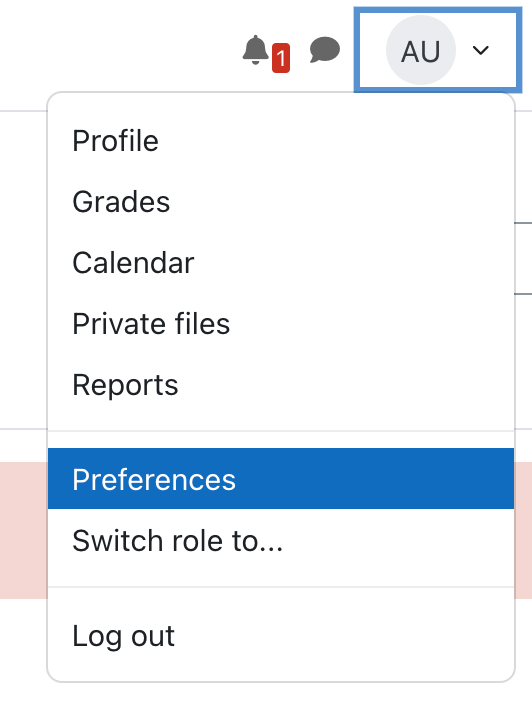
                          image.png

                          1 Reply Last reply
                          0
                          • J joseph has marked this topic as solved on
                          • J joseph referenced this topic on
                          • T taowang referenced this topic on

                          Hello! It looks like you're interested in this conversation, but you don't have an account yet.

                          Getting fed up of having to scroll through the same posts each visit? When you register for an account, you'll always come back to exactly where you were before, and choose to be notified of new replies (either via email, or push notification). You'll also be able to save bookmarks and upvote posts to show your appreciation to other community members.

                          With your input, this post could be even better 💗

                          Register Login
                          Reply
                          • Reply as topic
                          Log in to reply
                          • Oldest to Newest
                          • Newest to Oldest
                          • Most Votes


                          • Login

                          • Don't have an account? Register

                          • Login or register to search.
                          • First post
                            Last post
                          0
                          • Categories
                          • Recent
                          • Tags
                          • Popular
                          • Bookmarks
                          • Search