
Branding - Name in 2FA application
-
Hi,
At the moment, when setting 2FA from a cloudron server into most 3rd party 2FA/MFA application, the name of the token is automatically generated from:
(lack of) Logo Icon + "Cloudron" + address of the cloudron server + (username)
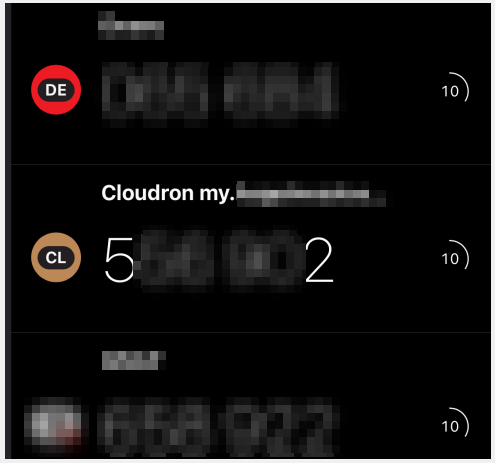
Could:
- the MFA/2FA app icon be the "Logo" icon from the Cloudron Branding page
- the "Cloudron" part be replaced with the Branding "Cloudron Name" from the Cloudron Branding page
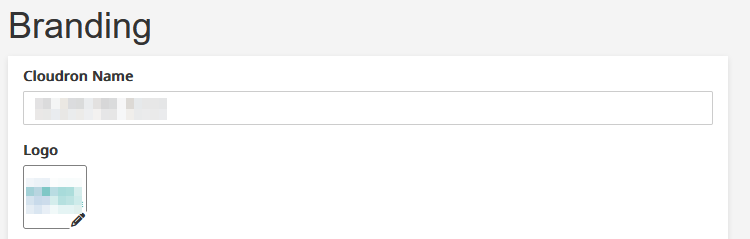
This would avoid a fair amount of confusion / frustration with some end users.
Many thanks for the consideration.
-
I could not find directly-accessible relevant specification or documentation for the token entry name other than what @joseph provided.
The logo/icon seems also to be a case of different approach depending on which app you use - Some allow for manual upload/lookup of a logo, some offer to "submit" a logo suggestion to their list.
There does not seem to have a standard / uniform specification for this - So tricky to solve. -
Picking this up again - In reality, this is probably one of the things that is creating us/me the most headaches these days. Maybe I am not the only one?
While there is no norm/specification that I could find (see above, but maybe this has changed already), I have tried many different 2FA apps and while most of them give the option to rename a 2FA provider after setting it up, the reality is that most users do not know how and/or do not bother doing this.
Beside the logo (which all in all could stay the generic Cloudron logo) the "preset" name is really what is confusing most users, when the rest of a given cloudron instance is "branded".
For example:
-
Say a cloudron server is branded "Clawmazing" and the cloudron dashboard is located at my.clawmazing.ai, setting up 2FA in most application will be setup as "Cloudron my.clawmazing.ai" (and because of limited screen space, more often than not will only show "Cloudron my...")
For an end user that has no knowledge of what Cloudron is, it is very confusing and upon next login, 9 times out of 10, the user will not remember where/what is the related 2FA code to enter.
My question today is: where do most of these 2FA apps get these "Cloudron" references from which are being used in setting up 2FA in apps?
If this is not from the URL and not from the server name (because the "Cloudron Name" has been changed in the appearance > Branding page/settings of the server) then where from?Hopefully, from the moment that this is identified, there will be ways to change this and make it match the Branded "Cloudron name" from the server instance, thus removing or very much decreasing the end user's confusion.
I am hoping that this makes sense.
-
-
Hello @teiluj
@Teiluj said in Branding - Name in 2FA application:
where do most of these 2FA apps get these "Cloudron" references from which are being used in setting up 2FA in apps?
The 2FA apps get this information from the created QR-Code.
The real data inside a Cloudron QR-Code look like this:Decoded:
otpauth://totp/Cloudron%20my.cloudron.dev%20(james)?secret=KRRXEXJJKRHFOS23OBJXARSHJBKFE6KMKFDF4S2EJFZUCJB2HFPAParsed:
Type: Text
Value:"otpauth://totp/Cloudron%20my.cloudron.dev%20(james)?secret=KRRXEXJJKRHFOS23OBJXARSHJBKFE6KMKFDF4S2EJFZUCJB2HFPA"
This QR-Code is generated by Cloudron from the following code: https://git.cloudron.io/platform/box/-/blob/master/src/users.js?ref_type=heads#L925 and https://git.cloudron.io/platform/box/-/blob/master/src/users.js?ref_type=heads#L929
const secret = speakeasy.generateSecret({ name: `Cloudron ${dashboardFqdn} (${user.username})` });
...
const [error, dataUrl] = await safe(qrcode.toDataURL(secret.otpauth_url));
From the current code, the QR-Code will always have the information
Cloudron ${dashboardFqdn} (${user.username})data.The custom branding aspect we'd have to look into.
-
@james thanks for the fast reply.
This makes sense, and open the door to hoping that this is fairly "easily" amendable: amending the hardcoded "Cloudron" reference to the branded Cloudron name should be doable no?
Of course, this also depends whether this is the direction that Cloudron wishes to take - but should it not (for wahtever reasons), it would be worth knowing.
Many thanks again.
-
Hello @teiluj
The
otpauth://scheme does not define or support logos.I have looked into how a logo is generated in some TOTP apps.
This looks like it depends on the implementation of the TOTP app itself.
Some Authenticator apps such as Google Authenticator, Microsoft Authenticator, Authy, and 1Password determine logos independently of the URI. Common strategies:- Match on issuer string (e.g., “GitHub” → show GitHub logo)
- Match on domain extracted from label/email
- Maintain an internal icon database
- Use a remote metadata service (vendor-specific)
- Fallback to generic icon if no match
For example, Bitwarden does not even have a specific logo for the TOTP since it is just an extra field inside the credential managed.
-
@james thanks for the fast reply.
This makes sense, and open the door to hoping that this is fairly "easily" amendable: amending the hardcoded "Cloudron" reference to the branded Cloudron name should be doable no?
Of course, this also depends whether this is the direction that Cloudron wishes to take - but should it not (for wahtever reasons), it would be worth knowing.
Many thanks again.
Hello @teiluj
@Teiluj said in Branding - Name in 2FA application:
This makes sense, and open the door to hoping that this is fairly "easily" amendable: amending the hardcoded "Cloudron" reference to the branded Cloudron name should be doable no?
Of course, this also depends whether this is the direction that Cloudron wishes to take - but should it not (for wahtever reasons), it would be worth knowing.
Allowing this to be white-labeled / branded should be no issue.
We just have to ensure that the used string does comply withotpauth://URL schema.
I will look into it. -
Hello @teiluj
The
otpauth://scheme does not define or support logos.I have looked into how a logo is generated in some TOTP apps.
This looks like it depends on the implementation of the TOTP app itself.
Some Authenticator apps such as Google Authenticator, Microsoft Authenticator, Authy, and 1Password determine logos independently of the URI. Common strategies:- Match on issuer string (e.g., “GitHub” → show GitHub logo)
- Match on domain extracted from label/email
- Maintain an internal icon database
- Use a remote metadata service (vendor-specific)
- Fallback to generic icon if no match
For example, Bitwarden does not even have a specific logo for the TOTP since it is just an extra field inside the credential managed.
@james Indeed, I gathered that the logo in 2FA apps might be a different topic altogether - very much of a case by case situation.
I am part of the lucky ones who quite enjoy seeing the Cloudron logo from time to time
@james said in Branding - Name in 2FA application:
Allowing this to be white-labeled / branded should be no issue.
We just have to ensure that the used string does comply withotpauth://URL schema.
I will look into it.This sounds fantastic.
Many many thanks once again - It will make a true difference. -
-
 N nebulon marked this topic as a question on
-
N nebulon has marked this topic as solved on

Hello! It looks like you're interested in this conversation, but you don't have an account yet.
Getting fed up of having to scroll through the same posts each visit? When you register for an account, you'll always come back to exactly where you were before, and choose to be notified of new replies (either via email, or push notification). You'll also be able to save bookmarks and upvote posts to show your appreciation to other community members.
With your input, this post could be even better 💗
Register Login