
Incoming Email: cannot open mailbox
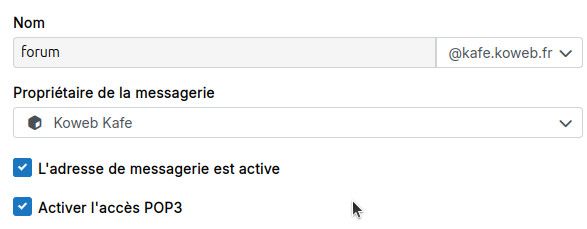
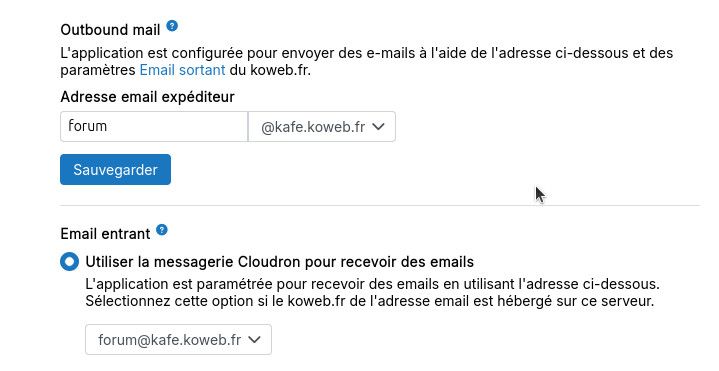

-
Hello @phneutre
Where does the9595port come from?
Cloudron uses port995for pop3 according to https://docs.cloudron.io/email#pop3 -
Hello @phneutre
Did you setup the wildcard alias according to the docs?
https://docs.cloudron.io/packages/discourse/#incoming-email-setupFor unique addresses per category, setup mail aliases for forum@YourMailDomain.TLD. For a category named offtopic, create a mail alias like forum@YourMailDomain.TLD. Create a wildcard mail alias * to choose any category name freely.
-
Hello @phneutre
Did you setup the wildcard alias according to the docs?
https://docs.cloudron.io/packages/discourse/#incoming-email-setupFor unique addresses per category, setup mail aliases for forum@YourMailDomain.TLD. For a category named offtopic, create a mail alias like forum@YourMailDomain.TLD. Create a wildcard mail alias * to choose any category name freely.
@james I didn't realize it was necessary, thanks.
I set it up on the 10th of march at 17:49. From this moment, the Discourse logs hasn't shown any TCP timeout on 995 anymore. But mails remain ineffective.
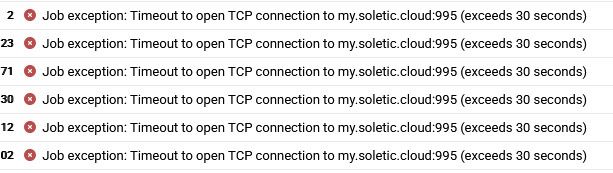
These errors remain afterwards: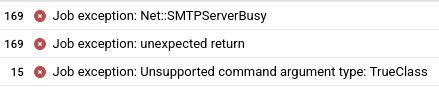
I suspect the SMTPServerBusy reveals a new problem? -
Hello @phneutre
Did you configure anything in discourse for incoming mails?
See: https://meta.discourse.org/t/troubleshoot-reply-by-email/42026@james Ah yes sure.
POP3 polling enabled and :
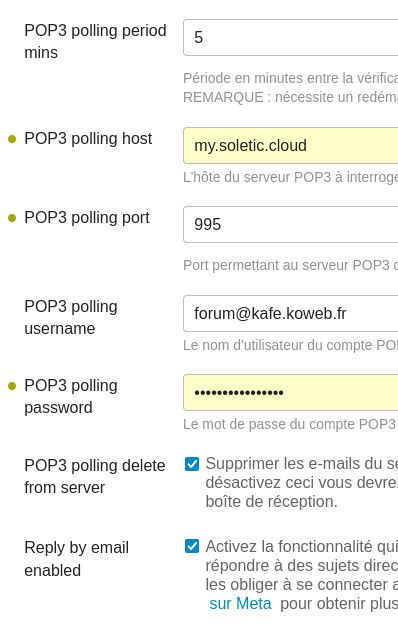
Note: POP3 polling port was actually 9595 (and wasn't considered modified by discourse (no green dot)), so that explains the 9595 call (but why was there a 995 call too then?). I just changed it to 995 and tried again to send an email (and waited for the 5 min of polling period), but no luck.
-
@phneutre so if you open a webterminal into the app and run
env | grep MAILyou should see all the possible connection details. Note that usingmailas the email server domain, means the app will connect via the local route and hence does not necessarily need encrypted connection at all, if that helps with the discourse pop3 setup. -
@phneutre so if you open a webterminal into the app and run
env | grep MAILyou should see all the possible connection details. Note that usingmailas the email server domain, means the app will connect via the local route and hence does not necessarily need encrypted connection at all, if that helps with the discourse pop3 setup.CLOUDRON_MAIL_POP3_PORT=9595
CLOUDRON_MAIL_POP3S_PORT=9995
CLOUDRON_MAIL_SMTP_SERVER=mail
CLOUDRON_MAIL_IMAP_SERVER=mailSo that was why the pop3 polling port was 9595 on Discourse. I reverted it to 9595 and tried again replying by email. Still nothing, and the timeout on 9595 is back (at least it's consistent).
Could there be a port conflict? How could I check that? -
If you open a webterminal into your app instance you can try
telnet mail 9595to see if telnet is able to connect on the pop3 port. You should see this:root@c5a31d99-2479-4c15-9f9f-b10ed96a3886:/app/code# telnet mail 9595 Trying fd00:c107:d509::4... Connected to mail. Escape character is '^]'. +OK Dovecot (Ubuntu) ready. -
If you open a webterminal into your app instance you can try
telnet mail 9595to see if telnet is able to connect on the pop3 port. You should see this:root@c5a31d99-2479-4c15-9f9f-b10ed96a3886:/app/code# telnet mail 9595 Trying fd00:c107:d509::4... Connected to mail. Escape character is '^]'. +OK Dovecot (Ubuntu) ready. -
Ah try
mailas the hostname instead of the dashboard domain. This would resolve to the local IP of the mail server and not the external interface. -
@nebulon This will move the whole cloudron instance's mail server to this name. Aren't there any references I should worry about when doing this? (we're hosting a bunch of services, I don't know all of them)
@pHneutre I could be wrong, but I think @nebulon is just suggesting that instead of
my.solectic.cloudin the POP3 polling host field shown below, you just putmail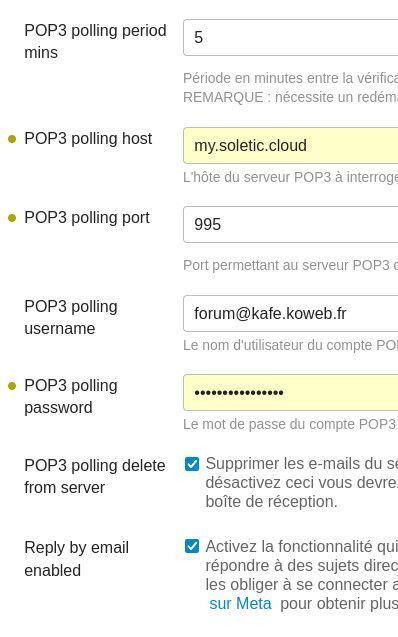
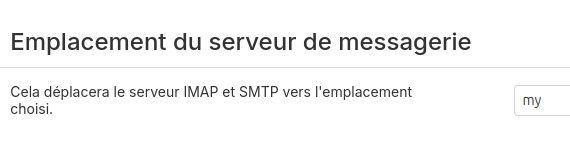
I could be wrong, but I don't think he's suggesting updating the Server location as per https://docs.cloudron.io/email#server-location







Hello! It looks like you're interested in this conversation, but you don't have an account yet.
Getting fed up of having to scroll through the same posts each visit? When you register for an account, you'll always come back to exactly where you were before, and choose to be notified of new replies (either via email, or push notification). You'll also be able to save bookmarks and upvote posts to show your appreciation to other community members.
With your input, this post could be even better 💗
Register Login