
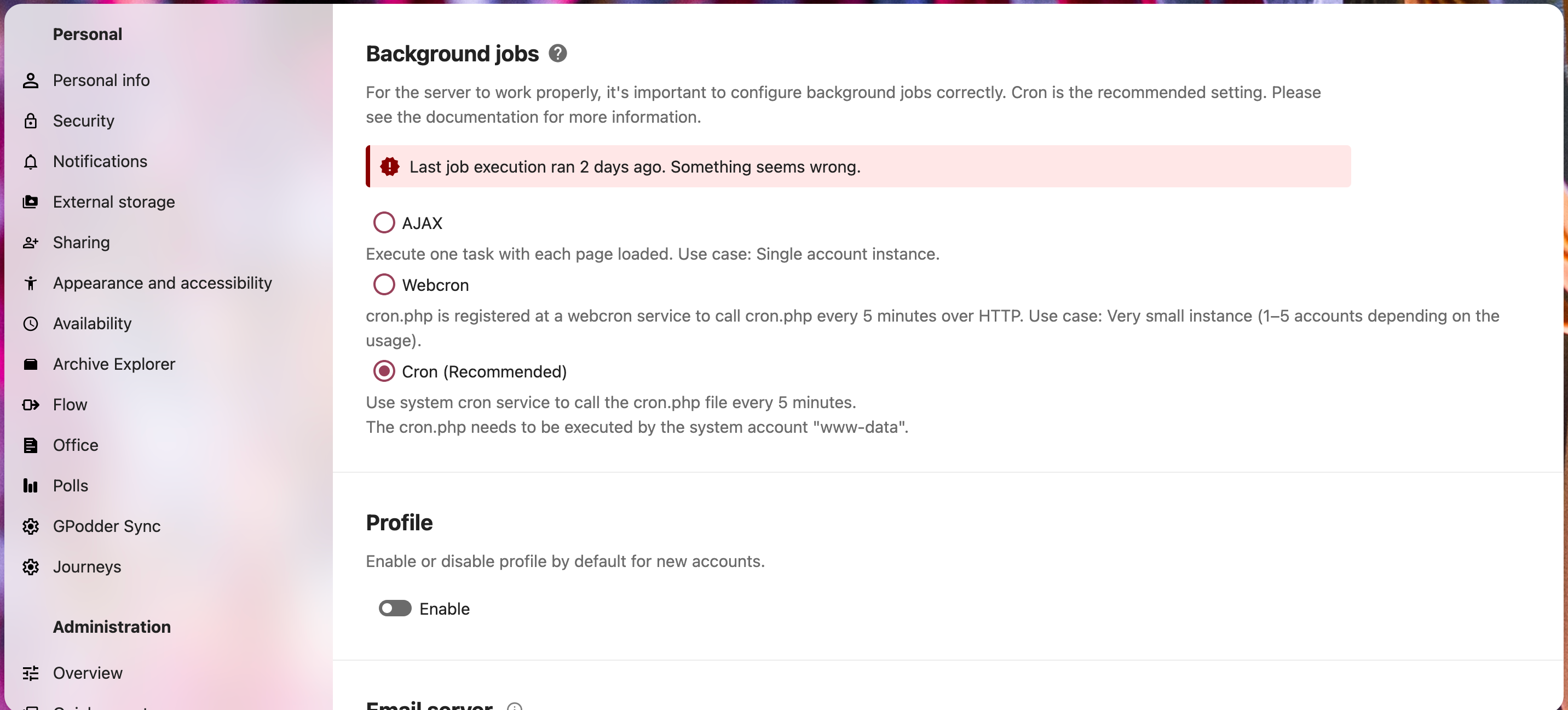
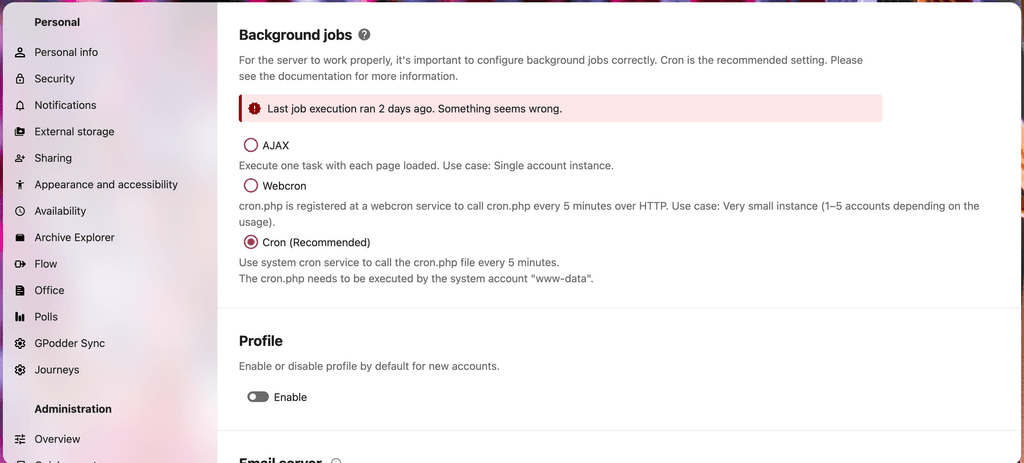
"Last job execution ran X days ago. Something seems wrong." with cron.
-
Cloudron 9.0.17
Nextcloud 32.0.6 / com.nextcloud.cloudronapp@5.6.7
App was created....4-5? years ago
Hello all, I hope you're all doing well.
My Nextcloud install cron isn't running. I only realised when my RSS feeds weren't updating. This has been the case for maybe a month, or longer.
-
If I reboot the app, cron runs successfully.
-
I can run
cron.shmanually:
root@b9cb435f-94c7-497b-bedd-7eedf0a097e7:/app/code# /app/pkg/cron.sh => Run cron job root@b9cb435f-94c7-497b-bedd-7eedf0a097e7:/app/code#- I can run
/app/pkg/cron.shmanually from web-ui terminal
root@b9cb435f-94c7-497b-bedd-7eedf0a097e7:/app/code# /app/pkg/cron.sh => Run cron job root@b9cb435f-94c7-497b-bedd-7eedf0a097e7:/app/code#- I can run
/app/pkg/preview-cleanup.shmanually from web-ui terminal
root@b9cb435f-94c7-497b-bedd-7eedf0a097e7:/app/code# /app/pkg/preview-cleanup.sh => Run empty folder cleanup root@b9cb435f-94c7-497b-bedd-7eedf0a097e7:/app/code#cron.shcontents looks "normal"
#!/bin/bash echo "=> Run cron job" exec /usr/local/bin/gosu www-data:www-data php -f /app/code/cron.phppreview-cleanup.shcontents looks "normal"
#!/bin/bash set -eu set -o pipefail echo "=> Run empty folder cleanup" cd /app/code/ readonly instanceId=$(sudo -u www-data php occ config:system:get instanceid) cd /app/data/data/appdata_${instanceId}/preview/ find . -type d -empty -delete-
When I run
cron.shorpreview-cleanup.sh, nothing is logged in/run/nextcloud/nextcloud.log-tail -f /run/nextcloud/nextcloud.log | grep cron. -
I've read "cron job is automatically enabled in Cloudron. No need to do anything...".
-
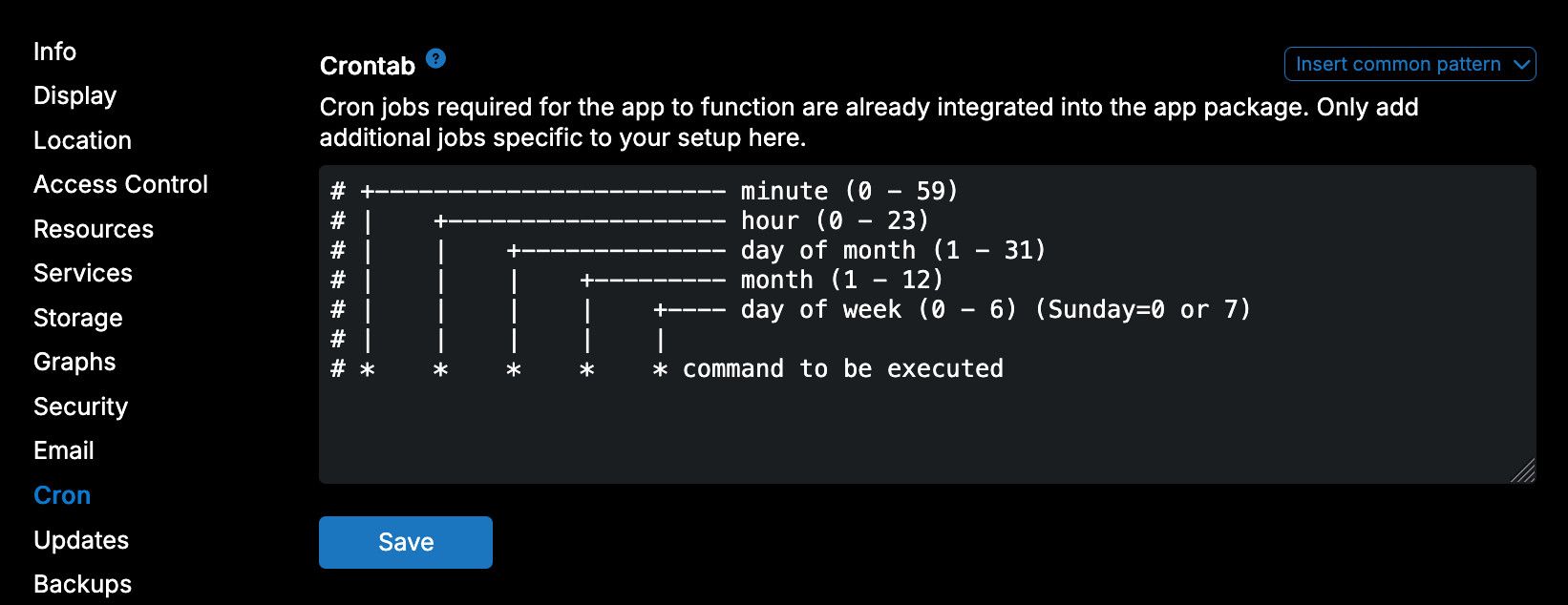
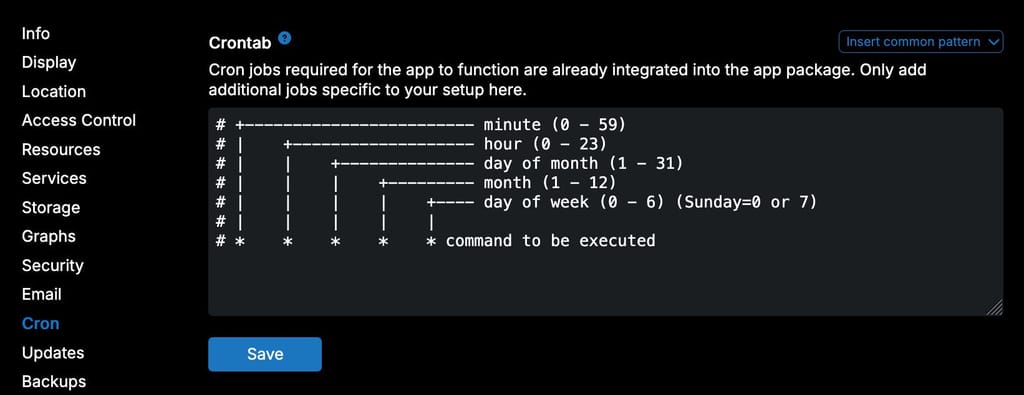
Looking in the Cloudron app UI, I don't see any entries in the Nextcloud app crontab:
I can't find any other applicable forum posts.
I'm not sure where to go with things now. Any help most appreciated!
Update
Reading more about an app's crontab being managed from the Cloudron UI - is it possible that that possibility was brought by a recent update, and it's not been configured? Just a thought. -
-
Hiya @joseph,
so the warning does not go away even when you run the cron.sh manually?
No, the warning changes.
Example:
- Here is a screenshot from the Nextcloud admin section this morning:
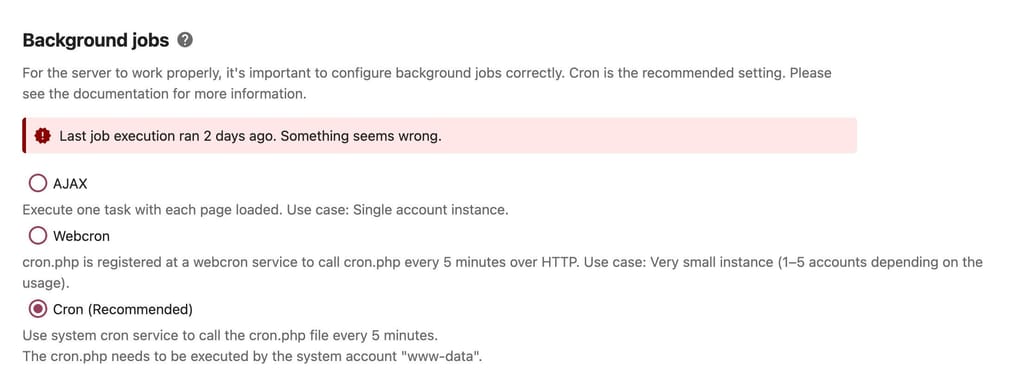
- Immediately after taking that, I then ran
/app/pkg/cron.shmanually from web-ui terminal. Here is the same Nextcloud admin UI but the warning message has changed:
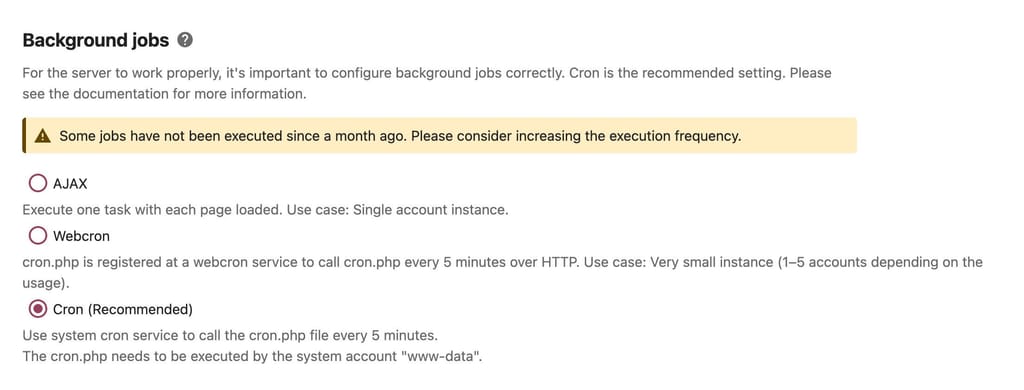
- After that (after about 30min due to meetings), I ran
/app/pkg/preview-cleanup.sh manuallyfrom web-ui terminal, and here again is the same admin UI but with a different warning message:
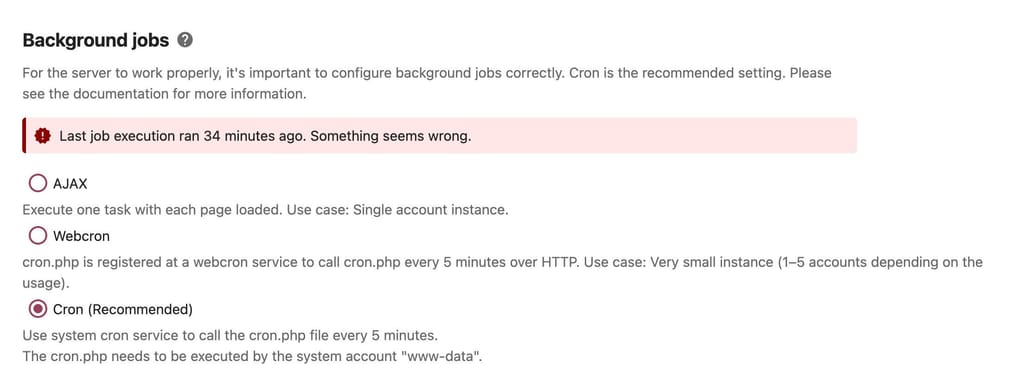
So, no the warning does not go away, the message text just changes.
I don't know where to look to fix this issue, so I'd appreciate guidance. Thanks.
-
Ah so, if I get that right, running it manually does the job then and nextcloud picks up the run, but it then complains that no subsequent runs were done. Looks like the cron job is simply not run by the system automatically. The package does define two cron jobs:
    "scheduler": {
      "housekeeping": {
        "schedule": "*/5 * * * *",
        "command": "/app/pkg/cron.sh"
      },
      "previewcleanup": {
        "schedule": "0 2 * * *",
        "command": "/app/pkg/preview-cleanup.sh"
      }
    },
So it looks like both didn't run automatically then. Maybe the scheduler got stuck. If you run
systemctl restart boxvia SSH does the issue go away after some time? -
@nebulon thanks for the suggestion - the outcome:
-
Before I restarted box:
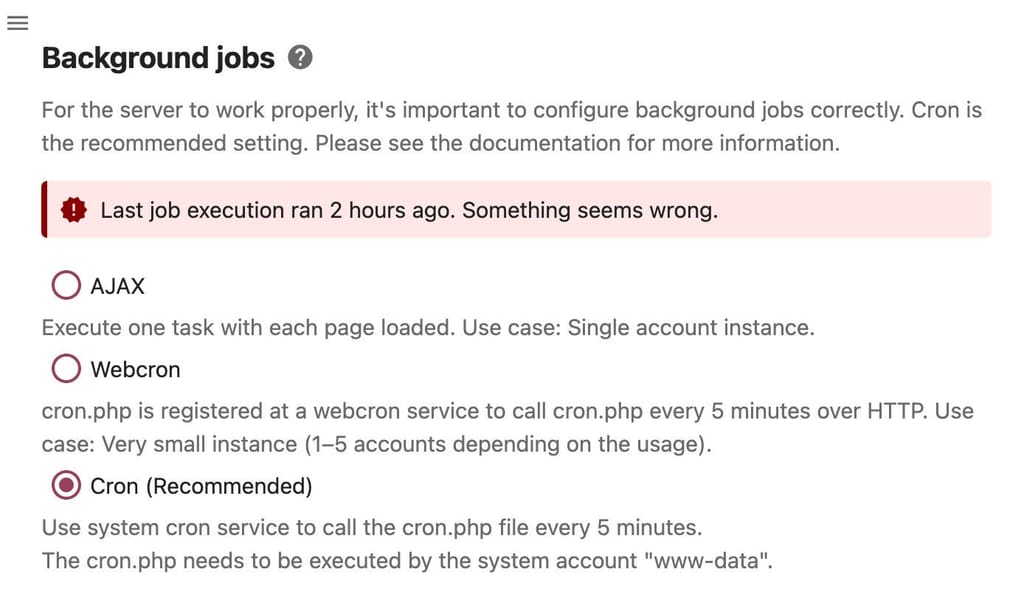
-
I restarted it:
Mar 23 12:21:24 box:box Received SIGTERM. Shutting down. Mar 23 12:21:24 box:platform uninitializing platform Mar 23 12:21:24 box:platform onDeactivated: stopping post activation services Mar 23 12:21:24 box:tasks stopAllTasks: 0 tasks are running. sending abort signal Mar 23 12:21:24 box:shell tasks: /usr/bin/sudo --non-interactive /home/yellowtent/box/src/scripts/stoptask.sh all Mar 23 12:21:24 box:database pool closed Mar 23 12:21:26 box:scheduler could not run task grav_scheduler : Database connection is already closed Mar 23 12:21:31 box:server ========================================== Mar 23 12:21:31 box:server Cloudron 9.0.17 Mar 23 12:21:31 box:server ========================================== Mar 23 12:21:31 box:platform initialize: start platform Mar 23 12:21:31 box:tasks stopAllTasks: 0 tasks are running. sending abort signal Mar 23 12:21:31 box:shell tasks: /usr/bin/sudo --non-interactive /home/yellowtent/box/src/scripts/stoptask.sh all Mar 23 12:21:31 box:locks releaseAll: all locks released Mar 23 12:21:31 box:reverseproxy writeDashboardConfig: writing dashboard config for server.domain.tld Mar 23 12:21:31 box:shell reverseproxy: /usr/bin/sudo --non-interactive /home/yellowtent/box/src/scripts/restartservice.sh nginx Mar 23 12:21:31 box:platform onActivated: starting post activation services Mar 23 12:21:31 box:platform startInfra: checking infrastructure Mar 23 12:21:31 box:platform startInfra: infra is uptodate at version 49.9.0 Mar 23 12:21:31 box:platform onInfraReady: platform is ready. infra changed: false Mar 23 12:21:31 box:apps schedulePendingTasks: scheduling app tasks Mar 23 12:21:31 box:apptaskmanager started Mar 23 12:21:31 box:cron startJobs: starting cron jobs with hour 16 and minute 14 Mar 23 12:21:32 box:cron handleBackupScheduleChanged: schedule 00 00 0 * * 1,3,5,6 (UTC) Mar 23 12:21:32 box:cron autoupdatePatternChanged: pattern - 00 00 0,20 * * 0,2,4 (UTC) Mar 23 12:21:32 box:cron Dynamic DNS setting changed to false Mar 23 12:21:32 box:dockerproxy start: listening on AAA.BBB.CCC.DDD:3003 Mar 23 12:21:40 box:shell metrics: lsblk -ndo PKNAME /dev/nvme0n1p1 Mar 23 12:21:40 box:shell metrics: lsblk -ndo PKNAME /dev/nvme0n1 Mar 23 12:21:40 box:apphealthmonitor app health: 22 running / 7 stopped / 0 unresponsive Mar 23 12:21:50 box:apphealthmonitor app health: 22 running / 7 stopped / 0 unresponsive Mar 23 12:22:00 box:docker deleteContainer: deleting 0a63e7db-16cd-440a-afb2-820cdefa5d38-wpcron Mar 23 12:22:00 at Object.createSubcontainer (/home/yellowtent/box/src/docker.js:466:28) Mar 23 12:22:00 at process.processTicksAndRejections (node:internal/process/task_queues:105:5) Mar 23 12:22:00 box:scheduler sync: clearing jobs of 5193597b-558f-4d74-9186-b657e30daaa5 (EEE.BBB.CCC.DDD) Mar 23 12:22:00 box:docker deleteContainer: deleting 5193597b-558f-4d74-9186-b657e30daaa5-wpcron Mar 23 12:22:00 box:scheduler BoxError: (HTTP code 404) no such container - No such image: cloudron/org.wordpress.cloudronapp:202510010040410000 Mar 23 12:22:00 at Object.createSubcontainer (/home/yellowtent/box/src/docker.js:466:28) Mar 23 12:22:00 at process.processTicksAndRejections (node:internal/process/task_queues:105:5) Mar 23 12:22:00 box:scheduler sync: clearing jobs of 6c37cd48-0336-499f-a08a-cb25e007f997 (FFF.BBB.CCC.DDD) Mar 23 12:22:00 box:docker deleteContainer: deleting 6c37cd48-0336-499f-a08a-cb25e007f997-grav_scheduler Mar 23 12:22:00 box:scheduler createJobs: grav_scheduler (FFF.BBB.CCC.DDD) will run in container 6c37cd48-0336-499f-a08a-cb25e007f997-grav_scheduler Mar 23 12:22:00 box:scheduler sync: clearing jobs of 70474599-c3a6-4137-9508-52e612fbef0b (GGG.BBB.CCC.DDD) Mar 23 12:22:00 box:docker deleteContainer: deleting 70474599-c3a6-4137-9508-52e612fbef0b-cleanup Mar 23 12:22:00 box:apphealthmonitor app health: 22 running / 7 stopped / 0 unresponsive Mar 23 12:22:00 box:scheduler createJobs: cleanup (HHH.BBB.CCC.DDD) will run in container 70474599-c3a6-4137-9508-52e612fbef0b-cleanup Mar 23 12:22:00 box:scheduler sync: clearing jobs of 95b5ee39-c3a4-4a7d-b3fd-3272af36611e (III.BBB.CCC.DDD) Mar 23 12:22:00 box:docker deleteContainer: deleting 95b5ee39-c3a4-4a7d-b3fd-3272af36611e-runner Mar 23 12:22:00 box:scheduler createJobs: runner (III.BBB.CCC.DDD) will run in container 95b5ee39-c3a4-4a7d-b3fd-3272af36611e-runner Mar 23 12:22:00 box:scheduler sync: clearing jobs of 9f10974e-9dbe-4758-863f-0169e99ae572 (JJJ.CCC.DDD) Mar 23 12:22:00 box:docker deleteContainer: deleting 9f10974e-9dbe-4758-863f-0169e99ae572-daily Mar 23 12:22:00 box:scheduler createJobs: daily (JJJ.CCC.DDD) will run in container 9f10974e-9dbe-4758-863f-0169e99ae572-daily Mar 23 12:22:00 box:scheduler sync: clearing jobs of b9cb435f-94c7-497b-bedd-7eedf0a097e7 (BBB.CCC.DDD) Mar 23 12:22:00 box:docker deleteContainer: deleting b9cb435f-94c7-497b-bedd-7eedf0a097e7-housekeeping Mar 23 12:22:00 box:scheduler createJobs: housekeeping (BBB.CCC.DDD) will run in container b9cb435f-94c7-497b-bedd-7eedf0a097e7-housekeeping Mar 23 12:22:00 box:docker deleteContainer: deleting b9cb435f-94c7-497b-bedd-7eedf0a097e7-previewcleanup Mar 23 12:22:00 box:scheduler createJobs: previewcleanup (BBB.CCC.DDD) will run in container b9cb435f-94c7-497b-bedd-7eedf0a097e7-previewcleanup Mar 23 12:22:00 box:scheduler sync: clearing jobs of c86c9123-fe90-4d13-ab78-88a335f719c9 (KKK.CCC.DDD) Mar 23 12:22:00 box:docker deleteContainer: deleting c86c9123-fe90-4d13-ab78-88a335f719c9-grav_scheduler Mar 23 12:22:00 box:scheduler createJobs: grav_scheduler (KKK.CCC.DDD) will run in container c86c9123-fe90-4d13-ab78-88a335f719c9-grav_scheduler Mar 23 12:22:00 box:scheduler sync: clearing jobs of e53828b0-d65b-40e0-b67b-4c9bebcd30d8 (LLL.MMM.DDD) Mar 23 12:22:00 box:docker deleteContainer: deleting e53828b0-d65b-40e0-b67b-4c9bebcd30d8-wpcron Mar 23 12:22:00 box:scheduler createJobs: wpcron (LLL.MMM.DDD) will run in container e53828b0-d65b-40e0-b67b-4c9bebcd30d8-wpcron Mar 23 12:22:00 box:scheduler sync: clearing jobs of f475c3f3-8879-41bf-9021-095e80c40b84 (LLL.CCC.DDD) Mar 23 12:22:00 box:docker deleteContainer: deleting f475c3f3-8879-41bf-9021-095e80c40b84-wpcron Mar 23 12:22:00 box:scheduler BoxError: (HTTP code 404) no such container - No such image: cloudron/org.wordpress.cloudronapp:20240724-074652-5617a7125 Mar 23 12:22:00 at Object.createSubcontainer (/home/yellowtent/box/src/docker.js:466:28) Mar 23 12:22:00 at process.processTicksAndRejections (node:internal/process/task_queues:105:5) Mar 23 12:22:02 box:reverseproxy writeDefaultConfig: writing configs for endpoint "ip" Mar 23 12:22:02 box:shell reverseproxy: /usr/bin/sudo --non-interactive /home/yellowtent/box/src/scripts/restartservice.sh nginx Mar 23 12:22:02 box:platform onActivated: finished- Some time after box restart - ~10m - the warning message changes automatically:
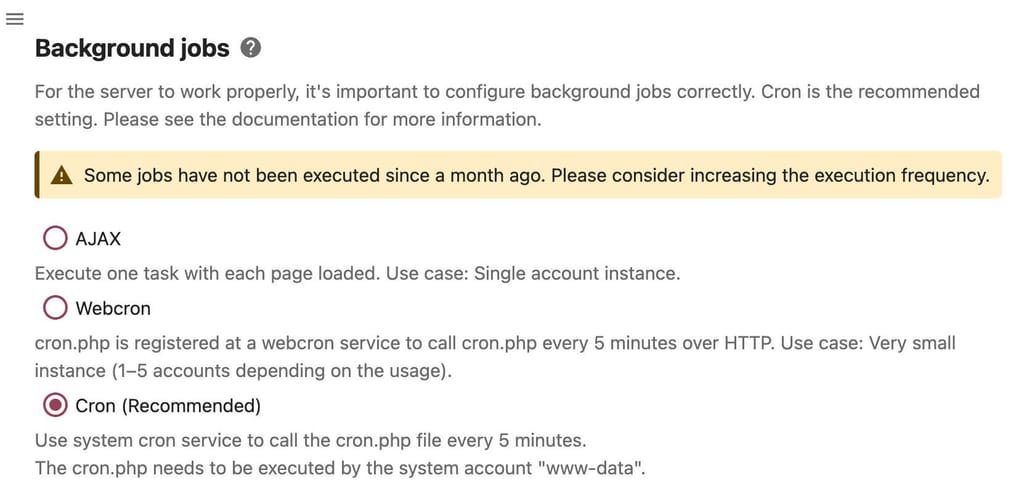
- Some time after box restart - ~15m - it looked like cron ran
Mar 23 12:35:56 => Run cron job Mar 23 12:35:58 nextcloud.client.ip.address - - [23/Mar/2026:12:35:58 +0000] "GET /apps/news/feeds HTTP/1.1" 200 5811 "-" "Mozilla/5.0 (Macintosh; Intel Mac OS X 10.15; rv:147.0) Gecko/20100101 Firefox/147.0" Mar 23 12:36:00 - - - [23/Mar/2026:12:36:00 +0000] "GET /index.php/login HTTP/1.1" 200 27888 "-" "Mozilla (CloudronHealth)" Mar 23 12:36:10 - - - [23/Mar/2026:12:36:10 +0000] "GET /index.php/login HTTP/1.1" 200 27888 "-" "Mozilla (CloudronHealth)"- Since then, the admin UI looks like this:
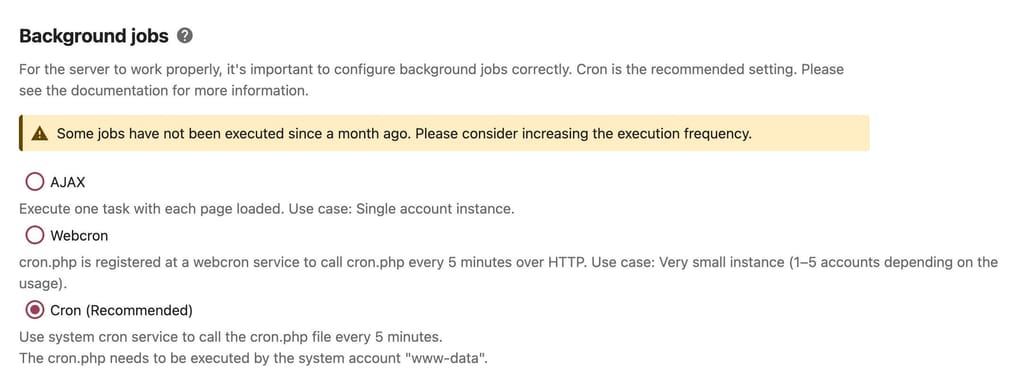
And I cannot see any mention of cron running since then.
And I'm very confused.

I'm using the RSS feed reader app as a secondary indicator of cron running, no feeds have been updated since ~12:35:56.
-
-
I have this:
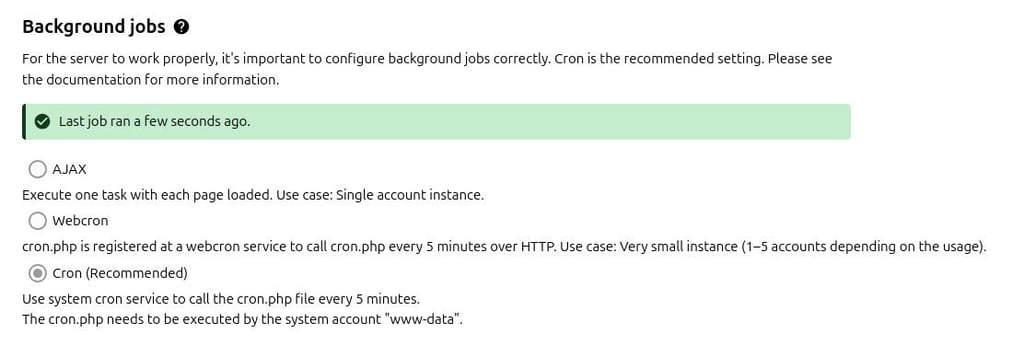
I don't think I've ever done anything to set it up.
I don't think I've ever done anything to set it up.
Yep, since I created the app (years ago), I've not done anything with cron - it just worked.
I can't identify what's changed, but I'm certain cron isn't running on a schedule.
-
If you just add a custom cron job to run every minute for that app just echoing to stdout as used as an example at https://docs.cloudron.io/apps#cron
Then have the logsviewer open, do you see the echoed messages every minute or what your custom schedule is?



Hello! It looks like you're interested in this conversation, but you don't have an account yet.
Getting fed up of having to scroll through the same posts each visit? When you register for an account, you'll always come back to exactly where you were before, and choose to be notified of new replies (either via email, or push notification). You'll also be able to save bookmarks and upvote posts to show your appreciation to other community members.
With your input, this post could be even better 💗
Register Login