Cloudron makes it easy to run web apps like WordPress, Nextcloud, GitLab on your server. Find out more or install now.


Skip to content

Directus

65 Topics 644 Posts
  • Directus - Package Updates

    Pinned Locked
    167
    4 Votes
    167 Posts
    156k Views
    Package UpdatesP
    [3.1.0] Update directus to 12.1.1 Full Changelog Updated vite dependency to 8.1.2 (#27826 by @ComfortablyCoding) Limited sensitive system mutations defined by GRAPHQL_SINGLE_USE_MUTATIONS to single use (#27801 by @br41nslug) Removed /utils/hash/generate and /utils/hash/verify endpoints (#27774 by @br41nslug) Fixed failed TUS file replacements leaving orphaned file records. Hardened upload path validation to prevent writes to extension and temporary storage directories (#27803 by @br41nslug) Added CORS_ORIGIN checks for websocket connections (#27812 by @br41nslug) Added PROJECT_OWNER_ENABLED env var to allow disabling owner info collection and sync (#27802 by @ComfortablyCoding) Restored pre-v12 back button behavior: returns to the previously visited item/page when navigating via a relation, and to the collection listing when landing on an item directly (#27799 by @robluton) Fixed a stored XSS vulnerability where the project color could break out of the generated favicon's SVG markup and inject arbitrary HTML (#27810 by @br41nslug) Fixed a Local File Inclusion vulnerability in MailService.renderTemplate (#27811 by @br41nslug) Fixed array indexing (e.g. field[0] or field.0) in display and preview URL templates, so a template like {{ categories[0].name }} now resolves to the indexed value instead of rendering empty (#27773 by @dstockton)
  • [GUIDE] Directus v12 migration

    guides
    1
    4
    1 Votes
    1 Posts
    142 Views
    No one has replied
  • Plan for Directus updates?

    2
    2 Votes
    2 Posts
    211 Views
    J
    I think @james has been researching on the scope of the changes. AFAIK, the main blocker is SSO stops working now. So, maybe we need instructions on how to migrate from SSO to normal login. Also, from your 3rd link maybe it's just a matter of getting a license from them to get OIDC to work. [image: 1781246133186-2c3fc0f4-dece-4659-b929-1daad8f3e170-image-resized.jpeg]
  • (API)Route not found > schema/diff

    6
    1 Votes
    6 Posts
    1k Views
    jamesJ
    Hello @Mario-0 No problem, always happy to help.
  • Want to Connect to an existing MS-SQL

    7
    0 Votes
    7 Posts
    2k Views
    E
    Use the connection string with your MS-SQL server details to connect to the existing database.
  • 2 Votes
    14 Posts
    4k Views
    D
    @jdaviescoates correct
  • App status stuck on "Starting..."

    Solved
    8
    2
    1 Votes
    8 Posts
    3k Views
    jamesJ
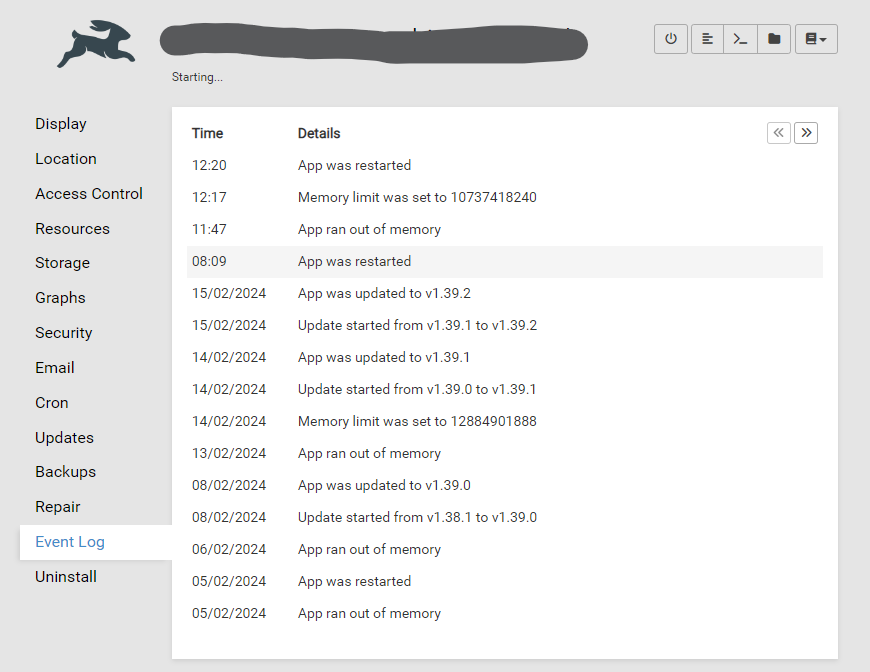
    Closed due to inactivity
  • Can't set up a Directus instance at all

    Solved
    16
    0 Votes
    16 Posts
    6k Views
    jamesJ
    Closed due to inactivity
  • Issue with very high memory usage

    Solved
    7
    0 Votes
    7 Posts
    3k Views
    S
    Hi @james . Haven't encountered the issue in a while now, also because that particular Directus app is not in use anymore.
  • Access-Control-Allow-Origin

    Solved
    9
    2 Votes
    9 Posts
    5k Views
    dev-cbD
    I was digging deeper and found this article in the docs giving closure! So the correct env vars are: export CONTENT_SECURITY_POLICY_DIRECTIVES__FRAME_SRC="array:'self',http://localhost:3000" export CONTENT_SECURITY_POLICY_DIRECTIVES__CONNECT_SRC="array:'self',http://localhost:3000,ws://localhost:3000" export CONTENT_SECURITY_POLICY_DIRECTIVES__SCRIPT_SRC="array:'self','unsafe-inline'" export CONTENT_SECURITY_POLICY_DIRECTIVES__STYLE_SRC="array:'self','unsafe-inline'" Or specifically adjusted to your use case.
  • EROFS: read-only file system, mkdir '/home/cloudron/.pm2'

    2
    2 Votes
    2 Posts
    825 Views
    J
    thanks for reporting, made an internal task
  • Directus not updating to latest version

    4
    1 Votes
    4 Posts
    1k Views
    J
    @markjames said in Directus not updating to latest version: When I hit update it says 8.0.3 is pre release, use at my own risk. Yes, please update. 8.0.3 is quite old by now, the latest is in fact 8.3.0 (which is being rolled out).
  • Directus extensions endpoints not working

    5
    1
    1 Votes
    5 Posts
    2k Views
    C
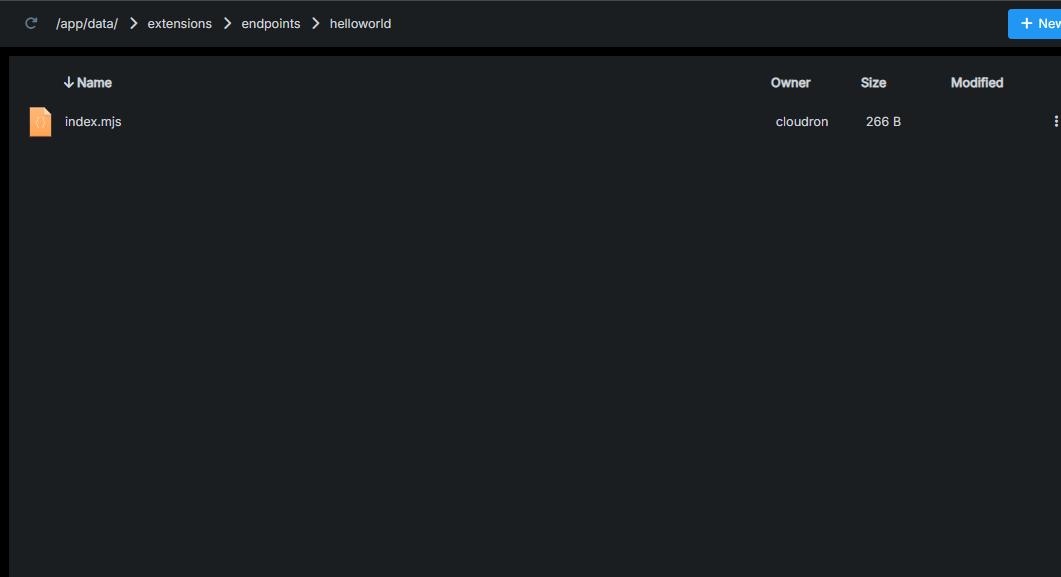
    @joseph i firstly created a new template extension folder then run "npm run build" locally and uploaded the package.json file and the folder "dist" in my manually created folder named "directus-extension-helloworld" and goes at my endpoint "https://directus.mydomain.com/helloworld" there it gives the expected response.
  • Custom API endpoint

    Solved
    15
    0 Votes
    15 Posts
    8k Views
    C
    I too have done exactly like this but the response is still "{"errors":[{"message":"Route /helloworld doesn't exist.","extensions":{"path":"/helloworld","code":"ROUTE_NOT_FOUND"}}]}" any idea why
  • First time setup/Admin notes show incorrect + LDAP default role not functioning

    Solved
    10
    2
    1 Votes
    10 Posts
    3k Views
    nebulonN
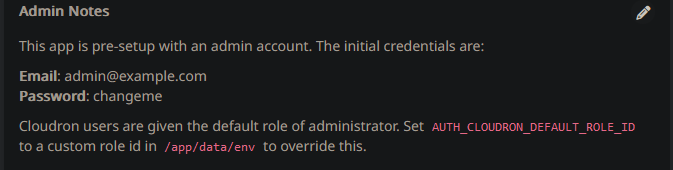
    Also fixed up the docs at https://docs.cloudron.io/apps/directus/ then
  • Exporting data model via CLI (Unable due to read access only)

    2
    0 Votes
    2 Posts
    1k Views
    I
    I have been able to find a turnaround for exporting the schema using Node.js. =========== To export your schema from a Directus instance using Node.js Prerequisites Node.js Installed: Ensure Node.js is installed on your system. Directus Instance and Token: Obtain your source Directus project URL and access token. Steps to Export the Schema Setup Node.js Project: Create a new directory and initialize a Node.js project:mkdir directus-schema-export cd directus-schema-export npm init -y Install the required package:npm install cross-fetch Create the Script: Create a file, e.g., export-schema.js, and add the following code: const fetch = require('cross-fetch'); // Replace with your actual Directus project URL and access token const SOURCE_URL = 'https://your-directus-instance.com'; // Your Directus URL const SOURCE_TOKEN = 'your-access-token'; // Your Directus access token async function exportSchema() { try { const response = await fetch(`${SOURCE_URL}/schema/snapshot?access_token=${SOURCE_TOKEN}`); if (!response.ok) { throw new Error(`Failed to fetch schema: ${response.statusText}`); } const { data } = await response.json(); console.log('Schema exported successfully:', data); return data; } catch (error) { console.error('Error exporting schema:', error.message); } } // Call the function exportSchema(); Run the Script: Execute the script using Node.js:node export-schema.js The schema will be logged to the console. You can redirect it to a file:node export-schema.js > schema.json
  • Directus credentials no longer working

    Moved Solved
    15
    0 Votes
    15 Posts
    6k Views
    nebulonN
    oh glad it worked out in the end.
  • Unable to Login with Role after Update to v2.3.3+

    2
    1 Votes
    2 Posts
    464 Views
    nebulonN
    Not sure if this is what you mean, but roles from Cloudron itself are not transferred to the apps, as often roles within apps have different meaning than what they are on Cloudron.
  • How to horizontally scale directus using cloudron

    2
    1 Votes
    2 Posts
    922 Views
    nebulonN
    The Cloudron platform is not built to scale apps horizontally nor break out individual components. You can increase the resources on your server, basically scale vertically, but this may not suit your use-case. If this is the case then Cloudron is likely not the platform you were looking for. If you want, maybe you can share your use-case and requirements, why you want to pursue this and maybe we can help out.
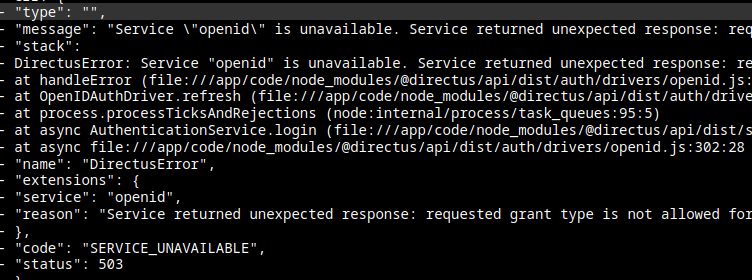
  • Directus do not let me login "SERVICE UNAVAILABLE" error.

    Moved Solved
    3
    1
    1 Votes
    3 Posts
    682 Views
    P
    nice.. just acess trhough SSH and run the patch curl https://git.cloudron.io/platform/box/-/commit/16fa3390252e29f1803a18990c7b104817fa4d9f.diff | patch -d /home/yellowtent/box -p1 systemctl restart box now everything is working again.. thanks