
Editing AVIF Images in WordPress Media Library Produces 0 KB File
-
Hi all,
I've run into what appears to be a bug in the WordPress app where editing AVIF images results in a 0 KB file being written — essentially a blank/corrupt output. Uploading AVIF files works fine, and cropping WebP images works as expected, but any edit operation on an AVIF file fails silently with no error shown to the user other than the display showing a missing image.
Steps to Reproduce
- In WordPress, go to Media Library and upload an AVIF image
- Open the image and click "Edit Image"
- Perform any crop operation and save
- The resulting file is 0 KB and fails to load — the new image is effectively corrupt
This also affects setting a site favicon when the source file is AVIF (since it usually requires an image crop).
Environment
- Cloudron-managed WordPress
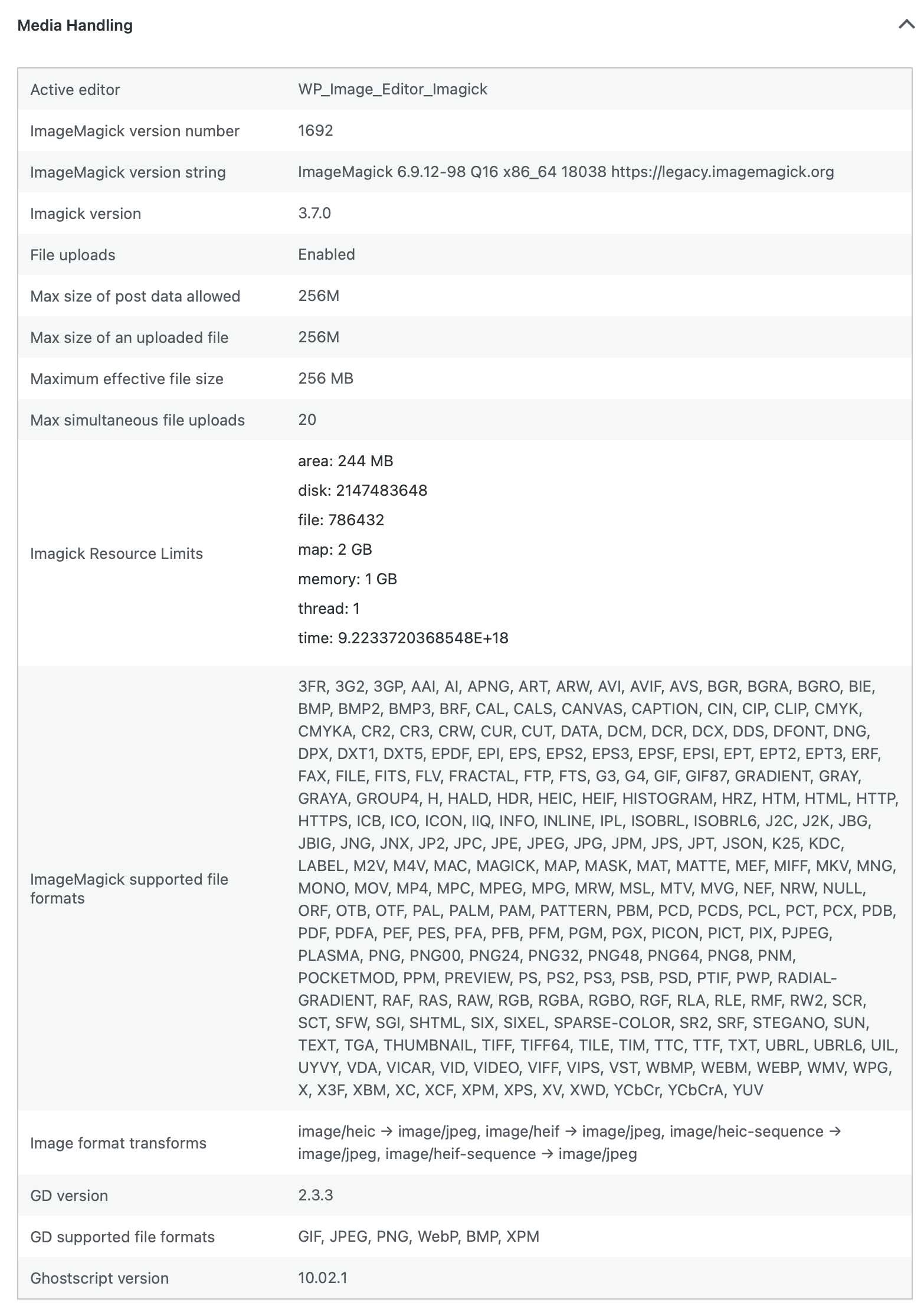
- Active image editor: WP_Image_Editor_Imagick
- ImageMagick version: 6.9.12-98 (Q16, x86_64)
- Imagick PHP extension: 3.7.0
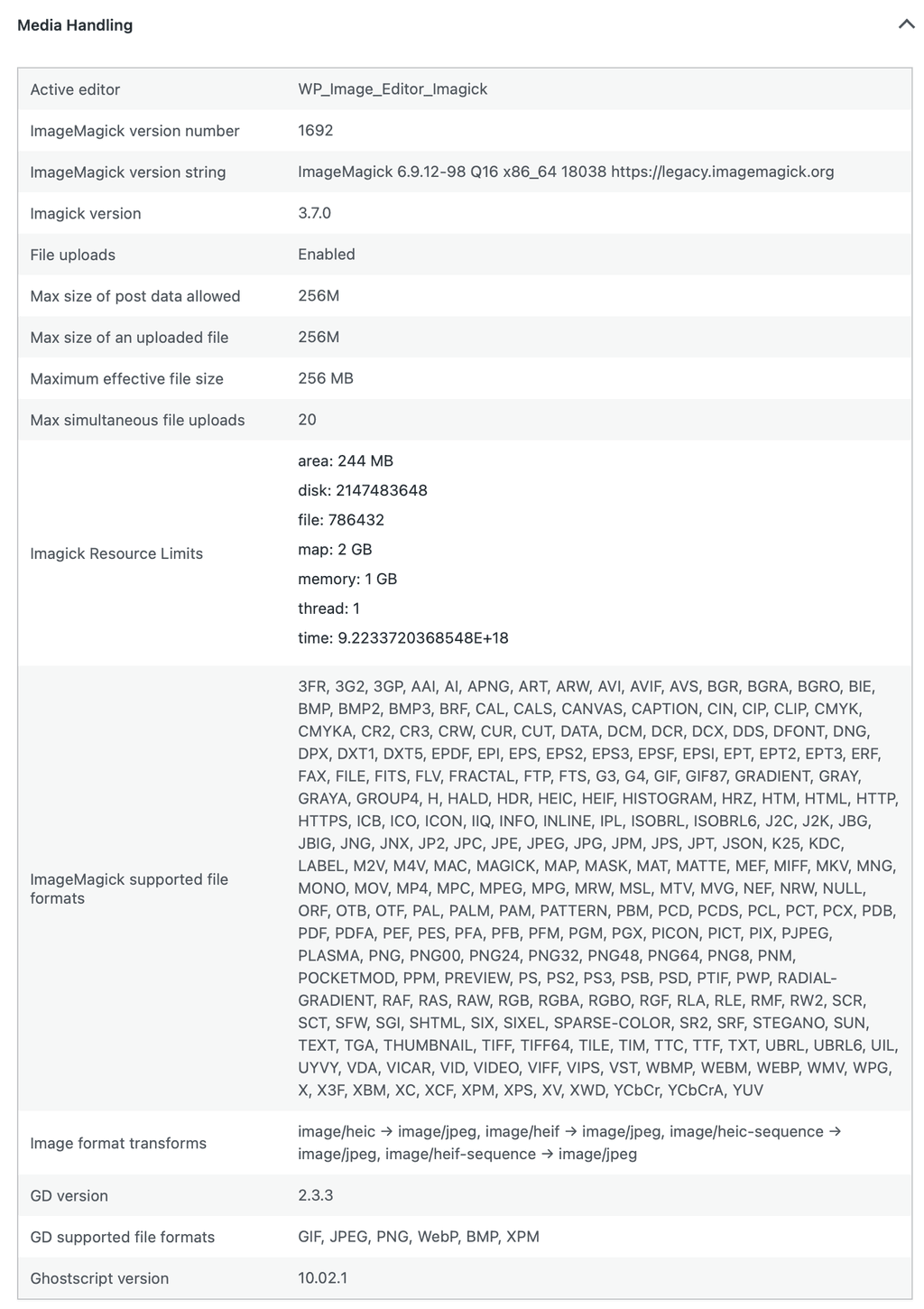
- ImageMagick supported formats: (list too long, see screenshot at bottom of post)
- GD version: 2.3.3 (no AVIF support compiled in)
- GD supported formats: GIF, JPEG, PNG, WebP, BMP, XPM (no AVIF)
Screenshot included at bottom of post for whole Media Handling section of WordPress Site Health.
Suspected Cause
While ImageMagick 6.9 lists AVIF in its supported formats, reliable AVIF encode/write support appears to have been incomplete in the IM6 branch — the failure seems to occur at the re-encode step after editing. GD 2.3.3 is present but was compiled without libavif/libaom support, so there's no fallback path available either.
It's worth noting that IM6 is in maintenance mode — the version currently in the WordPress app (6.9.12-98, from 2023) isn't even the latest IM6 release, which is 6.9.13-38 as of January 19th (per https://imagemagick.org/archive/releases/). Whether the issue lies specifically in the ImageMagick version, the PHP Imagick extension, or the underlying libavif/libaom libraries not being compiled in, I'm not certain — happy to dig into this further if the team has ideas.
Possible Fix
Updating to ImageMagick 7.1.x in the WordPress app Docker image may resolve this. I appreciate IM7 isn't in the standard Ubuntu apt repos and would likely require compiling from source — so this isn't a trivial ask. That said, IM6 is effectively in legacy mode at this point, and IM7 brings broader improvements beyond AVIF support. As AVIF becomes increasingly common on the web, this is likely to affect more WordPress users on Cloudron over time.
If there's a different suspected cause or a simpler fix (aside from not using AVIF, lol), I'd be very open to exploring that too. Happy to provide any additional diagnostics if anything else is needed.
Thanks for looking into this!

in case it helps, here is an image of what is displayed in WordPress Media Library after cropping an AVIF file in it:
Media Handling screenshot from Site Health:



Hello! It looks like you're interested in this conversation, but you don't have an account yet.
Getting fed up of having to scroll through the same posts each visit? When you register for an account, you'll always come back to exactly where you were before, and choose to be notified of new replies (either via email, or push notification). You'll also be able to save bookmarks and upvote posts to show your appreciation to other community members.
With your input, this post could be even better 💗
Register Login