
DKIM when external relay is configured
-
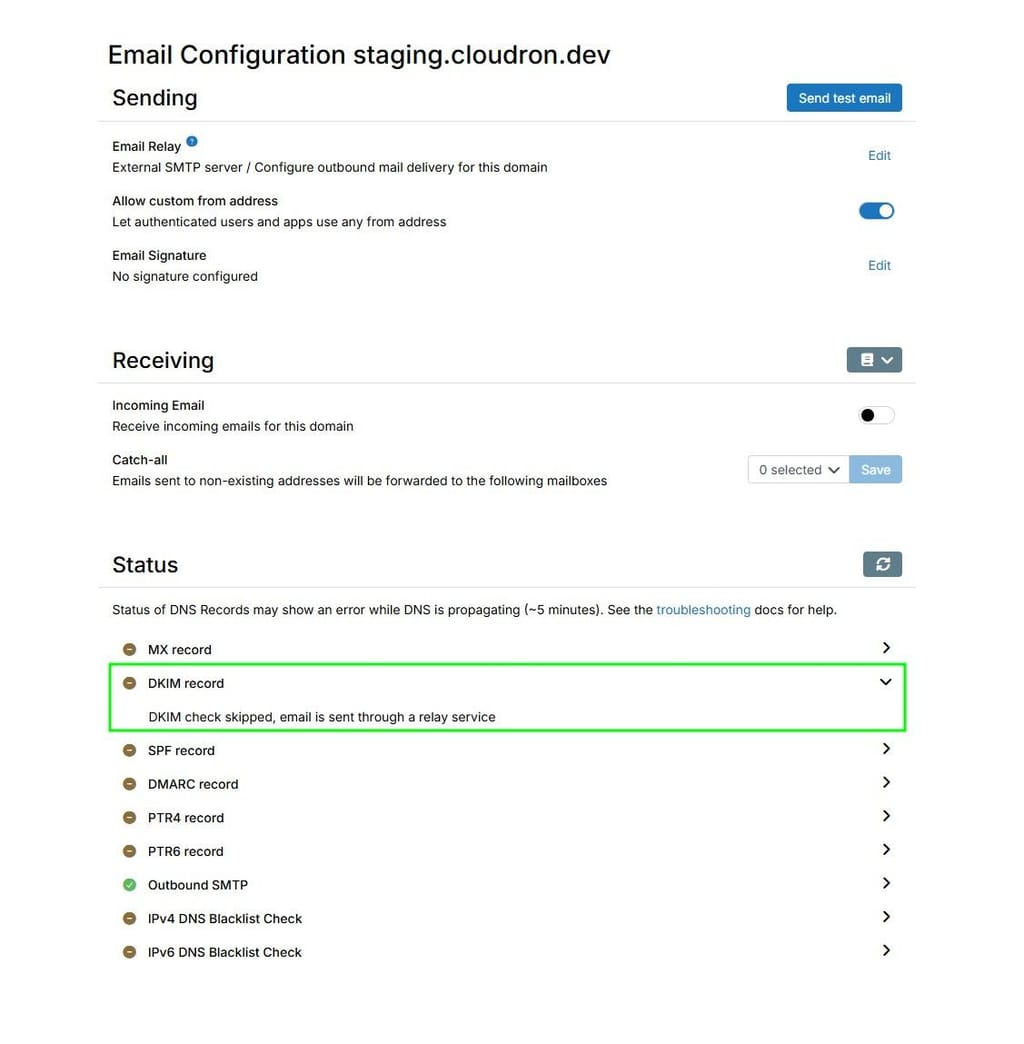
When external SMTP relay is configured Cloudron still signs all outgoing mail with DKIM, but the UI hides the DNS entry it wants.
Without the matching entry some mail servers then reject the mail because of the DKIM failure.
Please either:
- Do not sign the mail when using external relay to send mail
- Expose the expected DKIM DNS entry to the end user so that they can configure it
The half-way house does not work.
As a workaround I disabled external relay to reveal the DNS entry, created the DNS entry, and then added the SMTP relay back again.
-
-
Send an email through the Cloudron and look at the mail headers in the mail you end up with.
It will include DKIM signature from Cloudron, which fails to validate if the DNS entry is missing.
DMARC reports will also list it as an issue, if you have that configured.
-
Without the DNS entry mail from cloudron ends up with
ARC-Authentication-Results: i=1; mx.google.com;
       dkim=pass header.i=@smtpcorp.com header.s=a1-4 header.b=38VpoA5C;
       dkim=pass header.i=@permamed.org header.s=s1004192 header.b=IvzZvAEF;
       dkim=permerror (no key for signature) header.i=@permamed.org header.s=cloudron-0d9262 header.b=cSc2yqyX;
       spf=pass (google.com: domain of bounce.3wqhqixyft3pua6=46muc2596w7f=34l98tc3oj4uzw@em1004192.permamed.org designates 158.120.86.203 as permitted sender)
Once I add the entry I get
ARC-Authentication-Results: i=1; mx.google.com; dkim=pass header.i=@smtpcorp.com header.s=a1-4 header.b=hge5ICDL; dkim=pass header.i=@permamed.org header.s=s1004192 header.b=HnqT1ibh; dkim=pass header.i=@permamed.org header.s=cloudron-0d9262 header.b="bpPl/+t5"; spf=pass (google.com: domain of bounce.w5qkkdyfnaxsxb7=ojoiat7bxbcy=pc4cfvy7huru7n@em1004192.permamed.org designates 158.120.86.203 as permitted sender) -
Could you please check whether this applies to the PTR4 record as well?
As I hadn’t configured it on the Cloudron – since I was using a relay – I experienced issues with incoming email delivery until I configured it.
I then configured the PTR4 record and everything was solved.
I know that PTR4 record is related only to outbound, but I want to figure out if there is some relationship on what happened.
Thanks a lot
-
 J james has marked this topic as solved on
Hello! It looks like you're interested in this conversation, but you don't have an account yet.
Getting fed up of having to scroll through the same posts each visit? When you register for an account, you'll always come back to exactly where you were before, and choose to be notified of new replies (either via email, or push notification). You'll also be able to save bookmarks and upvote posts to show your appreciation to other community members.
With your input, this post could be even better 💗
Register Login