
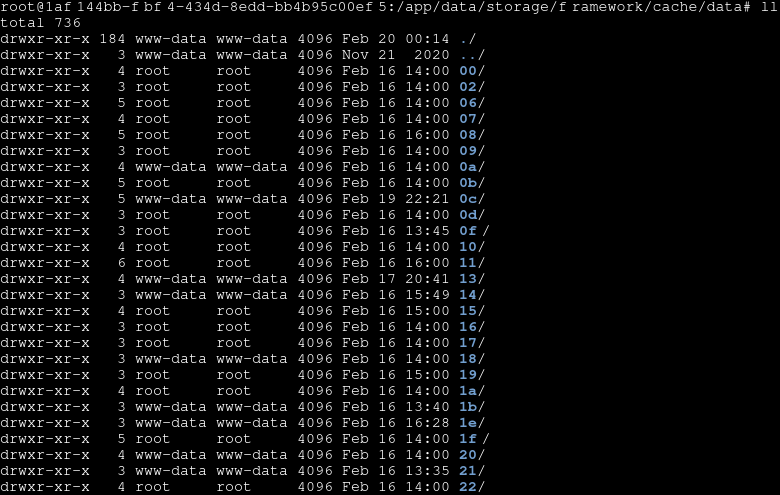
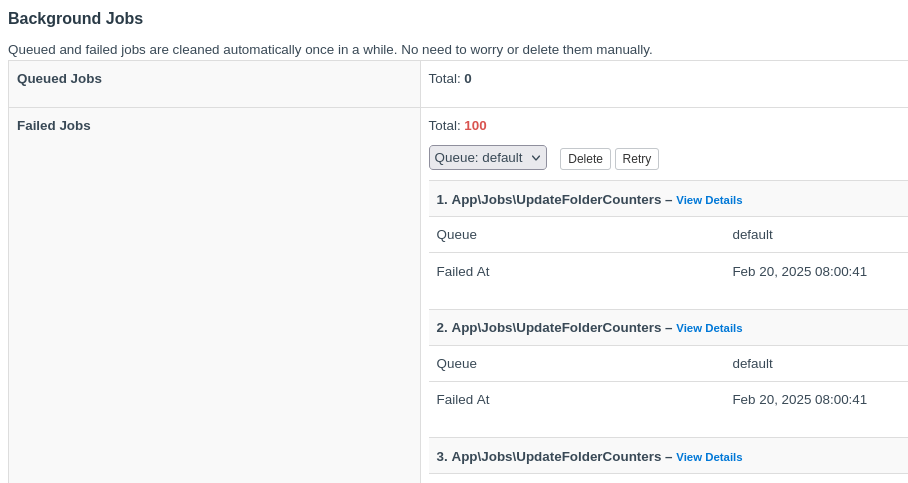
"Failed to open stream: Permission denied" for cache/data
-
-
-
-
 S sebastienserre referenced this topic on
-
-
I am also going to leave this here:
I finally got around to putting together a fix:
https://github.com/pronetivity/cloudron-freescout/commit/27697c310fb373f1a972c7990f5c00dc3052ee54
A detailed analysis is available here:
https://github.com/pronetivity/cloudron-freescout/blob/master/LARAVEL-CACHE-FIX.md
Disclaimer: the commit also includes a few quality-of-life changes. The actual fix is limited to the caching adjustments.
Cheers,
JD -
I am also going to leave this here:
I finally got around to putting together a fix:
https://github.com/pronetivity/cloudron-freescout/commit/27697c310fb373f1a972c7990f5c00dc3052ee54
A detailed analysis is available here:
https://github.com/pronetivity/cloudron-freescout/blob/master/LARAVEL-CACHE-FIX.md
Disclaimer: the commit also includes a few quality-of-life changes. The actual fix is limited to the caching adjustments.
Cheers,
JD -
@neoplex thank you. Since we host on gitlab, I applied the patch by hand with only the relevant bits - https://git.cloudron.io/packages/freescout-app/-/merge_requests/61
Hey @girish, thanks for picking up the patch!
So, that one cleaned up the queue worker side of things (which was genuinely broken), but the root-owned cache files started appearing again. I've spent some more time on this and I FINALLY found the culprit ...
Turns out it's not anything inside the app container. It's the scheduler sidecar.
On the host:
$ docker ps --format '{{.Names}} {{.Command}}' | grep <app-id>
<app-id>-crontab.0  "/bin/sh -c 'php /ap…"
<app-id>             "/app/pkg/start.sh"
$ docker inspect --format '{{.Config.Cmd}}' <app-id>-crontab.0 [/bin/sh -c php /app/code/artisan schedule:run >> /dev/null 2>&1] $ docker inspect --format '{{.Config.User}}' <app-id>-crontab.0 (empty - runs as root)The sidecar runs
php artisan schedule:rundirectly as root every minute, creating scheduler mutex files and other cache entries understorage/framework/cache/data/owned byroot:root. When the app (running aswww-data) tries to write to those same directories - permission denied.Two things I noticed:
- The sidecar doesn't use the manifest's
"command": "/app/pkg/cron.sh"- which uses gosu to drop privileges - it hardcodesphp artisan schedule:runinstead - It runs without a user set, so it defaults to root
The fix from MR61 is still good to keep, but need to address the sidecar situation. For the freescout app specifically, I've now removed the
scheduleraddon and switched to running theschedule:runjob in the same container via a supervisor-managed process. That eliminates the sidecar container entirely.I've patched and tested the repo accordingly:
https://github.com/pronetivity/cloudron-freescout/commit/6771b826ee45cca6fc75d145f85d9d3da198daae
https://github.com/pronetivity/cloudron-freescout/blob/master/LARAVEL-CACHE-FIX.md
As for the scheduler sidecar - shouldn't it respect the manifest command (or run as the app user)? That would be a nicer fix at the platform level going forward.
Cheers,
JD - The sidecar doesn't use the manifest's
-
Hey @girish, thanks for picking up the patch!
So, that one cleaned up the queue worker side of things (which was genuinely broken), but the root-owned cache files started appearing again. I've spent some more time on this and I FINALLY found the culprit ...
Turns out it's not anything inside the app container. It's the scheduler sidecar.
On the host:
$ docker ps --format '{{.Names}} {{.Command}}' | grep <app-id>
<app-id>-crontab.0  "/bin/sh -c 'php /ap…"
<app-id>             "/app/pkg/start.sh"
$ docker inspect --format '{{.Config.Cmd}}' <app-id>-crontab.0 [/bin/sh -c php /app/code/artisan schedule:run >> /dev/null 2>&1] $ docker inspect --format '{{.Config.User}}' <app-id>-crontab.0 (empty - runs as root)The sidecar runs
php artisan schedule:rundirectly as root every minute, creating scheduler mutex files and other cache entries understorage/framework/cache/data/owned byroot:root. When the app (running aswww-data) tries to write to those same directories - permission denied.Two things I noticed:
- The sidecar doesn't use the manifest's
"command": "/app/pkg/cron.sh"- which uses gosu to drop privileges - it hardcodesphp artisan schedule:runinstead - It runs without a user set, so it defaults to root
The fix from MR61 is still good to keep, but need to address the sidecar situation. For the freescout app specifically, I've now removed the
scheduleraddon and switched to running theschedule:runjob in the same container via a supervisor-managed process. That eliminates the sidecar container entirely.I've patched and tested the repo accordingly:
https://github.com/pronetivity/cloudron-freescout/commit/6771b826ee45cca6fc75d145f85d9d3da198daae
https://github.com/pronetivity/cloudron-freescout/blob/master/LARAVEL-CACHE-FIX.md
As for the scheduler sidecar - shouldn't it respect the manifest command (or run as the app user)? That would be a nicer fix at the platform level going forward.
Cheers,
JD@neoplex not sure I understand.
cron.shdoes run as root. This is intentional because an app can run with multiple users. Thecron.shcan decide what to do.https://git.cloudron.io/packages/freescout-app/-/blob/master/cron.sh?ref_type=heads#L10 is running it via gosu which basically is run-as "www-data". The cron script is thus not being run as root.
- The sidecar doesn't use the manifest's
-
@neoplex not sure I understand.
cron.shdoes run as root. This is intentional because an app can run with multiple users. Thecron.shcan decide what to do.https://git.cloudron.io/packages/freescout-app/-/blob/master/cron.sh?ref_type=heads#L10 is running it via gosu which basically is run-as "www-data". The cron script is thus not being run as root.
@girish you're right that
cron.shitself uses gosu. That part is fine. The issue isn't withcron.sh.The issue is the sidecar container that the scheduler addon creates. On the host:
$ docker ps --format '{{.Names}} {{.Command}}' | grep 1af144bb
1af144bb-fbf4-434d-8edd-bb4b95c00ef5-crontab.0  "/bin/sh -c 'php /ap…"
1af144bb-fbf4-434d-8edd-bb4b95c00ef5             "/app/pkg/start.sh"
The sidecar doesn't run
/app/pkg/cron.sh. It runsphp artisan schedule:rundirectly:$ docker inspect --format 'Cmd: {{.Config.Cmd}} User: "{{.Config.User}}" Image: {{.Config.Image}}' 1af144bb-fbf4-434d-8edd-bb4b95c00ef5-crontab.0 Cmd: [/bin/sh -c php /app/code/artisan schedule:run >> /dev/null 2>&1] User: "" Image: cloudron/net.freescout.cloudronapp:202603171110280000No user is set (empty string), so it defaults to root. The gosu in
cron.shis never reached because the sidecar bypassescron.shentirely.This is easy to verify on any box with a freescout app running:
docker inspect --format '{{.Config.Cmd}}' <app-id>-crontab.0This is what creates the root-owned cache files under
storage/framework/cache/data/. -
-
@girish apologies, I jumped the gun on that last post. You were right.
I had a look at the box source code (
src/scheduler.js,src/docker.js) and the manifest command IS respected by the scheduler. Thephp artisan schedule:runon my instance came from a custom crontab entry carried over when we migrated from a standalone install to Cloudron over 2 years ago. That entry must have slipped through unnoticed, but it explains everything.After removing it, the scheduler container (now suffixed
-housekeepinginstead of-crontab.0) correctly runscron.sh:$ docker inspect --format '{{.Config.Cmd}}' 1af144bb-fbf4-434d-8edd-bb4b95c00ef5-housekeeping Cmd: [/bin/sh -c /app/pkg/cron.sh]Things are working correctly with
cron.sh+ gosu now
I should have caught this sooner. In my defense (barely), the Cron tab of the app doesn't mention that commands run as root. I eventually found it in the documentation at the bottom of the Cron page. A small note in the Cron tab itself would probably help others avoid the same mistake.
Cheers,
JD



Hello! It looks like you're interested in this conversation, but you don't have an account yet.
Getting fed up of having to scroll through the same posts each visit? When you register for an account, you'll always come back to exactly where you were before, and choose to be notified of new replies (either via email, or push notification). You'll also be able to save bookmarks and upvote posts to show your appreciation to other community members.
With your input, this post could be even better 💗
Register Login