
-
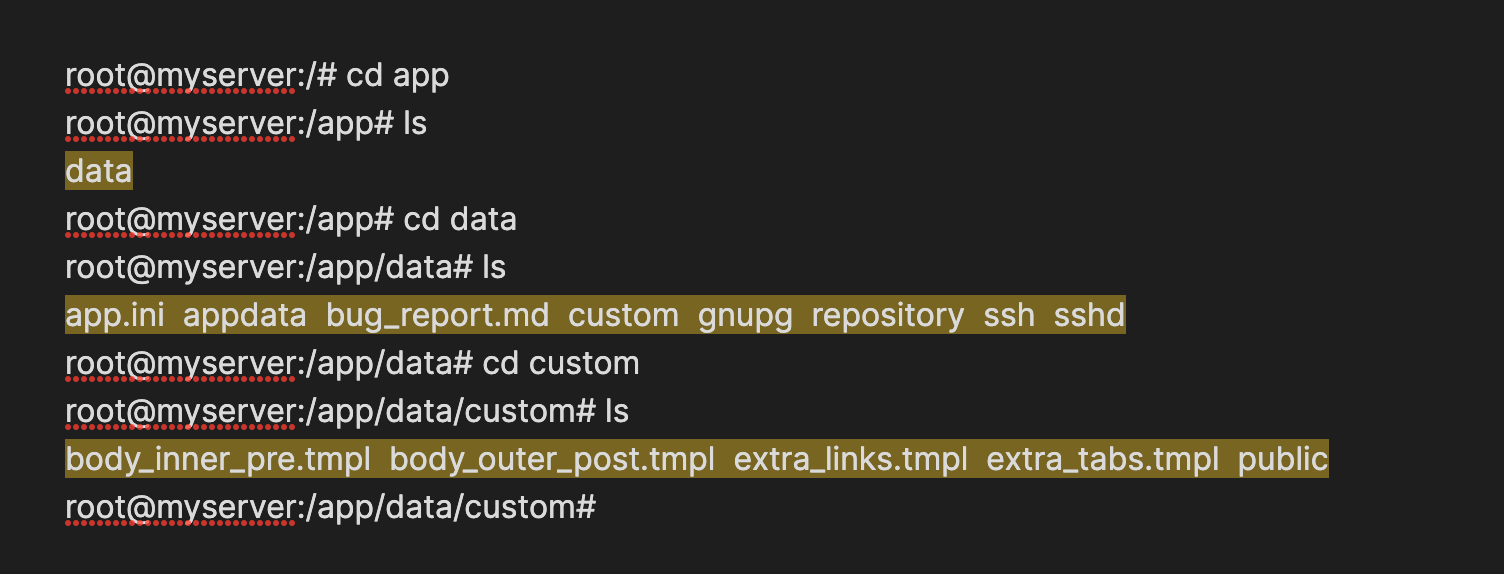
Loving Cloudron! Thank you for this! Having trouble with Git customization though and struggled for many hours today with it ...
Issue summary
Issues with:
1-Successfully load a custom theme ️
️
2-Successfully load custom templates.️
3-The app.iniworks fine
 when I make an edit and reload Gitea via Cloudron's file manager but I can't get the others two things to go.
My efforts with theme
I tried dropping a CSS file call "theme-gitea-modern.css" and "modern.css" in the custom directory and also both those files in the "custom/public" directory and then I also add the names "modern" and "gitea-modern" at the end of the themes variable inside app.ini so that my app.ini looks like this
THEMES = auto,gitea,arc-green,gitea-modern,modern.... just trying to cover all the possibiliies. But it still didn't work.I am wondering if custom directory is being properly set by Cloudron still? Or maybe I need to chang anything else in app.ini? The Cloudron doc section this is pretty short. Also ...
Efforts with template
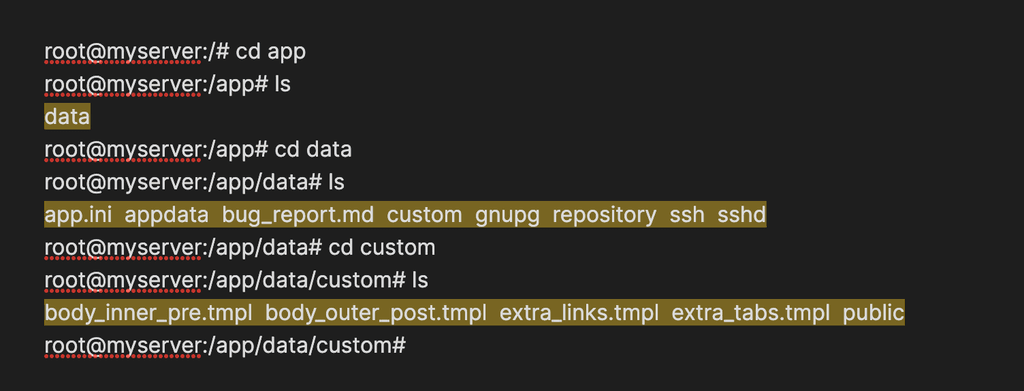
- Added some .tmpl files found on github in the custom directory to the custom directory in Cloudron's file manager
- Rebooted Gitea
- Result = Don't see the same html appearing in Gitea HTML output
Where I put the files.
Thank you!
Any input or help is greatly appreciated.
-
@benjifrank The location of css assets have changed. It is now in
CUSTOM/public/assets/css(starting from 1.21.0 it seems). The templates are also not into custom directly , but into templates/base it seems. Not 100% sure but it seems like that unlikes color themes, there can only be 1 template (?) because the template names don't have a theme prefix....Anyway, so, my directory structure is like this:
root@fd219d58-a046-4087-910f-ffca7d16dfee:/app/data/custom# find .
.
./templates
./templates/base
./public
./public/assets
./public/assets/img
./public/assets/css
./public/assets/css/theme-arc-red.css
I put this in my app.ini:
[ui]
THEMES = gitea-auto,gitea-light,gitea-dark,arc-red
DEFAULT_THEME = arc-red
Restarted the app.
And then I do red color scrollbars etc.
-
 N nebulon moved this topic from Off-topic on
-
B benjifrank marked this topic as a question on
-
B benjifrank marked this topic as a regular topic on
-
B benjifrank marked this topic as a question on
-
 J james has marked this topic as solved on

Hello! It looks like you're interested in this conversation, but you don't have an account yet.
Getting fed up of having to scroll through the same posts each visit? When you register for an account, you'll always come back to exactly where you were before, and choose to be notified of new replies (either via email, or push notification). You'll also be able to save bookmarks and upvote posts to show your appreciation to other community members.
With your input, this post could be even better 💗
Register Login