
IPv6 stuff seems to have broken Syncthing
-
The IPv6 woes continue... this time it's syncthing:
Logs:
Apr 15 17:52:53 2025/04/15 16:52:53 [error] 18#18: *676 connect() failed (111: Connection refused) while connecting to upstream, client: 172.18.0.1, server: _, request: "GET /rest/system/connections HTTP/1.1", upstream: "http://[::1]:3000/rest/system/connections", host: "sync.ud.coop", referrer: "https://sync.ud.coop/"
Apr 15 17:52:53 2025/04/15 16:52:53 [warn] 18#18: *676 upstream server temporarily disabled while connecting to upstream, client: 172.18.0.1, server: _, request: "GET /rest/system/connections HTTP/1.1", upstream: "http://[::1]:3000/rest/system/connections", host: "sync.ud.coop", referrer: "https://sync.ud.coop/"
Chatting with ChatGTP about it:
Good catch — and fair challenge.
You're right to ask: where did I get "Nginx is configured to proxy to
http://[::1]:3000"?The clue is in the error messages from your original post:
connect() failed (111: Connection refused) while connecting to upstream, client: 172.18.0.1, server: _, request: "GET /rest/system/discovery HTTP/1.1", upstream: "http://[::1]:3000/rest/system/discovery"That part:
upstream: "http://[::1]:3000/rest/system/discovery"shows that Nginx is attempting to connect to Syncthing at
[::1]:3000— which is IPv6 localhost on port 3000.That’s not coming from the
config.xmlyou pasted, but from the Nginx reverse proxy config that Cloudron auto-generates for apps. Cloudron sets up Nginx to expect the app's internal web interface onlocalhost:3000, and it prefers IPv6 when resolvinglocalhost, hence the[::1].So unless Syncthing is bound to
localhost(which includes both127.0.0.1and[::1]), Nginx will fail to connect — which is exactly what the log shows.
TL;DR
- That
upstream: "http://[::1]:3000/...is from your Nginx error logs. - It shows that Nginx is trying IPv6 localhost.
- But your Syncthing is only listening on IPv4 (
127.0.0.1), so connection is refused.
Changing the Syncthing bind address from
127.0.0.1:8384tolocalhost:3000would fix it.Want me to explain how Cloudron handles the reverse proxy internals if you're curious?
- That
-
It was working fine, but today it doesn't.
@jdaviescoates said in IPv6 stuff seems to have broken Syncthing:
It was working fine, but today it doesn't.
But, um, I just rebooted my laptop and now everything is working again

(I still have those warnings and errors, but if it's working I don't care)
-
The IPv6 woes continue... this time it's syncthing:
Logs:
Apr 15 17:52:53 2025/04/15 16:52:53 [error] 18#18: *676 connect() failed (111: Connection refused) while connecting to upstream, client: 172.18.0.1, server: _, request: "GET /rest/system/connections HTTP/1.1", upstream: "http://[::1]:3000/rest/system/connections", host: "sync.ud.coop", referrer: "https://sync.ud.coop/"
Apr 15 17:52:53 2025/04/15 16:52:53 [warn] 18#18: *676 upstream server temporarily disabled while connecting to upstream, client: 172.18.0.1, server: _, request: "GET /rest/system/connections HTTP/1.1", upstream: "http://[::1]:3000/rest/system/connections", host: "sync.ud.coop", referrer: "https://sync.ud.coop/"
Chatting with ChatGTP about it:
Good catch — and fair challenge.
You're right to ask: where did I get "Nginx is configured to proxy to
http://[::1]:3000"?The clue is in the error messages from your original post:
connect() failed (111: Connection refused) while connecting to upstream, client: 172.18.0.1, server: _, request: "GET /rest/system/discovery HTTP/1.1", upstream: "http://[::1]:3000/rest/system/discovery"That part:
upstream: "http://[::1]:3000/rest/system/discovery"shows that Nginx is attempting to connect to Syncthing at
[::1]:3000— which is IPv6 localhost on port 3000.That’s not coming from the
config.xmlyou pasted, but from the Nginx reverse proxy config that Cloudron auto-generates for apps. Cloudron sets up Nginx to expect the app's internal web interface onlocalhost:3000, and it prefers IPv6 when resolvinglocalhost, hence the[::1].So unless Syncthing is bound to
localhost(which includes both127.0.0.1and[::1]), Nginx will fail to connect — which is exactly what the log shows.
TL;DR
- That
upstream: "http://[::1]:3000/...is from your Nginx error logs. - It shows that Nginx is trying IPv6 localhost.
- But your Syncthing is only listening on IPv4 (
127.0.0.1), so connection is refused.
Changing the Syncthing bind address from
127.0.0.1:8384tolocalhost:3000would fix it.Want me to explain how Cloudron handles the reverse proxy internals if you're curious?
@jdaviescoates said in IPv6 stuff seems to have broken Syncthing:
Changing the Syncthing bind address from 127.0.0.1:8384 to localhost:3000 would fix it.
I wasn't sure about this, but I tried it. It didn't make any difference, so I reverted the change.
But in short: syncthing is not syncing

- That
-
Have you tried to access the ipv4 and ipv6 version of a service manually via some tool?
e.g.curl --ipv6 https://my.hackradt.com/api/v1/cloudron/statuswhich
Resolve names to IPv6 addresses.Which I can identify in the
/var/log/nginx/access.log:-IPV6_REDACTED- - - [15/Apr/2025:17:21:43 +0000] "GET /api/v1/cloudron/status HTTP/2.0" 200 24 "-" "curl/8.5.0"That is really was IPv6
-
Just tried:
curl -6 https://sync.ud.coop/Which returns valid html

-
I am setting up Syncthing right now to understand what is happening since I never used this app before.
-
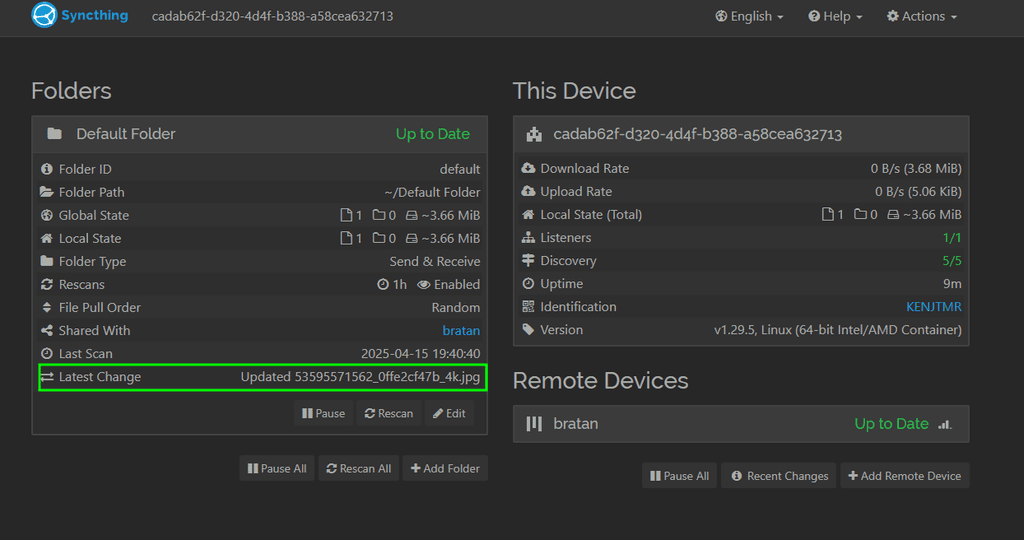
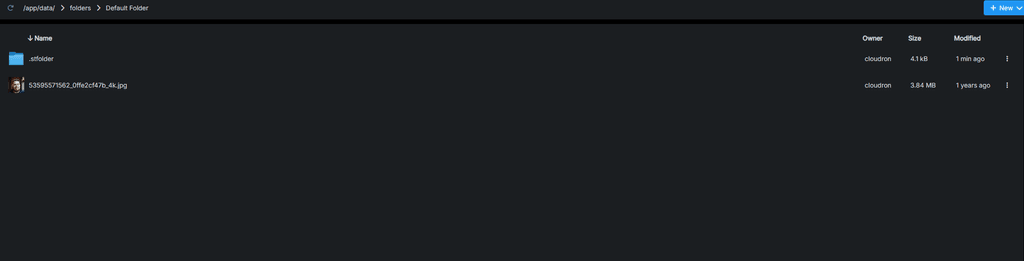
LGTM!
I am on IPv6 with tunneled IPv4.I also see these erros and warnings:
Apr 15 19:41:49 2025/04/15 17:41:49 [error] 28#28: *1696 connect() failed (111: Connection refused) while connecting to upstream, client: 172.18.0.1, server: _, request: "GET /rest/system/discovery HTTP/1.1", upstream: "http://[::1]:3000/rest/system/discovery", host: "syncthing.hackradt.com", referrer: "https://syncthing.hackradt.com/"
Apr 15 19:41:49 2025/04/15 17:41:49 [warn] 28#28: *1696 upstream server temporarily disabled while connecting to upstream, client: 172.18.0.1, server: _, request: "GET /rest/system/discovery HTTP/1.1", upstream: "http://[::1]:3000/rest/system/discovery", host: "syncthing.hackradt.com", referrer: "https://syncthing.hackradt.com/"
But since it does sync
I don't care  Works?
But you are saying, it does not sync for you, right? @jdaviescoates
Also, this "error" is recurring, almost like a cron.
I can even validate that my client uses IPv6 from the app log:
2a02:8109:ab82:c600:1c05:d233:2fc7:122ais my computers IPv6.331:2025-04-15T17:34:56Z [KENJT] 2025/04/15 17:34:56 INFO: Established secure connection to R2XDFAS at [fd00:c107:d509::22]:22000-[2a02:8109:ab82:c600:1c05:d233:2fc7:122a]:22000/tcp-client/TLS1.3-TLS_AES_128_GCM_SHA256/WAN-P30-61MHPLH87LIT6L1RIDSDOIF0OM 332:2025-04-15T17:34:56Z [KENJT] 2025/04/15 17:34:56 INFO: Device R2XDFAS client is "syncthing v1.29.5" named "bratan" at [fd00:c107:d509::22]:22000-[2a02:8109:ab82:c600:1c05:d233:2fc7:122a]:22000/tcp-client/TLS1.3-TLS_AES_128_GCM_SHA256/WAN-P30-61MHPLH87LIT6L1RIDSDOIF0OM -
-
It was working fine, but today it doesn't.
@jdaviescoates said in IPv6 stuff seems to have broken Syncthing:
It was working fine, but today it doesn't.
But, um, I just rebooted my laptop and now everything is working again
(I still have those warnings and errors, but if it's working I don't care)
-
 J jdaviescoates marked this topic as a question on
-
J jdaviescoates has marked this topic as solved on
-
BTW, what I use this for is to auto-sync my local ~/Music file with my Hetzner Storage Box where I've also got all my music stored (and then have that set-up as a volume which is mounted into Navidrome, Syncthing, etc) - it's so much better than the rsync set-up I was using before!! (because that checkes all ~100k files it takes ages whereas syncthing just quickly syncs what has actually changed immediately)
-
@jdaviescoates said in IPv6 stuff seems to have broken Syncthing:
It was working fine, but today it doesn't.
But, um, I just rebooted my laptop and now everything is working again
(I still have those warnings and errors, but if it's working I don't care)
@jdaviescoates said in IPv6 stuff seems to have broken Syncthing:
@jdaviescoates said in IPv6 stuff seems to have broken Syncthing:
It was working fine, but today it doesn't.
But, um, I just rebooted my laptop and now everything is working again
(I still have those warnings and errors, but if it's working I don't care)
And the reason that fixed everything is that Syncthing was already running on my laptop but then I tried to open it again and that confused it and locked the DB or something.
I've now finished setting it up properly so that it auto starts and also installed a handy little Syncthing Tray app so I can see what's up

-
Dangit! So a reboot was the solution again.

Hello! It looks like you're interested in this conversation, but you don't have an account yet.
Getting fed up of having to scroll through the same posts each visit? When you register for an account, you'll always come back to exactly where you were before, and choose to be notified of new replies (either via email, or push notification). You'll also be able to save bookmarks and upvote posts to show your appreciation to other community members.
With your input, this post could be even better 💗
Register Login