
Failed to open stream: Permission denied
-
So
/app/codeis read-only in Cloudron, however/app/code/storageis linked into/app/data/, which is read-write. So the correct chown would be against/app/data/storage/in this case. The startup code of the app does this already, which is why it works after a restart.Then the question remains, who changes permissions on that cache folder. Do you have some custom cron job or so which may run as root maybe? Which plugins have you installed, which could interfere here?
-
Hello @nebulon
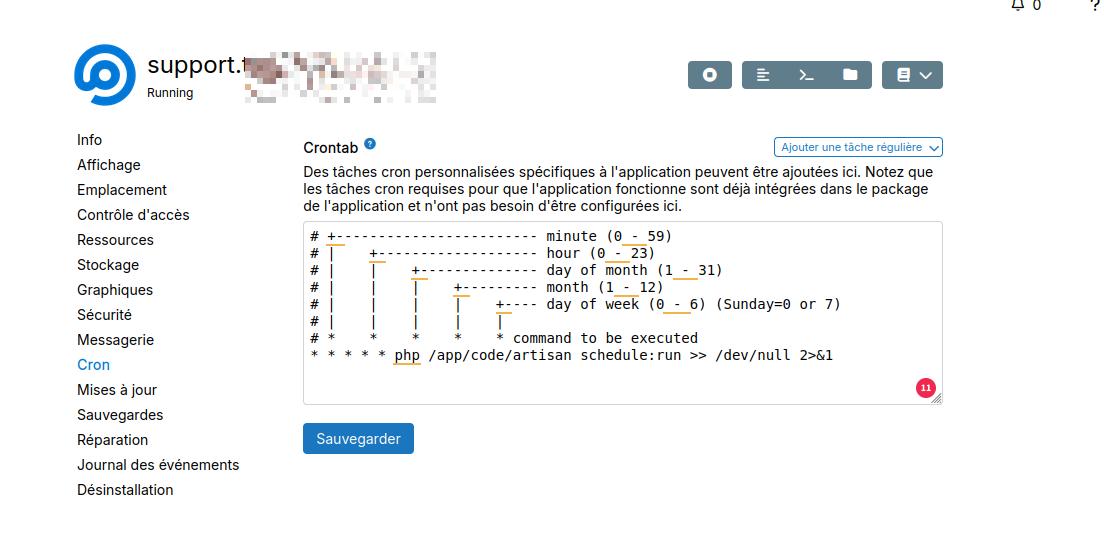
I've a cron here:
Here the list of Freescout module:
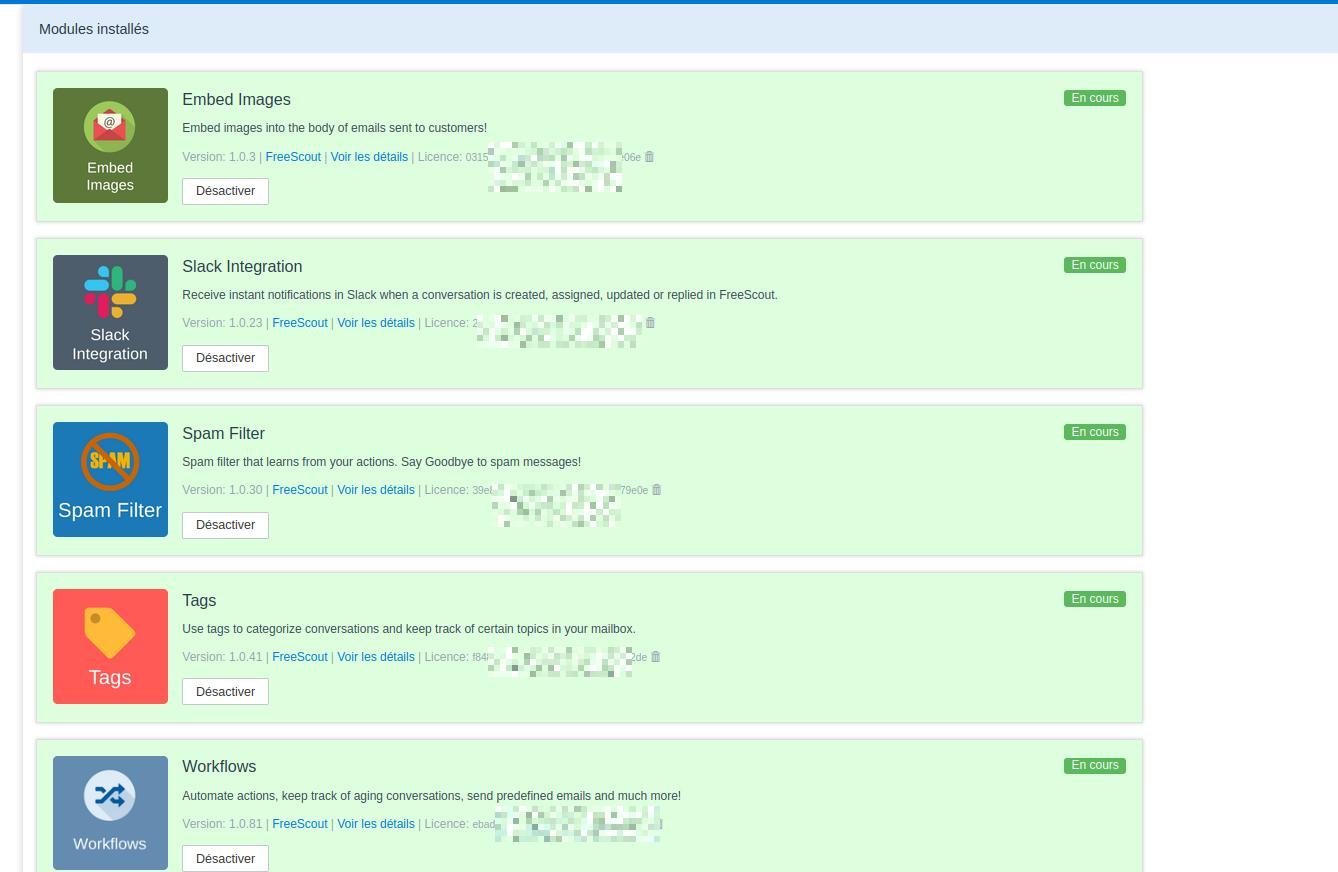
In the Workflows, I only have rule like "if email is XXXX then apply tag XXXX"
-
Ah I see, that custom cron is most likely the root case then, since it runs the scheduler as root instead of www-data. Either way the package already comes with this cron job: https://git.cloudron.io/packages/freescout-app/-/blob/master/cron.sh?ref_type=heads
So you should be fine with just removing your custom cron setting there, if I read that correctly, and that hopefully solves the issue.
-
I've removed and will monitor few days .
Thanks -
Removed it and no emails are fetch.
What's strange is I'm checking the emails on the Sogo Webmail (on Cloudron) and the email is mark as read... but not available on Freescout -
The error gone thank you @nebulon
I now have an issue on mails which are not fetched
This is now like if Cron tasks were not correctly done. The email is mark as read but not available in Freescout.- Setting unread an email
- Visiting the URL https://example.com/system/cron/04c3f0b4a3771c3d76a2fac9a70b71a7 is fetching the unread emails.
and the email is in Freescout but as per Freescout
Cron Commands

Make sure that you have the following line in your crontab:
* * * * * php /app/code/artisan schedule:run >> /dev/null 2>&1
Alternatively cron job can be executed by requesting the following URL every minute (this method is not recommended as some features may not work as expected, use it at your own risk):
https://example.com/system/cron/04c3f0b4a3771c3d76a2fac9a70b71a7
So I really do not know what I have to do

-
Though this is exactly what the cronjob from the package already does. Cloudron runs that every minute. So at max it should take 1 minute for freescout to catch up on the emails.
You can also trigger the cloudron's cron job in the top right menu, if you open a webterminal into the app. Just to see if this fetches the mails correctly.
-
yes but without the external cron no emails are fetch.
-
I feel there is something else happening here, since both are running the same command. Can you run the cron shipped via the package (via the webterminal) and see if it shows any errors? We use freescout for the Cloudron support ticket and no further cron schedule should be required. Do you see any errors at all (besides the permissions issues, which are to be expected if you run some parts as root and they update cache files, which is wrong in the first place)
-
I think the CRON are OK.
I do not understand why, but it seems that emails on this mailboxe are marked as read. I can't find how because I've checked the settings and there are no rules to mark a mail as read.
I've stopped SOGo and installed Roundcube, the same
The address is not setup in Thunderbird but I've tried by closing it, and the email is also marked as read...
is there logs I can check to know who and when a mail is marked as read ?This is how if 1 cron task (marking as read) works but then an error arises.
here's an alert received by Freescout:[2026-01-13 07:52:06] Erreur lors de la récupération de l'e-mail {"error":"Error: connection failed - stream_socket_client(): Unable to connect to ssl:\/\/mail.txxx.com:993 (Connection refused); File: \/app\/code\/overrides\/webklex\/php-imap\/src\/Connection\/Protocols\/ImapProtocol.php (95)","mailbox":"Support Thxxxo"} `` -
Yes the original permissions error is gone.
I really do not remember to have added any script but my brain is going these days....
where should these scripts could be readable?
I will check if something is wrong there. -
I do not have, Ihave deleted the email address and created a new one with the old as an ALias
lost too much time with this.Thank you for your help


Hello! It looks like you're interested in this conversation, but you don't have an account yet.
Getting fed up of having to scroll through the same posts each visit? When you register for an account, you'll always come back to exactly where you were before, and choose to be notified of new replies (either via email, or push notification). You'll also be able to save bookmarks and upvote posts to show your appreciation to other community members.
With your input, this post could be even better 💗
Register Login