
ClouDNS Steward - manage domains & ClouDNS config
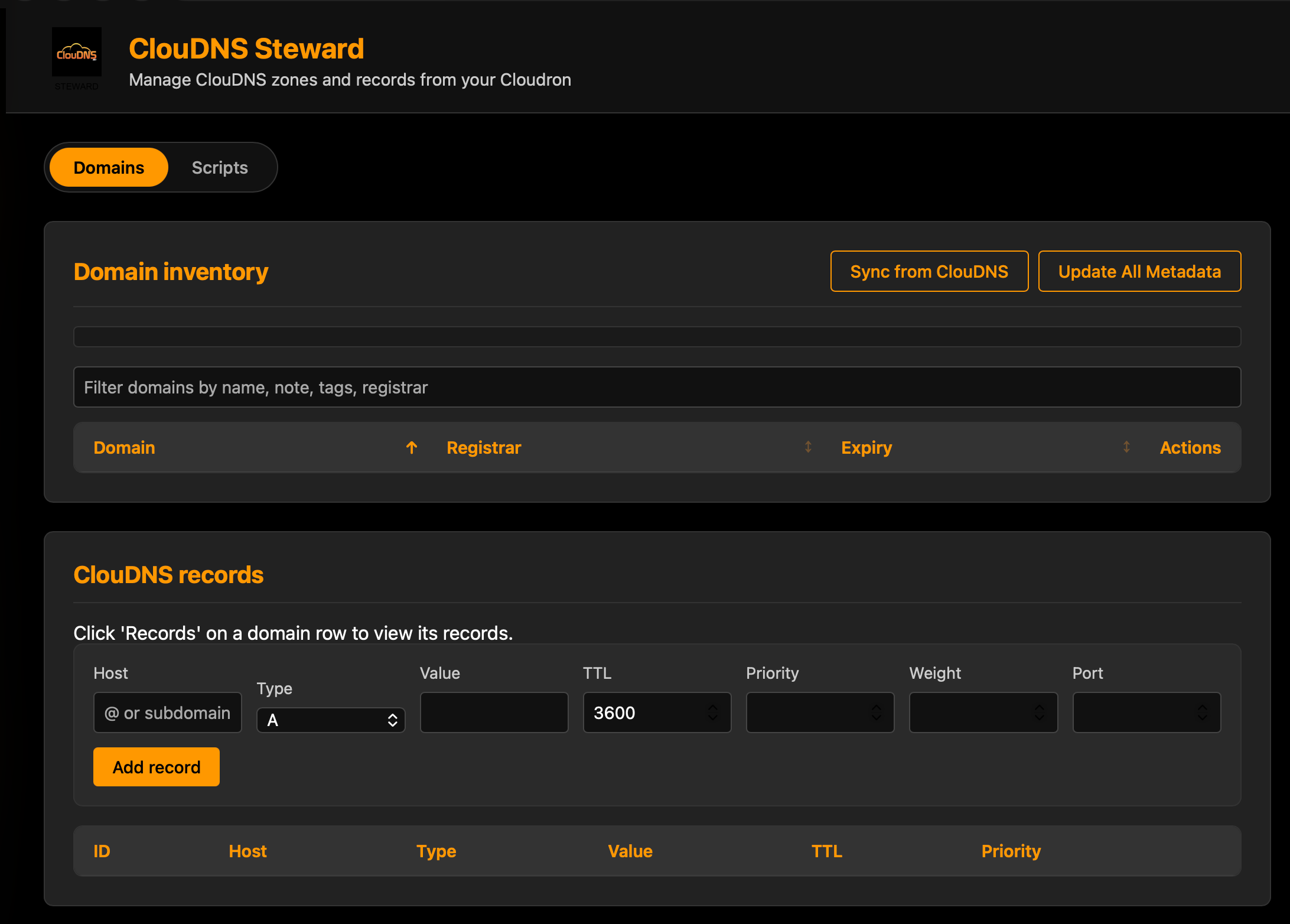
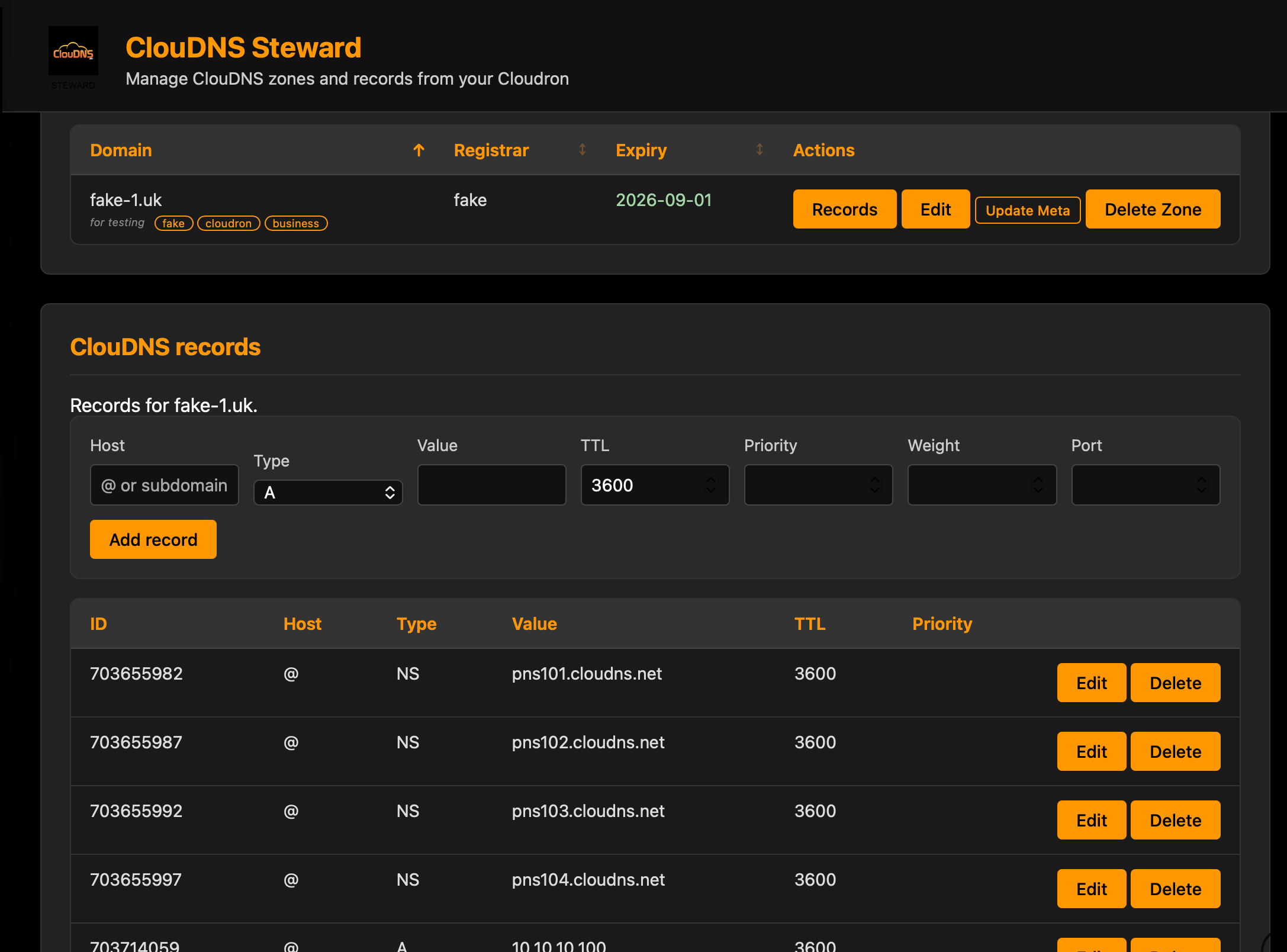
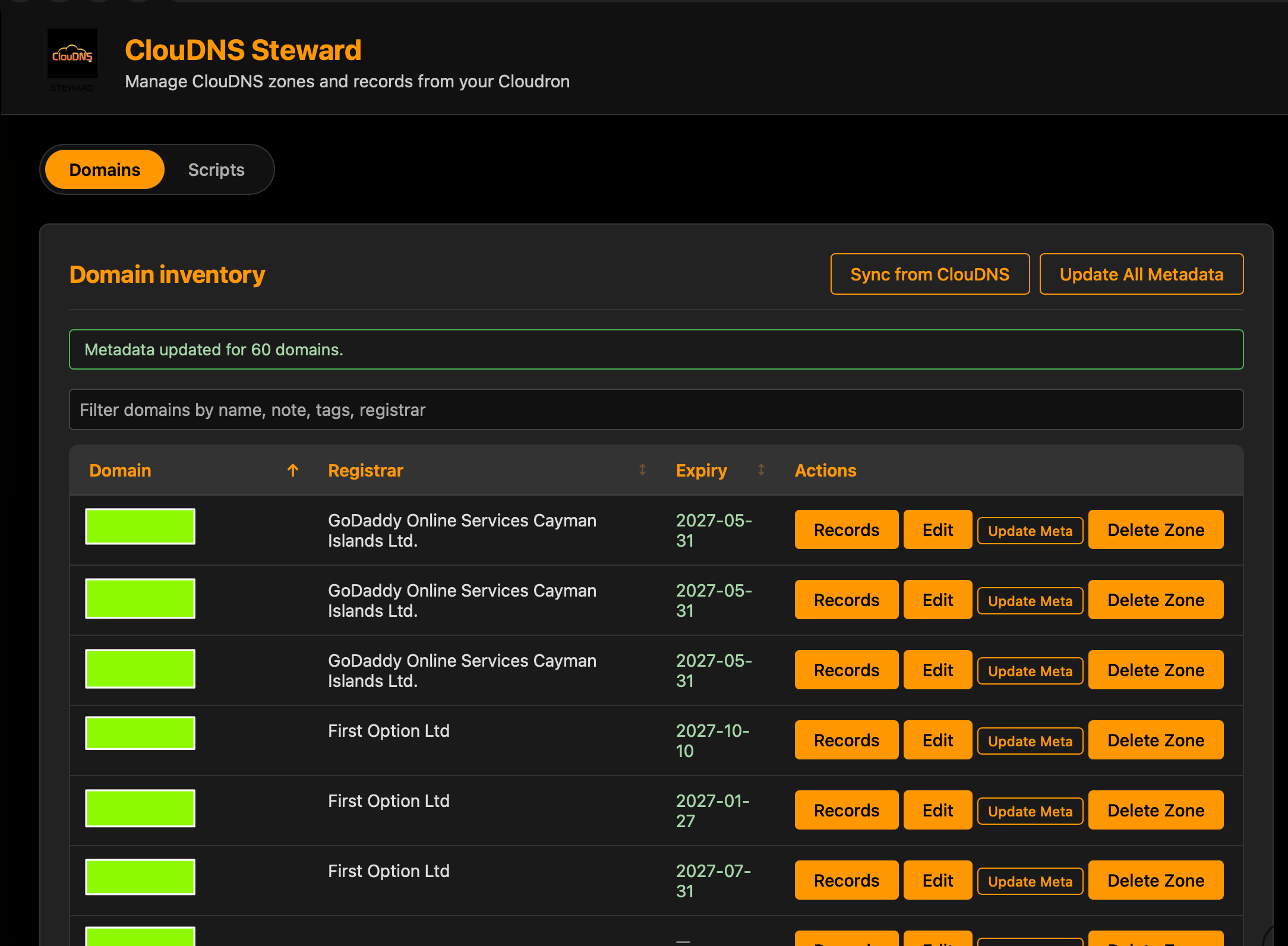
-
Cool, I wonder if similar DNS management apps (Or one general one) would be useful for the primary supported DNS providers, especially those without the bulk features, etc.
-
Cool, I wonder if similar DNS management apps (Or one general one) would be useful for the primary supported DNS providers, especially those without the bulk features, etc.
@robi at your suggestion, I checked about DNS providers offering an API.
Cloudron supported DNS providers :
- AWS Route 53 – Yes, full REST/Query API and SDKs.
- Bunny (Bunny.net DNS) – Yes, HTTP API for DNS zones/records.
- Cloudflare – Yes, very complete REST API.
- deSEC – Yes, JSON API (desec.io).
- DigitalOcean – Yes, v2 API for DNS.
- DNSimple – Yes, full REST API.
- Gandi LiveDNS – Yes, HTTP API for LiveDNS.
- GoDaddy – Yes, REST API for DNS and domain management.
- Google Cloud DNS – Yes, Google Cloud API (REST + client libraries).
- Hetzner (Robot / DNS) – Yes, DNS API via Robot; plus…
- Hetzner Cloud – Yes, separate Cloud API (mainly servers, networks, but supports reverse DNS).
- INWX – Yes, DNS API (REST and XML‑RPC style).
- Linode – Yes, v4 API with DNS endpoints.
- Name[.]com – Yes, REST API including DNS.
- Namecheap – Yes, XML‑based HTTP API with DNS functions.
- Netcup – Yes, DNS API (JSON over HTTPS).
- OVH – Yes, OVHcloud API includes DNS.
- Porkbun – Yes, JSON HTTP API for DNS and domains.
- Vultr – Yes, v2 API for DNS.
Other well‑known DNS providers with APIs :
- Azure DNS (Microsoft Azure)
- NS1 (nsone)
- CloudNS
- Dyn Managed DNS (now Oracle Cloud Infrastructure DNS)
- PowerDNS (via its own API, if you self‑host)
- Huawei Cloud DNS, Alibaba Cloud DNS, etc.
So if there is demand, there is certainly scope for making Steward support those, as separate apps or some multi-provider app.
I'm going to get ClouDNS Steward to a point I am happy with and then review this.
As I have never used a Cloudron-supported dns provider, I don't yet know what benefit users would have via Steward. But I can look into that later.
Indie app dev, huge fan of Cloudron PaaS, scratching my itches : communityapps.appx.uk
-
@robi at your suggestion, I checked about DNS providers offering an API.
Cloudron supported DNS providers :
- AWS Route 53 – Yes, full REST/Query API and SDKs.
- Bunny (Bunny.net DNS) – Yes, HTTP API for DNS zones/records.
- Cloudflare – Yes, very complete REST API.
- deSEC – Yes, JSON API (desec.io).
- DigitalOcean – Yes, v2 API for DNS.
- DNSimple – Yes, full REST API.
- Gandi LiveDNS – Yes, HTTP API for LiveDNS.
- GoDaddy – Yes, REST API for DNS and domain management.
- Google Cloud DNS – Yes, Google Cloud API (REST + client libraries).
- Hetzner (Robot / DNS) – Yes, DNS API via Robot; plus…
- Hetzner Cloud – Yes, separate Cloud API (mainly servers, networks, but supports reverse DNS).
- INWX – Yes, DNS API (REST and XML‑RPC style).
- Linode – Yes, v4 API with DNS endpoints.
- Name[.]com – Yes, REST API including DNS.
- Namecheap – Yes, XML‑based HTTP API with DNS functions.
- Netcup – Yes, DNS API (JSON over HTTPS).
- OVH – Yes, OVHcloud API includes DNS.
- Porkbun – Yes, JSON HTTP API for DNS and domains.
- Vultr – Yes, v2 API for DNS.
Other well‑known DNS providers with APIs :
- Azure DNS (Microsoft Azure)
- NS1 (nsone)
- CloudNS
- Dyn Managed DNS (now Oracle Cloud Infrastructure DNS)
- PowerDNS (via its own API, if you self‑host)
- Huawei Cloud DNS, Alibaba Cloud DNS, etc.
So if there is demand, there is certainly scope for making Steward support those, as separate apps or some multi-provider app.
I'm going to get ClouDNS Steward to a point I am happy with and then review this.
As I have never used a Cloudron-supported dns provider, I don't yet know what benefit users would have via Steward. But I can look into that later.
@timconsidine you probably have with the demo server, yet limited since they're not your domains.
Happy to help as I have always used CF.
One place one might start is compliance checks for domain settings, for those with 3-10+
-
This post might need a NSFW label.
Because I have added features which are so sexy !!
OK, sorry, too arrogant, just very happy with the results.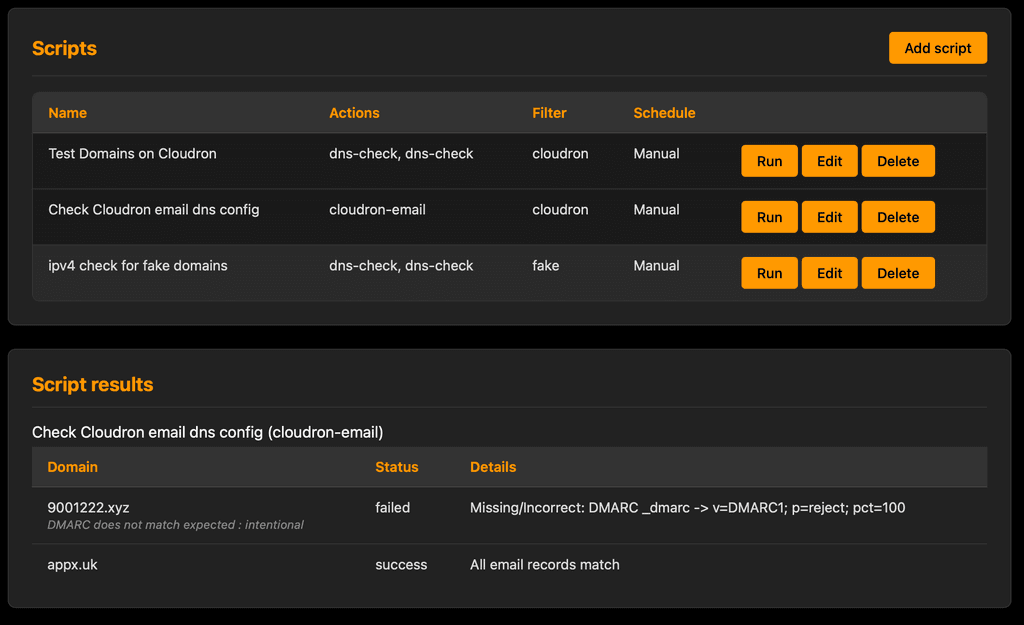
I've just pushed a major update to the ClouDNS Steward app. It now includes a Script Builder that allows you to automate DNS management tasks directly from a Cloudron app.New Features:
- Script Builder: Create automation workflows using a simple drag-and-drop interface. No coding required for standard tasks.
- Conditional "On Failure" Logic: Build self-fixing scripts. For example, run a dns-check (what is a dns record value) and automatically trigger a dns-set (add or update dns record) only if the check fails.
- Scheduling: Run your scripts automatically on a schedule (Hourly, Daily, Weekly, or custom Cron). No separate cron needed - it's in-app
- Domain Filtering: Target specific domains using tags (e.g., only run checks on domains tagged "prod" or "cloudron" )
- Extensible Actions: The system comes with core actions (like DNS checks and updates, and a Cloudron email config checker), but you can easily add your own custom Javascript actions into /app/data/actions/user/ to extend functionality. [some tech coding needed but core actions code provided and an in-app guide under Reference tab]
Because I choose to use CloudDNS which has to be Wildcard in Cloudron platform, I had to spend time in ClouDNS portal which is functional but quite manual.
I totally get that this app is 90% scratching my own itch, but hopefully can help others.
And maybe serve as a base for use on other DNS providers who provide an API (seems almost all).Whether a modified version can have any usefulness for domains which are Cloudron-supported, I have no idea, because I have never used a Cloudron-supported DNS provider.
Happy to consider requests for other DNS providers.
I think the starting point is : do you have an itch that needs scratching ?Roadmap :
- take the Script Builder to the next level where custom user actions can be built with a UI, rather than copy paste/edit code approach.
CloudDNS Steward is in the CCAI master catalogue for ease of deployment.
EDIT : the current approach for building user actions technically raises the prospect of the user screwing up their app container (but not their Cloudron instance). Seeking to resolve this through the next version of Script Builder with a better Action Builder to avoid this risk.
-
I tried to install it with my private Cloudron CCAI instance, but I get this error:
[14:24:59] Repository URL provided: https://git.cloudron.io/timconsidine/cloudron-cloudns-steward
[14:24:59] Server will auto-detect default branch and construct manifest URL
[14:24:59] Starting installation process...
[14:24:59] Installation started. Streaming logs...
[14:24:59] ERROR: Failed to check installation status: The string did not match the expected pattern.
What string is it that I have to check?
-
I tried to install it with my private Cloudron CCAI instance, but I get this error:
[14:24:59] Repository URL provided: https://git.cloudron.io/timconsidine/cloudron-cloudns-steward
[14:24:59] Server will auto-detect default branch and construct manifest URL
[14:24:59] Starting installation process...
[14:24:59] Installation started. Streaming logs...
[14:24:59] ERROR: Failed to check installation status: The string did not match the expected pattern.
What string is it that I have to check?
@Kubernetes generally you don't have to check anything.
it is an internal check to deal with the fact that a custom app could come from GitHub, gitlab or gitea, and could be on main or master or even maybe another branch.Coincidentally I am actually at this precise moment working on an update to CCAI-P to deal with an inherited (legacy CCAI) auth issue.
Disappointingly I got same result as you when seeking to replicate deployment of cloudns-steward. Not cured by :
- restarting CCAI-P
- replacing
:latesttag with:v1.0.24
So give me a moment and I will look into it further.
-
@kubernetes I just successfully installed ClouDNS Steward using CCAI-P.
[14:07:09] Repository URL provided: https://git.cloudron.io/timconsidine/cloudron-cloudns-steward
[14:07:09] Server will auto-detect default branch and construct manifest URL
[14:07:09] Starting installation process...
[14:07:09] Installation started. Streaming logs...
[14:07:09] [2026-01-20 14:06:48] Verifying Cloudron credentials...
[14:07:09] [2026-01-20 14:06:49] Credentials verified successfully
[14:07:09] [2026-01-20 14:07:09] Cleaning up any existing installer directory...
[14:07:09] [2026-01-20 14:07:09] Creating temporary directory for installation files...
[14:07:09] [2026-01-20 14:07:09] Repository URL provided: https://git.cloudron.io/timconsidine/cloudron-cloudns-steward
[14:07:09] [2026-01-20 14:07:09] Server will auto-detect default branch and construct manifest URL
[14:07:09] [2026-01-20 14:07:09] Trying https://git.cloudron.io/timconsidine/cloudron-cloudns-steward/-/raw/main/CloudronManifest.json
[14:07:11] [2026-01-20 14:07:09] CloudronManifest.json downloaded successfully
......
I'm pretty sure it is the legacy CCAI-P issue on auth timeouts - bad search string was a red herring. Your logs did not show my auth confirmation. Fixing it now.
In the interim, you can press the logout button and then press the Connect button in middle of page, and you can proceed to install ClouDNS Steward
-
@kubernetes
timeout bug fixed in CCAI-P
new version pushed out
guess I should implement an update function as well as an install function.in the interim, as you are a dev and probably have cloudron cli installed, you can do :
cloudron update --app <yourappname.domain.tld> --image tcmbp132021/cloudron-customapp-installer-personal:latestThis will (should
 ) mean your CCAI-P stays logged in, no auth timeouts, until you press Logout.
 -
Hm, instead of <yourappname.domain.tld> it should be the App Id, right?
However, it failed with error that the Manifest is missing...
I uninstalled and installed the CCAI-P App again on my cloudron, but now it fails when trying to install ClouDNS Steward with this error (in fact already after Login):Verification failed (code 1): (node:67) Warning: Setting the NODE_TLS_REJECT_UNAUTHORIZED environment variable to '0' makes TLS connections and HTTPS requests insecure by disabling certificate verification. (Use `node --trace-warnings ...` to show where the warning was created) Failed to list apps: Invalid token. Use cloudron login again. -
Hm, instead of <yourappname.domain.tld> it should be the App Id, right?
However, it failed with error that the Manifest is missing...
I uninstalled and installed the CCAI-P App again on my cloudron, but now it fails when trying to install ClouDNS Steward with this error (in fact already after Login):Verification failed (code 1): (node:67) Warning: Setting the NODE_TLS_REJECT_UNAUTHORIZED environment variable to '0' makes TLS connections and HTTPS requests insecure by disabling certificate verification. (Use `node --trace-warnings ...` to show where the warning was created) Failed to list apps: Invalid token. Use cloudron login again.@Kubernetes I never use the app id but that is an option
silly question : when you re-installed the app, did you populate the credentials in /app/data/config.json ?
If you did, then I'm confused and will have to investigate. But looks to me like CCAI-P can't find /app/data/config.json (installation / reinstallation provides /app/data/config.sample.json) or it find the file but it doesn't have the creds in it.
Indie app dev, huge fan of Cloudron PaaS, scratching my itches : communityapps.appx.uk
-
@Kubernetes I never use the app id but that is an option
silly question : when you re-installed the app, did you populate the credentials in /app/data/config.json ?
If you did, then I'm confused and will have to investigate. But looks to me like CCAI-P can't find /app/data/config.json (installation / reinstallation provides /app/data/config.sample.json) or it find the file but it doesn't have the creds in it.
@timconsidine Yes, I did, and also did restart the App.
-
@timconsidine Yes, I did, and also did restart the App.
@Kubernetes sometimes I just hate IT



Hello! It looks like you're interested in this conversation, but you don't have an account yet.
Getting fed up of having to scroll through the same posts each visit? When you register for an account, you'll always come back to exactly where you were before, and choose to be notified of new replies (either via email, or push notification). You'll also be able to save bookmarks and upvote posts to show your appreciation to other community members.
With your input, this post could be even better 💗
Register Login