
🚀 Crawl4AI: community package now available
-
TL;DR: Crawl4AI fetches web pages with a real headless browser and returns clean Markdown, HTML, a screenshot or a PDF, for feeding into language models or automation workflows. Now packaged for Cloudron and ready to install. Built and tested on Cloudron 9.x; unofficial and community-maintained.
 Headline features
- Real Chromium rendering, so JavaScript-heavy pages work, not just static HTML.
- Four output shapes from the same request: Markdown, cleaned HTML, a screenshot, or a PDF.
- A REST API and an MCP endpoint, so an AI agent tool can call it directly.
- A Redis-backed job queue for larger crawl batches, alongside the synchronous endpoints.
- Every request requires an API token, generated automatically on first start; there is no way to reach it without one.
Links
 Project homepage: https://github.com/unclecode/crawl4ai
 Upstream repo: https://github.com/unclecode/crawl4ai
- 🧱 Cloudron package repo: https://github.com/OrcVole/crawl4ai-cloudron
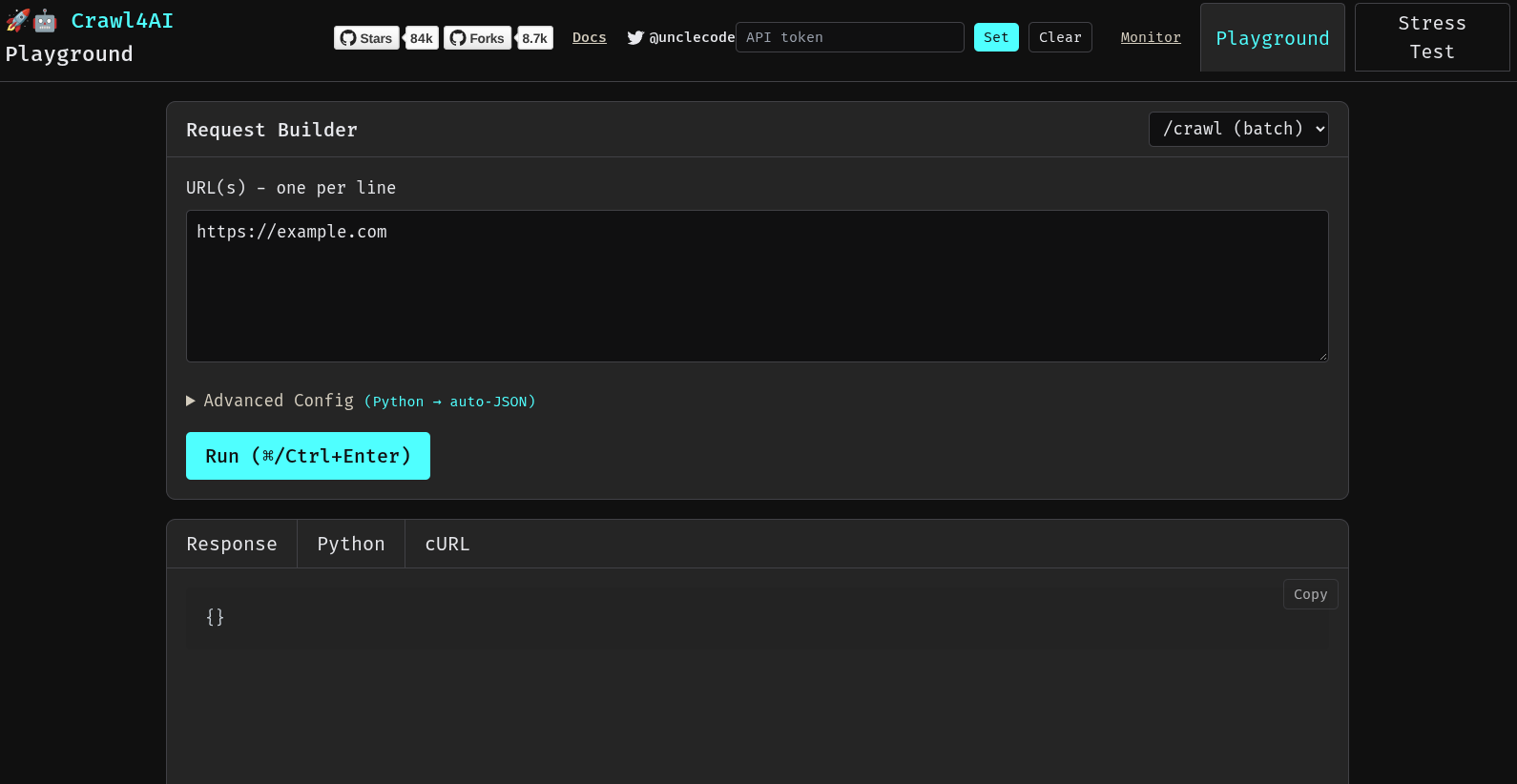
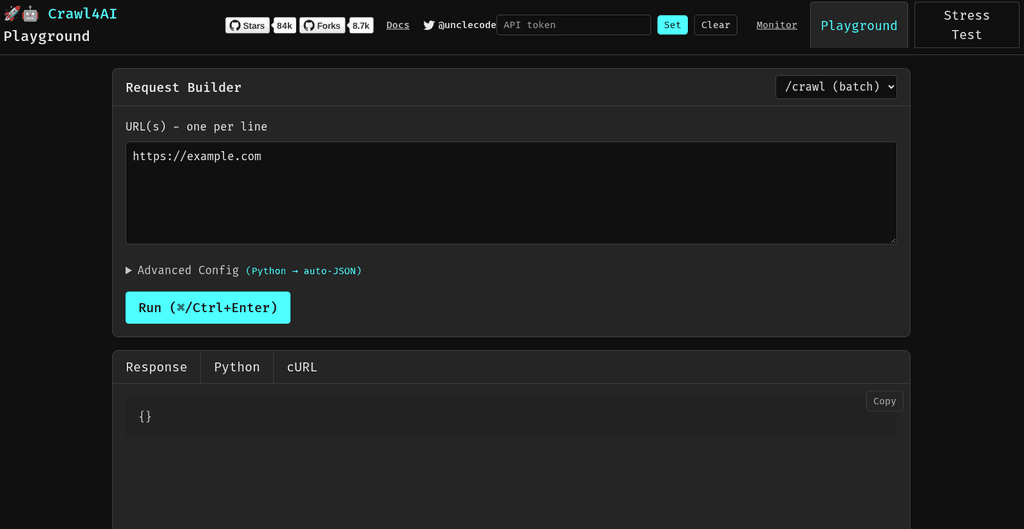
There is a small built-in playground UI once installed (shown above), for trying requests by hand before wiring them into a script.
 How to install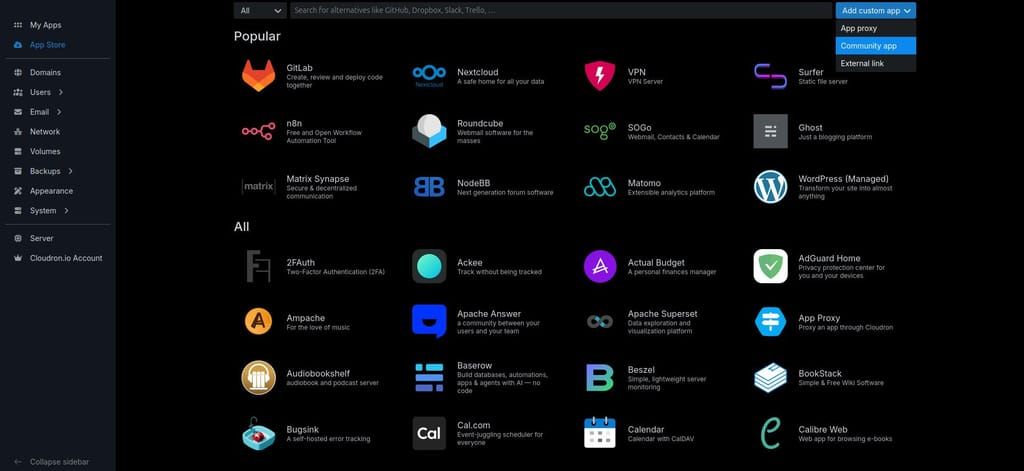
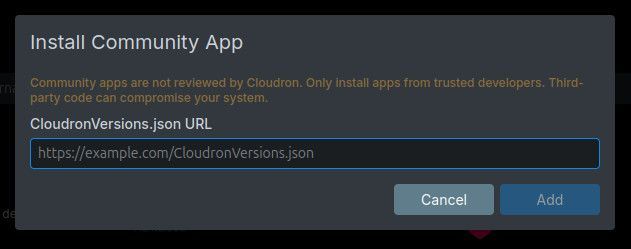
Click the Add custom app dropdown (top right in the App Store) and choose Community app, then paste this URL into the box that pops up. Apps installed this way receive automatic updates.
https://raw.githubusercontent.com/OrcVole/crawl4ai-cloudron/main/CloudronVersions.jsonOr from the CLI:
cloudron install \
  --versions-url https://raw.githubusercontent.com/OrcVole/crawl4ai-cloudron/main/CloudronVersions.json \
  --location crawl4ai.example.com
Minimums: 2 GiB RAM,
localstorageaddon only; no other subdomain claimed.First run: there is no login page. Read the auto-generated API token from
/app/data/.secrets/api-tokenvia the Cloudron file manager or the app's web terminal, then send it as a Bearer token on every request. For users
Why try it: you want clean Markdown or a screenshot from a page, including pages that need JavaScript to render, without running a scraping stack yourself. What you get: a REST API for one-off requests, a job queue for batches, and an MCP endpoint so an AI agent tool can crawl on your behalf. Cloudron wins: no separate server to provision, managed updates, everything under
/app/data. Good fit if you already automate against APIs or run agent tooling; probably not if you only need to read one page occasionally, where a browser extension is simpler.🧰 For packagers: what we learned
What helped: upstream ships a single self-contained image with Python, the app and the Playwright browser cache already in place, so the build is a straight copy onto
cloudron/baseplusplaywright install-deps, the same shape used for our other Chromium-based packages.What was tricky: no Chromium sandbox is available inside a Cloudron container (no
CAP_SYS_ADMIN, restricted user namespaces, 64 MiB/dev/shm); we asked about this here first (see the earlier thread) and ship--no-sandboxwith the mandatory API token and a default refusal of internal-network URLs as compensating controls, which is the same situation every headless-browser app faces on this platform. Redis needed relocating to a writable directory outside/var/lib/redis. The upstreammemory_threshold_percentsetting does not protect the HTTP endpoints, only the internal dispatcher, so we sizememoryLimitand the default concurrency by measurement instead.Still rough: the default concurrency (10 pages) and the 2 GiB default memory limit have thin headroom under sustained load in our own testing; we are tightening one or the other before the next release.
 ️ For the Cloudron team
Maintenance burden: upstream ships frequently, including at least one security release during this package's first day, so the package needs active per-release pin verification rather than an occasional glance. Why it suits the App Store: clear demand for self-hosted AI tooling, a clean Apache-2.0 upstream, and it completes an AI stack alongside existing store packages for vector databases and inference. Friction worth knowing:
cloudron versions initsuggests addingpackageUrlto the manifest, which then conflicts withminBoxVersionbelow 10.0.0; removing the field again fixes it. For Crawl4AI's developers
A couple of low-effort things that would help future packaging: a documented minimum glibc/Ubuntu base for the bundled Playwright browsers, and a config knob (or documented behaviour) for
memory_threshold_percentto also gate the synchronous HTTP endpoints, not only the internal dispatcher. Package source and PRs welcome: https://github.com/OrcVole/crawl4ai-cloudron. Unlocks
Now you can run your own crawling and extraction API without a third-party scraping service, and point any MCP-capable AI agent at it for real web access with no separate stack to run.
 Synergies
Windmill + Crawl4AI: a Windmill script can call Crawl4AI's REST API as a workflow step, turning a scheduled crawl, a content pipeline, or a page-change check into a few lines of Python against a URL you already trust.
A self-hosted or local AI setup + Crawl4AI's MCP endpoint: point any MCP-capable agent at
/mcp/ssewith the API token and it gains real web-crawling as a tool call, no separate crawling stack to run alongside the model.A self-hosted knowledge base or note-taking app + Crawl4AI: feed crawled pages in as plain Markdown files, using whichever folder-watching or import mechanism the target app already supports.
Feedback, bug reports, and "works on my install" confirmations welcome.
-
Big thanks to the brilliant @timconsidine for his interest and vigilance and for immediately notifying we were initially on an older base image of cloudron.
This crawl4ai is now on Cloudron 5.1 and we will be moving the rest of our fleet to the new base when they need updates, too.
Hello! It looks like you're interested in this conversation, but you don't have an account yet.
Getting fed up of having to scroll through the same posts each visit? When you register for an account, you'll always come back to exactly where you were before, and choose to be notified of new replies (either via email, or push notification). You'll also be able to save bookmarks and upvote posts to show your appreciation to other community members.
With your input, this post could be even better 💗
Register Login