
Unable to allocate more memory to PHP in order to avoid "PHP Fatal error: Allowed memory size of 134217728 bytes exhausted"
-
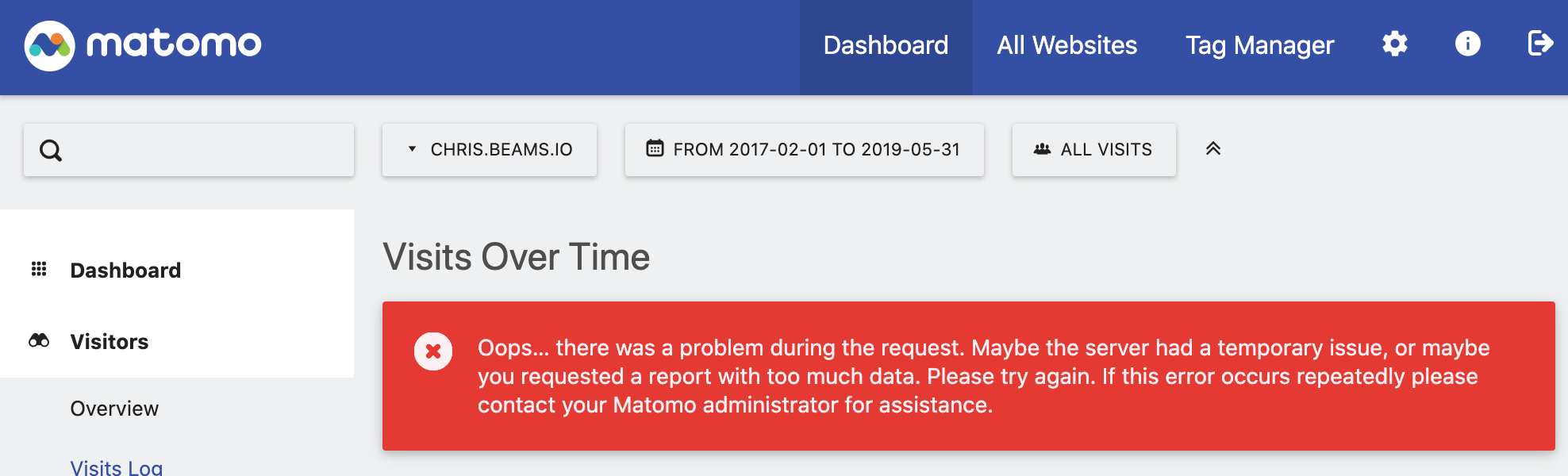
I have imported several years of data from Google Analytics into my Matomo instance, and upon attempting to view a multi-year range of Visits Over Time, I am getting the following error:
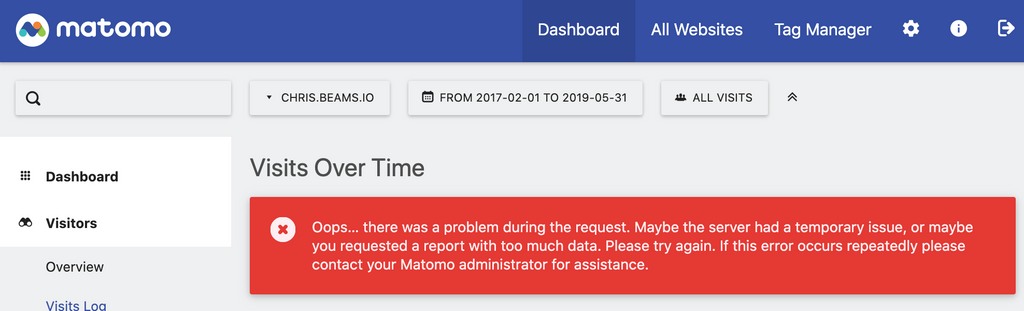
Oops… there was a problem during the request. Maybe the server had a temporary issue, or maybe you requested a report with too much data. Please try again. If this error occurs repeatedly please contact your Matomo administrator for assistance.
Looking at the logs, I see out of memory errors like the following:
Feb 08 06:39:17 [Mon Feb 08 05:39:17.396474 2021] [php7:error] [pid 241] [client 172.18.0.1:53456] PHP Fatal error: Allowed memory size of 134217728 bytes exhausted (tried to allocate 16384 bytes) in /app/code/libs/Zend/Db/Statement/Pdo.php on line 233, referer: https://matomo.beams.io/index.php?module=CoreHome&action=index&date=today&period=day&idSite=4&updated=1
Feb 08 06:39:17 [Mon Feb 08 05:39:17.399492 2021] [php7:error] [pid 241] [client 172.18.0.1:53456] PHP Fatal error: Allowed memory size of 134217728 bytes exhausted (tried to allocate 163840 bytes) in /app/code/vendor/composer/ClassLoader.php on line 444, referer: https://matomo.beams.io/index.php?module=CoreHome&action=index&date=today&period=day&idSite=4&updated=1
Feb 08 06:39:17 [Mon Feb 08 05:39:17.400723 2021] [php7:error] [pid 241] [client 172.18.0.1:53456] PHP Fatal error: Uncaught Error: Class 'Zend_Db_Statement_Exception' not found in /app/code/libs/Zend/Db/Statement/Pdo.php:236\nStack trace:\n#0 /app/code/libs/Zend/Db/Statement.php(300): Zend_Db_Statement_Pdo->_execute(Array)\n#1 /app/code/libs/Zend/Db/Adapter/Abstract.php(479): Zend_Db_Statement->execute(Array)\n#2 /app/code/libs/Zend/Db/Adapter/Pdo/Abstract.php(238): Zend_Db_Adapter_Abstract->query('INSERT INTO ses...', Array)\n#3 /app/code/core/Db/Adapter/Pdo/Mysql.php(309): Zend_Db_Adapter_Pdo_Abstract->query('INSERT INTO ses...', Array)\n#4 /app/code/core/Session/SaveHandler/DbTable.php(122): Piwik\\Db\\Adapter\\Pdo\\Mysql->query('INSERT INTO ses...', Array)\n#5 /app/code/core/Session/SaveHandler/DbTable.php(156): Piwik\\Session\\SaveHandler\\DbTable->query('INSERT INTO ses...', Array)\n#6 [internal function]: Piwik\\Session\\SaveHandler\\DbTable->write('6543b55875760dd...', 'a:17:{s:12:"not...')\n#7 {main}\n thrown in /app/code/libs/Zend/Db/Statement/Pdo.php on line 236, referer: https://matomo.beams.io/index.php?module=CoreHome&action=index&date=today&period=day&idSite=4&updated=1
Feb 08 06:39:17 [Mon Feb 08 05:39:17.402563 2021] [php7:error] [pid 241] [client 172.18.0.1:53456] PHP Fatal error: Allowed memory size of 134217728 bytes exhausted (tried to allocate 163840 bytes) in /app/code/vendor/composer/ClassLoader.php on line 444, referer: https://matomo.beams.io/index.php?module=CoreHome&action=index&date=today&period=day&idSite=4&updated=1
The operative line there is:
PHP Fatal error: Allowed memory size of 134217728 bytes exhausted (tried to allocate 450560 bytes)Searching for this error, I came upon this page: https://matomo.org/docs/setup-auto-archiving/#increase-php-memory-limit
Which instructs me to add the following to my
php.inifile:memory_limit = 512MNote that based on the error message above, "Allowed memory size of 134217728 bytes exhausted", I assume I currently have 134217728/(1024*1024) = 128M allocated, so bumping to 512M should be more than enough.
Note also that I have allocated 768M RAM to the Matomo container in Config > Resources, so there should be enough to give 512M to PHP as directed in the php.ini file.
After adding this param to the php.ini file, I restarted Matomo. Everything comes back up fine, and I am able to view pages and queries that are less resource intensive, but when I attempt to load the same multi-year Views Over Time query, I end up with the same PHP Fatal Error, indicating that 134217728 of allocated memory has been exhausted.
This suggests to me that the settings in
data/php.iniare not in fact being respected as advertised in its comments:; Settings here are merged with the package's built-in php.ini
Any ideas what could be the problem here? Thanks.
-
I have imported several years of data from Google Analytics into my Matomo instance, and upon attempting to view a multi-year range of Visits Over Time, I am getting the following error:
Oops… there was a problem during the request. Maybe the server had a temporary issue, or maybe you requested a report with too much data. Please try again. If this error occurs repeatedly please contact your Matomo administrator for assistance.
Looking at the logs, I see out of memory errors like the following:
Feb 08 06:39:17 [Mon Feb 08 05:39:17.396474 2021] [php7:error] [pid 241] [client 172.18.0.1:53456] PHP Fatal error: Allowed memory size of 134217728 bytes exhausted (tried to allocate 16384 bytes) in /app/code/libs/Zend/Db/Statement/Pdo.php on line 233, referer: https://matomo.beams.io/index.php?module=CoreHome&action=index&date=today&period=day&idSite=4&updated=1
Feb 08 06:39:17 [Mon Feb 08 05:39:17.399492 2021] [php7:error] [pid 241] [client 172.18.0.1:53456] PHP Fatal error: Allowed memory size of 134217728 bytes exhausted (tried to allocate 163840 bytes) in /app/code/vendor/composer/ClassLoader.php on line 444, referer: https://matomo.beams.io/index.php?module=CoreHome&action=index&date=today&period=day&idSite=4&updated=1
Feb 08 06:39:17 [Mon Feb 08 05:39:17.400723 2021] [php7:error] [pid 241] [client 172.18.0.1:53456] PHP Fatal error: Uncaught Error: Class 'Zend_Db_Statement_Exception' not found in /app/code/libs/Zend/Db/Statement/Pdo.php:236\nStack trace:\n#0 /app/code/libs/Zend/Db/Statement.php(300): Zend_Db_Statement_Pdo->_execute(Array)\n#1 /app/code/libs/Zend/Db/Adapter/Abstract.php(479): Zend_Db_Statement->execute(Array)\n#2 /app/code/libs/Zend/Db/Adapter/Pdo/Abstract.php(238): Zend_Db_Adapter_Abstract->query('INSERT INTO ses...', Array)\n#3 /app/code/core/Db/Adapter/Pdo/Mysql.php(309): Zend_Db_Adapter_Pdo_Abstract->query('INSERT INTO ses...', Array)\n#4 /app/code/core/Session/SaveHandler/DbTable.php(122): Piwik\\Db\\Adapter\\Pdo\\Mysql->query('INSERT INTO ses...', Array)\n#5 /app/code/core/Session/SaveHandler/DbTable.php(156): Piwik\\Session\\SaveHandler\\DbTable->query('INSERT INTO ses...', Array)\n#6 [internal function]: Piwik\\Session\\SaveHandler\\DbTable->write('6543b55875760dd...', 'a:17:{s:12:"not...')\n#7 {main}\n thrown in /app/code/libs/Zend/Db/Statement/Pdo.php on line 236, referer: https://matomo.beams.io/index.php?module=CoreHome&action=index&date=today&period=day&idSite=4&updated=1
Feb 08 06:39:17 [Mon Feb 08 05:39:17.402563 2021] [php7:error] [pid 241] [client 172.18.0.1:53456] PHP Fatal error: Allowed memory size of 134217728 bytes exhausted (tried to allocate 163840 bytes) in /app/code/vendor/composer/ClassLoader.php on line 444, referer: https://matomo.beams.io/index.php?module=CoreHome&action=index&date=today&period=day&idSite=4&updated=1
The operative line there is:
PHP Fatal error: Allowed memory size of 134217728 bytes exhausted (tried to allocate 450560 bytes)Searching for this error, I came upon this page: https://matomo.org/docs/setup-auto-archiving/#increase-php-memory-limit
Which instructs me to add the following to my
php.inifile:memory_limit = 512MNote that based on the error message above, "Allowed memory size of 134217728 bytes exhausted", I assume I currently have 134217728/(1024*1024) = 128M allocated, so bumping to 512M should be more than enough.
Note also that I have allocated 768M RAM to the Matomo container in Config > Resources, so there should be enough to give 512M to PHP as directed in the php.ini file.
After adding this param to the php.ini file, I restarted Matomo. Everything comes back up fine, and I am able to view pages and queries that are less resource intensive, but when I attempt to load the same multi-year Views Over Time query, I end up with the same PHP Fatal Error, indicating that 134217728 of allocated memory has been exhausted.
This suggests to me that the settings in
data/php.iniare not in fact being respected as advertised in its comments:; Settings here are merged with the package's built-in php.ini
Any ideas what could be the problem here? Thanks.
-
I have imported several years of data from Google Analytics into my Matomo instance, and upon attempting to view a multi-year range of Visits Over Time, I am getting the following error:
Oops… there was a problem during the request. Maybe the server had a temporary issue, or maybe you requested a report with too much data. Please try again. If this error occurs repeatedly please contact your Matomo administrator for assistance.
Looking at the logs, I see out of memory errors like the following:
Feb 08 06:39:17 [Mon Feb 08 05:39:17.396474 2021] [php7:error] [pid 241] [client 172.18.0.1:53456] PHP Fatal error: Allowed memory size of 134217728 bytes exhausted (tried to allocate 16384 bytes) in /app/code/libs/Zend/Db/Statement/Pdo.php on line 233, referer: https://matomo.beams.io/index.php?module=CoreHome&action=index&date=today&period=day&idSite=4&updated=1
Feb 08 06:39:17 [Mon Feb 08 05:39:17.399492 2021] [php7:error] [pid 241] [client 172.18.0.1:53456] PHP Fatal error: Allowed memory size of 134217728 bytes exhausted (tried to allocate 163840 bytes) in /app/code/vendor/composer/ClassLoader.php on line 444, referer: https://matomo.beams.io/index.php?module=CoreHome&action=index&date=today&period=day&idSite=4&updated=1
Feb 08 06:39:17 [Mon Feb 08 05:39:17.400723 2021] [php7:error] [pid 241] [client 172.18.0.1:53456] PHP Fatal error: Uncaught Error: Class 'Zend_Db_Statement_Exception' not found in /app/code/libs/Zend/Db/Statement/Pdo.php:236\nStack trace:\n#0 /app/code/libs/Zend/Db/Statement.php(300): Zend_Db_Statement_Pdo->_execute(Array)\n#1 /app/code/libs/Zend/Db/Adapter/Abstract.php(479): Zend_Db_Statement->execute(Array)\n#2 /app/code/libs/Zend/Db/Adapter/Pdo/Abstract.php(238): Zend_Db_Adapter_Abstract->query('INSERT INTO ses...', Array)\n#3 /app/code/core/Db/Adapter/Pdo/Mysql.php(309): Zend_Db_Adapter_Pdo_Abstract->query('INSERT INTO ses...', Array)\n#4 /app/code/core/Session/SaveHandler/DbTable.php(122): Piwik\\Db\\Adapter\\Pdo\\Mysql->query('INSERT INTO ses...', Array)\n#5 /app/code/core/Session/SaveHandler/DbTable.php(156): Piwik\\Session\\SaveHandler\\DbTable->query('INSERT INTO ses...', Array)\n#6 [internal function]: Piwik\\Session\\SaveHandler\\DbTable->write('6543b55875760dd...', 'a:17:{s:12:"not...')\n#7 {main}\n thrown in /app/code/libs/Zend/Db/Statement/Pdo.php on line 236, referer: https://matomo.beams.io/index.php?module=CoreHome&action=index&date=today&period=day&idSite=4&updated=1
Feb 08 06:39:17 [Mon Feb 08 05:39:17.402563 2021] [php7:error] [pid 241] [client 172.18.0.1:53456] PHP Fatal error: Allowed memory size of 134217728 bytes exhausted (tried to allocate 163840 bytes) in /app/code/vendor/composer/ClassLoader.php on line 444, referer: https://matomo.beams.io/index.php?module=CoreHome&action=index&date=today&period=day&idSite=4&updated=1
The operative line there is:
PHP Fatal error: Allowed memory size of 134217728 bytes exhausted (tried to allocate 450560 bytes)Searching for this error, I came upon this page: https://matomo.org/docs/setup-auto-archiving/#increase-php-memory-limit
Which instructs me to add the following to my
php.inifile:memory_limit = 512MNote that based on the error message above, "Allowed memory size of 134217728 bytes exhausted", I assume I currently have 134217728/(1024*1024) = 128M allocated, so bumping to 512M should be more than enough.
Note also that I have allocated 768M RAM to the Matomo container in Config > Resources, so there should be enough to give 512M to PHP as directed in the php.ini file.
After adding this param to the php.ini file, I restarted Matomo. Everything comes back up fine, and I am able to view pages and queries that are less resource intensive, but when I attempt to load the same multi-year Views Over Time query, I end up with the same PHP Fatal Error, indicating that 134217728 of allocated memory has been exhausted.
This suggests to me that the settings in
data/php.iniare not in fact being respected as advertised in its comments:; Settings here are merged with the package's built-in php.ini
Any ideas what could be the problem here? Thanks.
-
-


Hello! It looks like you're interested in this conversation, but you don't have an account yet.
Getting fed up of having to scroll through the same posts each visit? When you register for an account, you'll always come back to exactly where you were before, and choose to be notified of new replies (either via email, or push notification). You'll also be able to save bookmarks and upvote posts to show your appreciation to other community members.
With your input, this post could be even better 💗
Register Login