
[Graphite] [tagdb] Error tagging collectd
-
Since last cloudron upgrade I'm having two types of error in my Graphite log :
- python 3 error
- Graphite tagging error
here is a snapshot : https://paste.armada.digital/tumovehuhu.sql
i don't know if the two errors are related, but my graphite log is now 200MB of the same errors, over and over againNot sure what I can do from my side to fix this, any help ?
-
Since last cloudron upgrade I'm having two types of error in my Graphite log :
- python 3 error
- Graphite tagging error
here is a snapshot : https://paste.armada.digital/tumovehuhu.sql
i don't know if the two errors are related, but my graphite log is now 200MB of the same errors, over and over againNot sure what I can do from my side to fix this, any help ?
-
@rmdes not easy to tell from those logs, but maybe you hit a simliar issue with the graphite store as https://forum.cloudron.io/topic/4671/graphite-stuck-starting/5 if you want you could also try that workaround.
-
@nebulon I applied the suggestion but it does not change anything, errors keep being generated every few seconds, here is the log just after rebooting Graphite
https://paste.armada.digital/azokimesux.sql
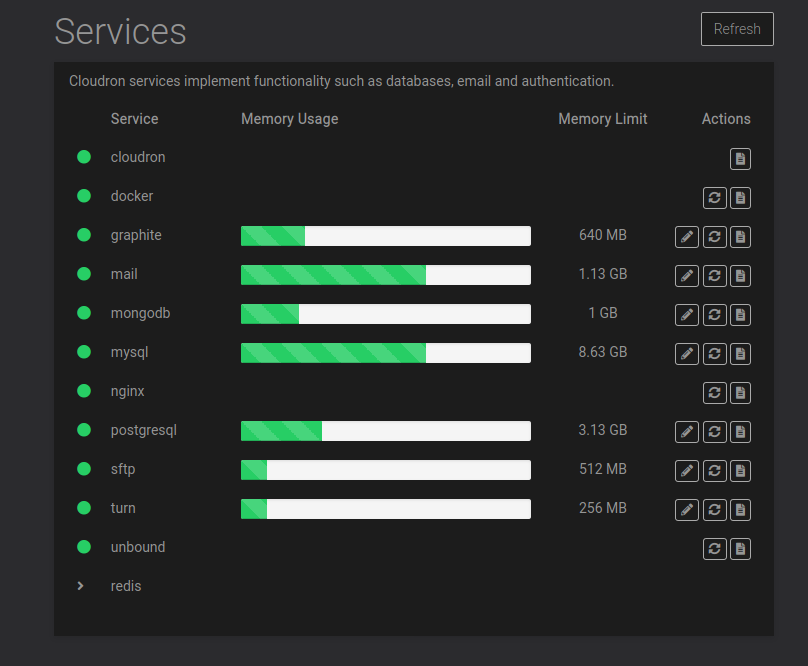
besides, all services are running
-
This is fixed for the next release.
Technical note... Recent releases of graphite/carbon (which we got automatically when we moved to the ubuntu 20 base image) have a feature to tag data. In previous releases, you have to create hierarchies of metrics. For example, cpu.datacenter1.rack1, cpu.datacenter1.rack2 and so on. These hierarchies can be unwieldy. Instead now, we can have metrics "cpu" but with a tag like dc=datacenter1,rack=rack2. And these tags can then be used in the query language. Very cool feature, might come in handy when we go multi-host. But for now, we can disable it altogether.
-
This is fixed for the next release.
Technical note... Recent releases of graphite/carbon (which we got automatically when we moved to the ubuntu 20 base image) have a feature to tag data. In previous releases, you have to create hierarchies of metrics. For example, cpu.datacenter1.rack1, cpu.datacenter1.rack2 and so on. These hierarchies can be unwieldy. Instead now, we can have metrics "cpu" but with a tag like dc=datacenter1,rack=rack2. And these tags can then be used in the query language. Very cool feature, might come in handy when we go multi-host. But for now, we can disable it altogether.



Hello! It looks like you're interested in this conversation, but you don't have an account yet.
Getting fed up of having to scroll through the same posts each visit? When you register for an account, you'll always come back to exactly where you were before, and choose to be notified of new replies (either via email, or push notification). You'll also be able to save bookmarks and upvote posts to show your appreciation to other community members.
With your input, this post could be even better 💗
Register Login