This is just a general question
Is Encrypted Client Hello (ECH) standard activated in Cloudron nginx and other Cloudron apps?
https://blog.cloudflare.com/announcing-encrypted-client-hello/
This is just a general question
Is Encrypted Client Hello (ECH) standard activated in Cloudron nginx and other Cloudron apps?
https://blog.cloudflare.com/announcing-encrypted-client-hello/
@james fantastic, thank you. I will try that.
Just one question. Will this work well for later updates of the app?
@scooke said in Install errors:
Yes, I also saw the same as in this screenshot a couple of times during my many attempts at installing, and reinstalling this thing.
And thank you very much for helping and contributing to problem solving 
@james thank you. And I am not complaining, I just try to help problem solving brainstorming 
If someone could try to do a fresh demo installation of HumHub on their own server, and have a look. That could help, at least to figure out if the same problem arrive in other installations. I have tried on two different cloudrons on different DO droplets, and get the same result on both. That does not indicate that the problem is related to the cloudrons or DO-droplets themselves, so that leave it to the app (and its installation script/procedure) to be investigated. IMHO.
@james there is no file in the app/data/config folder that contains any information related to profile fields. Are they not database entries?
The "earlier" HumHub installation was installed more than a year ago, but have been updated as new appversions has arrived, so today it is latest 1.17.4 (app version 1.8.3).
It has modules installed, but only the standard modules that everyone can install for free. And none of them modify the standard profile fields.
Also, a standard HumHub installation done the traditional way comes with preconfigured standard profile fields. I find it very strange and unlikely that the cloudron version of the HumHub has gotten the profile fields stripped away "by intelligent design". If so, then why?
So something is probably wrong with the cloudronapp itself, as I have tried to install it on two different cloudrons that reside on two different DO droplets, and both show the same lack of profile fields.
This error also created a lot of other problems, but I think it is a waste of time trying to discuss those at this stage. First I need to figure out why the installation has no preconfigured profile fields, and if that result is not intended and can be fixed in the app-packaging so the installation can be done complete, then the other errors may be fixed as well.

Also, both cloudrons have lots of RAM (many GB's) and space available. So server resources are not the problem, I think.
@james thanks for helping.
I do know I can create custom profile fields, but that is not the issue.
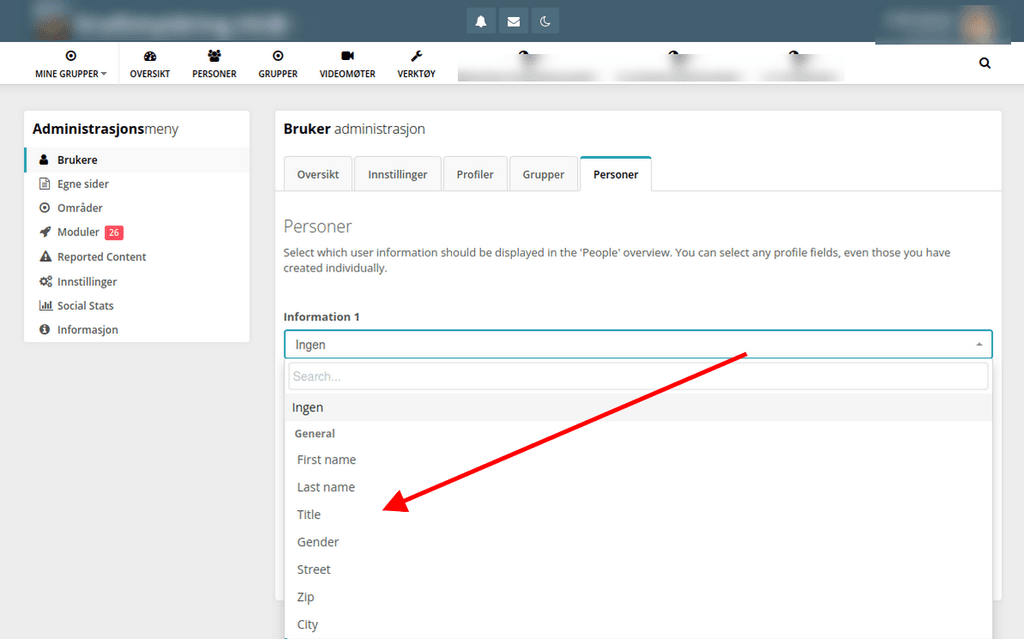
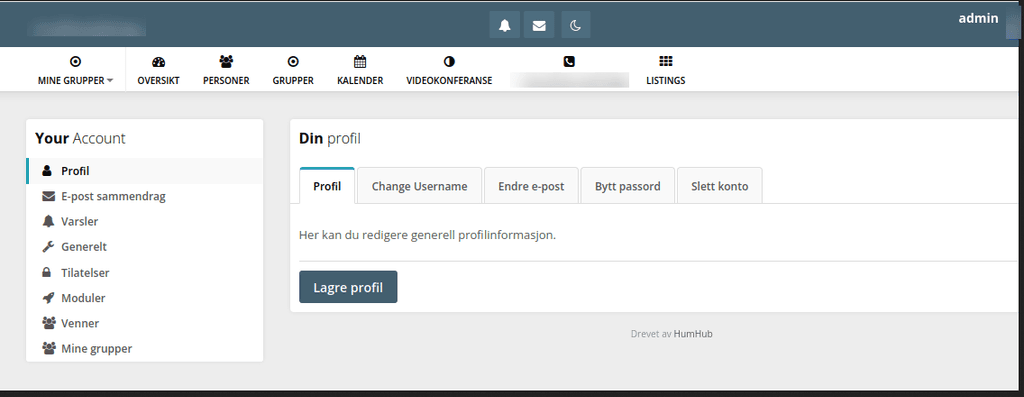
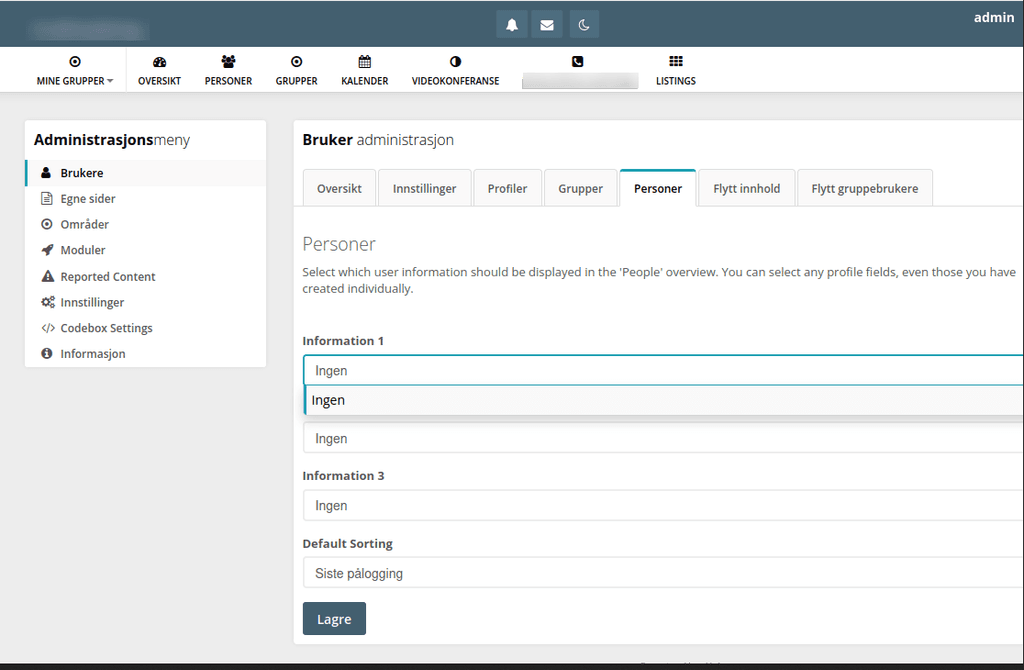
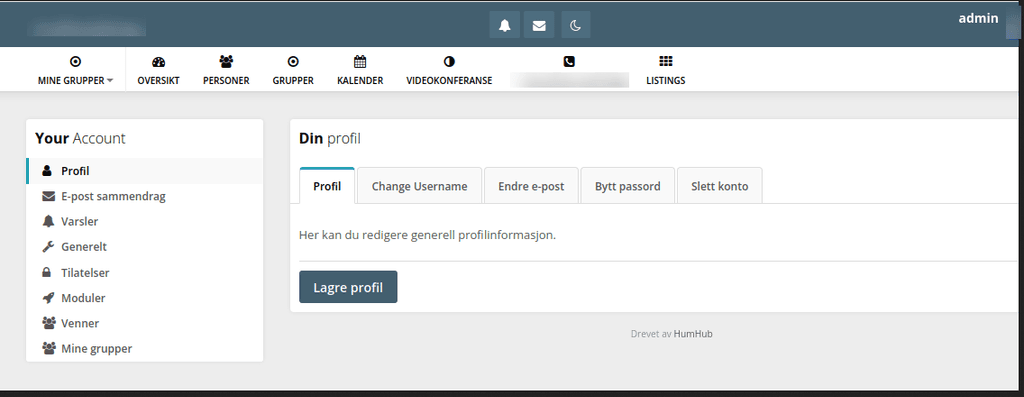
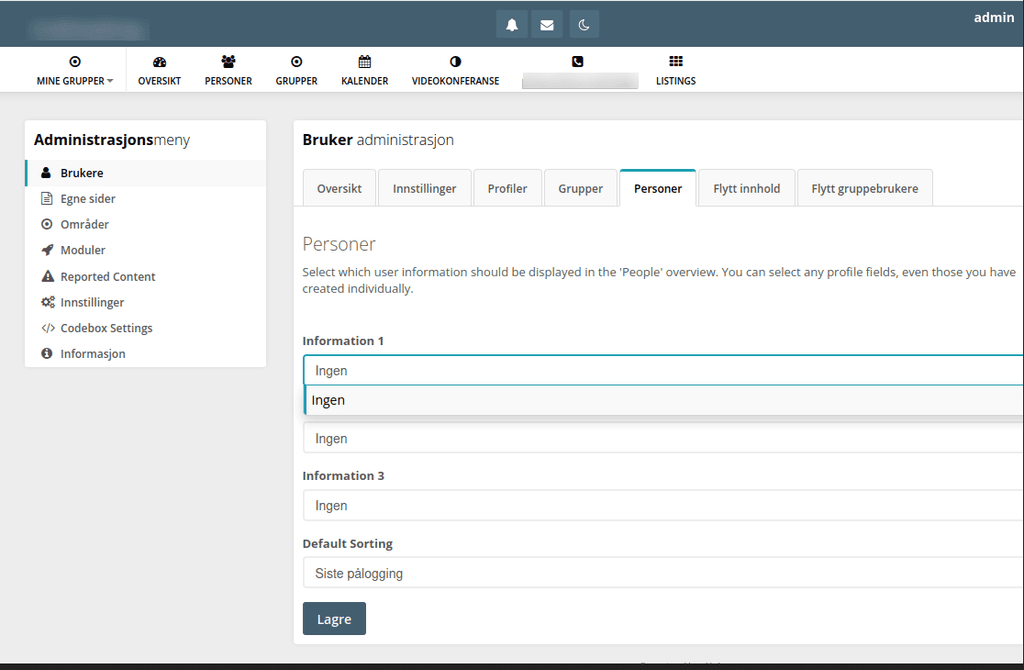
To illustrate I will post two images from an earlier HumHub installation that works as it shall do. In the following two pictures you will see that there are a lot of preconfigured standard profile fields (created by the fresh installation itself) available for the user, and also in the admin area for further configuration, for example to chose which profile fields to be visible in the "People" overview.

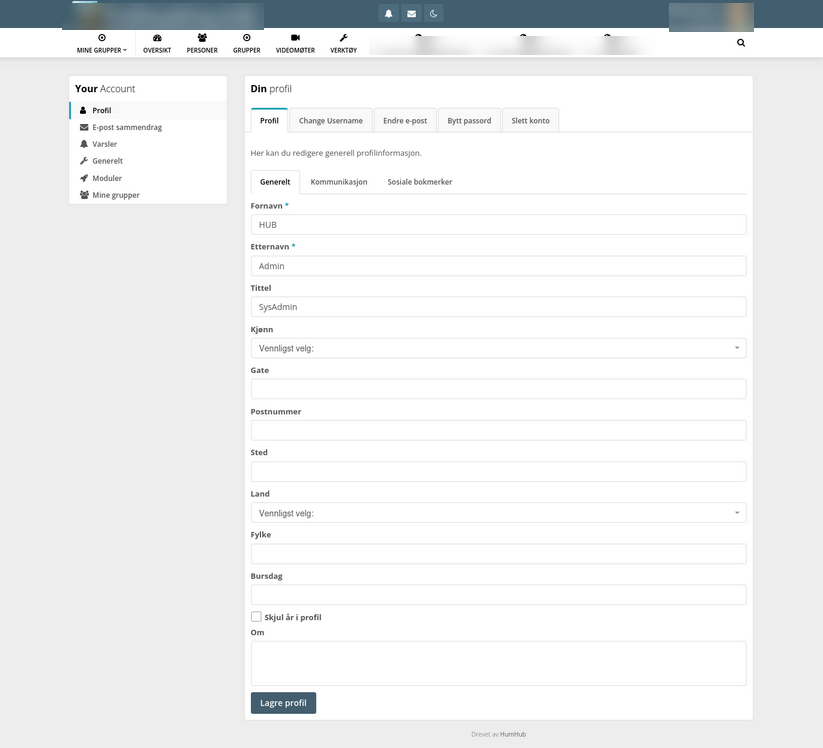
As you can see from the below attached screenshot of this failed attempt to install a new HumHub, you will see that all those preconfigured profile fields are totally missing, all of them.

A user can not even fill in their first and last name, because there is no place to enter them. And no place to enter other standard profile field information.
Hope this better illustrate the problem with this new attempt at setting up a fresh HumHub, and tried on two different cloudrons on two different Digital Ocean droplets. Yes, I have tried to install the latest 1.17.4 (app version 1.8.3). Problem still there.
I just installed the new 1.17.4. Problem still there.
I just did a testinstallation on another Cloudron, and got the same result there.
Looks like something is wrong with this app?
I have just tried several attempts at installing HumHub. It seems not to create the database tables correctly, as each new installation lack the users profile fields, exerpt "username" and emailaddress. There are also other things not working, but I guess it's same source for all the problems, a not complete installation.
See the attached pictures regarding the missing profile fields


Anyone else willing to do a test installation, and see what happens?
UPDATE: Same problem on two different cloudrons:
ID: 697bb99b-9901-4c54-8a80-a091e93bb88f
ID: 2836a04f-9c3c-4b4d-b78f-c46401eb348f
@james How do I do that? And is it needed? I have solved the problem?
I did a brutal problemsolving hack, deleted Grafana and reinstalled it. Now it works.
I think it may have been the "Node Exporter Full" dashboard that was holding the old config in cache, I may have solved it just by deleting the Node Exporter Full and then reinstalled it.


As you see, I have two new endpoints recogniced by Prometheus, but Grafana will not pick up that information
Yes, restarted both after updating "Status - Service discovery" in Prometheus. Even deleted the "prometheus" in Grafana and loaded a new one. It did not pick up on the new services in Prometheus