
Mail app Feature Requests : UI enhance
-
I like the look of the new Mail but I feel some simple tweaks could lift the UI :
- ability to star certain messages
- show read mail in different colour, not simply a non-bold same colour as unread mail
- sort options include Date up/down and From up/down but To up/down would also be helpful (mail in an inbox is not always to mailbox address)
- filter for unread would also be useful
Separate from UI, :
- functionality to display mail from all boxes is a feature I find useful in other mail apps (aka "All Mail"
- I don't see a way to create folder (e.g. to use in a filter) : leaving the app to create a folder seems the wrong approach.
Apologies if these have been suggested before, and are therefore duplicates.
Indie app dev, scratching my itches : communityapps.appx.uk, portfolio at myca.appx.uk
-
Oh, one more thing.
Currently 'Empty Spam' moves all items to Trash.
But if emptying spam, I can't conceive why the user would want the spam mails to be retained.
User has to then 'Empty Trash'.
2 operations.
It would be better for 'Empty Spam' to delete immediately, not pass through Trash.
Maybe labels 'Purge Spam' and 'Purge Trash' would be clearer for this simplified flow. -
I like the look of the new Mail but I feel some simple tweaks could lift the UI :
- ability to star certain messages
- show read mail in different colour, not simply a non-bold same colour as unread mail
- sort options include Date up/down and From up/down but To up/down would also be helpful (mail in an inbox is not always to mailbox address)
- filter for unread would also be useful
Separate from UI, :
- functionality to display mail from all boxes is a feature I find useful in other mail apps (aka "All Mail"
- I don't see a way to create folder (e.g. to use in a filter) : leaving the app to create a folder seems the wrong approach.
Apologies if these have been suggested before, and are therefore duplicates.
show read mail in different colour, not simply a non-bold same colour as unread mail
I've been using this code with the Stylus plugin locally in Firefox to fix this same issue on Roundcube (class name is different though). This one is using the proper class for the CR mail app. It adds a pulsating green dot (customizable) for all unread mail.
 .mail-item.unread::before {
    content: "●";
    color:#0dff00;
    font-size: 16px;
    animation: pulseUnread 1s infinite;
}

@keyframes pulseUnread {
    0%   { opacity: 0.2; }
    50%  { opacity: 1; }
    100% { opacity: 0.2; }
}
Preview

-
show read mail in different colour, not simply a non-bold same colour as unread mail
I've been using this code with the Stylus plugin locally in Firefox to fix this same issue on Roundcube (class name is different though). This one is using the proper class for the CR mail app. It adds a pulsating green dot (customizable) for all unread mail.
 .mail-item.unread::before {
    content: "●";
    color:#0dff00;
    font-size: 16px;
    animation: pulseUnread 1s infinite;
}

@keyframes pulseUnread {
    0%   { opacity: 0.2; }
    50%  { opacity: 1; }
    100% { opacity: 0.2; }
}
Preview
-
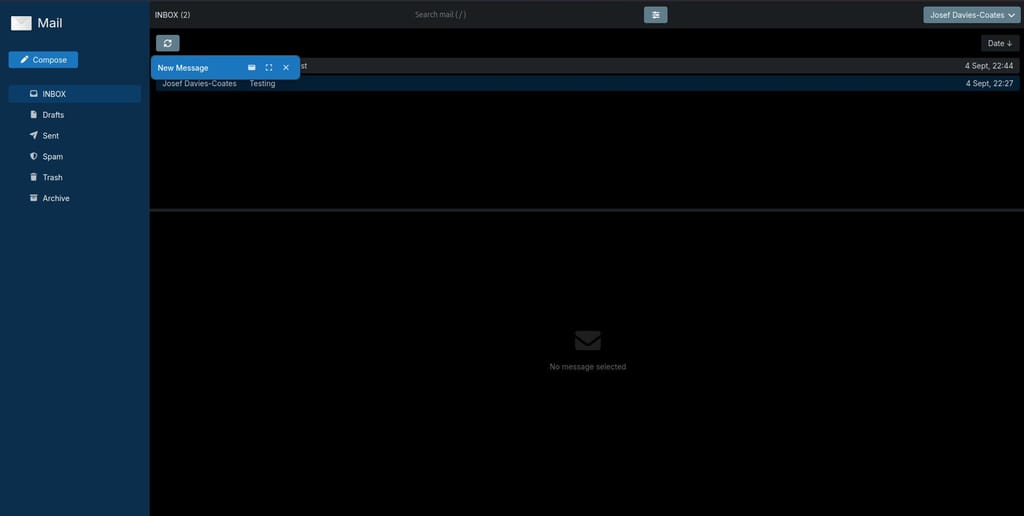
This should perhaps be a new thread, but I also have some UI requests:
Mostly, I've never liked split-screen UIs and would much prefer a Gmail-like interface, like in SnappyMail:
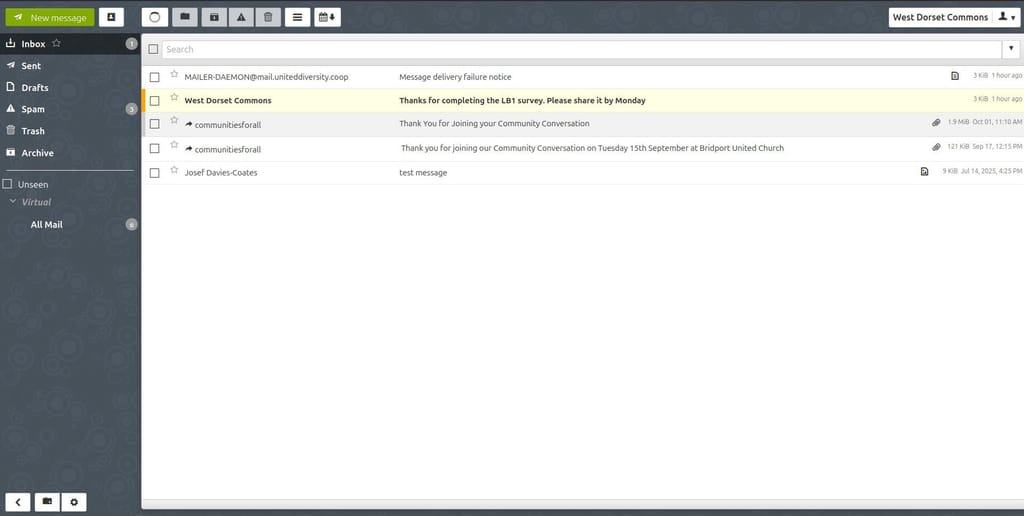
Similarly, I've never understood why Nextcloud Mail (and also now Cloudron Mail) default to having such a tiny compose pop-up:
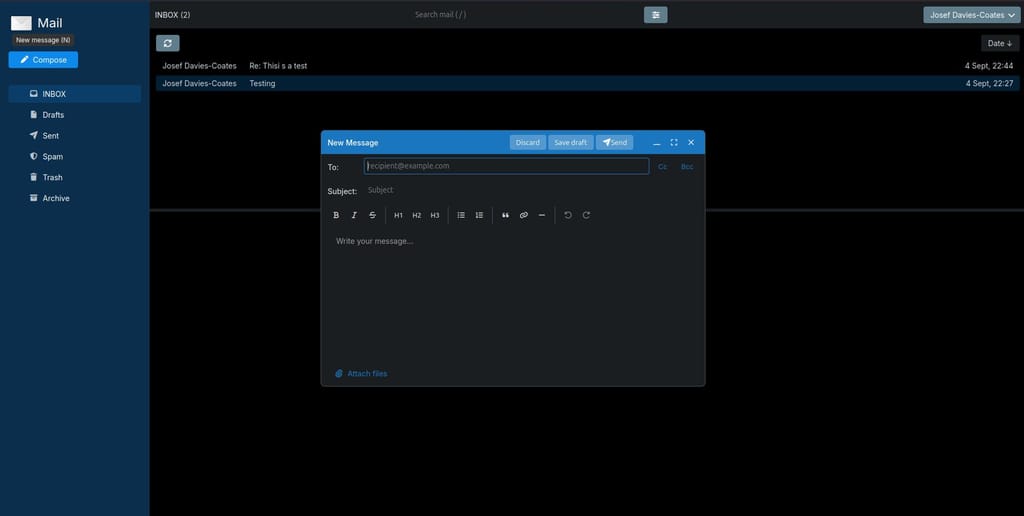
Again, I much prefer being able to use all of my screens real estate, again, like in SnappyMail:
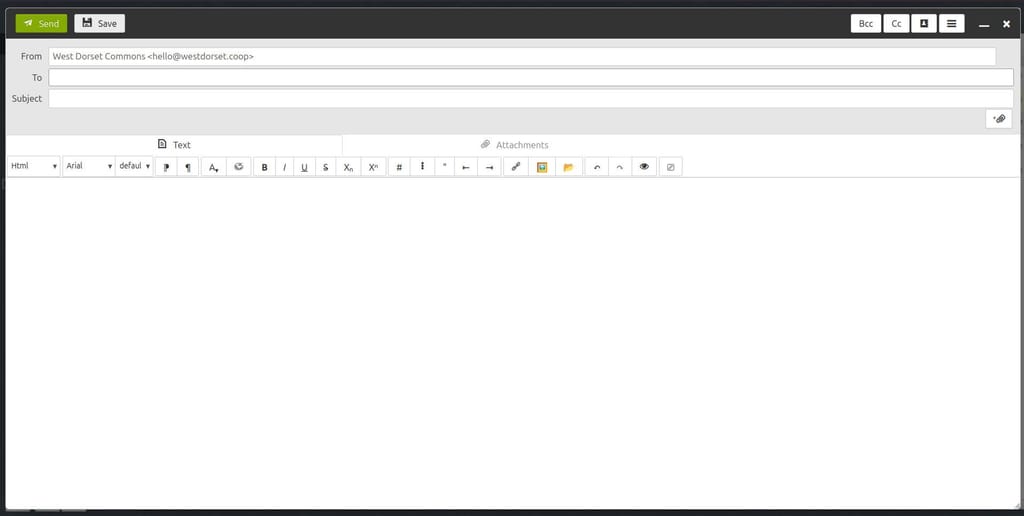
Perhaps one way to achieve this would be to remember that last size it was resized to? then I could just resize it to e.g. something like this and it'd remember that's how I like it?
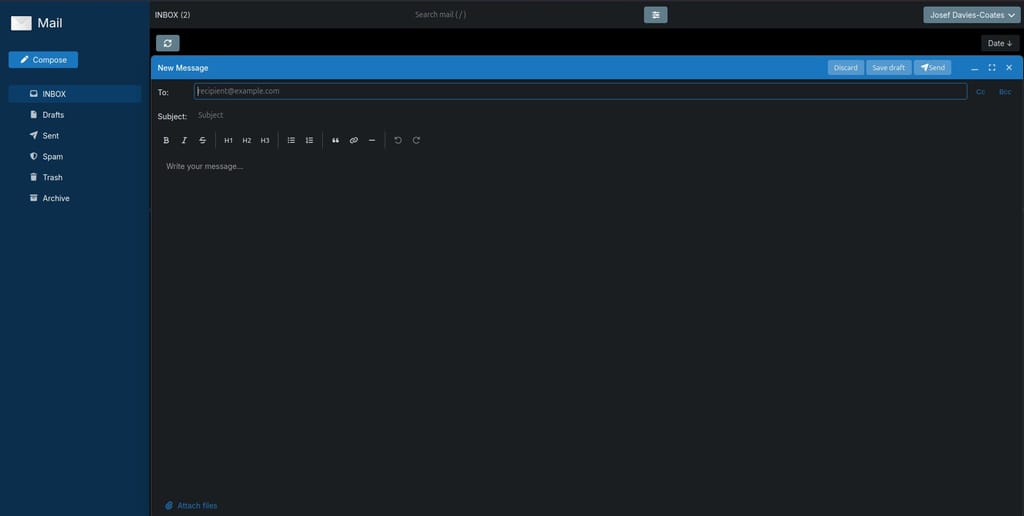
Also, it's a strange UX that when minimising the compose window it just become as random little floating bar, rather than e.g. being docked down the bottom of the screen as in Gmail:
-
UI is always difficult because firm preferences on either side of any option.
Only real solution is to support both ways of a particular option and let user choose in settings.
Cloudron Mail Settings are sparse compared to some clients, so while I would not advocate for a forest of options, there is scope for a few more UI options there. -
show read mail in different colour, not simply a non-bold same colour as unread mail
I've been using this code with the Stylus plugin locally in Firefox to fix this same issue on Roundcube (class name is different though). This one is using the proper class for the CR mail app. It adds a pulsating green dot (customizable) for all unread mail.
 .mail-item.unread::before {
    content: "●";
    color:#0dff00;
    font-size: 16px;
    animation: pulseUnread 1s infinite;
}

@keyframes pulseUnread {
    0%   { opacity: 0.2; }
    50%  { opacity: 1; }
    100% { opacity: 0.2; }
}
Preview
@humpty installed Firefox Stylus plugin.
Works a treat.
Thanks for the recommendation.Indie app dev, scratching my itches : communityapps.appx.uk, portfolio at myca.appx.uk
-
@humpty installed Firefox Stylus plugin.
Works a treat.
Thanks for the recommendation.@timconsidine I also use with Youtube & Facebook to "declutter" the UI a bit
 There's a section that redirects you to a site that has user codes that you can browse/add.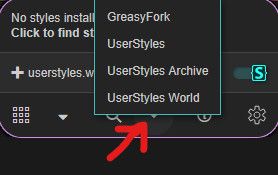



Hello! It looks like you're interested in this conversation, but you don't have an account yet.
Getting fed up of having to scroll through the same posts each visit? When you register for an account, you'll always come back to exactly where you were before, and choose to be notified of new replies (either via email, or push notification). You'll also be able to save bookmarks and upvote posts to show your appreciation to other community members.
With your input, this post could be even better 💗
Register Login