
PostgreSQL 18 for clients outside of Cloudron with a web panel


-
WHY
I needed PostgreSQL outside Cloudron apps and wanted a Cloudron app to host PostgreSQL.
WARNING
Mayor parts of this app are vibe coded.
Attempted to cover every feature with tests, but something might have slipped through, only time will tell.
Same for all security aspects.
Do not depend on this app for any production work unless you are aware of the risks!INFO
This app will not give access to the PostgreSQL service running on Cloudron, it hosts its own PostgreSQL server inside the app.
Community App Store: https://ca.cloudron.io/app/io.cloudron.custom.postgresql
ABOUT
A standalone PostgreSQL 18 server for clients outside Cloudron, with a web panel to manage roles and databases.
- Connections are TLS 1.3 only, using the app domain's certificate
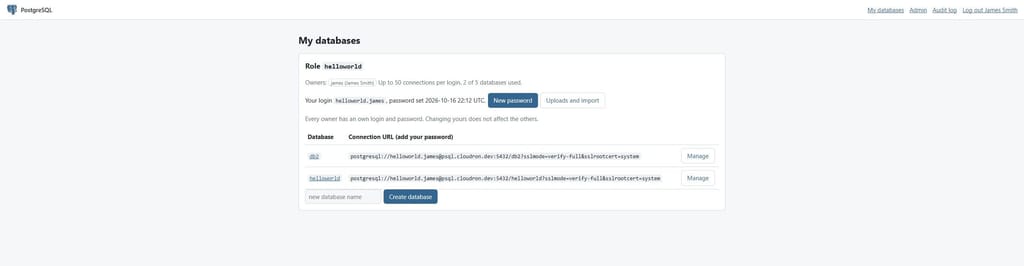
- Passwords use SCRAM-SHA-256 and are generated by the panel
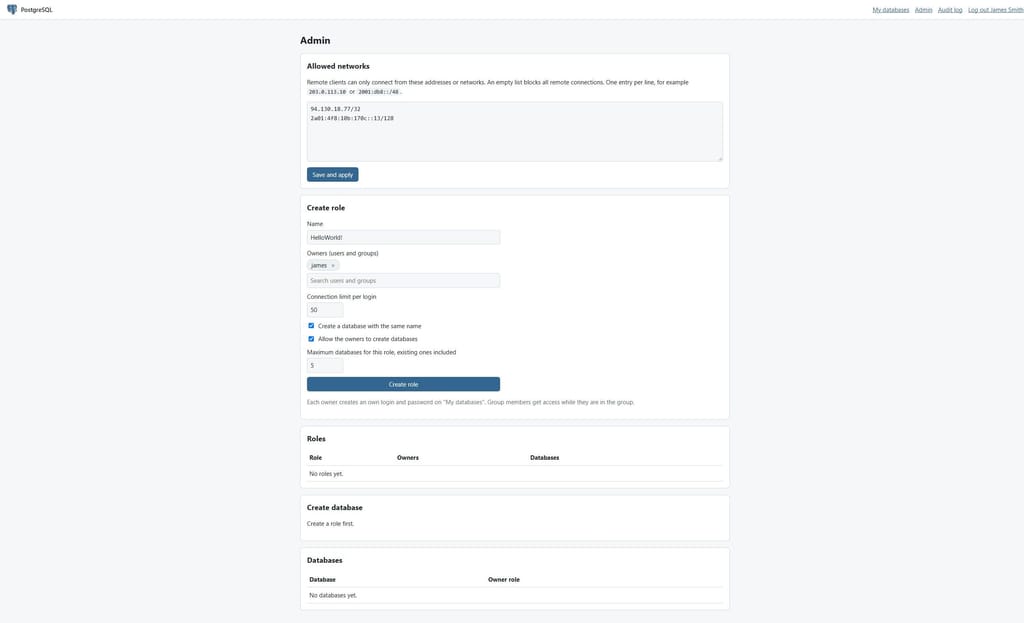
- Remote access is blocked until a network is added to the allowlist
- Each role only gets access to the databases it owns
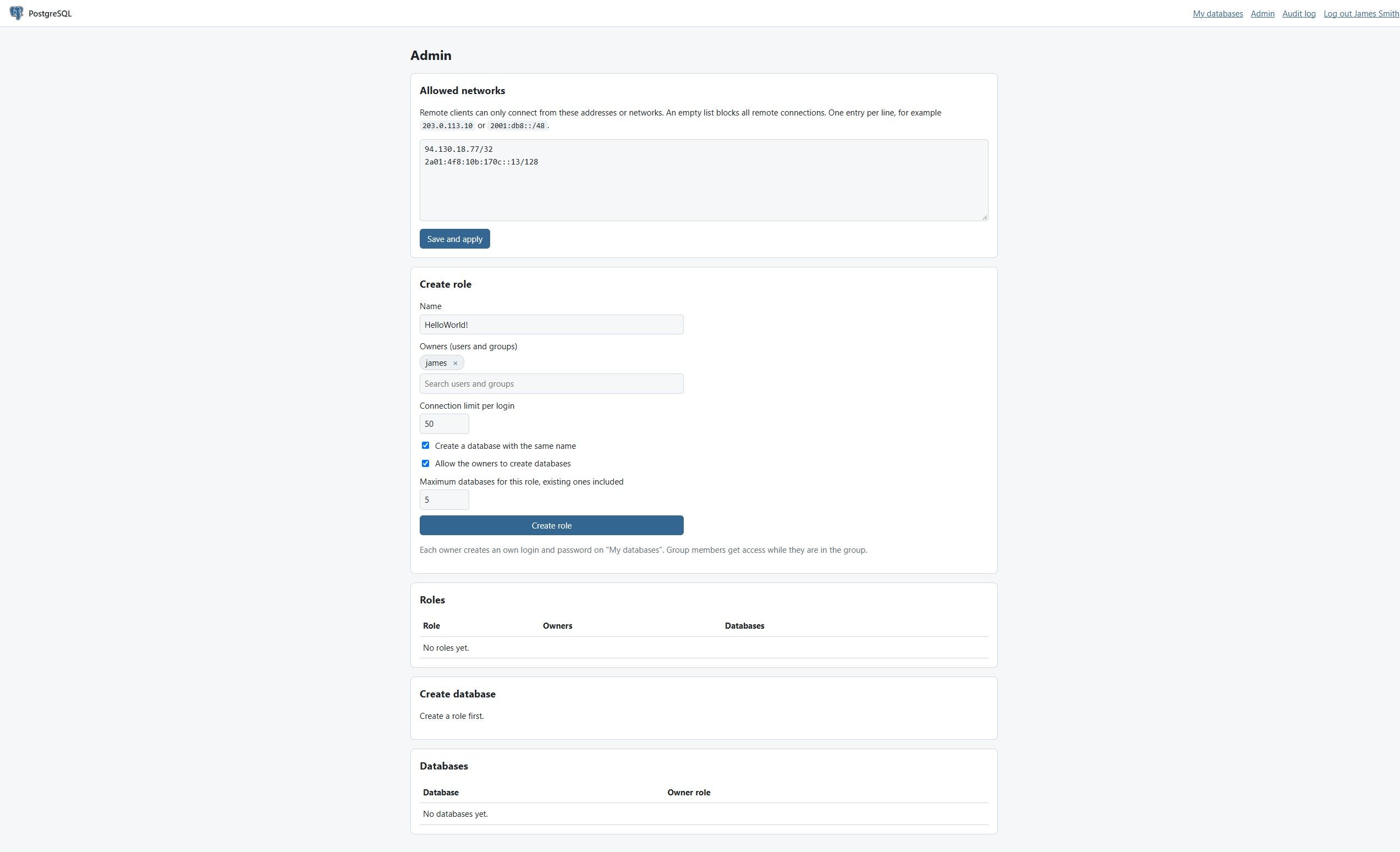
- Sign in with Cloudron. Admins manage roles, databases and allowed networks. Roles are owned by Cloudron users and groups, every owner has an own login
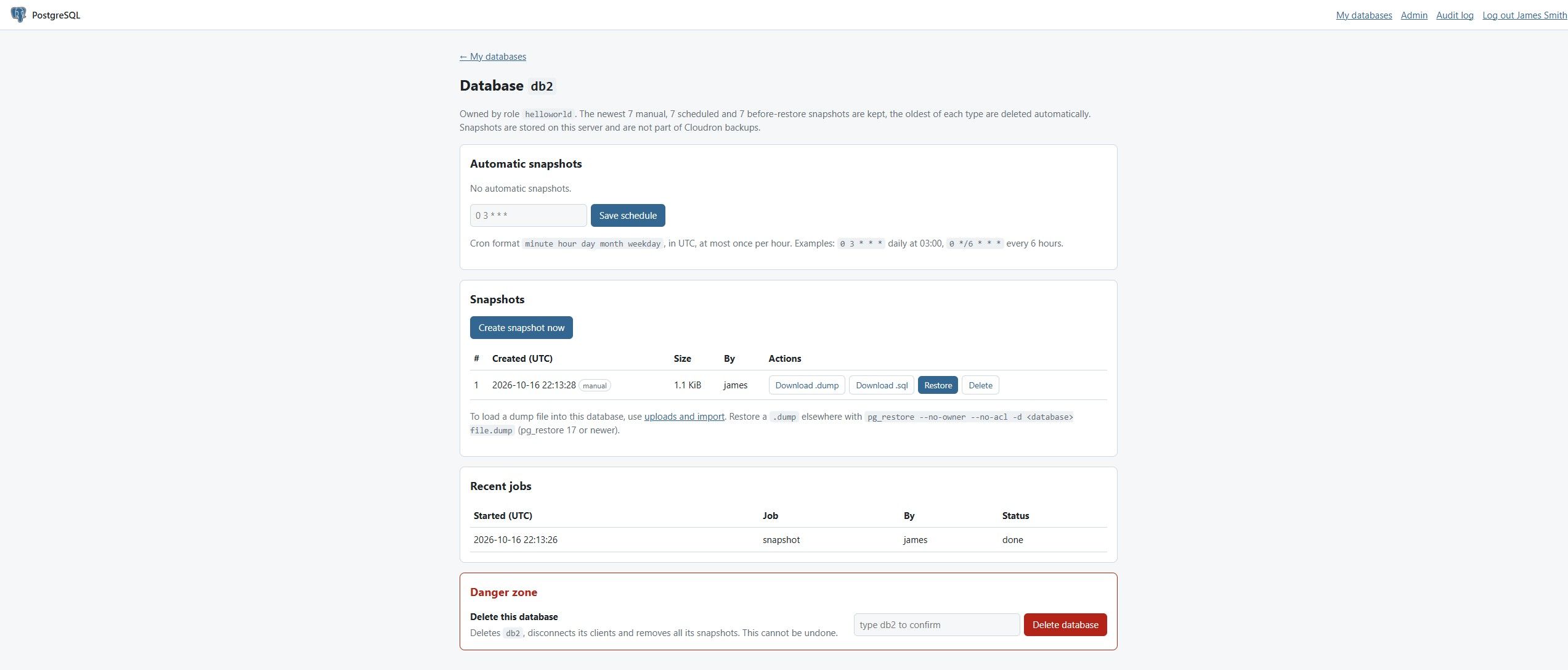
- Users can create, download and restore snapshots of their databases
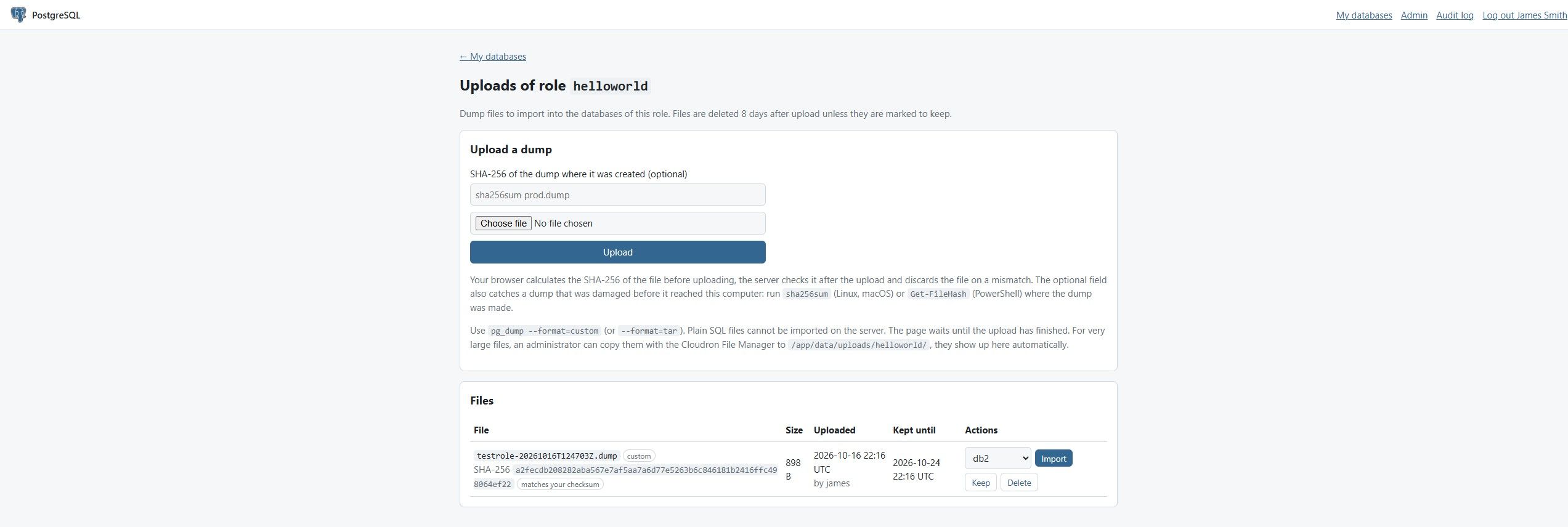
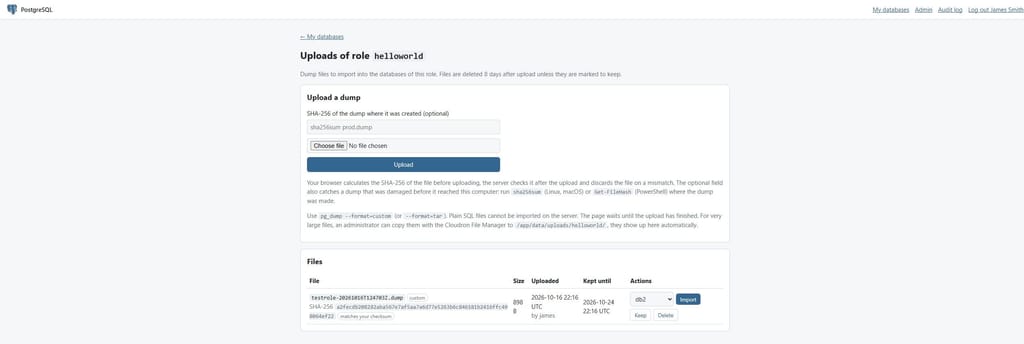
- Users can upload pg_dump archives and import them into their databases
- Backups are logical dumps taken by Cloudron's backup, snapshots stay on the server and are not part of them
- Dump import default and optional failsafe snapshot before import of the target database
- Dump import tasks security layer will import the database into a temporary database first to ensure that a failed import does not leave the target database empty or broken
- Upload can check the sha256 sums before the upload starts to ensure you are not uploading a broken or altered dump wasting time and resources
- Uploads always create sha256 sums, saves them, and will re-check them when importing a dump before starting the import to ensure the dump is still healthy
Wishlist of features
- High Availability, Load Balancing, and Replication with other PostgreSQL apps across multiple Cloudron servers
Screenshots
Admin
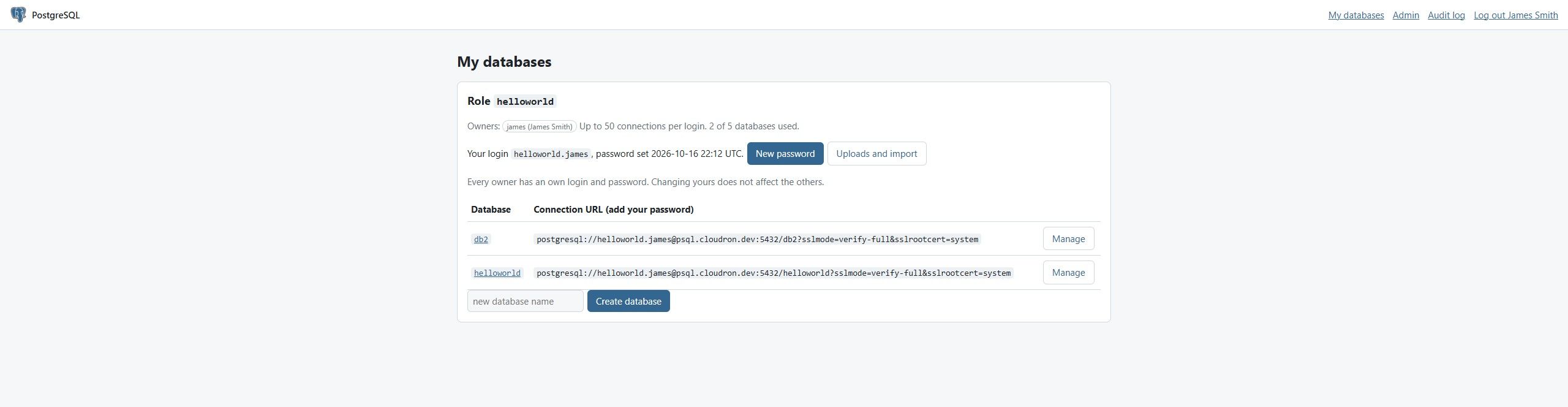
Databases
Database

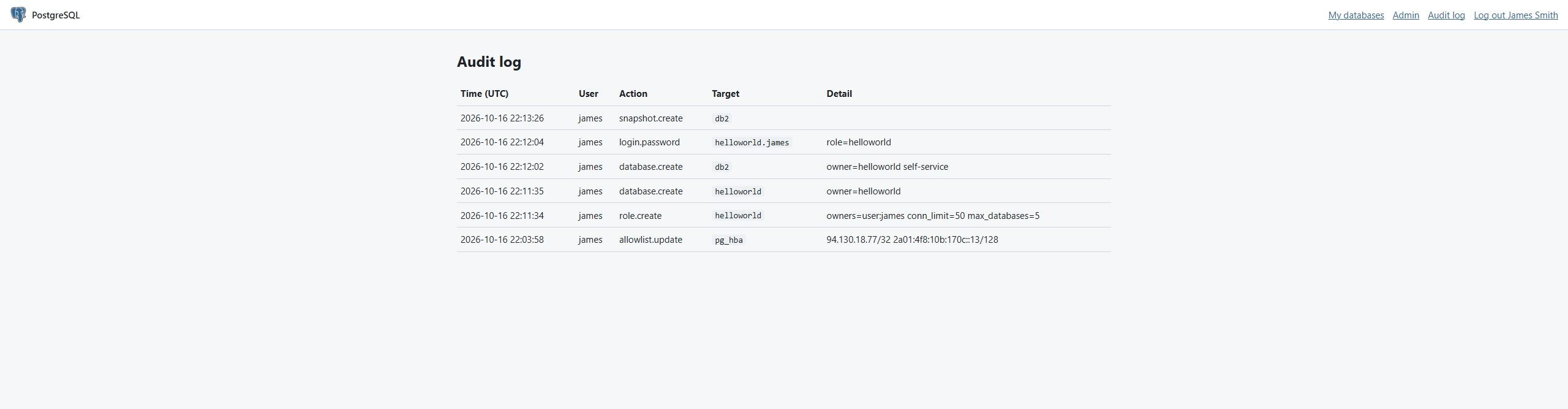
Audit log
Uploads
Progress Bars
Tasks like snapshot, restore, import and dump have progress bars.
Info: Since the final size of a dump can't be fully predicted the progress bar for dumps uses an approximation logic so it might not be 100% accurate.Import progress

Snapshot progress

-
1.1.0
- Database sizes on My databases, a usage card on each database page with size, connections and snapshot totals
- Admin page shows total database and snapshot size, used space of the data volume and per-database usage
1.2.0
- Email to the role owners when a snapshot, restore or import fails, admins can add addresses that get every failure
- Mail is sent over STARTTLS with the Cloudron mail server certificate verified
- Requires Cloudron 10.0.1 or newer
1.3.0
- Database Logins can use Cloudron app passwords instead of a generated password, created in the Cloudron profile (needs Cloudron 10.0.5 or newer)
- Copy buttons next to connection URLs and new passwords
-
1.4.0 - Web Panel Overhaul
- New panel design: icon buttons with optional labels, settings in sheets, a bottom navigation bar on phones
- Snapshot, restore and import progress updates live, without reloading the page
- Failure mails are opt-in: each user turns them on in the account settings. Owners no longer get them automatically
- Admins can change selected PostgreSQL settings (max_connections, memory and timeouts) in Admin > Server
- Admin overview links to lists of all client connections and all snapshots

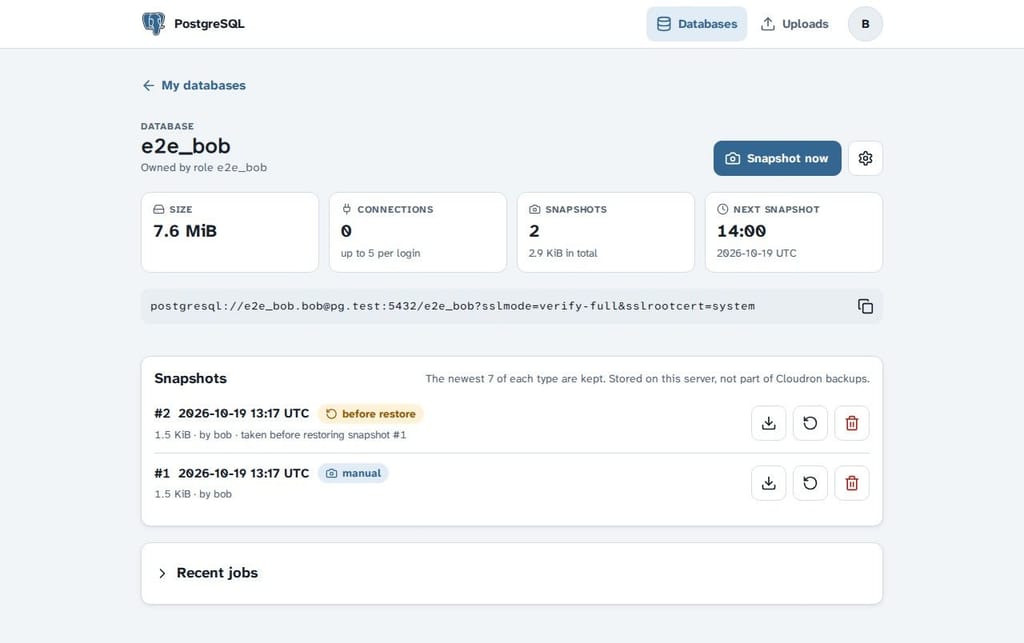

Mobile view:

-
1.5.0
- Audit log has a search, a filter by type and pages
- Admin groups are set with PG_ADMIN_GROUP in /app/data/env.sh, one or more groups separated by commas. New installs have no admin group, existing installs keep postgres-admins
- Name fields explain the allowed characters and why a name is not accepted, capitals become lowercase
- Admin > Server shows the default value of each empty setting
- Fixed the upload form layout on phones and the account tooltip in the top bar

Hello! It looks like you're interested in this conversation, but you don't have an account yet.
Getting fed up of having to scroll through the same posts each visit? When you register for an account, you'll always come back to exactly where you were before, and choose to be notified of new replies (either via email, or push notification). You'll also be able to save bookmarks and upvote posts to show your appreciation to other community members.
With your input, this post could be even better 💗
Register Login