
SFTP access for LAMP app
-
Quick question, as I am too daft to figure it out myself by looking through the posts and docu:
Where do I find the password for the SFTP user of the LAMP stack app?
"Password - Cloudron password (password is the same for SFTP access to all apps)" and
"Only Cloudorn admins have SFTP access. To give a specific user access to SFTP of a single app, make them an operator."
Found at https://docs.cloudron.io/apps/#ftp-access
Does this suggest it should be the same password as my main admin user?
Also, despite having opened the required port 222, I get a message saying I cannot connect to my app. What's up with that? I've tried using the local IP of my Cloudron box too with the same results.
👉 Find our more www.bebraver.online
-
Quick question, as I am too daft to figure it out myself by looking through the posts and docu:
Where do I find the password for the SFTP user of the LAMP stack app?
"Password - Cloudron password (password is the same for SFTP access to all apps)" and
"Only Cloudorn admins have SFTP access. To give a specific user access to SFTP of a single app, make them an operator."
Found at https://docs.cloudron.io/apps/#ftp-access
Does this suggest it should be the same password as my main admin user?
Also, despite having opened the required port 222, I get a message saying I cannot connect to my app. What's up with that? I've tried using the local IP of my Cloudron box too with the same results.
@3246 In order to connect, you must use the FQDN of the app you are connecting to in your username, shown like below.
Host: my.example.com
Port: 222
Username: exUser@app1.example.com (Note, this is NOT an email)
Password: Cloudron password. (As in the one you use to sign into Cloudron)So for you, it could be:
Host: my.3246.com
Port: 222
Username 3246@app1.3246.com
Password: Cloudron Password.(Using your username to kind of fill in blank info)
--
https://urgero.org
~ Professional Nerd. Freelance Programmer. ~ -
@3246 In order to connect, you must use the FQDN of the app you are connecting to in your username, shown like below.
Host: my.example.com
Port: 222
Username: exUser@app1.example.com (Note, this is NOT an email)
Password: Cloudron password. (As in the one you use to sign into Cloudron)So for you, it could be:
Host: my.3246.com
Port: 222
Username 3246@app1.3246.com
Password: Cloudron Password.(Using your username to kind of fill in blank info)
@murgero Thank you. Do you mean the name of the app, not what Cloudron shows me?
For example, the app has the FQDN example.com, while Cloudron shows me cloudronfqdn.com when I click on the SFTP settings for the app.
-
@3246 In order to connect, you must use the FQDN of the app you are connecting to in your username, shown like below.
Host: my.example.com
Port: 222
Username: exUser@app1.example.com (Note, this is NOT an email)
Password: Cloudron password. (As in the one you use to sign into Cloudron)So for you, it could be:
Host: my.3246.com
Port: 222
Username 3246@app1.3246.com
Password: Cloudron Password.(Using your username to kind of fill in blank info)
-
OK, tried that too but it's just not connecting to 222. I have restarted by routers and canyouseeme.org tells me port 222 is closed. How can I check this on Cloudron?
-
@3246 For a start, are you able to connect at all or is this an authentication issue (i.e post connection) ?
Does
telnet my.domain.com 222work ? If it does, then atleast firewall etc work. -
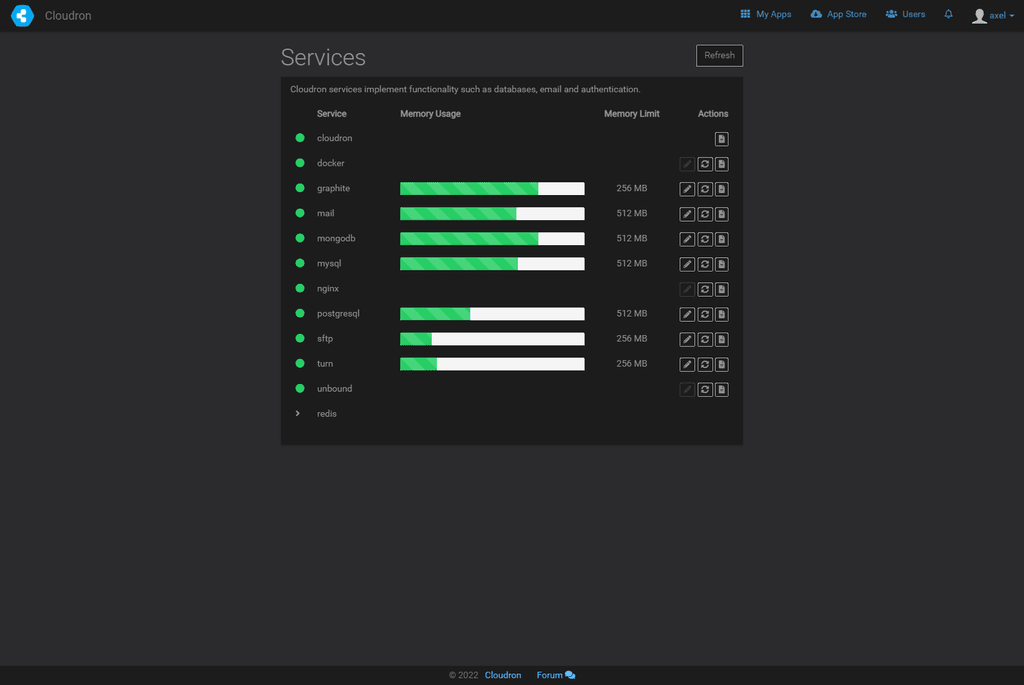
@girish sadly that's not working, no. The services dashboard shows SFTP running and I can connect via SSH (using my system user login, not Cloudron).
@3246 the SFTP endpoint is using your Cloudron users now the system users. The username will be
cloudronusername@appdomainThe appdomain is required so the system knows to which app you want to connect. That is just a virtual email address and does not need to exist. -
@girish sadly that's not working, no. The services dashboard shows SFTP running and I can connect via SSH (using my system user login, not Cloudron).
@3246 thanks. My understanding is that you have this installed in your house, correct? If so, this is what I would do:
- Does
telnet <internal-ip> 222work? If this doesn't work, this is some cloudron related issue. I would also double check here thattelnet <interal-ip> 22works (the ssh port) - If the above works, then can you double check if your router firewall is allowing incoming port 222 for the public IP and into this VM?
- Does
-
@3246 thanks. My understanding is that you have this installed in your house, correct? If so, this is what I would do:
- Does
telnet <internal-ip> 222work? If this doesn't work, this is some cloudron related issue. I would also double check here thattelnet <interal-ip> 22works (the ssh port) - If the above works, then can you double check if your router firewall is allowing incoming port 222 for the public IP and into this VM?
- Does




Hello! It looks like you're interested in this conversation, but you don't have an account yet.
Getting fed up of having to scroll through the same posts each visit? When you register for an account, you'll always come back to exactly where you were before, and choose to be notified of new replies (either via email, or push notification). You'll also be able to save bookmarks and upvote posts to show your appreciation to other community members.
With your input, this post could be even better 💗
Register Login