
first time setup
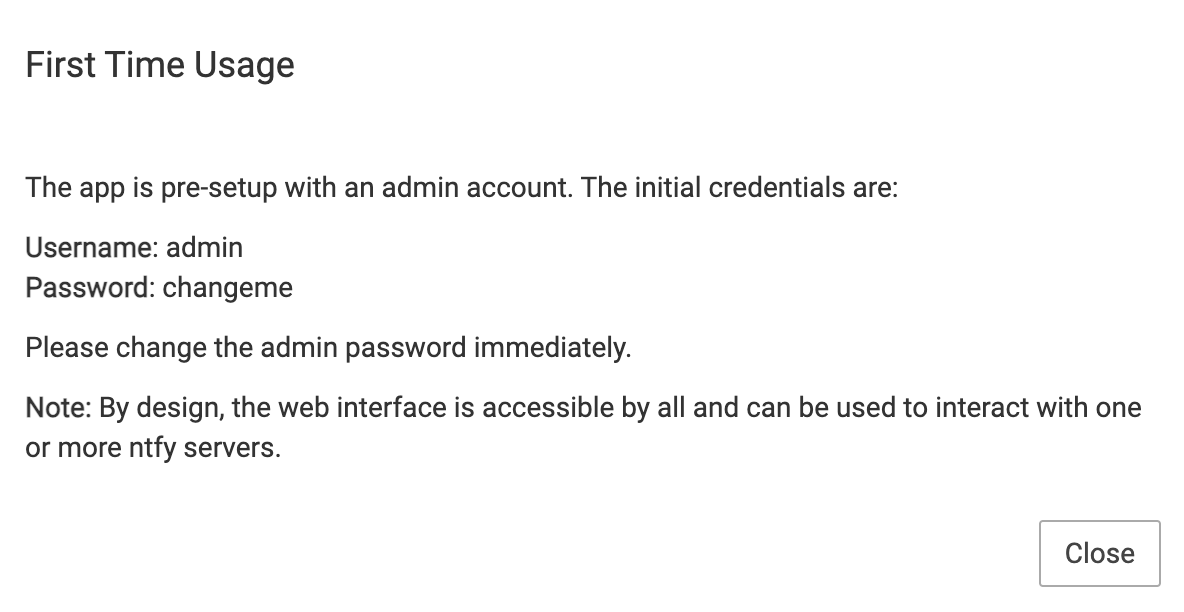
-
https://docs.cloudron.io/apps/ntfy/#change-password for future readers.
@girish said in first time setup:
https://docs.cloudron.io/apps/ntfy/#change-password for future readers.
I also had to search for this command line, can you please add it to the first time run document itself please?
Or a link to the documentation would be great.Thank you
-
@girish said in first time setup:
https://docs.cloudron.io/apps/ntfy/#change-password for future readers.
I also had to search for this command line, can you please add it to the first time run document itself please?
Or a link to the documentation would be great.Thank you
-
Hi,
I set up a ntfy instance with cloudron and i've seen the instructions regarding the admin password change.
It doesn't work for me. When I type "ntfy user change-pass admin" on my terminal i have an error message because "ntfy" is not a command.
I tried to change the password directly in the client.yml file but after that, ntfy doesn't work anymore.
How can i change the admin password and also create users. The GUI doesn't seem to work on that part.
regards
-
Hi,
I set up a ntfy instance with cloudron and i've seen the instructions regarding the admin password change.
It doesn't work for me. When I type "ntfy user change-pass admin" on my terminal i have an error message because "ntfy" is not a command.
I tried to change the password directly in the client.yml file but after that, ntfy doesn't work anymore.
How can i change the admin password and also create users. The GUI doesn't seem to work on that part.
regards
-
@loran where are you running the ntfy command ? You have to run it in the Web terminal :
This works for me
root@f75b1c7b-dd87-46c5-9899-f227fa82d24b:/app/code# ntfy user change-pass admin changed password for user admin@girish said in first time setup:
@loran where are you running the ntfy command ? You have to run it in the [Web terminal](https://docs.cloudron.io/apps/#web-terminal) :
This works for me
You're still running it on the server directly. You have to use the web terminal
-
Hello to you too, @necrevistonnezr, I missed what was a web terminal, I thought, it was like the terminal.
Unless i'am mistaken, writing the word in uppercase could be understand as yelling ... no need for that.
thanks anyway for your answer.
-
Now that the yelling has served its purpose, I have reverted it to a normal font.
I was just being silly and experimenting with the 'heading' format in the reply editor
-
 G girish forked this topic on
-
G girish marked this topic as a question on
-
G girish has marked this topic as solved on
-
G girish locked this topic on


Hello! It looks like you're interested in this conversation, but you don't have an account yet.
Getting fed up of having to scroll through the same posts each visit? When you register for an account, you'll always come back to exactly where you were before, and choose to be notified of new replies (either via email, or push notification). You'll also be able to save bookmarks and upvote posts to show your appreciation to other community members.
With your input, this post could be even better 💗
Register Login