
paperless, oidc & django admin (spoiler: there is no password involved)

-
My typical workflow for default admin accounts is:
- Open the app in an anonymous browser. use the default admin credentials
- Open the app via
login with Cloudronin a different browser or tab. - Set the new user to the admin role (in the case of the paperless superuser)
- Delete the default admin with the new user account.
- Add normal user without admin permissions.
All good in paperless until the moment you click on
In short: no chance to login.
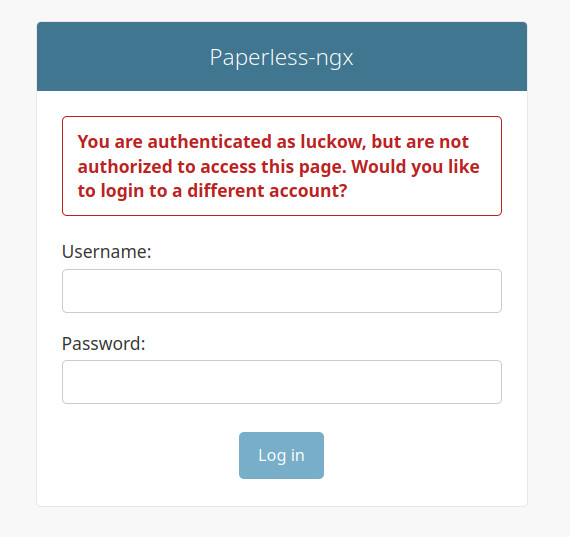
After investigating the problem, the user account requires two additional pieces of information that are not automatically created when you add a user via OIDC.
The first is to set a password.
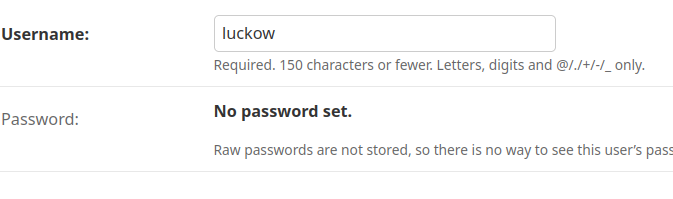
After setting a password manually, it looks like this:

The second is to check
Staff status
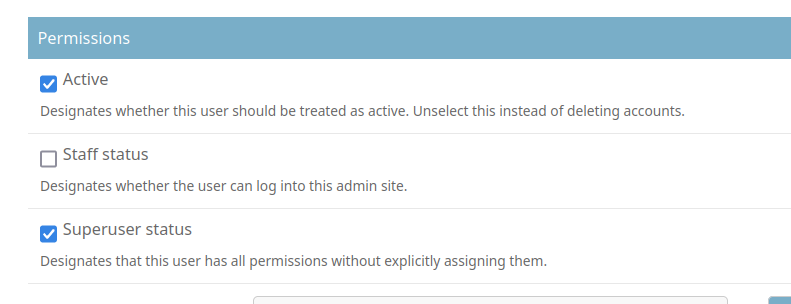
It is now possible to log in to Django Admin.
Now you can safely delete the default admin account.

Hello! It looks like you're interested in this conversation, but you don't have an account yet.
Getting fed up of having to scroll through the same posts each visit? When you register for an account, you'll always come back to exactly where you were before, and choose to be notified of new replies (either via email, or push notification). You'll also be able to save bookmarks and upvote posts to show your appreciation to other community members.
With your input, this post could be even better 💗
Register Login