
Can someone help me embed this editor.md on Moodle?
-
I want to embed this editor.md on Moodle, but it keeps loading.
The following code works on any online code editor, such as:
https://www.w3schools.com/html/tryit.asp?filename=tryhtml_introBut it does not work on moodle. I don't know why.
You may try on the Moodle demo site by sign in as Admin.
https://sandbox.moodledemo.net/Editor.md
<link href="https://unpkg.com/editor.md/css/editormd.min.css" rel="stylesheet" />
<script src="https://cdnjs.cloudflare.com/ajax/libs/jquery/3.7.1/jquery.min.js"></script>
<script src="https://unpkg.com/editor.md/editormd.min.js"></script>

<div id="editor">
<textarea style="display: none;"></textarea>
</div>

<script type="text/javascript">
    $(function () {
        var editor = editormd("editor", {
        	width: "100%",
            height: "100%",
            path: "https://unpkg.com/editor.md/lib/"
        });
    });
</script>
Here is the errors I see in console:
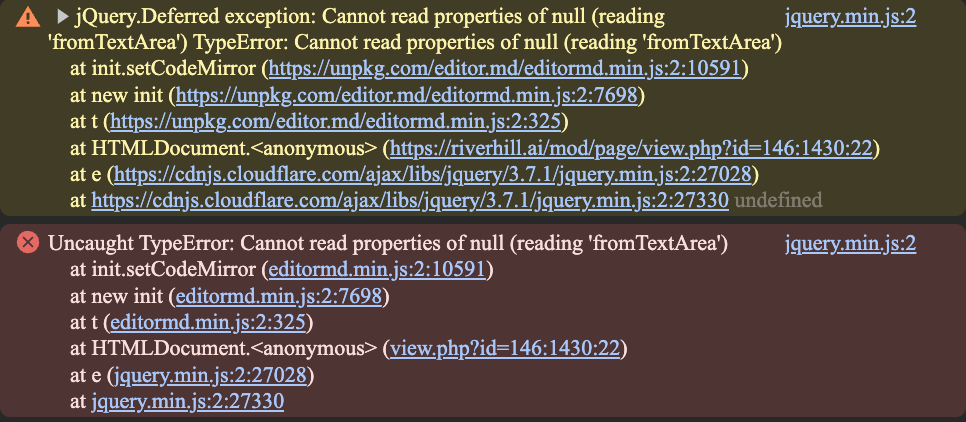
Thanks for your help!
-
I found the root cause.
Moodle is not autoloading the dependencies via the path:
path: "https://unpkg.com/editor.md/lib/"
But I don't know how to solve it.
-
I downloaded the source code from github:
https://github.com/pandao/editor.md?tab=readme-ov-fileCan I upload it via the File Manager?
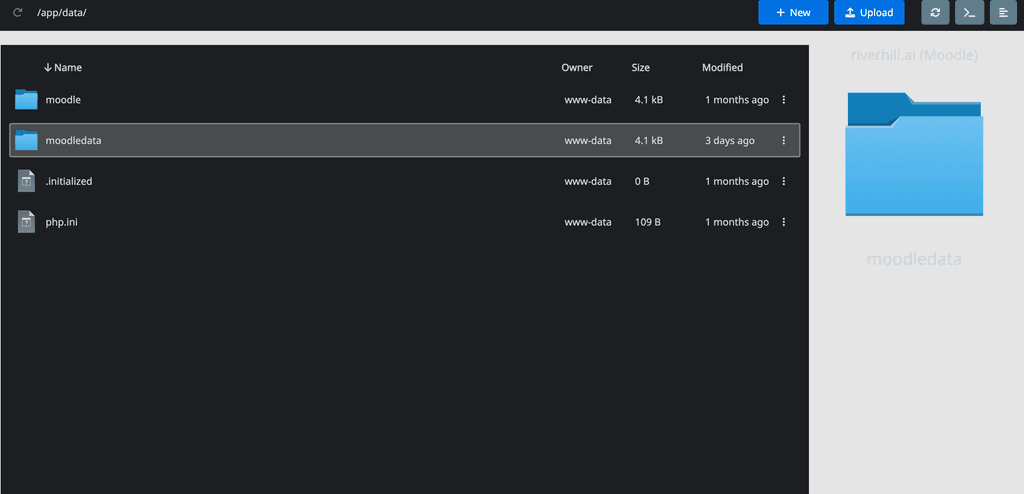
Will this work?
If so, what path shoud I use?
is this it?
/appdata/3d3f8304-dd19-4222-a4a4-3c739485ea74/editormd
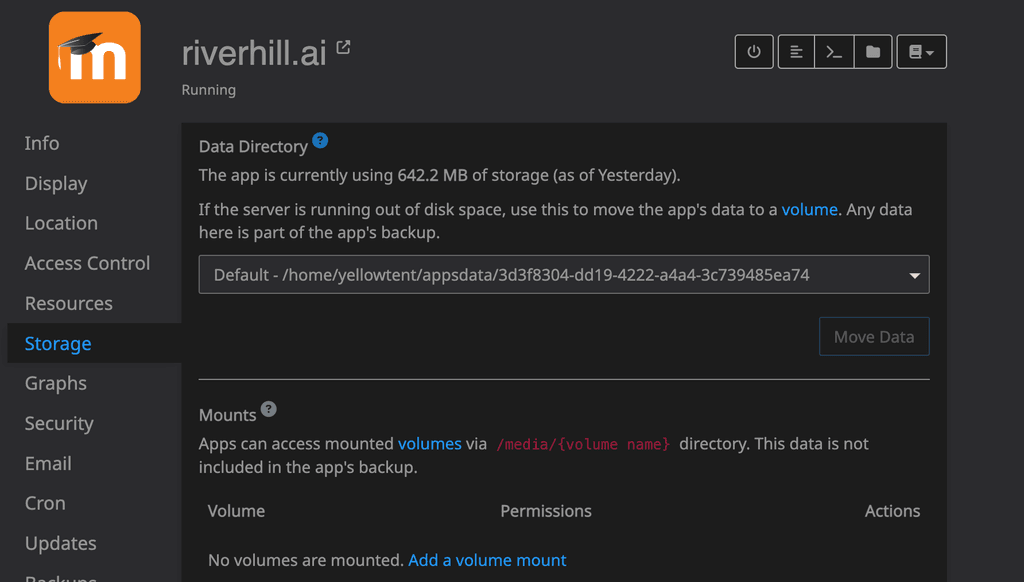
<link rel="stylesheet" href="/appdata/3d3f8304-dd19-4222-a4a4-3c739485ea74/editormd/css/editormd.css" /> <script src="https://cdnjs.cloudflare.com/ajax/libs/jquery/1.11.3/jquery.min.js"></script> <script src="/appdata/3d3f8304-dd19-4222-a4a4-3c739485ea74/editormd/editormd.min.js"></script> <div id="test-editor"> <textarea style="display:none;"></textarea> </div> <script type="text/javascript"> $(function() { var editor = editormd("test-editor", { // width : "100%", // height : "100%", path : "/appdata/3d3f8304-dd19-4222-a4a4-3c739485ea74/editormd/lib/" }); }); </script> -
Still not working:
<link rel="stylesheet" href="/app/data/editormd/css/editormd.css" /> <script src="https://cdnjs.cloudflare.com/ajax/libs/jquery/1.11.3/jquery.min.js"></script> <script src="/app/data/editormd/editormd.min.js"></script> <div id="test-editor"> <textarea style="display:none;"></textarea> </div> <script type="text/javascript"> $(function() { var editor = editormd("test-editor", { width: "100%", height: 500, path: "/app/data/editormd/lib/" }); }); </script> -
I want to embed this editor.md on Moodle, but it keeps loading.
The following code works on any online code editor, such as:
https://www.w3schools.com/html/tryit.asp?filename=tryhtml_introBut it does not work on moodle. I don't know why.
You may try on the Moodle demo site by sign in as Admin.
https://sandbox.moodledemo.net/Editor.md
<link href="https://unpkg.com/editor.md/css/editormd.min.css" rel="stylesheet" />
<script src="https://cdnjs.cloudflare.com/ajax/libs/jquery/3.7.1/jquery.min.js"></script>
<script src="https://unpkg.com/editor.md/editormd.min.js"></script>

<div id="editor">
<textarea style="display: none;"></textarea>
</div>

<script type="text/javascript">
    $(function () {
        var editor = editormd("editor", {
        	width: "100%",
            height: "100%",
            path: "https://unpkg.com/editor.md/lib/"
        });
    });
</script>
Here is the errors I see in console:
Thanks for your help!
-
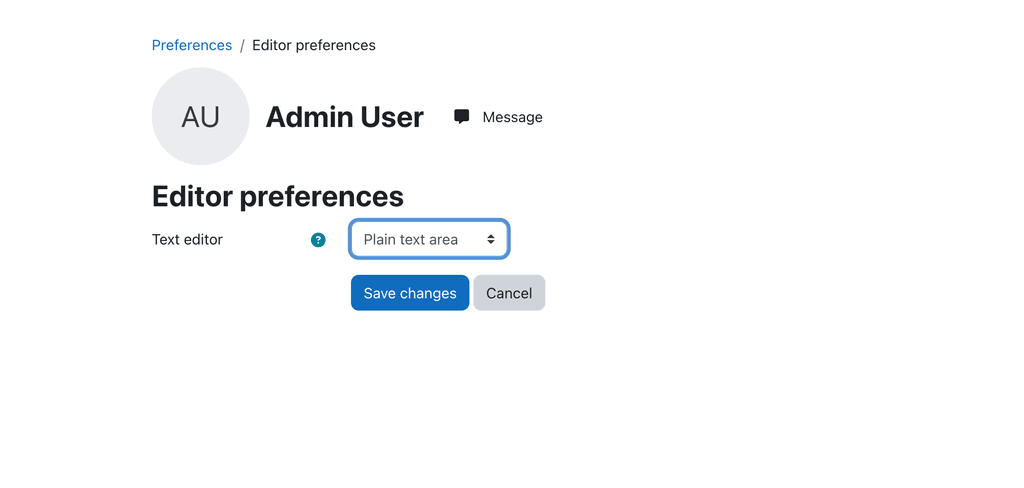
Go to preference
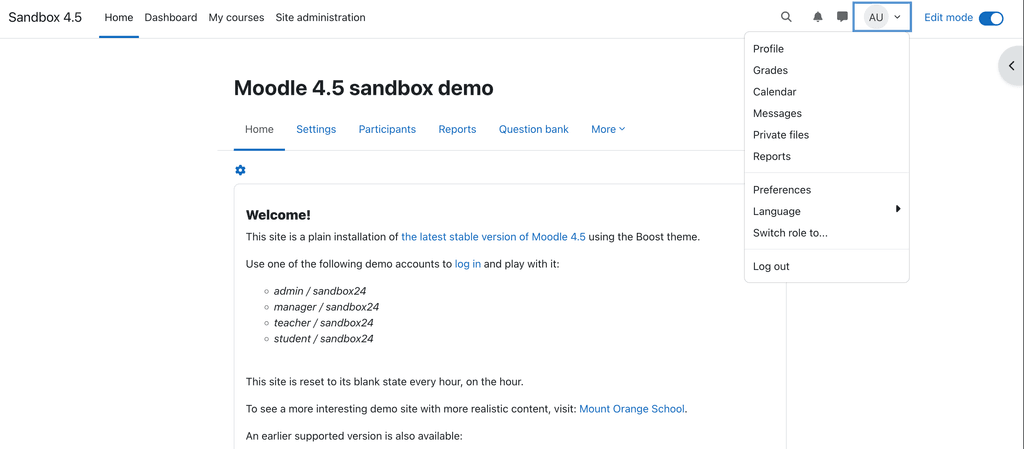
Change "editor preference" to "plain text area"
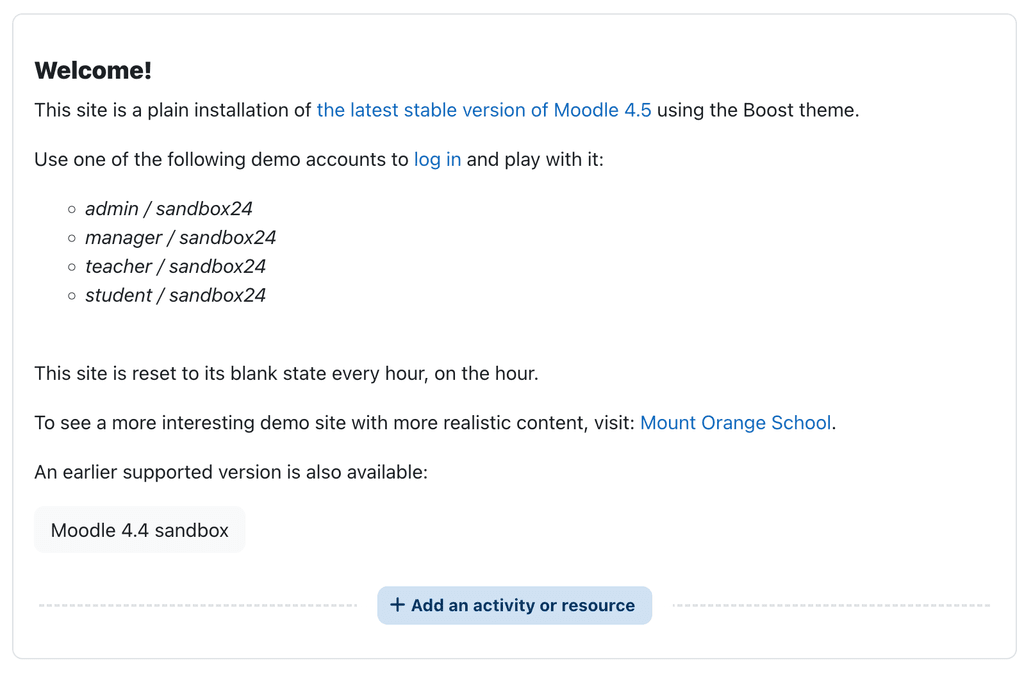
Turn on the "Edit Mode" and add an activity or resource, select page
Then, copy and paste the following code:
<link href="https://unpkg.com/editor.md/css/editormd.min.css" rel="stylesheet" />
<script src="https://cdnjs.cloudflare.com/ajax/libs/jquery/3.7.1/jquery.min.js"></script>
<script src="https://unpkg.com/editor.md/editormd.min.js"></script>

<div id="editor">
<textarea style="display: none;"></textarea>
</div>

<script type="text/javascript">
    $(function () {
        var editor = editormd("editor", {
        	width: "100%",
            height: "100%",
            path: "https://unpkg.com/editor.md/lib/"
        });
    });
</script>
Hello! It looks like you're interested in this conversation, but you don't have an account yet.
Getting fed up of having to scroll through the same posts each visit? When you register for an account, you'll always come back to exactly where you were before, and choose to be notified of new replies (either via email, or push notification). You'll also be able to save bookmarks and upvote posts to show your appreciation to other community members.
With your input, this post could be even better 💗
Register Login