Cloudron makes it easy to run web apps like WordPress, Nextcloud, GitLab on your server. Find out more or install now.


Skip to content
  • Categories
  • Recent
  • Tags
  • Popular
  • Bookmarks
  • Search
Skins
  • Light
  • Brite
  • Cerulean
  • Cosmo
  • Flatly
  • Journal
  • Litera
  • Lumen
  • Lux
  • Materia
  • Minty
  • Morph
  • Pulse
  • Sandstone
  • Simplex
  • Sketchy
  • Spacelab
  • United
  • Yeti
  • Zephyr
  • Dark
  • Cyborg
  • Darkly
  • Quartz
  • Slate
  • Solar
  • Superhero
  • Vapor

  • Default (No Skin)
  • No Skin
Collapse
Brand Logo

Cloudron Forum

Apps - Status | Demo | Docs | Install
  1. Cloudron Forum
  2. Feature Requests
  3. Select RAM Memory Limit on App install

Select RAM Memory Limit on App install
Scheduled Pinned Locked Moved Feature Requests
10 Posts 6 Posters 57 Views 6 Watching
  • Oldest to Newest
  • Newest to Oldest
  • Most Votes
Reply
  • Reply as topic
Log in to reply
This topic has been deleted. Only users with topic management privileges can see it.
  • robiR Offline
    robiR Offline
    robi
    wrote last edited by
    #1

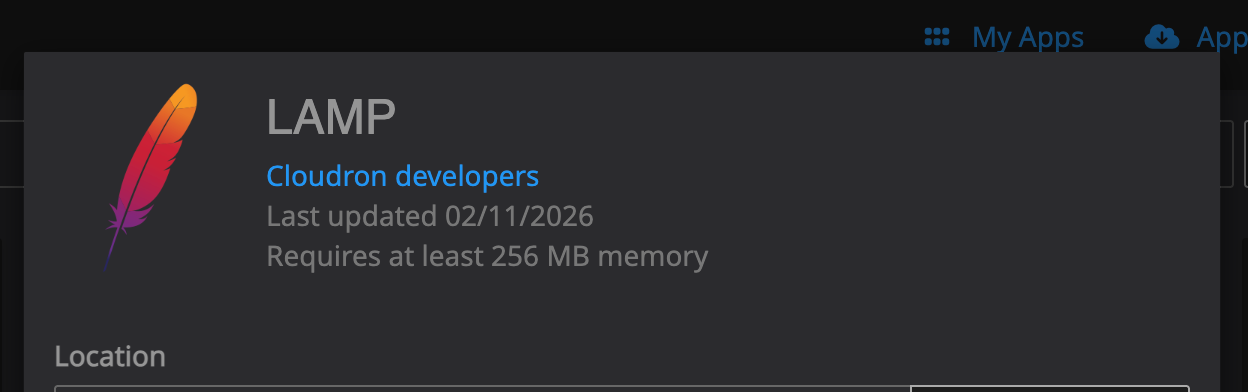
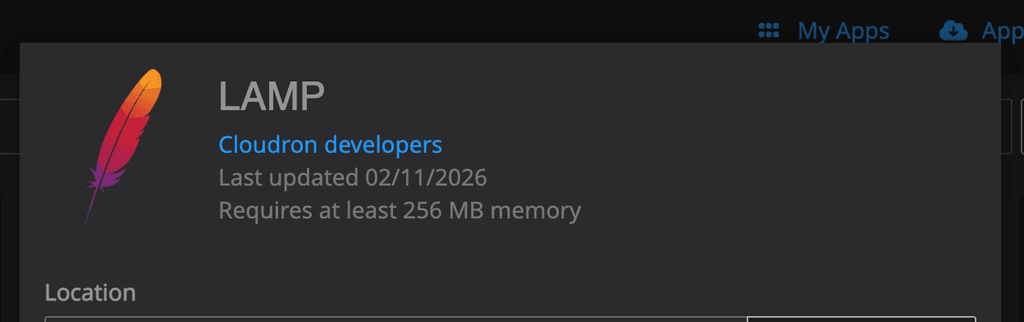
    Installing LAMP for the upteenth time requires an adjustment for the default memory limit from 256M to 512M or even 1G

    Would be nice if there was a quick select during install:
    da35bda7-d6ad-4eee-acc6-2467737d6252-image.png
    Right after the last line there ^_^

    Conscious tech

    1 Reply Last reply
    4
    • scookeS Offline
      scookeS Offline
      scooke
      wrote last edited by
      #2

      Not just that, but the upload size, too! What PHP app these days runs on the minimum?? Good suggestion!

      A life lived in fear is a life half-lived

      robiR 1 Reply Last reply
      1
      • scookeS scooke

        Not just that, but the upload size, too! What PHP app these days runs on the minimum?? Good suggestion!

        robiR Offline
        robiR Offline
        robi
        wrote last edited by
        #3

        @scooke that can be made a nicer default in the package. Just make a separate request.

        Conscious tech

        1 Reply Last reply
        0
        • jamesJ Offline
          jamesJ Offline
          james
          Staff
          wrote last edited by
          #4

          Hello @robi and @scooke

          The intention of the initial app installation is to be as minimal as possible.
          Since the user base of Cloudron is very diverse.
          From total beginner to professional administrator we aim to accommodate everyone.
          To keep in the app installation simple for users with less experience, less configuration is better.

          jdaviescoatesJ 1 Reply Last reply
          0
          • jamesJ james

            Hello @robi and @scooke

            The intention of the initial app installation is to be as minimal as possible.
            Since the user base of Cloudron is very diverse.
            From total beginner to professional administrator we aim to accommodate everyone.
            To keep in the app installation simple for users with less experience, less configuration is better.

            jdaviescoatesJ Offline
            jdaviescoatesJ Offline
            jdaviescoates
            wrote last edited by
            #5

            @james could always been hidden below an Advanced options link that expands. I nearly always want to double the min RAM as I find the min is rarely actually enough.

            I use Cloudron with Gandi & Hetzner

            1 Reply Last reply
            2
            • nebulonN Offline
              nebulonN Offline
              nebulon
              Staff
              wrote last edited by
              #6

              Those minimum requirements and limits are probably a bit out of date by now, those were put in place many many years ago where memory on a VPS was lots more expensive. I think we should bump up the default to say 1Gb. This is anyways just the upper limit.

              humptydumptyH 1 Reply Last reply
              0
              • jamesJ Offline
                jamesJ Offline
                james
                Staff
                wrote last edited by
                #7

                Hello @jdaviescoates

                I hear you.
                So maybe we can take this feature request as the desire for an advanced user option to enable more in depth configuration for certain aspects of Cloudron in general.
                Is my assumption correct @jdaviescoates and @robi?

                jdaviescoatesJ 1 Reply Last reply
                1
                • jamesJ james

                  Hello @jdaviescoates

                  I hear you.
                  So maybe we can take this feature request as the desire for an advanced user option to enable more in depth configuration for certain aspects of Cloudron in general.
                  Is my assumption correct @jdaviescoates and @robi?

                  jdaviescoatesJ Offline
                  jdaviescoatesJ Offline
                  jdaviescoates
                  wrote last edited by
                  #8

                  @james I just mean during install it should be possible to configure RAM, if need be under an expanding Advanced option link

                  I use Cloudron with Gandi & Hetzner

                  1 Reply Last reply
                  0
                  • nebulonN nebulon

                    Those minimum requirements and limits are probably a bit out of date by now, those were put in place many many years ago where memory on a VPS was lots more expensive. I think we should bump up the default to say 1Gb. This is anyways just the upper limit.

                    humptydumptyH Offline
                    humptydumptyH Offline
                    humptydumpty
                    wrote last edited by humptydumpty
                    #9

                    @nebulon said in Select RAM Memory Limit on App install:

                    where memory on a VPS was lots more expensive

                    thanks to AI raising RAM and SSD prices, I wonder how long it'll take before a basic vps plan will cost an arm and a leg!

                    From a beginners perspective, having the minimums set is "more" work that needs to be figured out. It's best if it's plug and play, so having functional real-world defaults is preferable.

                    1 Reply Last reply
                    1
                    • robiR Offline
                      robiR Offline
                      robi
                      wrote last edited by
                      #10

                      Yes, it seems the options are to bump the overall app minimum on an as needed basis, or add a feature for all apps to bump up the memory limit via some selector or advanced menu.

                      Otherwise one may have to install a template always ON app with the desired settings, back it up, then have it available for preconfigured cloning. Faster to install but takes up resources.

                      Conscious tech

                      1 Reply Last reply
                      1
                      Reply
                      • Reply as topic
                      Log in to reply
                      • Oldest to Newest
                      • Newest to Oldest
                      • Most Votes


                      • Login

                      • Don't have an account? Register

                      • Login or register to search.
                      • First post
                        Last post
                      0
                      • Categories
                      • Recent
                      • Tags
                      • Popular
                      • Bookmarks
                      • Search



