
OpenDesk – open-source helpdesk (shared inbox, live chat, help center) with Cloudron SSO and Cloudron Mail
-
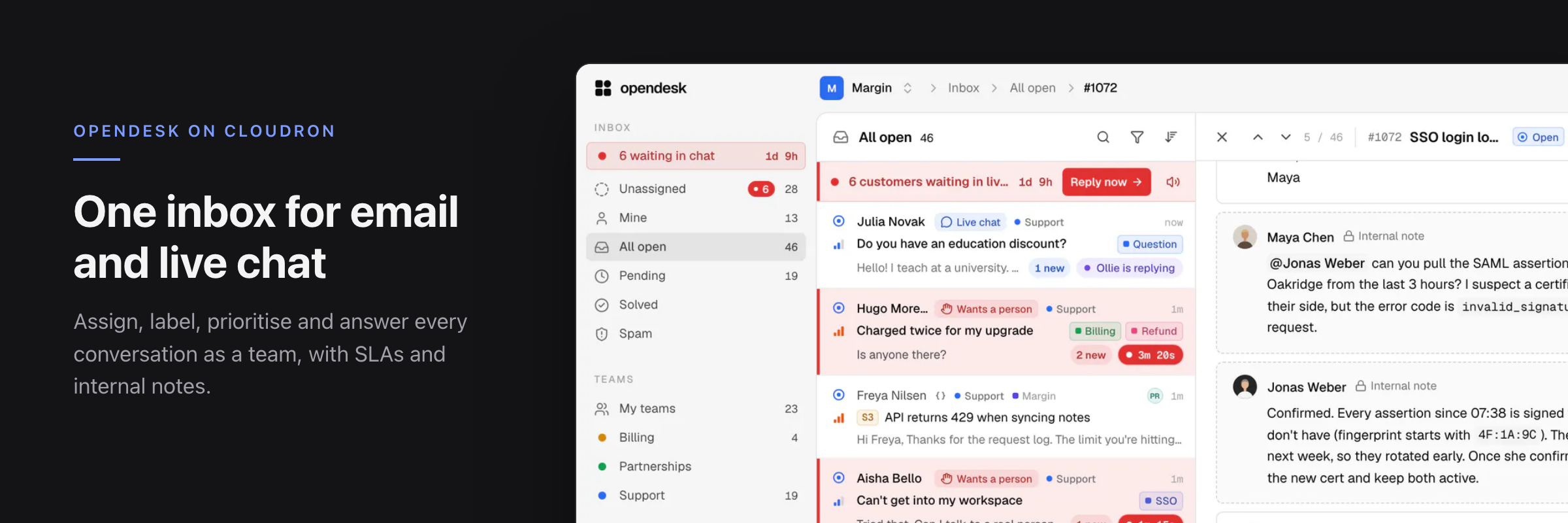
I've packaged opendesk, a new Apache-2.0 helpdesk, as a community app. Email and live chat arrive as tickets in one shared inbox that updates live for the whole team, with a public help center, automations, SLAs, reports and optional AI drafting (bring your own key).
Install: add this catalog under Settings → Community apps, then install opendesk from the App Store:
https://raw.githubusercontent.com/marcusquinn/cloudron-opendesk-app/main/CloudronVersions.jsonor
cloudron install --versions-url <that URL> --location support.example.com.What fits in with Cloudron
- Single sign-on: sign in with your Cloudron account; the app's access control decides who gets in. Password registration is off.
- Platform email (sign-in links, invitations, notifications) goes through the Cloudron mail relay.
- Support mailboxes on Cloudron Mail: add
support@yourdomainwith its Cloudron password and the IMAP/SMTP settings fill in. The connection stays on the internal network (no hairpin through your public IP), TLS is still verified, and opendesk's SSRF guard stays on for every other host. Aliases work too. - PostgreSQL addon and
/app/data, so everything is in Cloudron backups. - AI, your choice of provider: Anthropic, OpenRouter or any OpenAI-compatible API, including fully private local models: the README walks through running LM Studio on your own computer and reaching it from a Cloudron VPS over NetBird, with access locked to the one server. (AI setup guide)
Good to know
- opendesk can also receive mail by forwarding to
<token>@your-inbound-domain, but that needs its SMTP listener on port 25. The package doesn't open that, so the mailbox dialog hides forwarding and recommends Email password (IMAP) instead. - Billing and the mobile push relay are off. 1 GiB memory default.
- The image is built from a pinned upstream commit with four small patches (SSO sign-up, Cloudron Mail detection and routing, hiding forwarding). They're in the repo and I'd like to upstream what makes sense.
- Images and the catalog carry GitHub build provenance.
Links
- Package, setup guide and issues: https://github.com/marcusquinn/cloudron-opendesk-app
- opendesk: https://github.com/useopendesk/opendesk, docs: https://docs.opendesk.sh
This is a first release, so feedback is welcome, especially from anyone using Cloudron Mail mailboxes with aliases or several domains. I maintain the package independently of the opendesk project; please report packaging problems on the package repo rather than upstream.
Web Design & Development: https://www.evergreen.je
Technology & Apps: https://www.marcusquinn.com -
 M marcusquinn referenced this topic
-
I've packaged opendesk, a new Apache-2.0 helpdesk, as a community app. Email and live chat arrive as tickets in one shared inbox that updates live for the whole team, with a public help center, automations, SLAs, reports and optional AI drafting (bring your own key).
Install: add this catalog under Settings → Community apps, then install opendesk from the App Store:
https://raw.githubusercontent.com/marcusquinn/cloudron-opendesk-app/main/CloudronVersions.jsonor
cloudron install --versions-url <that URL> --location support.example.com.What fits in with Cloudron
- Single sign-on: sign in with your Cloudron account; the app's access control decides who gets in. Password registration is off.
- Platform email (sign-in links, invitations, notifications) goes through the Cloudron mail relay.
- Support mailboxes on Cloudron Mail: add
support@yourdomainwith its Cloudron password and the IMAP/SMTP settings fill in. The connection stays on the internal network (no hairpin through your public IP), TLS is still verified, and opendesk's SSRF guard stays on for every other host. Aliases work too. - PostgreSQL addon and
/app/data, so everything is in Cloudron backups. - AI, your choice of provider: Anthropic, OpenRouter or any OpenAI-compatible API, including fully private local models: the README walks through running LM Studio on your own computer and reaching it from a Cloudron VPS over NetBird, with access locked to the one server. (AI setup guide)
Good to know
- opendesk can also receive mail by forwarding to
<token>@your-inbound-domain, but that needs its SMTP listener on port 25. The package doesn't open that, so the mailbox dialog hides forwarding and recommends Email password (IMAP) instead. - Billing and the mobile push relay are off. 1 GiB memory default.
- The image is built from a pinned upstream commit with four small patches (SSO sign-up, Cloudron Mail detection and routing, hiding forwarding). They're in the repo and I'd like to upstream what makes sense.
- Images and the catalog carry GitHub build provenance.
Links
- Package, setup guide and issues: https://github.com/marcusquinn/cloudron-opendesk-app
- opendesk: https://github.com/useopendesk/opendesk, docs: https://docs.opendesk.sh
This is a first release, so feedback is welcome, especially from anyone using Cloudron Mail mailboxes with aliases or several domains. I maintain the package independently of the opendesk project; please report packaging problems on the package repo rather than upstream.
@marcusquinn I have no idea whether this is a packaging issue.
 Did you find some kind of “switch” to sync a mailbox? Opendesk hasn’t synced with a Cloudron mailbox for two hours now (no alias and without multiple domains). There’s no setting for the sync frequency or a manual sync option. How did you solve this?
Pronouns: he/him | Primary language: German
-
@marcusquinn I have no idea whether this is a packaging issue.
Did you find some kind of “switch” to sync a mailbox? Opendesk hasn’t synced with a Cloudron mailbox for two hours now (no alias and without multiple domains). There’s no setting for the sync frequency or a manual sync option. How did you solve this?@luckow seem it is an upstream bug. just updating the package with the latest version that suggests it's fixed. i'm not using the app yet in any meaningful sense, so still early days, but does look promising compared to the alternatives when you look at the way they're mixing in ai.
-
@marcusquinn I have no idea whether this is a packaging issue.
Did you find some kind of “switch” to sync a mailbox? Opendesk hasn’t synced with a Cloudron mailbox for two hours now (no alias and without multiple domains). There’s no setting for the sync frequency or a manual sync option. How did you solve this?@luckow andddd claude says:
Found it: 0.1.0–0.1.2 shipped an upstream bug (fixed in https://github.com/useopendesk/opendesk/pull/52) where a finished mailbox sync stopped the next one from being queued for about 24 hours, so a mailbox synced once and then went quiet. 0.1.3 is now in the catalog with the fix. Update from the dashboard and syncing resumes within a minute, with no need to re-add the mailbox. opendesk checks every minute on its own, which is why there's no frequency setting or manual sync button. Thanks for the report!
-
don't know who made the request, but there's a new release for you:

Hello! It looks like you're interested in this conversation, but you don't have an account yet.
Getting fed up of having to scroll through the same posts each visit? When you register for an account, you'll always come back to exactly where you were before, and choose to be notified of new replies (either via email, or push notification). You'll also be able to save bookmarks and upvote posts to show your appreciation to other community members.
With your input, this post could be even better 💗
Register Login