
Upgrading to 7.2.2. has broken my volume mounts (and hence Navidrome too)
-
Not sure what to do to fix them....
Now my Navidrome doesn't work as it cannot access the data in the mounted volume.
I've tried moving the data (which for some reason had reverted back to default location), but that just spits out this error:
Docker Error: (HTTP code 400) unexpected - invalid mount config for type "bind": stat /mnt/storage/Music: host is downBut if I look in volumes Music has a green light:
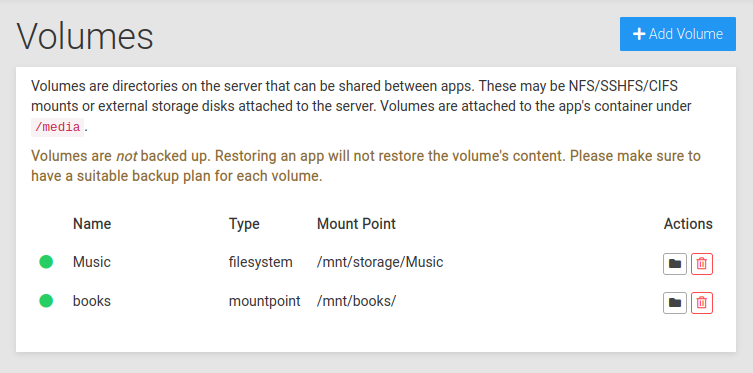
And the host is categorically not down. I can ssh into it fine.
-
OK, so I've managed to sort myself out.
What worked was this:
- created a New Music Volume using the automated Cloudron CIFS mount
- rebooted
- restored the most recent backup of my Navidrome app (this hadn't helped previously, but seemingly doing it after a reboot got the app out of it's error state).
- the I changed mounted volume in Cloudron Navidrome app storage settings to the New Music Volume
- and updated the config file using the File Manager to reference the /media/New Music Volume/
Now it's back up and running!
-
Not sure what to do to fix them....
Now my Navidrome doesn't work as it cannot access the data in the mounted volume.
I've tried moving the data (which for some reason had reverted back to default location), but that just spits out this error:
Docker Error: (HTTP code 400) unexpected - invalid mount config for type "bind": stat /mnt/storage/Music: host is downBut if I look in volumes Music has a green light:
And the host is categorically not down. I can ssh into it fine.
Updating to 7.2.4 now to see if that helps...
Currently also have this when going to System info:
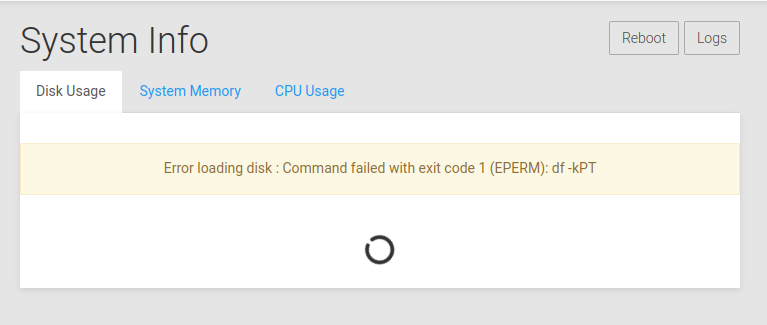
-
Updating to 7.2.4 now to see if that helps...
Currently also have this when going to System info:
Hasn't helped.
My Navidrome is now stuck like this:
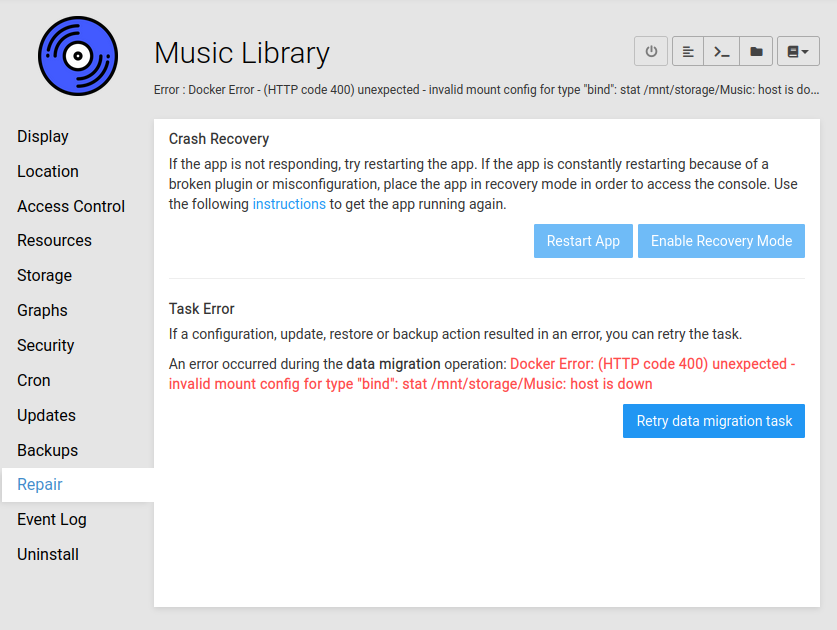
The only button I'm allowed to hit is the Retry data migration task button, which does nothing.
How can I fix this? I need my music!

-
Updating to 7.2.4 now to see if that helps...
Currently also have this when going to System info:
@jdaviescoates said in Upgrading to 7.2.2. has broken my volume mounts (and hence Navidrome too):
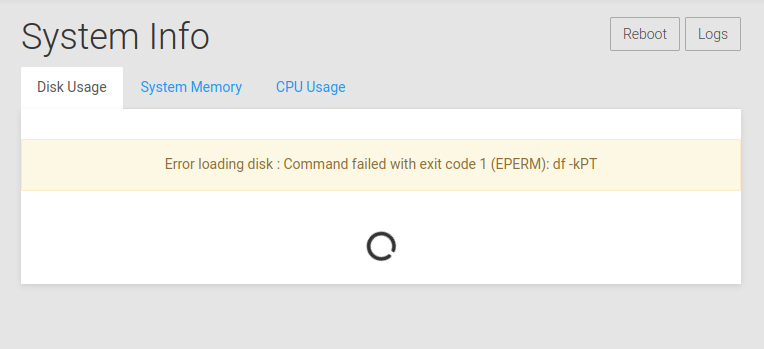
Currently also have this when going to System info:
Still got it
-
I think this is all due to the fact that my music volume mount was created before how mounting volumes works got updated and improved.
But now that it's broken I'm not sure how to get it fixed.
Previously I had used these instructions to manually mount my Hetzner Storage Box to my Heztner cloud VPS, and then set-up the volume on Cloudron using the mountpoint.
https://docs.hetzner.com/robot/storage-box/access/access-samba-cifs
But now Cloudron automates CIFS stuff.
-
OK, so I've managed to sort myself out.
What worked was this:
- created a New Music Volume using the automated Cloudron CIFS mount
- rebooted
- restored the most recent backup of my Navidrome app (this hadn't helped previously, but seemingly doing it after a reboot got the app out of it's error state).
- the I changed mounted volume in Cloudron Navidrome app storage settings to the New Music Volume
- and updated the config file using the File Manager to reference the /media/New Music Volume/
Now it's back up and running!
-
 G girish marked this topic as a question on
-
G girish has marked this topic as solved on

Hello! It looks like you're interested in this conversation, but you don't have an account yet.
Getting fed up of having to scroll through the same posts each visit? When you register for an account, you'll always come back to exactly where you were before, and choose to be notified of new replies (either via email, or push notification). You'll also be able to save bookmarks and upvote posts to show your appreciation to other community members.
With your input, this post could be even better 💗
Register Login