
Need help to enable autosign
-
Oh, no, my key is gone. That is odd as I never touched the key after it worked.
-
After creating a new key and configuring it in app.ini and restarting gitea I still get an error:
root@0f44f577-d0e0-42e6-a371-d3914aba0014:/home/git# sudo -u git bash
git@0f44f577-d0e0-42e6-a371-d3914aba0014:~$ export GNUPGHOME=/app/data/appdata/home/.gnupg
git@0f44f577-d0e0-42e6-a371-d3914aba0014:~$ gpg --list-keys
/app/data/appdata/home/.gnupg/pubring.kbx
-----------------------------------------
pub   rsa4096 2025-01-21 [SC] [expires: 2027-01-21]
      EF80C8DE297670B7E8C0360108DA2115185FFD9C
uid           [ultimate] jascha.wtf Gitea <git@git.jascha.wtf>
section of app.ini:
[repository.signing]
SIGNING_KEY = EF80C8DE297670B7E8C0360108DA2115185FFD9C
SIGNING_NAME = jascha.wtf Gitea
SIGNING_EMAIL = git@git.jascha.wtf
INITIAL_COMMIT = always
CRUD_ACTIONS = pubkey, twofa, parentsigned
WIKI = never
MERGES = pubkey, twofa, basesigned, commitssigned

GITEA__REPOSITORY__ENABLE_PUSH_CREATE_USER=true
From the log:
Jan 21 10:45:28 Error: exit status 128 - error: gpg failed to sign the data
Jan 21 10:45:28 fatal: failed to write commit object
Jan 21 10:45:28 - error: gpg failed to sign the data
Jan 21 10:45:28 fatal: failed to write commit object
Jan 21 10:45:28 2025/01/21 09:45:28 ...ers/web/repo/repo.go:217:handleCreateError() [E] CreatePost: initRepository: initRepoCommit: git commit: exit status 128 - error: gpg failed to sign the data
Jan 21 10:45:28 fatal: failed to write commit object
Jan 21 10:45:28 - error: gpg failed to sign the data
Jan 21 10:45:28 fatal: failed to write commit object
Jan 21 10:45:28 2025/01/21 09:45:28 ...eb/routing/logger.go:102:func1() [I] router: completed POST /repo/create for 82.140.42.234:0, 500 Internal Server Error in 55.3ms @ repo/repo.go:222(repo.CreatePost)
Update: Gitea does not get the signing key. The response of
https://git.jascha.wtf/api/v1/signing-key.gpgis emptyMy best guess is that there are some path poblems - https://docs.gitea.com/administration/signing
-
Oh, forgot to mention @nebulon
-
@jaschaezra are your GPG keys password protected ? (See also https://docs.gitlab.com/ee/user/project/repository/signed_commits/gpg.html#gpg-fails-to-sign-data)
-
After creating a new key and configuring it in app.ini and restarting gitea I still get an error:
root@0f44f577-d0e0-42e6-a371-d3914aba0014:/home/git# sudo -u git bash
git@0f44f577-d0e0-42e6-a371-d3914aba0014:~$ export GNUPGHOME=/app/data/appdata/home/.gnupg
git@0f44f577-d0e0-42e6-a371-d3914aba0014:~$ gpg --list-keys
/app/data/appdata/home/.gnupg/pubring.kbx
-----------------------------------------
pub   rsa4096 2025-01-21 [SC] [expires: 2027-01-21]
      EF80C8DE297670B7E8C0360108DA2115185FFD9C
uid           [ultimate] jascha.wtf Gitea <git@git.jascha.wtf>
section of app.ini:
[repository.signing]
SIGNING_KEY = EF80C8DE297670B7E8C0360108DA2115185FFD9C
SIGNING_NAME = jascha.wtf Gitea
SIGNING_EMAIL = git@git.jascha.wtf
INITIAL_COMMIT = always
CRUD_ACTIONS = pubkey, twofa, parentsigned
WIKI = never
MERGES = pubkey, twofa, basesigned, commitssigned

GITEA__REPOSITORY__ENABLE_PUSH_CREATE_USER=true
From the log:
Jan 21 10:45:28 Error: exit status 128 - error: gpg failed to sign the data
Jan 21 10:45:28 fatal: failed to write commit object
Jan 21 10:45:28 - error: gpg failed to sign the data
Jan 21 10:45:28 fatal: failed to write commit object
Jan 21 10:45:28 2025/01/21 09:45:28 ...ers/web/repo/repo.go:217:handleCreateError() [E] CreatePost: initRepository: initRepoCommit: git commit: exit status 128 - error: gpg failed to sign the data
Jan 21 10:45:28 fatal: failed to write commit object
Jan 21 10:45:28 - error: gpg failed to sign the data
Jan 21 10:45:28 fatal: failed to write commit object
Jan 21 10:45:28 2025/01/21 09:45:28 ...eb/routing/logger.go:102:func1() [I] router: completed POST /repo/create for 82.140.42.234:0, 500 Internal Server Error in 55.3ms @ repo/repo.go:222(repo.CreatePost)
Update: Gitea does not get the signing key. The response of
https://git.jascha.wtf/api/v1/signing-key.gpgis emptyMy best guess is that there are some path poblems - https://docs.gitea.com/administration/signing
@jaschaezra said in Need help to enable autosign:
Update: Gitea does not get the signing key
Did a quick test. Setting GNUPGHOME env var makes it work. You can use CLI tool for this
cloudron env set GPGHOME=/app/data/appdata/home/.gnupg. But I think we should set this in the package itself. -
Well, I am confused. For me, it works out of the box. See this comment from @nebulon - https://forum.cloudron.io/post/55637
- GNUPGHOME is already to
/app/data/gnupg - Just put your keys in above directory
curl https://gitea.domain.com/api/v1/signing-key.gpgworks- Create empty repo.
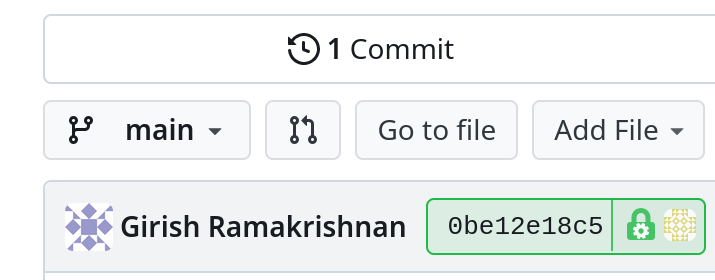
- GNUPGHOME is already to



Hello! It looks like you're interested in this conversation, but you don't have an account yet.
Getting fed up of having to scroll through the same posts each visit? When you register for an account, you'll always come back to exactly where you were before, and choose to be notified of new replies (either via email, or push notification). You'll also be able to save bookmarks and upvote posts to show your appreciation to other community members.
With your input, this post could be even better 💗
Register Login