
I found it very interesting for any AI enthusiasts, but I don't know how to package
A
austin
@austin
Posts
-
Sim.ai -
Announcing n8n version 2.0 - coming soon!I wonder when we can see v2

-
Sim.aiTitle: [Sim] on Cloudron - Open-source AI agent workflow builder
Main Page: https://sim.ai/
Git: https://github.com/simstudioai/sim
Licence: Apache-2.0
Dockerfile: Yes
Demo: https://sim.ai/ (SaaS login acting as demo)
- Summary: Sim is a visual, open-source platform designed for building and deploying AI agent workflows. It features a "Figma-like" drag-and-drop canvas that allows users to connect various AI models (OpenAI, Anthropic, Gemini, or local models via Ollama/vLLM), databases, and over 80+ external tools (Slack, GitHub, Notion) to create intelligent automation systems. Unlike traditional automation tools, Sim is built specifically for agentic workflows, supporting multi-agent collaboration, structured outputs, and the Model Context Protocol (MCP).
Notes:
-
Pros: It offers a highly modern UX compared to older tools. The standout feature is the built-in "Copilot" which allows you to build or edit workflows using natural language commands (with modes ranging from "Fast" to "Behemoth" for complex architecture). It has native support for local AI execution, making it excellent for privacy-focused self-hosting.
-
Concerns: As a newer entrant in the space, the community ecosystem is smaller than n8n.
Alternative to / Libhunt link: https://selfhosted.libhunt.com/n8n-alternatives (Competes with n8n, Flowise, LangFlow)
-
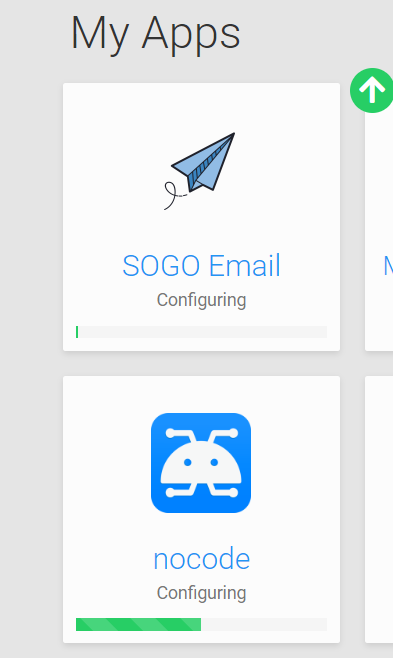
"Starting services, this can take a while" on v7.3.4 updateYou rock! They are configuring & starting now!
-
"Starting services, this can take a while" on v7.3.4 update@girish I restarted box 5 mins ago but still see this:
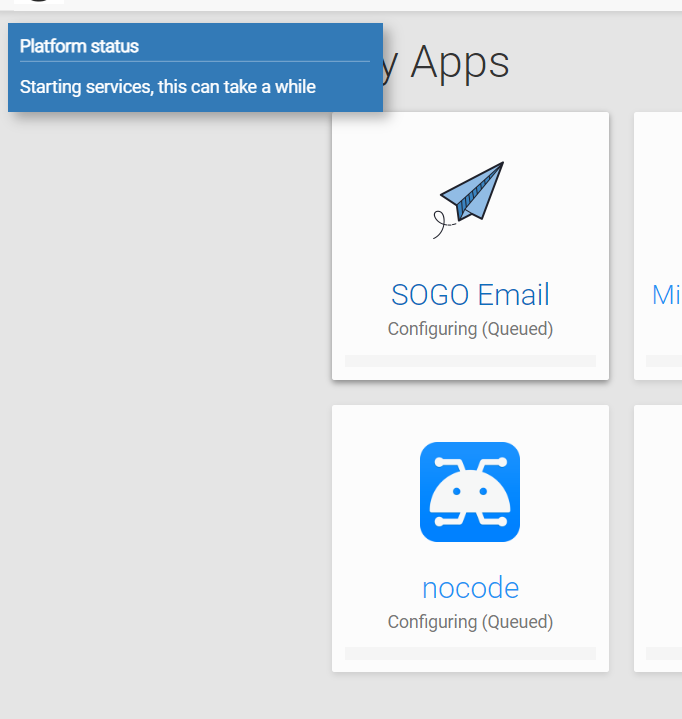
Also this is the code when I run it. Thank you.
root@ssdnodes-60a8b3bcc2ffd:~# docker exec -ti mysql /bin/bash root@mysql:/# cd /var/lib/mysql root@mysql:/var/lib/mysql# mv ib_logfile* /tmp root@mysql:/var/lib/mysql# mkdir '#innodb_redo' root@mysql:/var/lib/mysql# chown mysql:mysql #innodb_redo chown: missing operand after 'mysql:mysql' Try 'chown --help' for more information. root@mysql:/var/lib/mysql# chown mysql:mysql '#innodb_redo' root@mysql:/var/lib/mysql# exit root@ssdnodes-60a8b3bcc2ffd:~# docker restart mysql mysql root@ssdnodes-60a8b3bcc2ffd:~# docker logs -f mysql Detected existing installation Resetting root password to 9d1cde56cab9fafc04f8822373d5a06c1ae4d040b198b4af8ddb67bab9225b74370c3676756b0e25a37501280f6b40cad5286020513df39748f1032ae87f31755145589167c75b9800a69922d208fcffbf8bf393bf8a5c1ba4581bbfce405e7efc751037078530abfcba966a65a85508b060fe5c505559ea0268cf1b128fec6f Waiting with password Waiting for MySQL to come up Waiting for MySQL to come up ....................... ....................... ....................... Waiting for MySQL to come up Waiting for MySQL to come up mysqladmin: [Warning] Using a password on the command line interface can be insecure. Starting supervisor 2022-12-08 19:34:43,643 CRIT Supervisor is running as root. Privileges were not dropped because no user is specified in the config file. If you intend to run as root, you can set user=root in the config file to avoid this message. 2022-12-08 19:34:43,643 INFO Included extra file "/etc/supervisor/conf.d/mysql-service.conf" during parsing 2022-12-08 19:34:43,644 INFO Included extra file "/etc/supervisor/conf.d/mysql.conf" during parsing 2022-12-08 19:34:43,680 INFO RPC interface 'supervisor' initialized 2022-12-08 19:34:43,680 CRIT Server 'inet_http_server' running without any HTTP authentication checking 2022-12-08 19:34:43,680 INFO RPC interface 'supervisor' initialized 2022-12-08 19:34:43,681 CRIT Server 'unix_http_server' running without any HTTP authentication checking 2022-12-08 19:34:43,681 INFO supervisord started with pid 1 2022-12-08 19:34:44,686 INFO spawned: 'mysql' with pid 405 2022-12-08 19:34:44,690 INFO spawned: 'mysql-service' with pid 406 2022-12-08 19:34:45,919 INFO success: mysql entered RUNNING state, process has stayed up for > than 1 seconds (startsecs) 2022-12-08 19:34:45,920 INFO success: mysql-service entered RUNNING state, process has stayed up for > than 1 seconds (startsecs) MySQL service endpoint listening on http://:::3000 ^C root@ssdnodes-60a8b3bcc2ffd:~# systemctl restart box root@ssdnodes-60a8b3bcc2ffd:~# -
"Starting services, this can take a while" on v7.3.4 updateThis is the result
root@ssdnodes-60a8b3bcc2ffd:~# docker ps | grep mysql 4b762803fa94 cloudron/mysql:3.2.2 "/app/code/start.sh" About an hour ago Up 37 minutes mysql root@ssdnodes-60a8b3bcc2ffd:~# docker exec -ti mysql /bin/bash root@mysql:/# tail -f /tmp/mysqld.err 2022-12-08T18:30:36.602186Z 0 [Warning] [MY-010918] [Server] 'default_authentication_plugin' is deprecated and will be removed in a future release. Please use authentication_policy instead. 2022-12-08T18:30:36.602236Z 0 [System] [MY-010116] [Server] /usr/sbin/mysqld (mysqld 8.0.30-0ubuntu0.20.04.2) starting as process 12 2022-12-08T18:30:36.618876Z 1 [System] [MY-013576] [InnoDB] InnoDB initialization has started. 2022-12-08T18:30:38.859424Z 1 [ERROR] [MY-012526] [InnoDB] Upgrade is not supported after a crash or shutdown with innodb_fast_shutdown = 2. This redo log was created with MySQL 8.0.28, and it appears logically non empty. Please follow the instructions at http://dev.mysql.com/doc/refman/8.0/en/upgrading.html 2022-12-08T18:30:38.859512Z 1 [ERROR] [MY-012930] [InnoDB] Plugin initialization aborted with error Generic error. 2022-12-08T18:30:39.257841Z 1 [ERROR] [MY-010334] [Server] Failed to initialize DD Storage Engine 2022-12-08T18:30:39.258356Z 0 [ERROR] [MY-010020] [Server] Data Dictionary initialization failed. 2022-12-08T18:30:39.258404Z 0 [ERROR] [MY-010119] [Server] Aborting 2022-12-08T18:30:39.259625Z 0 [System] [MY-010910] [Server] /usr/sbin/mysqld: Shutdown complete (mysqld 8.0.30-0ubuntu0.20.04.2) (Ubuntu). ^C -
"Starting services, this can take a while" on v7.3.4 update@girish Sorry, I've just copied the log today to this text file. Will delete it once you confirm that you have it downloaded.
https://drive.google.com/file/d/1lg6xGiDgTENp_iE8W_htz_ENWBYq5mui/view?usp=sharing
-
"Starting services, this can take a while" on v7.3.4 update@girish This is the log content
GNU nano 4.8 /home/yellowtent/platformdata/logs/box.log 2022-12-01T00:00:09.664Z box:janitor cleanupTmpVolume ["/623d8050-f1fb-4b9b-a941-854eb58b53e8"] 2022-12-01T00:00:11.202Z box:janitor cleanupTmpVolume ["/107b7039-13cf-47b6-b522-1a0b1f01f458"] 2022-12-01T00:00:12.954Z box:apphealthmonitor app health: 7 alive / 0 dead. 2022-12-01T00:00:13.441Z box:janitor cleanupTmpVolume ["/redis-623d8050-f1fb-4b9b-a941-854eb58b53e8"] 2022-12-01T00:00:14.216Z box:janitor cleanupTmpVolume ["/redis-107b7039-13cf-47b6-b522-1a0b1f01f458"] 2022-12-01T00:00:15.217Z box:janitor cleanupTmpVolume ["/sftp"] 2022-12-01T00:00:16.114Z box:janitor cleanupTmpVolume ["/redis-94b48f7d-f8f8-4f9a-8210-adadc921da1d"] 2022-12-01T00:00:17.036Z box:janitor cleanupTmpVolume ["/mongodb"] 2022-12-01T00:00:18.504Z box:janitor cleanupTmpVolume ["/postgresql"] 2022-12-01T00:00:19.466Z box:janitor cleanupTmpVolume ["/graphite"] 2022-12-01T00:00:20.606Z box:janitor cleanupTmpVolume ["/mysql"] 2022-12-01T00:00:21.116Z box:apphealthmonitor app health: 7 alive / 0 dead. 2022-12-01T00:00:21.925Z box:janitor cleanupTmpVolume ["/turn"] 2022-12-01T00:00:23.741Z box:shell startTask (stdout): Finished with result: success Main processes terminated with: code=exited/status=0 Service runtime: 21.574s 2022-12-01T00:00:23.747Z box:shell startTask (stdout): Service box-task-4484 finished with exit code 0 2022-12-01T00:00:23.758Z box:tasks startTask: 4484 completed with code 0 and signal 0 2022-12-01T00:00:23.766Z box:tasks startTask: 4484 done. error: null 2022-12-01T00:00:30.630Z box:apphealthmonitor app health: 7 alive / 0 dead. 2022-12-01T00:00:40.429Z box:apphealthmonitor app health: 7 alive / 0 dead. 2022-12-01T00:00:50.345Z box:apphealthmonitor app health: 7 alive / 0 dead. 2022-12-01T00:01:00.498Z box:apphealthmonitor app health: 7 alive / 0 dead. 2022-12-01T00:01:10.622Z box:apphealthmonitor app health: 7 alive / 0 dead. 2022-12-01T00:01:20.506Z box:apphealthmonitor app health: 7 alive / 0 dead. 2022-12-01T00:01:30.628Z box:apphealthmonitor app health: 7 alive / 0 dead. 2022-12-01T00:01:40.363Z box:apphealthmonitor app health: 7 alive / 0 dead. 2022-12-01T00:01:50.510Z box:apphealthmonitor app health: 7 alive / 0 dead. 2022-12-01T00:02:00.565Z box:apphealthmonitor app health: 7 alive / 0 dead. 2022-12-01T00:02:10.540Z box:apphealthmonitor app health: 7 alive / 0 dead. 2022-12-01T00:02:20.508Z box:apphealthmonitor app health: 7 alive / 0 dead. 2022-12-01T00:02:30.702Z box:apphealthmonitor app health: 7 alive / 0 dead. 2022-12-01T00:02:40.474Z box:apphealthmonitor app health: 7 alive / 0 dead. 2022-12-01T00:02:50.317Z box:apphealthmonitor app health: 7 alive / 0 dead. 2022-12-01T00:03:00.581Z box:apphealthmonitor app health: 7 alive / 0 dead. 2022-12-01T00:03:10.714Z box:apphealthmonitor app health: 7 alive / 0 dead. 2022-12-01T00:03:20.335Z box:apphealthmonitor app health: 7 alive / 0 dead. 2022-12-01T00:03:30.499Z box:apphealthmonitor app health: 7 alive / 0 dead. 2022-12-01T00:03:40.402Z box:apphealthmonitor app health: 7 alive / 0 dead. 2022-12-01T00:03:50.350Z box:apphealthmonitor app health: 7 alive / 0 dead. 2022-12-01T00:04:00.716Z box:apphealthmonitor app health: 7 alive / 0 dead. 2022-12-01T00:04:10.817Z box:apphealthmonitor app health: 7 alive / 0 dead. 2022-12-01T00:04:20.341Z box:apphealthmonitor app health: 7 alive / 0 dead. 2022-12-01T00:04:30.336Z box:apphealthmonitor app health: 7 alive / 0 dead. -
"Starting services, this can take a while" on v7.3.4 updateRan:
/home/yellowtent/box/setup/start.shAnd I get this:
2022-12-08T17:53:50 ==> start: Cloudron Start media:x:500: 2022-12-08T17:53:50 ==> start: Configuring docker Synchronizing state of apparmor.service with SysV service script with /lib/systemd/systemd-sysv-install. Executing: /lib/systemd/systemd-sysv-install enable apparmor 2022-12-08T17:53:57 ==> start: Ensuring directories 2022-12-08T17:53:57 ==> start: Configuring journald 2022-12-08T17:53:59 ==> start: Setting up unbound 2022-12-08T17:53:59 ==> start: Adding systemd services Synchronizing state of unbound.service with SysV service script with /lib/systemd/systemd-sysv-install. Executing: /lib/systemd/systemd-sysv-install enable unbound Synchronizing state of cron.service with SysV service script with /lib/systemd/systemd-sysv-install. Executing: /lib/systemd/systemd-sysv-install enable cron 2022-12-08T17:54:18 ==> start: Configuring sudoers 2022-12-08T17:54:18 ==> start: Configuring collectd 2022-12-08T17:54:19 ==> start: Configuring sysctl 2022-12-08T17:54:19 ==> start: Configuring logrotate 2022-12-08T17:54:19 ==> start: Adding motd message for admins 2022-12-08T17:54:19 ==> start: Configuring nginx 2022-12-08T17:54:21 ==> start: Starting mysql mysqladmin: [Warning] Using a password on the command line interface can be insecure. Warning: Since password will be sent to server in plain text, use ssl connection to ensure password safety. mysql: [Warning] Using a password on the command line interface can be insecure. mysql: [Warning] Using a password on the command line interface can be insecure. 2022-12-08T17:54:21 ==> start: Migrating data Ignoring invalid configuration option passed to Connection: driver. This is currently a warning, but in future versions of MySQL2, an error will be thrown if you pass an invalid configuration option to a Connection [INFO] No migrations to run [INFO] Done 2022-12-08T17:54:24 ==> start: Changing ownership 2022-12-08T17:54:24 ==> start: Starting Cloudron 2022-12-08T17:54:26 ==> start: Almost done -
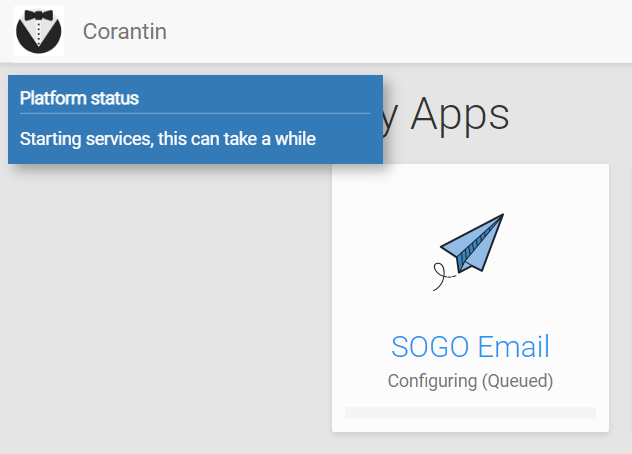
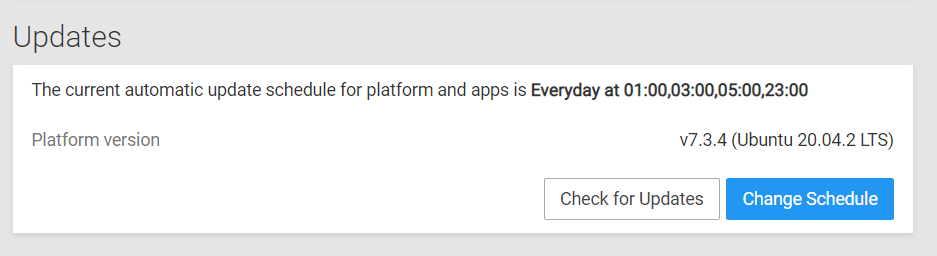
"Starting services, this can take a while" on v7.3.4 updateAfter an update several hours ago, my Cloudron instance keep saying Starting services, this can take a while
Does anyone have the same issue?
-
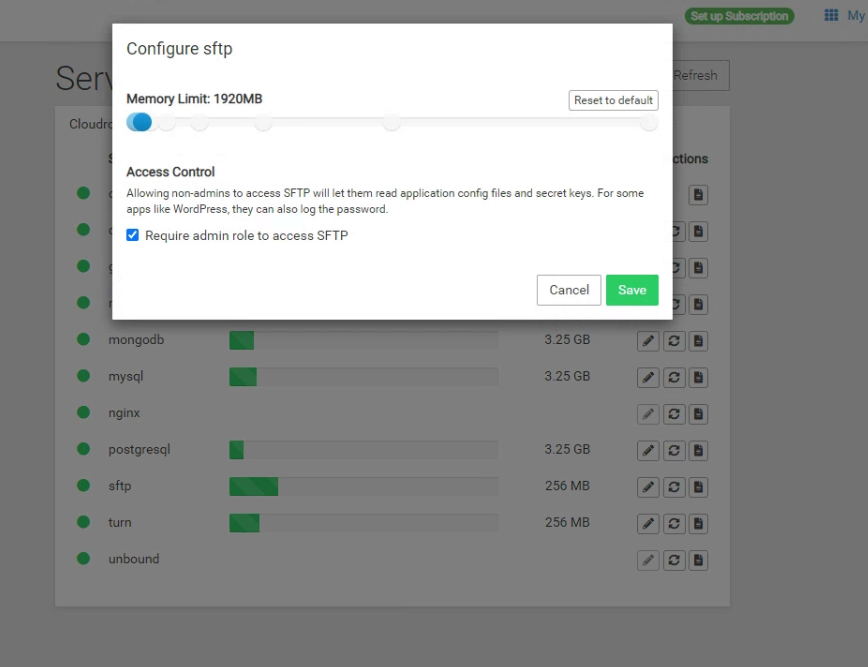
Setting slidersIs there a way for me to just type in the number instead of using the slider? Sometimes I need it to be an exact number.
-
Auto create symlink -
Auto create symlinkHi,
Is there a way to create symlinks for these app folders?
It does take a lot of time figuring out which app is which while I have several LAMP apps running...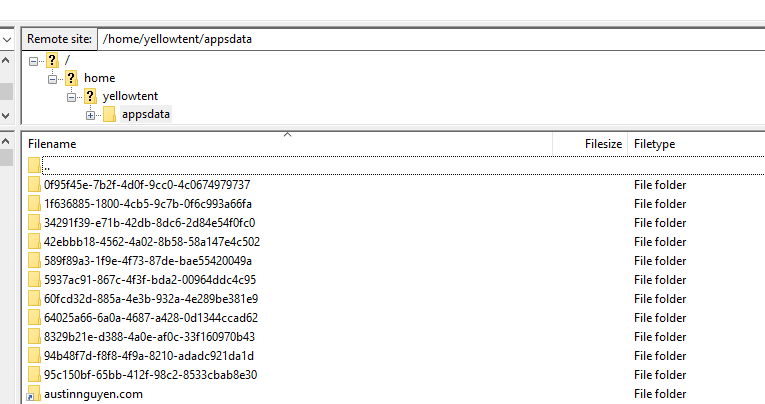
-
External Error: message: Unknown X-Auth-Key or X-Auth-Email statusCode: 403 code:9103For who has the same issue: I just fixed it by reentering the CloudFlare Global API key.
-
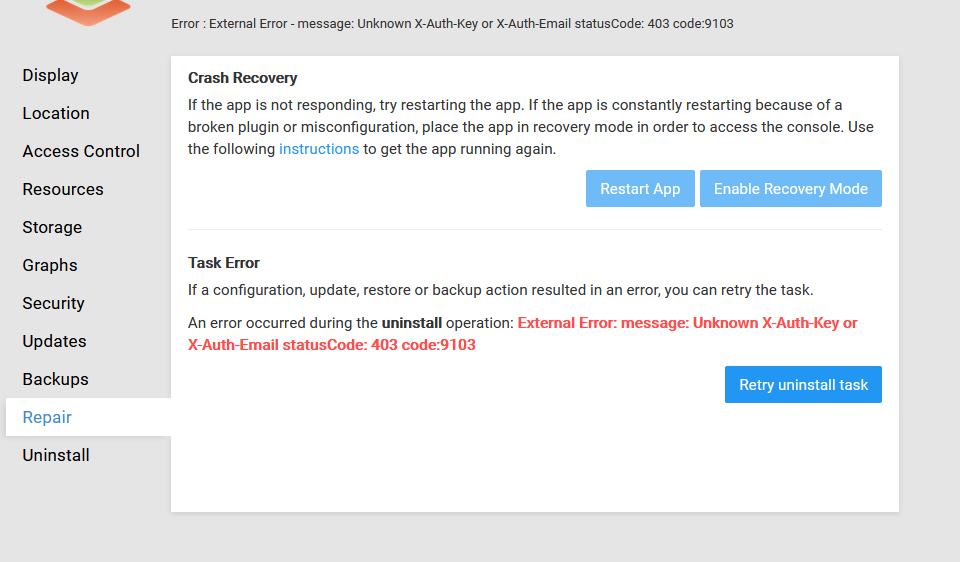
External Error: message: Unknown X-Auth-Key or X-Auth-Email statusCode: 403 code:9103I have this error when trying to uninstall. It did delete the folder (I checked while FTP in) but never let me finish removing it.
-
Gatsby JS / JAMStack support inside Cloudron Docker@atrilahiji said in Gatsby JS / JAMStack support inside Cloudron Docker:
Just going to go ahead and post this here: https://video.atridad.dev/videos/watch/dd5f4f7d-a19b-4f01-b26a-3c5df2ac5afc
Just to make sure, are you wanting a static site that hooks up to a headless CMS somewhere else? If so, this video goes over that at a high level.
Thank you, I'm watching it as I reply.
-
Gatsby JS / JAMStack support inside Cloudron Docker -
Gatsby JS / JAMStack support inside Cloudron Docker -
Gatsby JS / JAMStack support inside Cloudron Docker