
Got it, yes it was the token, i made a New one (PAT) and it seems that it works
Thanks
S
SebGG
@SebGG
Posts
-
Letsencrypt renewal error due to Gandi DNS failing to be set using either API Token or PAT -
Letsencrypt renewal error due to Gandi DNS failing to be set using either API Token or PATHi, today i had the same issue. Cloudron 9.1.5
What was the solution?
Benachrichtigungen
Domain ...... is not configured properly
vor 4 StundenAccess denied: Gandi DNS error [403] {"object": "HTTPForbidden", "cause": "Forbidden", "code": 403, "message": "Access was denied to this resource."}
-
Unresponsive Serverhi, thanks, i found the failure. It occured during a app (talk sfu) update. Before the app is updated the current state is backuped. During this, something happend with the backup disk and the server freezed.
this was 2h after a normal backup, were everything was fine.
The disk is ok, i checked the intergrety.what i now did is , do toogle the server to a restart when this happens again. I will monitor this and give feedback if this happens again.
-
Unresponsive Serverthank you!
here the output:
Vendor: Shuttle Inc. Product: DS20U Linux: 5.15.0-173-generic Ubuntu: jammy 22.04 Execution environment: none none Processor: Intel(R) Core(TM) i3-10110U CPU @ 2.10GHz x 4 RAM: 16116532KB Disk: /dev/sda2 627G [OK] node version is correct [OK] IPv6 is enabled in kernel. No public IPv6 address [OK] docker is running [OK] docker version is correct [OK] MySQL is running [OK] netplan is good [OK] DNS is resolving via systemd-resolved [OK] unbound is running [OK] nginx is running [OK] dashboard cert is valid [OK] dashboard is reachable via loopback [OK] No pending database migrations [OK] Service 'mysql' is running and healthy [OK] Service 'postgresql' is running and healthy [OK] Service 'mongodb' is running and healthy [OK] Service 'mail' is running and healthy [OK] Service 'graphite' is running and healthy [OK] Service 'sftp' is running and healthy [OK] box v9.1.5 is running [OK] Dashboard is reachable via domain name [WARN] Domain -------- expiry check skipped because whois does not have this information -
Unresponsive Serverits a home server
Cloudron Version
9.1.5
Ubuntu Version
Ubuntu 22.04.5 LTS Linux 5.15.0-173-generic
Anbieter
Shuttle Inc.
Produkt
DS20U
CPU
4 Core "Intel(R) Core(TM) i3-10110U CPU @ 2.10GHz"
Arbeitsspeicher
16.5 GB RAM & 4.29 GB Swapi never had problems like this, but maybe due to the newer cloudron versions?
-
Unresponsive Servertoday i found my server the second time this month unresponsive. I had to restart it manually. It was not able to connect, not via web nor via ssh. After the restart the server is available as expected. Only the mongodb was not running, but after a restart of this it was there.
What i found was a cryptic line in the server logs. I just put some lines before and one after here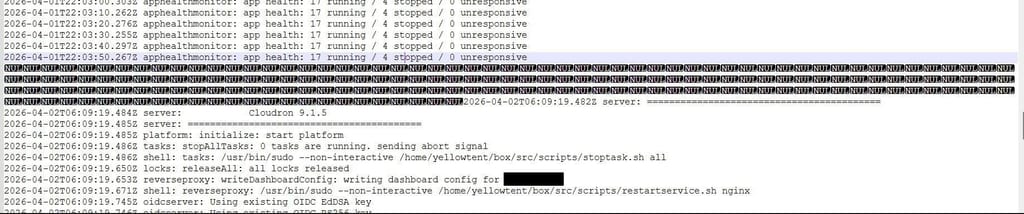
Im not shure what to do?
-
Since update to v8.2.1 backups fail with "Too many empty directories"ok, great!
-
Since update to v8.2.1 backups fail with "Too many empty directories"ok. but is this a bug or normal behavior caused by the cloudron update? i would say that these empty folders must have been there for some time and the backup only ran into this error last week.
-
Since update to v8.2.1 backups fail with "Too many empty directories"ok, i found the directory. It was the preview directory in the nextcloud instance. After cleaning the directory the backup was succesfull.
-
Since update to v8.2.1 backups fail with "Too many empty directories"i have the same problem, but it stops while backuping my nextcloud instance. Is this a general issue?
-
Participants can't see eachother?yeah, thanks, i just tried both and saw that it is maybe a turn server issue. Now the SFU works
-
Producer Transport failedoh yeah, this was the problem, i just saw the 40000 in the install wizzard
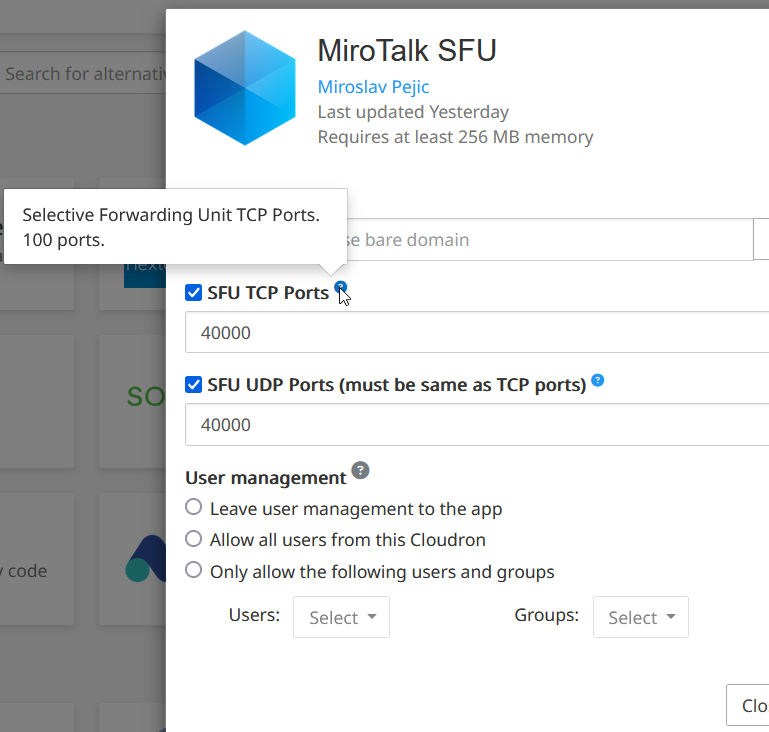
under the equestion sign its documented
-
Participants can't see eachother?ok, thats waht i expected, because no connection could established when i was outside of my network. can i use the cloudron turn server ?
-
Producer Transport failedPorts 40000 UDP and TCP are open
the server is in my home network so i have direct connetion to it -
Producer Transport failedthis is what i get
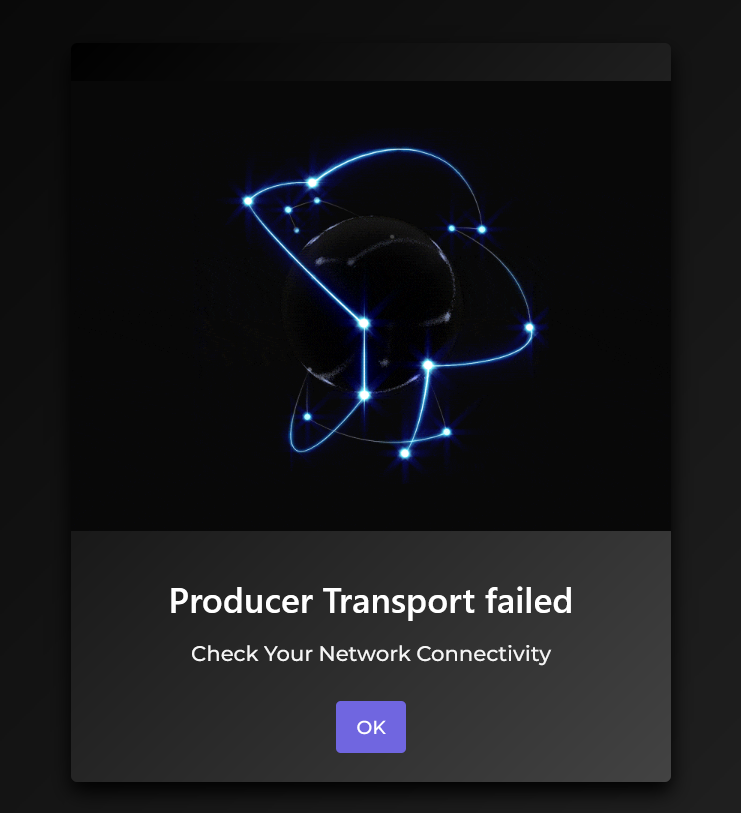
-
Participants can't see eachother?is the app not using the cloudron turn server as standard?
-
Producer Transport failedHi, with MiroTalk SFU v.1.5.75 i still see this
-
Allow List for WOPI requestsI digged a bit deeper in and here are the logs for two requests for the same document. The first one is with the WOPI adress as documented and the second one it with my external real ipv4 adress. Withe the external real ipv4 adress it works and i can open the documents. i found that here "https://github.com/nextcloud/richdocuments/issues/2685"
With Wopi Adress 172.18.0.0/16:
"GET /index.php/apps/richdocuments/wopi/files/542576_oc2a6lhu6gbc?access_token=vmAdhoDd9DnOnITRqNn235KjCmxEUwjp&access_token_ttl=0 HTTP/1.1" 403 2 "-" "COOLWSD HTTP Agent 24.04.7.1"
"GET /index.php/apps/richdocuments/wopi/files/542576_oc2a6lhu6gbc?access_token=vmAdhoDd9DnOnITRqNn235KjCmxEUwjp&access_token_ttl=0&permission=edit HTTP/1.1" 403 2 "-" "COOLWSD HTTP Agent 24.04.7.1"With Wopi Adress real IPv4 Adress :
"GET /index.php/apps/richdocuments/wopi/files/542576_oc2a6lhu6gbc?access_token=YGfINlPRSbkt7OLGw3VHMxuFSE19cX1v&access_token_ttl=0 HTTP/1.1" 200 853 "-" "COOLWSD HTTP Agent 24.04.7.1"
"GET /index.php/apps/richdocuments/wopi/files/542576_oc2a6lhu6gbc/contents?access_token=YGfINlPRSbkt7OLGw3VHMxuFSE19cX1v&access_token_ttl=0 HTTP/1.1" 200 6345 "-" "COOLWSD HTTP Agent 24.04.7.1" -
Allow List for WOPI requestsHi, no, the ipv6 adress also doesnt work. Is there a way to check this in a deeper way?
-
Allow List for WOPI requestshi, i have a problem with the wopi adress i think. With wopi blank everything works as assumed. But with the wopi 172.18.0.0/16 not.
what could be wrong?
cloudron apps nextcloud and collabora online are installed at the same domain