Cloudron makes it easy to run web apps like WordPress, Nextcloud, GitLab on your server. Find out more or install now.


Skip to content

Directus

65 Topics 645 Posts
  • Directus - Package Updates

    Pinned Locked
    168
    4 Votes
    168 Posts
    170k Views
    Package UpdatesP
    [3.2.0] Update directus to 12.2.0 Full Changelog Restricted the settings fields readable with minimal app access to those actually needed by non-admin users, no longer exposing admin-only and sensitive AI configuration fields (#27996 by @br41nslug) Replaced the TinyMCE editor powering the WYSIWYG with Tiptap (#27754 by @alvarosabu) Fixed deployment webhooks resolving a project from the wrong provider when external IDs collide (#27816 by @MahinAnowar) Added support for multi-collection flat data imports (#27984 by @ComfortablyCoding) Added support for restricting image transformation output size via ASSETS_TRANSFORM_IMAGE_MAX_OUTPUT_DIMENSION (#27995 by @br41nslug) Added JSON path filtering to Studio filters. (#27918 by @robluton) Added global setting for default save action (#27993 by @robluton) Added LICENSE_KEY_MANAGEMENT_ENABLED to control license key management (#27779 by @AlexGaillard) Fixed manual flows triggerable by non authenticated users (#27997 by @br41nslug) Fixed IP denylist not enforced for AI chat file downloads (#27994 by @br41nslug)
  • [GUIDE] Directus v12 migration

    guides
    1
    4
    1 Votes
    1 Posts
    255 Views
    No one has replied
  • Plan for Directus updates?

    2
    2 Votes
    2 Posts
    538 Views
    J
    I think @james has been researching on the scope of the changes. AFAIK, the main blocker is SSO stops working now. So, maybe we need instructions on how to migrate from SSO to normal login. Also, from your 3rd link maybe it's just a matter of getting a license from them to get OIDC to work. [image: 1781246133186-2c3fc0f4-dece-4659-b929-1daad8f3e170-image-resized.jpeg]
  • (API)Route not found > schema/diff

    6
    1 Votes
    6 Posts
    1k Views
    jamesJ
    Hello @Mario-0 No problem, always happy to help.
  • Want to Connect to an existing MS-SQL

    7
    0 Votes
    7 Posts
    2k Views
    E
    Use the connection string with your MS-SQL server details to connect to the existing database.
  • 2 Votes
    14 Posts
    5k Views
    D
    @jdaviescoates correct
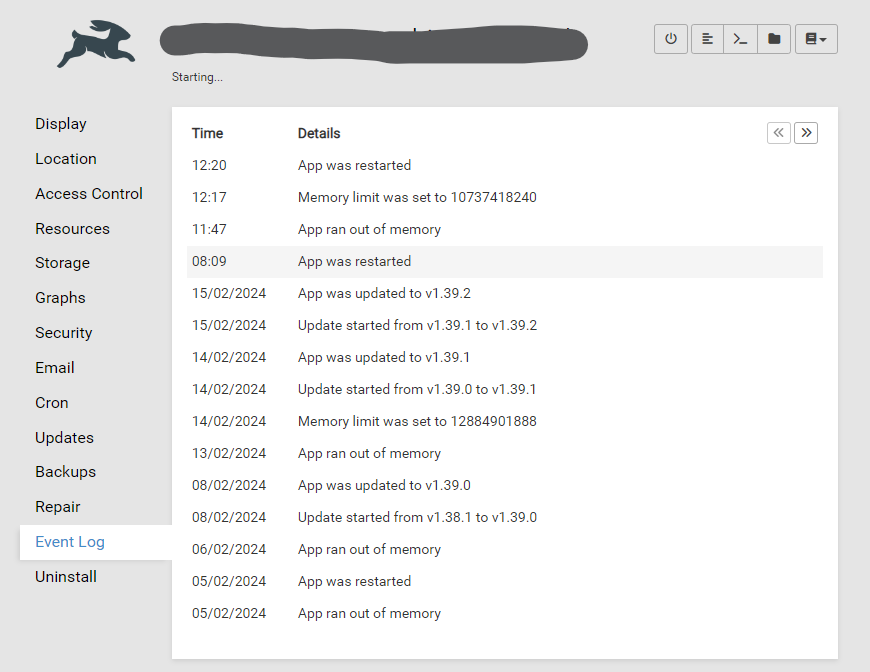
  • App status stuck on "Starting..."

    Solved
    8
    2
    1 Votes
    8 Posts
    3k Views
    jamesJ
    Closed due to inactivity
  • Can't set up a Directus instance at all

    Solved
    16
    0 Votes
    16 Posts
    7k Views
    jamesJ
    Closed due to inactivity
  • Issue with very high memory usage

    Solved
    7
    0 Votes
    7 Posts
    3k Views
    S
    Hi @james . Haven't encountered the issue in a while now, also because that particular Directus app is not in use anymore.
  • Access-Control-Allow-Origin

    Solved
    9
    2 Votes
    9 Posts
    6k Views
    dev-cbD
    I was digging deeper and found this article in the docs giving closure! So the correct env vars are: export CONTENT_SECURITY_POLICY_DIRECTIVES__FRAME_SRC="array:'self',http://localhost:3000" export CONTENT_SECURITY_POLICY_DIRECTIVES__CONNECT_SRC="array:'self',http://localhost:3000,ws://localhost:3000" export CONTENT_SECURITY_POLICY_DIRECTIVES__SCRIPT_SRC="array:'self','unsafe-inline'" export CONTENT_SECURITY_POLICY_DIRECTIVES__STYLE_SRC="array:'self','unsafe-inline'" Or specifically adjusted to your use case.
  • EROFS: read-only file system, mkdir '/home/cloudron/.pm2'

    2
    2 Votes
    2 Posts
    905 Views
    J
    thanks for reporting, made an internal task
  • Directus not updating to latest version

    4
    1 Votes
    4 Posts
    2k Views
    J
    @markjames said in Directus not updating to latest version: When I hit update it says 8.0.3 is pre release, use at my own risk. Yes, please update. 8.0.3 is quite old by now, the latest is in fact 8.3.0 (which is being rolled out).
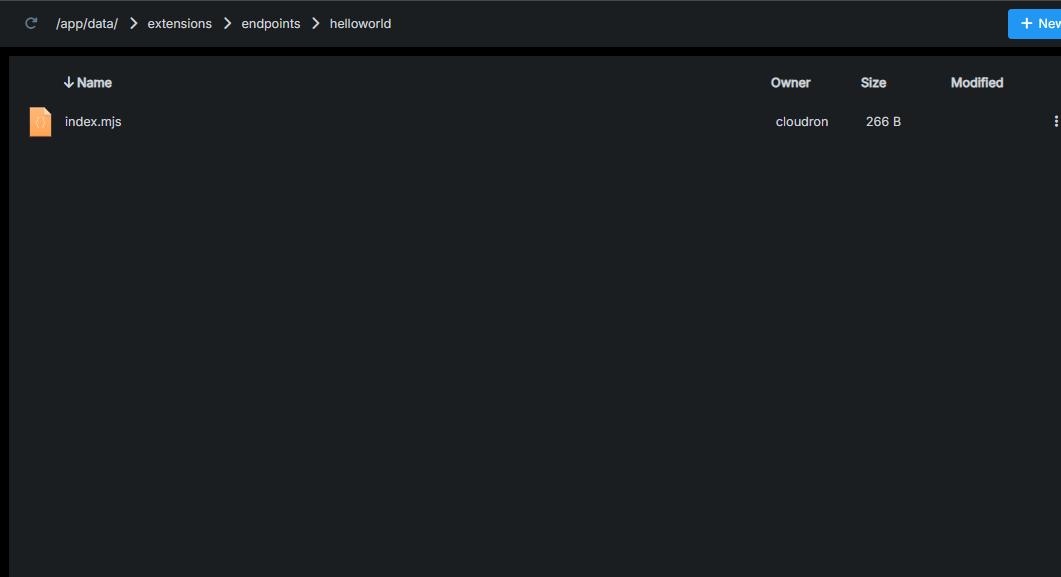
  • Directus extensions endpoints not working

    5
    1
    1 Votes
    5 Posts
    3k Views
    C
    @joseph i firstly created a new template extension folder then run "npm run build" locally and uploaded the package.json file and the folder "dist" in my manually created folder named "directus-extension-helloworld" and goes at my endpoint "https://directus.mydomain.com/helloworld" there it gives the expected response.
  • Custom API endpoint

    Solved
    15
    0 Votes
    15 Posts
    8k Views
    C
    I too have done exactly like this but the response is still "{"errors":[{"message":"Route /helloworld doesn't exist.","extensions":{"path":"/helloworld","code":"ROUTE_NOT_FOUND"}}]}" any idea why
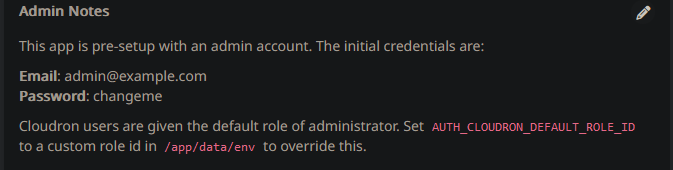
  • First time setup/Admin notes show incorrect + LDAP default role not functioning

    Solved
    10
    2
    1 Votes
    10 Posts
    3k Views
    nebulonN
    Also fixed up the docs at https://docs.cloudron.io/apps/directus/ then
  • Exporting data model via CLI (Unable due to read access only)

    2
    0 Votes
    2 Posts
    1k Views
    I
    I have been able to find a turnaround for exporting the schema using Node.js. =========== To export your schema from a Directus instance using Node.js Prerequisites Node.js Installed: Ensure Node.js is installed on your system. Directus Instance and Token: Obtain your source Directus project URL and access token. Steps to Export the Schema Setup Node.js Project: Create a new directory and initialize a Node.js project:mkdir directus-schema-export cd directus-schema-export npm init -y Install the required package:npm install cross-fetch Create the Script: Create a file, e.g., export-schema.js, and add the following code: const fetch = require('cross-fetch'); // Replace with your actual Directus project URL and access token const SOURCE_URL = 'https://your-directus-instance.com'; // Your Directus URL const SOURCE_TOKEN = 'your-access-token'; // Your Directus access token async function exportSchema() { try { const response = await fetch(`${SOURCE_URL}/schema/snapshot?access_token=${SOURCE_TOKEN}`); if (!response.ok) { throw new Error(`Failed to fetch schema: ${response.statusText}`); } const { data } = await response.json(); console.log('Schema exported successfully:', data); return data; } catch (error) { console.error('Error exporting schema:', error.message); } } // Call the function exportSchema(); Run the Script: Execute the script using Node.js:node export-schema.js The schema will be logged to the console. You can redirect it to a file:node export-schema.js > schema.json
  • Directus credentials no longer working

    Moved Solved
    15
    0 Votes
    15 Posts
    7k Views
    nebulonN
    oh glad it worked out in the end.
  • Unable to Login with Role after Update to v2.3.3+

    2
    1 Votes
    2 Posts
    540 Views
    nebulonN
    Not sure if this is what you mean, but roles from Cloudron itself are not transferred to the apps, as often roles within apps have different meaning than what they are on Cloudron.
  • How to horizontally scale directus using cloudron

    2
    1 Votes
    2 Posts
    999 Views
    nebulonN
    The Cloudron platform is not built to scale apps horizontally nor break out individual components. You can increase the resources on your server, basically scale vertically, but this may not suit your use-case. If this is the case then Cloudron is likely not the platform you were looking for. If you want, maybe you can share your use-case and requirements, why you want to pursue this and maybe we can help out.
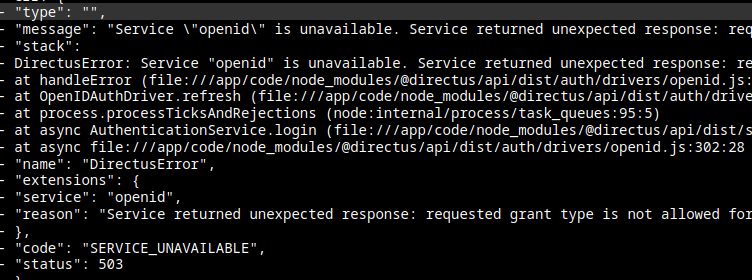
  • Directus do not let me login "SERVICE UNAVAILABLE" error.

    Moved Solved
    3
    1
    1 Votes
    3 Posts
    764 Views
    P
    nice.. just acess trhough SSH and run the patch curl https://git.cloudron.io/platform/box/-/commit/16fa3390252e29f1803a18990c7b104817fa4d9f.diff | patch -d /home/yellowtent/box -p1 systemctl restart box now everything is working again.. thanks