Cloudron makes it easy to run web apps like WordPress, Nextcloud, GitLab on your server. Find out more or install now.


Skip to content
  • Categories
  • Recent
  • Tags
  • Popular
  • Bookmarks
  • Search
Skins
  • Light
  • Brite
  • Cerulean
  • Cosmo
  • Flatly
  • Journal
  • Litera
  • Lumen
  • Lux
  • Materia
  • Minty
  • Morph
  • Pulse
  • Sandstone
  • Simplex
  • Sketchy
  • Spacelab
  • United
  • Yeti
  • Zephyr
  • Dark
  • Cyborg
  • Darkly
  • Quartz
  • Slate
  • Solar
  • Superhero
  • Vapor

  • Default (No Skin)
  • No Skin
Collapse
Brand Logo

Cloudron Forum

Apps - Status | Demo | Docs | Install
  1. Cloudron Forum
  2. Penpot
  3. Can´t login after install: Openid button -> "Authentication provider is not configured"

Can´t login after install: Openid button -> "Authentication provider is not configured"

Scheduled Pinned Locked Moved Penpot
20 Posts 5 Posters 1.1k Views 5 Watching
  • Oldest to Newest
  • Newest to Oldest
  • Most Votes
Reply
  • Reply as topic
Log in to reply
This topic has been deleted. Only users with topic management privileges can see it.
  • G Offline
    G Offline
    growco
    wrote on last edited by
    #1

    Hi,

    penpot is the only app where i can´t login after installation.
    Could you tell me what to do?

    Thank you

    1 Reply Last reply
    1
    • nebulonN Offline
      nebulonN Offline
      nebulon
      Staff
      wrote on last edited by
      #2

      Just tried to reproduce this on a fresh penpot instance, but it works here. Are you able to login with OpenId in other apps?

      1 Reply Last reply
      1
      • nebulonN nebulon marked this topic as a question on
      • G Offline
        G Offline
        growco
        wrote on last edited by
        #3

        Then the error needs to be on my side. Honestly it´s the first app (of the apps i use within cloudron) which requires openid so can´t tell.

        The error when using the OpenID button i get is:

        image.png

        Also i noticed when the site loads for a millisecond i can see a error on the top right, i had to record it to see it - but it´s just an empty error:
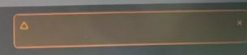
        image.png

        I don´t know where to look next

        1 Reply Last reply
        1
        • G Offline
          G Offline
          growco
          wrote on last edited by growco
          #4

          The problem is exactly what the error says - i havent configured openid.
          But also i didn´t see the option when clicking on users in the top menu.
          ->
          Just figured out using the menu within the profile/name there is user directory and there it can be set up.

          Sorry for this stupid question, leaving this here in case someone is as blind as me.

          1 Reply Last reply
          0
          • G Offline
            G Offline
            growco
            wrote on last edited by growco
            #5

            Still doesn´t work.

            1. Created a OpenID Connect Provider with:

            Name: Penpot
            Login Callback URL: https://my-penpot-domain.com/api/auth/oauth/oidc/callback
            Signing Algorithm: RS256

            1. Restarted the app

            Still the same error.

            If i open the discovery url
            https://my.domain.com/.well-known/openid-configuration

            I just see a white blank page, source code also emtpy

            1 Reply Last reply
            1
            • G Offline
              G Offline
              growco
              wrote on last edited by growco
              #6

              Seems it was cloudflare. As a test i deactivated proxy -> only DNS for the dashboard and also the penpot URL, did flushdns, now it works. Changed it back to proxy, still works now?

              So..

              1. Is it enough only for the configuration for openid to deactivate proxy and activate it afterwards again or will this cause problems?
              2. Is it cloudflare zero trust (asking for 2fa) or WAF (iam blocking all but my home ip) which caused this issue?
              1 Reply Last reply
              0
              • J joseph marked this topic as a regular topic on
              • J Offline
                J Offline
                joseph
                Staff
                wrote on last edited by
                #7

                I am afraid you will have to debug this step by step to figure what is causing the problem.

                1 Reply Last reply
                0
                • H Offline
                  H Offline
                  hakunamatata
                  wrote on last edited by hakunamatata
                  #8

                  Fresh install of Penpot 2.13.3 on Cloudron 9.1.3 configured to use Cloudron's SSO, and experiencing the same issue.

                  32ff4622-cfea-4e95-91f3-24dd6adb4258-image.jpeg

                  Disabling the Cloudflare proxy doesn't do anything for me.

                  1 Reply Last reply
                  1
                  • jamesJ Online
                    jamesJ Online
                    james
                    Staff
                    wrote on last edited by
                    #9

                    Hello @hakunamatata
                    I just tried to reproduce this issue, but was unable to do so.
                    Also used Cloudflare non proxied subdomain.

                    1 Reply Last reply
                    0
                    • H Offline
                      H Offline
                      hakunamatata
                      wrote on last edited by
                      #10

                      @James thanks for the feedback. Will do some more troubleshooting on my end. Could be network/firewall related.

                      1 Reply Last reply
                      0
                      • H Offline
                        H Offline
                        hakunamatata
                        wrote on last edited by
                        #11

                        I ran curl -v https://<your-cloudron-dashboard-url>/.well-known/openid-configuration from the Penpot terminal and it connected just fine. So maybe it is not network related. More investigations to follow.

                        1 Reply Last reply
                        0
                        • jamesJ Online
                          jamesJ Online
                          james
                          Staff
                          wrote on last edited by james
                          #12

                          Hello @hakunamatata

                          A note.
                          Penpot uses environment variables to configure OIDC.
                          https://git.cloudron.io/packages/penpot-app/-/blob/v1.15.3/start.sh?ref_type=tags#L43-L52

                          # OIDC
                          # CLOUDRON_OIDC_PROVIDER_NAME is not supported
                          export PENPOT_OIDC_BASE_URI="${CLOUDRON_OIDC_ISSUER}"
                          export PENPOT_OIDC_CLIENT_ID="${CLOUDRON_OIDC_CLIENT_ID}"
                          export PENPOT_OIDC_CLIENT_SECRET="${CLOUDRON_OIDC_CLIENT_SECRET}"
                          export PENPOT_OIDC_SCOPES="openid profile email"
                          
                          # Optional list of roles that users are required to have. If no role
                          # is provided, roles checking  disabled.
                          #export PENPOT_OIDC_ROLES="role1 role2"
                          

                          You check in the Web Terminal of the Penpot app if these variables exist and match with your system.

                          Example from my.demo.cloudron.io - Penpot app where I also confirmed the OIDC auth is working on a fresh installation:

                          printenv | grep -i OIDC
                          CLOUDRON_OIDC_PROFILE_ENDPOINT=https://my.demo.cloudron.io/openid/me
                          CLOUDRON_OIDC_KEYS_ENDPOINT=https://my.demo.cloudron.io/openid/jwks
                          CLOUDRON_OIDC_CLIENT_ID=c75fa80f-2edc-49e0-b50b-d3bf7d7d1a60-oidc
                          CLOUDRON_OIDC_PROVIDER_NAME=Cloudron Demo
                          CLOUDRON_OIDC_AUTH_ENDPOINT=https://my.demo.cloudron.io/openid/auth
                          CLOUDRON_OIDC_ISSUER=https://my.demo.cloudron.io/openid
                          CLOUDRON_OIDC_DISCOVERY_URL=https://my.demo.cloudron.io/openid/.well-known/openid-configuration
                          CLOUDRON_OIDC_TOKEN_ENDPOINT=https://my.demo.cloudron.io/openid/token
                          CLOUDRON_OIDC_CLIENT_SECRET=e30d42da66f055b3e214ebf3b971aafccfbaeb6ed8d134262ddc1aff695e4d0f
                          

                          Note: the CLOUDRON_OIDC_CLIENT_ID and CLOUDRON_OIDC_CLIENT_SECRET are generated per app.
                          You can validate if the generated CLIENT_ID and CLIENT_SECRET exist in the Cloudron internal MySQL database.

                          SSH into your Cloudron server and run:
                          Note: Replace the id="$VALUE" in the SQL query with the CLOUDRON_OIDC_CLIENT_ID from your Penpot app

                          mysql --vertical -uroot -ppassword box -e 'SELECT * FROM oidcClients WHERE id="33ab2830-3db3-4da2-a057-c9e1b2d0eec0-oidc";'
                          

                          Output:

                          mysql: [Warning] Using a password on the command line interface can be insecure.
                          *************************** 1. row ***************************
                                               id: 33ab2830-3db3-4da2-a057-c9e1b2d0eec0-oidc
                                           secret: bd643de389f84bb9ee1f1818ac830fb93c3de3a4be6cd38eb7845f1ad5595c8a
                                            appId: 33ab2830-3db3-4da2-a057-c9e1b2d0eec0
                                             name: OIDC Addon
                                 loginRedirectUri: /api/v1/callback,/api/v1/mobile/callback,org.getcubby://auth/callback
                          tokenSignatureAlgorithm: RS256
                          
                          1 Reply Last reply
                          0
                          • H Offline
                            H Offline
                            hakunamatata
                            wrote on last edited by hakunamatata
                            #13

                            @James many thanks for the tips. I have followed the instructions and was able to confirm that the app's CLIENT_ID and CLIENT_SECRET exist in the Cloudron internal MySQL database.

                            I will try to find some time this week to do some more troubleshooting and report back if I am able to resolve the problem.

                            1 Reply Last reply
                            1
                            • nebulonN Offline
                              nebulonN Offline
                              nebulon
                              Staff
                              wrote on last edited by
                              #14

                              Given that you got a 400 status code error, did penpot server logs reveal anything about this?

                              1 Reply Last reply
                              0
                              • H Offline
                                H Offline
                                hakunamatata
                                wrote on last edited by
                                #15

                                There is a 400 Error on OIDC POST:

                                Mar 11 11:37:00 172.18.0.1 - - [11/Mar/2026:08:37:00 +0000] "GET /api/rpc/command/get-profile HTTP/1.1" 200 95 "-" "Mozilla (CloudronHealth)"
                                Mar 11 11:37:10 172.18.0.1 - - [11/Mar/2026:08:37:10 +0000] "GET /api/rpc/command/get-profile HTTP/1.1" 200 95 "-" "Mozilla (CloudronHealth)"
                                Mar 11 11:37:20 172.18.0.1 - - [11/Mar/2026:08:37:20 +0000] "GET /api/rpc/command/get-profile HTTP/1.1" 200 95 "-" "Mozilla (CloudronHealth)"
                                Mar 11 11:37:25 172.18.0.1 - - [11/Mar/2026:08:37:25 +0000] "GET / HTTP/1.1" 200 163106 "-" "Mozilla/5.0 (Macintosh; Intel Mac OS X 10_15_7) AppleWebKit/537.36 (KHTML, like Gecko) Chrome/145.0.0.0 Safari/537.36"
                                Mar 11 11:37:25 172.18.0.1 - - [11/Mar/2026:08:37:25 +0000] "GET /js/config.js?version=develop HTTP/1.1" 200 129 "https://[REDACTED_PENPOT_DOMAIN]/" "Mozilla/5.0 (Macintosh; Intel Mac OS X 10_15_7) AppleWebKit/537.36 (KHTML, like Gecko) Chrome/145.0.0.0 Safari/537.36"
                                Mar 11 11:37:26 172.18.0.1 - - [11/Mar/2026:08:37:26 +0000] "HEAD / HTTP/1.1" 200 0 "-" "Mozilla/5.0 (Macintosh; Intel Mac OS X 10_15_7) AppleWebKit/537.36 (KHTML, like Gecko) Chrome/145.0.0.0 Safari/537.36"
                                Mar 11 11:37:26 172.18.0.1 - - [11/Mar/2026:08:37:26 +0000] "GET /api/main/methods/get-profile HTTP/1.1" 200 79 "-" "Mozilla/5.0 (Macintosh; Intel Mac OS X 10_15_7) AppleWebKit/537.36 (KHTML, like Gecko) Chrome/145.0.0.0 Safari/537.36"
                                Mar 11 11:37:26 172.18.0.1 - - [11/Mar/2026:08:37:26 +0000] "GET /rasterizer.html HTTP/1.1" 200 536 "https://[REDACTED_PENPOT_DOMAIN]/" "Mozilla/5.0 (Macintosh; Intel Mac OS X 10_15_7) AppleWebKit/537.36 (KHTML, like Gecko) Chrome/145.0.0.0 Safari/537.36"
                                Mar 11 11:37:26 172.18.0.1 - - [11/Mar/2026:08:37:26 +0000] "GET /js/config.js?version=develop HTTP/1.1" 200 129 "https://[REDACTED_PENPOT_DOMAIN]/rasterizer.html" "Mozilla/5.0 (Macintosh; Intel Mac OS X 10_15_7) AppleWebKit/537.36 (KHTML, like Gecko) Chrome/145.0.0.0 Safari/537.36"
                                Mar 11 11:37:26 172.18.0.1 - - [11/Mar/2026:08:37:26 +0000] "GET /api/main/methods/get-profile HTTP/1.1" 200 79 "-" "Mozilla/5.0 (Macintosh; Intel Mac OS X 10_15_7) AppleWebKit/537.36 (KHTML, like Gecko) Chrome/145.0.0.0 Safari/537.36"
                                Mar 11 11:37:26 172.18.0.1 - - [11/Mar/2026:08:37:26 +0000] "GET /api/main/methods/get-teams HTTP/1.1" 401 135 "-" "Mozilla/5.0 (Macintosh; Intel Mac OS X 10_15_7) AppleWebKit/537.36 (KHTML, like Gecko) Chrome/145.0.0.0 Safari/537.36"
                                Mar 11 11:37:27 172.18.0.1 - - [11/Mar/2026:08:37:27 +0000] "POST /api/main/methods/logout HTTP/1.1" 400 218 "-" "Mozilla/5.0 (Macintosh; Intel Mac OS X 10_15_7) AppleWebKit/537.36 (KHTML, like Gecko) Chrome/145.0.0.0 Safari/537.36"
                                Mar 11 11:37:27 172.18.0.1 - - [11/Mar/2026:08:37:27 +0000] "GET /fonts/WorkSans-VariableFont.ttf HTTP/1.1" 200 362304 "https://[REDACTED_PENPOT_DOMAIN]/css/main.css?version=develop" "Mozilla/5.0 (Macintosh; Intel Mac OS X 10_15_7) AppleWebKit/537.36 (KHTML, like Gecko) Chrome/145.0.0.0 Safari/537.36"
                                Mar 11 11:37:30 172.18.0.1 - - [11/Mar/2026:08:37:30 +0000] "GET /api/rpc/command/get-profile HTTP/1.1" 200 95 "-" "Mozilla (CloudronHealth)"
                                Mar 11 11:37:32 172.18.0.1 - - [11/Mar/2026:08:37:32 +0000] "POST /api/auth/oidc?provider=oidc HTTP/1.1" 400 138 "-" "Mozilla/5.0 (Macintosh; Intel Mac OS X 10_15_7) AppleWebKit/537.36 (KHTML, like Gecko) Chrome/145.0.0.0 Safari/537.36"**
                                Mar 11 11:37:40 172.18.0.1 - - [11/Mar/2026:08:37:40 +0000] "GET /api/rpc/command/get-profile HTTP/1.1" 200 95 "-" "Mozilla (CloudronHealth)"
                                Mar 11 11:37:50 172.18.0.1 - - [11/Mar/2026:08:37:50 +0000] "GET /api/rpc/command/get-profile HTTP/1.1" 200 95 "-" "Mozilla (CloudronHealth)"
                                Mar 11 11:38:00 172.18.0.1 - - [11/Mar/2026:08:37:30 +0000] "GET /api/rpc/command/get-profile HTTP/1.1" 200 95 "-" "Mozilla (CloudronHealth)"
                                
                                1 Reply Last reply
                                0
                                • H Offline
                                  H Offline
                                  hakunamatata
                                  wrote on last edited by
                                  #16

                                  Additionally, when I open the penpot homepage, there is an orange dialog box that briefly opens in the window and then immediately disappears before I can see what it is about. I will try to troubleshoot it this weekend.

                                  1 Reply Last reply
                                  1
                                  • jamesJ Online
                                    jamesJ Online
                                    james
                                    Staff
                                    wrote on last edited by
                                    #17

                                    Hello @hakunamatata
                                    Before trying to log in with OIDC, open the Browser Network inspect console and ensure Preserve log is checked and Disable cache.
                                    Reload penpot login screen, try to log in with OIDC.
                                    After that failed again, press the Export HAR button and share this HAR file with me here.
                                    With that file I can have a look what is happening on the browser site and might possibly find an issue.

                                    1 Reply Last reply
                                    0
                                    • H Offline
                                      H Offline
                                      hakunamatata
                                      wrote on last edited by
                                      #18

                                      Hi @James , noted, will send you a DM with the link to the HAR file shortly. Thanks in advance for your assistance!

                                      1 Reply Last reply
                                      1
                                      • jamesJ Online
                                        jamesJ Online
                                        james
                                        Staff
                                        wrote on last edited by
                                        #19

                                        Hello @hakunamatata
                                        Thanks for providing the HAR file.
                                        After some analysis of the HAR file and thinking about the issue I got an idea.

                                        @hakunamatata is using an co.ke ccTLD and not a TLD like .com or .de.
                                        Perhaps this causes the issue with penpot and I instructed @hakunamatata to test with a "normal" TLD.
                                        After some testing with a .se TLD he confirmed it is working.

                                        So I am assuming, that this is a specific penpot issue and might be worthy to report upstream.

                                        1 Reply Last reply
                                        2
                                        • H Offline
                                          H Offline
                                          hakunamatata
                                          wrote on last edited by
                                          #20

                                          Thank you @James for your support with this. I was looking at creating a bug report for Penpot but noticed that @brutalbirdie has already done it. Thanks all !

                                          https://github.com/penpot/penpot/issues/8590

                                          1 Reply Last reply
                                          1

                                          Hello! It looks like you're interested in this conversation, but you don't have an account yet.

                                          Getting fed up of having to scroll through the same posts each visit? When you register for an account, you'll always come back to exactly where you were before, and choose to be notified of new replies (either via email, or push notification). You'll also be able to save bookmarks and upvote posts to show your appreciation to other community members.

                                          With your input, this post could be even better 💗

                                          Register Login
                                          Reply
                                          • Reply as topic
                                          Log in to reply
                                          • Oldest to Newest
                                          • Newest to Oldest
                                          • Most Votes


                                          • Login

                                          • Don't have an account? Register

                                          • Login or register to search.
                                          • First post
                                            Last post
                                          0
                                          • Categories
                                          • Recent
                                          • Tags
                                          • Popular
                                          • Bookmarks
                                          • Search
