
Show Server Time Information in the Cloudron Server Menu
-
I’d like to suggest adding a small piece of information to the Server menu: the current server time and timezone.
When I move to a new hosting provider, I often forget whether I have already adjusted the server time settings or not.
If Cloudron showed the current server time and timezone directly in the Server section, I could immediately see whether the server is still using the hosting provider’s default timezone or if it has already been changed to my own country’s timezone.
Even a simple read‑only display like:
- Current server time:
2025-12-19 14:32 - Timezone:
Europe/Berlin(UTC+1)
would help a lot. This could:
- Reduce confusion when checking logs, backups, and scheduled tasks (cron, app restarts, etc.)
- Help ensure that all time‑based operations are aligned with the admin’s local time
- Make it easier to verify the configuration quickly after migrating to a new server
I believe this little detail could be very helpful for many users.
Thank you for considering this suggestion and for all the work you put into improving Cloudron.

- Current server time:
-
@ekevu123
only the time zone, not the actual time -
@joseph said in Show Server Time Information in the Cloudron Server Menu:
The server timezone is always UTC
 no? Or do you want System -> Settings to also be shown in Server page?
Maybe the current time can be shown on Server > System Information
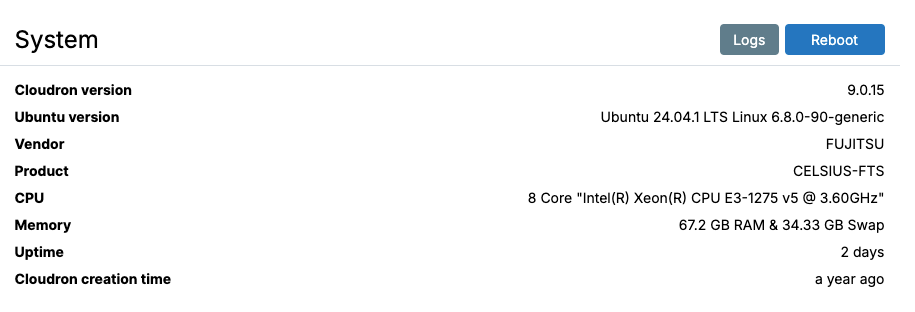
It displays like:
Current server time: 2025-12-19 14:32
Timezone: Europe/Berlin (UTC+1)

Hello! It looks like you're interested in this conversation, but you don't have an account yet.
Getting fed up of having to scroll through the same posts each visit? When you register for an account, you'll always come back to exactly where you were before, and choose to be notified of new replies (either via email, or push notification). You'll also be able to save bookmarks and upvote posts to show your appreciation to other community members.
With your input, this post could be even better 💗
Register Login