
Languagetool: Download of n-grams ignores path set in env
-
My
env:NGRAMS_DATASET_PATH=/media/Languagetool/My volume:
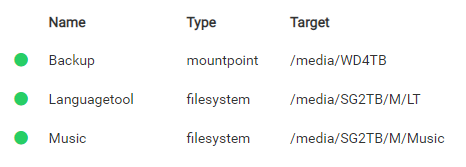
When I download n-grams# /app/pkg/install-ngrams.sh /app/data/ngrams en dethey get installed in
/app/data/ngramsBe sure to set NGRAMS_DATASET_PATH=/app/data/ngrams in /app/data/env and restart the app. -
-
I see my stupidity...

I thought it would adopt the path set in env -
N necrevistonnezr has marked this topic as solved on
-
Added a commit to the documentation, https://git.cloudron.io/necrevistonnezr/docs/-/blob/7625f8d9b7dbfa55f83cc18420fb1bd82177484f/knowledgebase/docs/apps/languagetool.md
-
-
Hmm, I thought I did... now?
-
There seems to be one https://git.cloudron.io/cloudron/docs/-/merge_requests/46 which is 120 commits behind and then an empty draft one at https://git.cloudron.io/cloudron/docs/-/merge_requests/47
If its easier, I can also just copy the text itself.
-
That's fine, thank you, I'm not particularly familiar with Git systems.
-
-
I would suggest adding the following to the documentation here: https://docs.cloudron.io/packages/languagetool/
If you want to use a volume to install and store ngrams there, after creating that volume[link to doc], mount it to the Language Tool application under the “Storage” menu and set it as a "read and writing" volume.
Normally the volumes are reachable via /mnt/volumens/<volume-id> but once mounted to an application are reachable via /media/<volumen-id>, therefore the command you need to use for installing the ngrams will be as follows:
/app/pkg/install-ngrams.sh /media/<volume-id> en es
and the path under /app/data/env has to be like NGRAMS_DATASET_PATH=/media/<volume-id>
That may help some user like me with a more step-by-step guide


Hello! It looks like you're interested in this conversation, but you don't have an account yet.
Getting fed up of having to scroll through the same posts each visit? When you register for an account, you'll always come back to exactly where you were before, and choose to be notified of new replies (either via email, or push notification). You'll also be able to save bookmarks and upvote posts to show your appreciation to other community members.
With your input, this post could be even better 💗
Register Login