
How to install Docassemble on Cloudron as a custom application
-
git clone [your-repo-url] docassemble-cloudron
you didn't actually post your code. So far you post is just one big ai hallucination without something one can actually test
 .
.Edit: ah it was buried at the very end.
@fbartels Fair point, the repo link should have been more prominent. It is here:
https://github.com/OrcVole/docassemble-cloudron
Five files: Dockerfile, start.sh, CloudronManifest.json, supervisor/docassemble-cloudron.conf, and DESCRIPTION.md. The write-up above documents what each file does and the problems you will hit at each stage, so you are not flying blind.
-
Wow what a RAM beast!
Nice work on saving 150MB RAM with LavinMQ, and proving it's suitable as an AddOn.
Could run a business for access to just this one app..
@robi It is a beast, yes. The 8 GB figure is somewhat misleading though. The app runs comfortably in about 2 GB during normal operation. The high allocation is needed because the first-boot database migration and Python package table population spike memory usage briefly, and the OOM killer is unforgiving. An official package could potentially pre-seed the database schema in the Docker image and bring the runtime requirement down to 3-4 GB.
On LavinMQ: it really is a clean drop-in for RabbitMQ. Same AMQP 0.9.1 protocol, same Celery broker URL format, Celery does not know the difference. There is a separate request for LavinMQ as a Cloudron addon which would simplify this and any other app that needs a message broker.
-
Copy the ~2 GB Python virtual environment to persistent storage
I'm not a python expert, well, actually I'm not any kind of expert, but in the content of a single isolated container, I am not sure that
venvis needed.
Maybe withoutvenvit might be a tad quicker ?@timconsidine You are right that in a normal Docker container you would not need a venv at all, the container IS the isolation. The reason docassemble uses one is that its Playground feature lets users install additional Python packages at runtime through the web interface. Those pip installs need a writable location, and the upstream image puts everything in a venv at
/usr/share/docassemble/local3.12so thatwww-datacan write to it without root.On Cloudron the container filesystem is read-only, so we have to copy that venv to the writable
/app/data/partition on first boot. That is the slow step. On subsequent restarts it is already there and boots in 2-3 minutes.If you did not need the Playground install feature, you could skip the copy and leave the venv read-only in the image. The app would still run, you just could not install extra packages from the browser.
-
@timconsidine Good question. The manifest has
"memoryLimit": 6144which should work, but during our testing Cloudron applied the default 256 MB regardless. We confirmed this by checking the cgroup limit from inside the container:cat /sys/fs/cgroup/memory.maxIt returned 268435456 (256 MB) despite the manifest specifying 6144. This was with
cloudron installfrom the CLI for an unpublished custom app. Once we set it manually in the dashboard it applied correctly and the app started working.It is possible this behaves differently for published apps versus custom installs. If your deploys do honour the manifest value, that is useful to know and we may have hit a bug specific to unpublished packages. Would be worth a question to the Cloudron team.
The manifest has "memoryLimit": 6144 which should work
I don't think this is the correct notation, Cloudron overrides it and puts 256Mb
My Dify package sets this for 4Gb
"memoryLimit": 4294967296,
double it for 8Gb ? -
It has been mentioned over on the Docassemble github and hopefully some of the good people there will visit and help us make this an officially supported application.
Oh, @robi , we just tried resizing the RAM resources to 4.25GB and now that it has been setup, it seems to be running well on that.
-
@timconsidine You are right that in a normal Docker container you would not need a venv at all, the container IS the isolation. The reason docassemble uses one is that its Playground feature lets users install additional Python packages at runtime through the web interface. Those pip installs need a writable location, and the upstream image puts everything in a venv at
/usr/share/docassemble/local3.12so thatwww-datacan write to it without root.On Cloudron the container filesystem is read-only, so we have to copy that venv to the writable
/app/data/partition on first boot. That is the slow step. On subsequent restarts it is already there and boots in 2-3 minutes.If you did not need the Playground install feature, you could skip the copy and leave the venv read-only in the image. The app would still run, you just could not install extra packages from the browser.
On Cloudron the container filesystem is read-only, so we have to copy that venv to the writable /app/data/ partition on first boot.
Understood but it seems a strange way to do it.
My instinct would be to get setup.sh to create the neededvenvon first run, not pre-create and copy.
That way, it would survive upgrades.Maybe there is a technical reason for your approach.
EDIT : My AI friend says my instinct is wrong

-
@loudlemur if you conquered the mammoth build process, it would be easy to make it a community app for people to try out easier ?
-
@loudlemur do I understand correctly that you are not using the Cloudron base image ?
I think this would disqualify it from getting into the AppStore.
But maybe that's not your ambition. -
@loudlemur if you conquered the mammoth build process, it would be easy to make it a community app for people to try out easier ?
@timconsidine Yes, I hope it becomes a community application, but I need to turn my attention elsewhere at the moment. Could you put it on your app, tim?
-
@loudlemur do I understand correctly that you are not using the Cloudron base image ?
I think this would disqualify it from getting into the AppStore.
But maybe that's not your ambition.@timconsidine No, we did not use the Cloudron base image. We built directly FROM jhpyle/docassemble:latest. The reason is pragmatic: docassemble's upstream image contains hundreds of carefully configured components (texlive, pandoc, imagemagick, LibreOffice, a full Python environment with ~200 packages, supervisord configs, nginx templates, dozens of shell scripts). Rebuilding all of that on top of cloudron/base would have been a multi-week project and a permanent maintenance burden, because every upstream docassemble release could change dependencies, scripts, or paths.
By building on top of the upstream image, we inherit all of that and only add our adaptation layer (LavinMQ swap, symlinks, start.sh, supervisor overrides). When docassemble releases a new version, updating is just a rebuild that pulls the new upstream image.The tradeoff is that we lose some Cloudron-native tooling that the base image provides (like gosu and some helper scripts), and our image is larger than it would be with a clean build. For an official Cloudron package, rebuilding on cloudron/base would be the right approach, but for a community custom app, tracking upstream is far more sustainable.
(ATTENTION DOCASSEMBLE DEVELOPERS)
The strongest path would be a hybrid approach, similar to how the Baserow Cloudron package evolved. There are two realistic strategies, and they have different tradeoffs.
Strategy 1: Upstream-first (recommended)
Work with Jonathan Pyle (docassemble maintainer) to improve the upstream Docker image's support for constrained environments. The specific changes that would make official Cloudron packaging dramatically easier:
First, extend DAREADONLYFILESYSTEM to cover all write paths, not just the 25 it currently gates. If the upstream image could run cleanly with that flag set to true and all state under a single configurable data directory, the Cloudron package would be straightforward.
Second, make initialize.sh respect CONTAINERROLE fully. If sql is not in the role, the script should never touch PostgreSQL, not even to check if it is running. Same for Redis and RabbitMQ.
Third, support a DA_DATA_DIR environment variable that relocates all writable state to a single directory. Docassemble already partially supports this with DA_ROOT, but many paths are hardcoded outside of it (/var/www/.certs, /etc/ssl/docassemble, /var/lib/nginx, etc).
If those three changes landed upstream, an official Cloudron package could be built on cloudron/base:5.0 with a clean Dockerfile that installs docassemble from pip into a venv, uses Cloudron addons for PostgreSQL and Redis, and needs very few symlink hacks.
Strategy 2: Clean-room rebuild on cloudron/base (harder, more maintainable long-term)
Build from cloudron/base:5.0 and install docassemble's Python packages directly, bypassing the upstream Docker image entirely. This is how most official Cloudron packages work. The Dockerfile would install the system dependencies (texlive, pandoc, imagemagick, poppler, LibreOffice), create a Python venv, pip install the three docassemble packages (docassemble.base, docassemble.webapp, docassemble.demo), and configure nginx, supervisord, and LavinMQ from scratch.
The advantage is a smaller, cleaner image that follows Cloudron conventions properly. The disadvantage is substantial: docassemble has over 100 system dependencies and the upstream initialize.sh contains years of accumulated logic for database migrations, package management, certificate handling, and configuration templating. Replicating all of that correctly would take weeks, and every upstream release could break it.
What I would actually recommend to someone volunteering for this:
Start from our working v0.1 package and incrementally replace the upstream image. The sequence would be:Fork our repo and get it running on your own Cloudron. Confirm everything works.
Open a conversation with the docassemble maintainer (the GitHub issue we just filed is a good starting point). Propose the DA_DATA_DIR and DAREADONLYFILESYSTEM improvements. Jonathan Pyle has been maintaining this project for years and is responsive.
While waiting for upstream changes, extract the initialize.sh logic you actually need. Most of it (S3 support, Azure blob storage, multi-server clustering, Let's Encrypt, internal PostgreSQL/Redis management) is irrelevant on Cloudron. A stripped-down init script that only handles database migration, package table population, nginx config generation, and service startup would be perhaps 200 lines instead of 1800.
Once you have a minimal init script, rebuild on cloudron/base:5.0. Install system dependencies from a known-good list (extractable from the upstream Dockerfile), pip install the docassemble packages, and use your minimal init script instead of the upstream one.
Add LDAP or OIDC integration for Cloudron single sign-on. Docassemble supports LDAP. This is expected for official Cloudron apps.
Submit to the Cloudron app store via cloudron versions init and the publication workflow. -
Great news! Jonathan Pyle likes this effort and he is going to take a look. He suggested this:
"If your platform supports Docker Compose, you might want to look at https://github.com/jhpyle/docassemble-compose, which shows how you can cut out the jhpyle/docassemble image, supervisord, and any service you are hosting externally."
-
Great news! Jonathan Pyle likes this effort and he is going to take a look. He suggested this:
"If your platform supports Docker Compose, you might want to look at https://github.com/jhpyle/docassemble-compose, which shows how you can cut out the jhpyle/docassemble image, supervisord, and any service you are hosting externally."
@LoudLemur .... but Cloudron does NOT support Docker Compose, so ...
-
for a community custom app ...
You raise an interesting point. Just because it is a community app does not mean it can be any base image. Community apps should be compliant to Cloudron standards. IMHO. If not, you might as well set up a separate VPS and deploy via docker compose, why have the hassle of cloudron compliance.
I do see the other view point, I just don't agree with it.Rebuilding all of that on top of cloudron/base would have been a multi-week project
I started from scratch using a cloudron base image, none of your code, different direction, at 17:16, took 2 hours out for supper & TV, then returned to the app. 1st working version at 21:08. So roughly 2 hours.
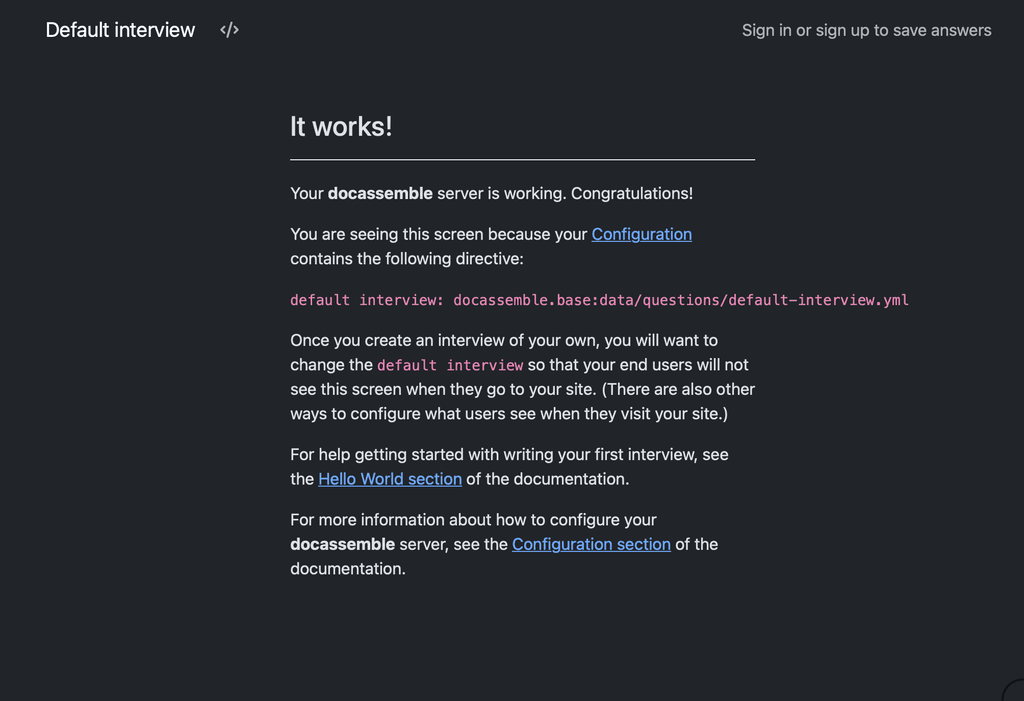
I'm not saying that the app is fully built. But to get a Home Screen loaded is significant. I don't know the app, so not sure what to do next. That might take another couple hours.
Not seeking an argument, I just don't agree that your approach to build from upstream image is correct.
-
for a community custom app ...
You raise an interesting point. Just because it is a community app does not mean it can be any base image. Community apps should be compliant to Cloudron standards. IMHO. If not, you might as well set up a separate VPS and deploy via docker compose, why have the hassle of cloudron compliance.
I do see the other view point, I just don't agree with it.Rebuilding all of that on top of cloudron/base would have been a multi-week project
I started from scratch using a cloudron base image, none of your code, different direction, at 17:16, took 2 hours out for supper & TV, then returned to the app. 1st working version at 21:08. So roughly 2 hours.
I'm not saying that the app is fully built. But to get a Home Screen loaded is significant. I don't know the app, so not sure what to do next. That might take another couple hours.
Not seeking an argument, I just don't agree that your approach to build from upstream image is correct.
@timconsidine That is fantastic, Tim!
I was just trying a version 2 using the Docker Compose approach, but if you have managed to do it on the Cloudron base, that would be much better. -
-
Follow-up: one more
config.ymldirective needed to avoid Cloudron healthcheck failuresA week or so after getting our production instance working, it silently went unhealthy on us. Worth documenting for anyone else who follows this guide, because the symptom is confusing and the fix is trivial.
Symptom
The Cloudron dashboard shows the app as "not responding", or the browser shows a Cloudron error page instead of docassemble. Inside the container, everything looks healthy:
# supervisorctl status
celery           RUNNING
celerysingle     RUNNING
cron             RUNNING
main:initialize  RUNNING
nginx            RUNNING
uwsgi            RUNNING
websockets       RUNNING
Meanwhile, the Cloudron app log fills up with this, every ten seconds, indefinitely:
=> Healthcheck error got response status 501
=> Healthcheck error got response status 501
=> Healthcheck error got response status 501
And
docassemble.logshows repeated entries like:docassemble: ip=172.18.0.1 i=docassemble.base:data/questions/default-interview.yml uid=None user=anonymous 2026-04-16 20:47:50 Not authorizedWhat is actually happening
Docassemble is fine. uWSGI is answering requests. The problem is that it is answering Cloudron's healthcheck probe of
/with HTTP 501 NOT IMPLEMENTED.Testing from inside the container confirms this:
# curl -sI http://localhost:8080/
HTTP/1.1 501 NOT IMPLEMENTED
Server: nginx
Content-Type: text/html; charset=utf-8
This is docassemble's deliberate behaviour when an anonymous user hits the root URL and there is no default interview set and no root redirect configured. It falls through to the factory default interview (
docassemble.base:data/questions/default-interview.yml), which refuses anonymous access and returns 501 with a "Not authorized" body. There is even a dedicated/static/app/501.min.jsin the response HTML, so this is a well-worn code path upstream.Cloudron's healthcheck expects a 2xx or 3xx at the probe path. 501 trips the unhealthy marker, and after a few failed probes Cloudron stops proxying user traffic to the app. The app is then effectively offline to users even though it is running normally internally.
The fix
Add a single directive to
/app/data/config/config.yml:root redirect url: /user/sign-inThen restart uWSGI from inside the container (via the Cloudron terminal):
supervisorctl restart uwsgiAfter this,
/returns a 302 redirect to/user/sign-in, which returns 200, and Cloudron's healthcheck is satisfied. The sign-in page is a sensible default landing for a private docassemble instance anyway.Verification from inside the container:
# curl -sI http://localhost:8080/
HTTP/1.1 302 FOUND
Location: /user/sign-in
Give Cloudron 30-60 seconds to pick up the healthy state. The app will come back online in the dashboard.
Why this probably didn't bite us during the initial packaging
Best guess is an upstream behaviour change in docassemble itself. Earlier versions may have redirected anonymous root requests to the sign-in page automatically; current versions return 501 unless
root redirect urlordefault interview(with anonymous access enabled) is explicitly set. It works on first install because the default interview loads once and caches, then fails later when cache conditions change or the app is redeployed.Suggested addition to the packaging guide
Two options for handling this in the package itself, either of which would remove the manual step:
- Have
start.shensureroot redirect url: /user/sign-inis present in the generatedconfig.ymlif neitherroot redirect urlnordefault interviewis set by the user. - Add it as a default to the config template, so any new install gets it on first boot.
Option 1 is safer because it will not override a user who has deliberately set one of those directives.
Happy to PR this into the repo if there is interest.
- Have
-
Follow-up: one more
config.ymldirective needed to avoid Cloudron healthcheck failuresA week or so after getting our production instance working, it silently went unhealthy on us. Worth documenting for anyone else who follows this guide, because the symptom is confusing and the fix is trivial.
Symptom
The Cloudron dashboard shows the app as "not responding", or the browser shows a Cloudron error page instead of docassemble. Inside the container, everything looks healthy:
# supervisorctl status
celery           RUNNING
celerysingle     RUNNING
cron             RUNNING
main:initialize  RUNNING
nginx            RUNNING
uwsgi            RUNNING
websockets       RUNNING
Meanwhile, the Cloudron app log fills up with this, every ten seconds, indefinitely:
=> Healthcheck error got response status 501
=> Healthcheck error got response status 501
=> Healthcheck error got response status 501
And
docassemble.logshows repeated entries like:docassemble: ip=172.18.0.1 i=docassemble.base:data/questions/default-interview.yml uid=None user=anonymous 2026-04-16 20:47:50 Not authorizedWhat is actually happening
Docassemble is fine. uWSGI is answering requests. The problem is that it is answering Cloudron's healthcheck probe of
/with HTTP 501 NOT IMPLEMENTED.Testing from inside the container confirms this:
# curl -sI http://localhost:8080/
HTTP/1.1 501 NOT IMPLEMENTED
Server: nginx
Content-Type: text/html; charset=utf-8
This is docassemble's deliberate behaviour when an anonymous user hits the root URL and there is no default interview set and no root redirect configured. It falls through to the factory default interview (
docassemble.base:data/questions/default-interview.yml), which refuses anonymous access and returns 501 with a "Not authorized" body. There is even a dedicated/static/app/501.min.jsin the response HTML, so this is a well-worn code path upstream.Cloudron's healthcheck expects a 2xx or 3xx at the probe path. 501 trips the unhealthy marker, and after a few failed probes Cloudron stops proxying user traffic to the app. The app is then effectively offline to users even though it is running normally internally.
The fix
Add a single directive to
/app/data/config/config.yml:root redirect url: /user/sign-inThen restart uWSGI from inside the container (via the Cloudron terminal):
supervisorctl restart uwsgiAfter this,
/returns a 302 redirect to/user/sign-in, which returns 200, and Cloudron's healthcheck is satisfied. The sign-in page is a sensible default landing for a private docassemble instance anyway.Verification from inside the container:
# curl -sI http://localhost:8080/
HTTP/1.1 302 FOUND
Location: /user/sign-in
Give Cloudron 30-60 seconds to pick up the healthy state. The app will come back online in the dashboard.
Why this probably didn't bite us during the initial packaging
Best guess is an upstream behaviour change in docassemble itself. Earlier versions may have redirected anonymous root requests to the sign-in page automatically; current versions return 501 unless
root redirect urlordefault interview(with anonymous access enabled) is explicitly set. It works on first install because the default interview loads once and caches, then fails later when cache conditions change or the app is redeployed.Suggested addition to the packaging guide
Two options for handling this in the package itself, either of which would remove the manual step:
- Have
start.shensureroot redirect url: /user/sign-inis present in the generatedconfig.ymlif neitherroot redirect urlnordefault interviewis set by the user. - Add it as a default to the config template, so any new install gets it on first boot.
Option 1 is safer because it will not override a user who has deliberately set one of those directives.
Happy to PR this into the repo if there is interest.
@LoudLemur well done, sounds like you have had fun (!).
I'm not clear. You mentioned your production system - is that your own build or using my ALPHA community app ? Or you already cloned/fixed mine ?
If the latter, I can try to make changes as you describe. But I am in the middle of a couple of big projects, so it won't be immediate.
If timing is an issue, you might want to clone/fix and publish your own repo/community app.
- Have
-
@LoudLemur well done, sounds like you have had fun (!).
I'm not clear. You mentioned your production system - is that your own build or using my ALPHA community app ? Or you already cloned/fixed mine ?
If the latter, I can try to make changes as you describe. But I am in the middle of a couple of big projects, so it won't be immediate.
If timing is an issue, you might want to clone/fix and publish your own repo/community app.
@timconsidine thanks. This was on my own version. I haven't got round to trying yours yet Tim, but yours is the one people should try.



Hello! It looks like you're interested in this conversation, but you don't have an account yet.
Getting fed up of having to scroll through the same posts each visit? When you register for an account, you'll always come back to exactly where you were before, and choose to be notified of new replies (either via email, or push notification). You'll also be able to save bookmarks and upvote posts to show your appreciation to other community members.
With your input, this post could be even better 💗
Register Login