Cloudron makes it easy to run web apps like WordPress, Nextcloud, GitLab on your server. Find out more or install now.


Skip to content
  • Categories
  • Recent
  • Tags
  • Popular
  • Bookmarks
  • Search
Skins
  • Light
  • Brite
  • Cerulean
  • Cosmo
  • Flatly
  • Journal
  • Litera
  • Lumen
  • Lux
  • Materia
  • Minty
  • Morph
  • Pulse
  • Sandstone
  • Simplex
  • Sketchy
  • Spacelab
  • United
  • Yeti
  • Zephyr
  • Dark
  • Cyborg
  • Darkly
  • Quartz
  • Slate
  • Solar
  • Superhero
  • Vapor

  • Default (No Skin)
  • No Skin
Collapse
Brand Logo

Cloudron Forum

Apps - Status | Demo | Docs | Install
  1. Cloudron Forum
  2. Directus
  3. [GUIDE] Directus v12 migration

[GUIDE] Directus v12 migration
Scheduled Pinned Locked Moved Directus
guides
1 Posts 1 Posters 17 Views 1 Watching
  • Oldest to Newest
  • Newest to Oldest
  • Most Votes
Reply
  • Reply as topic
Log in to reply
This topic has been deleted. Only users with topic management privileges can see it.
  • jamesJ Offline
    jamesJ Offline
    james
    Staff
    wrote last edited by
    #1

    With @directus version 12 some things have changed, see v12.0.0 Changelog and Potential Breaking Changes.

    For Cloudron users the biggest issue will be the following:

    This change affects instances previously using features that now require a license, including:

    • SSO — SSO login will no longer work. Users who authenticate through SSO will be unable to log in and must be converted to email and password users to regain access.

    We advise applying for an "Open Innovation Grant" licence here: https://directus.com/oig if you are eligible for it.
    With such a licence you can fully migrate to Directus v12 without losing any features and functions.

    Option 1: Setting the licence in the /app/data/env.sh file

    Open the Web File Manager of your @directus app and add the following line:

    export LICENSE_KEY="YOUR_LICENSE_KEY"
    

    Restart your @directus app.

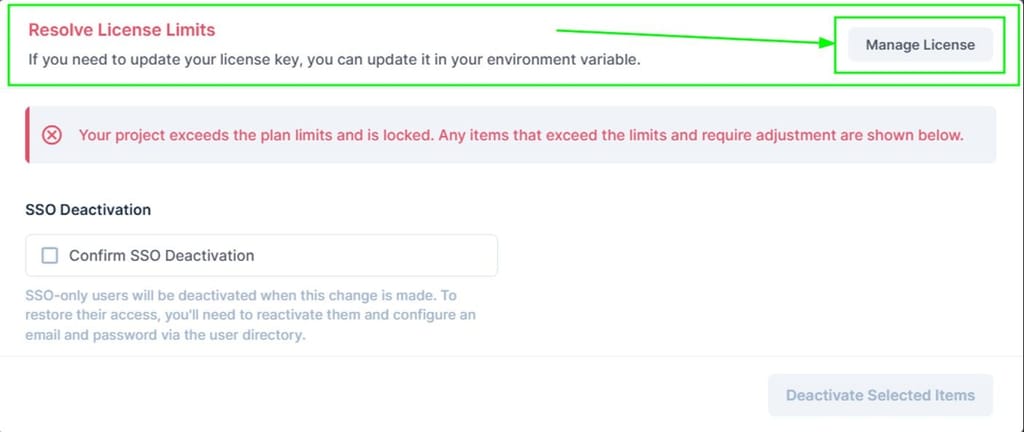
    Option 2: Admin facing modal for migration

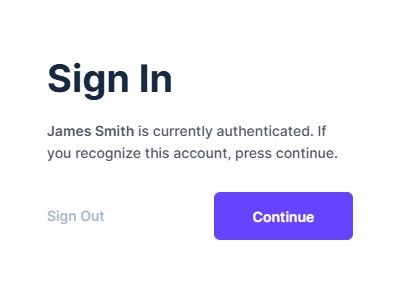
    After updating @directus to version v12 you get greeted with the following view:
    42507b50-d978-457a-a10a-e68fd25961f8-image.jpeg
    Press the Continue button.

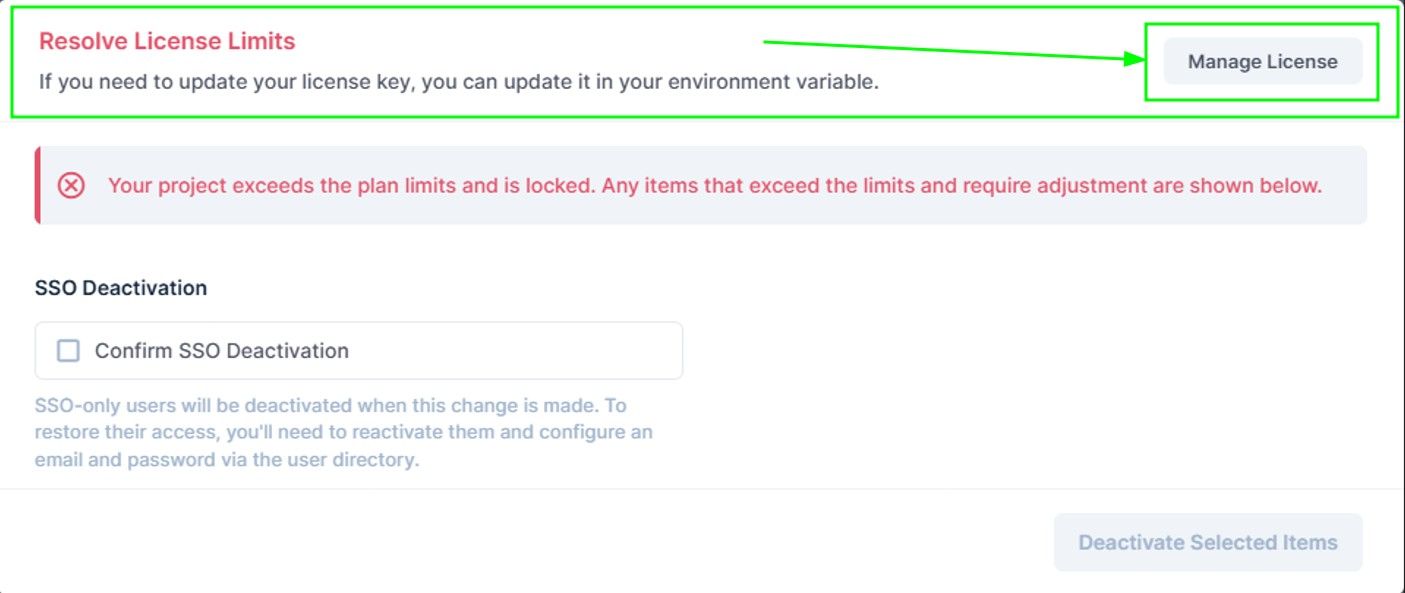
    This view gives the option to either manage your licence or disable SSO.
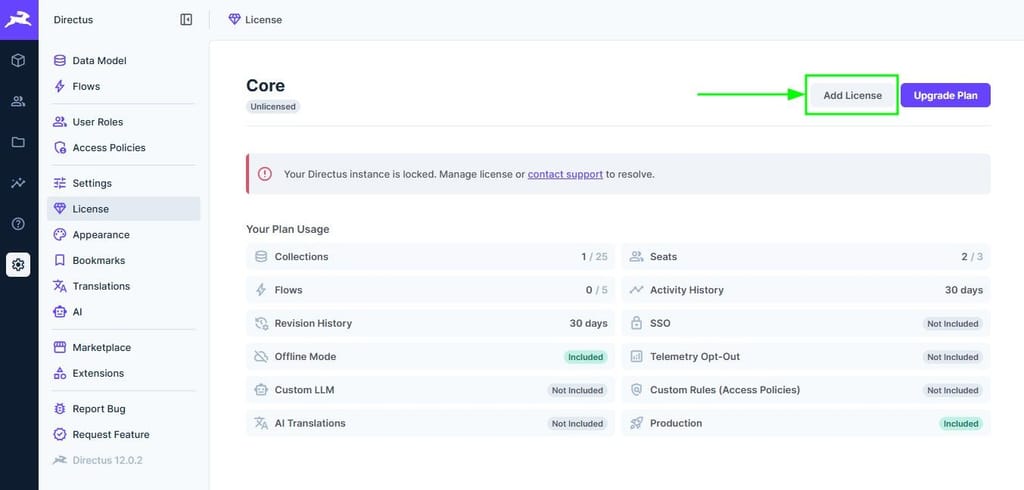
    Press the Manage License button:
    07ede64b-64cf-4284-bcd5-d05198002713-image.jpeg

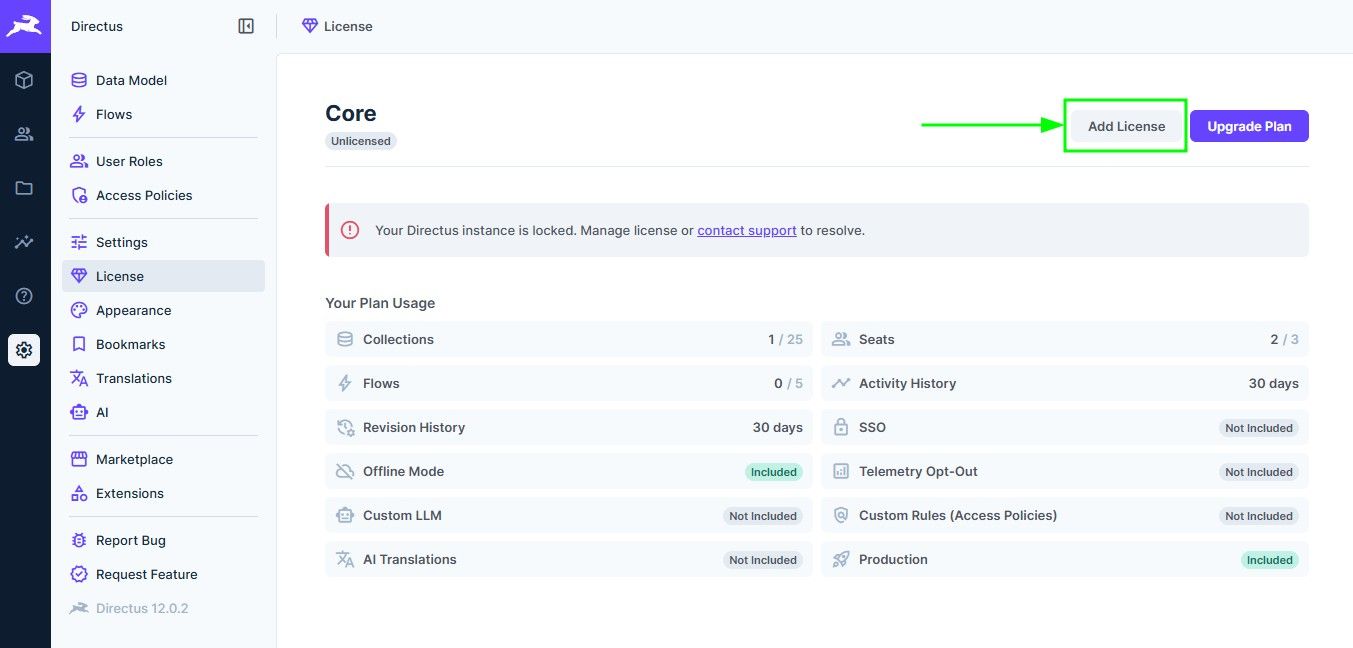
    Following that, press the Add License button:
    4285519e-9c1e-4777-a47a-b5c8a4bb3db2-image.jpeg

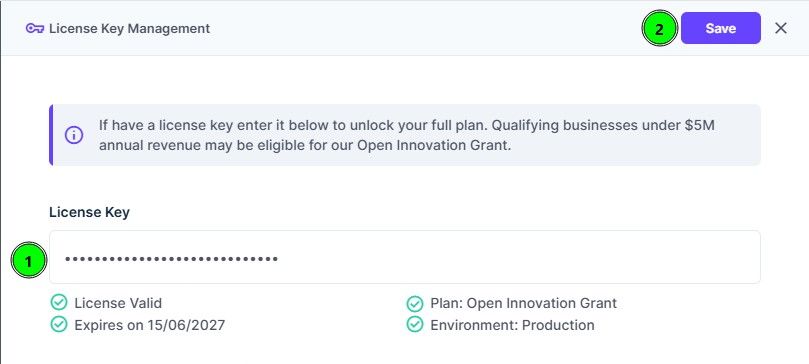
    Enter your licence key (1) and press save (2):
    7c9fff72-1229-4b54-9e45-b9b242729d17-image.jpeg

    1 Reply Last reply
    1

    Hello! It looks like you're interested in this conversation, but you don't have an account yet.

    Getting fed up of having to scroll through the same posts each visit? When you register for an account, you'll always come back to exactly where you were before, and choose to be notified of new replies (either via email, or push notification). You'll also be able to save bookmarks and upvote posts to show your appreciation to other community members.

    With your input, this post could be even better 💗

    Register Login
    Reply
    • Reply as topic
    Log in to reply
    • Oldest to Newest
    • Newest to Oldest
    • Most Votes


    • Login

    • Don't have an account? Register

    • Login or register to search.
    • First post
      Last post
    0
    • Categories
    • Recent
    • Tags
    • Popular
    • Bookmarks
    • Search