
Content-Security-Policy default-src 'self' causes all kinds of issues, effectively breaking LimeSurvey
-
Update:
Content-Security-Policy update default-src 'self' caused all issues.Hello,
the update from v1.6.1 to v1.6.2 (?) seems to have caused a number of issues that have not been fixed in v1.6.3.The LimeSurvey editor switch disappeared: https://help.limesurvey.org/portal/en/kb/articles/switch-editor-version
-> We can't access the old editor, we cannot access responses, we cannot export responses so that we can import an old backup.There is an error message that my browser screen size is too small (it is not):

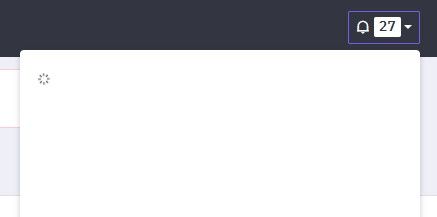
Notifications don't load:
In active surveys, background images etc. don't load.
It tried switching the URL format back to "get" in config.php, but it gets overwritten when the app reloads.
-> https://forum.cloudron.io/topic/15623/new-question-editor-require-config.php-change/6None of these issues are reported in the LimeSurvey forum, so I suppose they be Cloudron-related? -
-
-
-
-
Hello @marylou
The 159.10 backup still has the switch. It also has 'path' in its config.
You can edit that backup in the Cloudron dashboard to make it persistent so it does not get automatically cleaned up when new backups are created.
Are there any logs in the Cloudron web log viewer or browser console logs when the issues is present?
-
-
Hello @marylou
The 159.10 backup still has the switch. It also has 'path' in its config.
You can edit that backup in the Cloudron dashboard to make it persistent so it does not get automatically cleaned up when new backups are created.
Are there any logs in the Cloudron web log viewer or browser console logs when the issues is present?
-
-
@james
Got it, thanks, but the working version does not contain the live surveys...
Also, a newly installed 1.63.0 has the switch and seems fine.
I will try to export/import the surveys into this version and then adjust the URL.I'd be happy to activate remote support

I will try to export the survey structures from the broken / updated v1.63.0 and import them into the newly installed v1.63.0 and then update the URL.
-
-
Changing the theme to fruity to make it compatible with the new editor is not working (neither in a completely new survey nor in the active ones). It looks like all versions containing the live surveys (+ answers) are completely broken.
Is there any other way to export the .lsa?
-
Root SFTP access did not take me anywhere, but I was able to export the lsa through /index.php/admin/export/sa/survey/action/exportarchive/surveyid/123456 and import it into the freshly installed and working v1.63.0.
Everything is there, including all responses.Let's hope adjusting the subdomain and using the same survey-aliases in the new installation will do the trick.
-
-
-


Hello! It looks like you're interested in this conversation, but you don't have an account yet.
Getting fed up of having to scroll through the same posts each visit? When you register for an account, you'll always come back to exactly where you were before, and choose to be notified of new replies (either via email, or push notification). You'll also be able to save bookmarks and upvote posts to show your appreciation to other community members.
With your input, this post could be even better 💗
Register Login