
Orbit – open-source tasks, docs and team chat in one workspace, with an MCP server for AI (community package, testing)
-
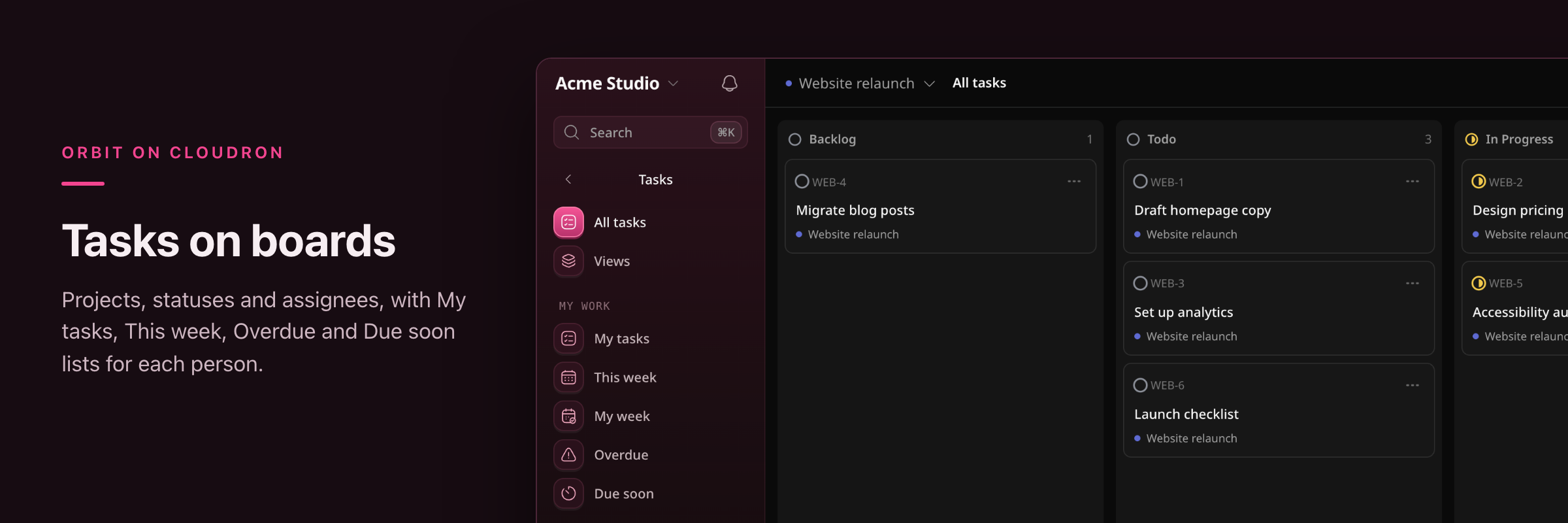
I've packaged Orbit, an Apache-2.0 workspace for teams from the creator of Coolify, as a community app. It puts tasks (projects with list, board and timeline views), docs with live co-editing, and team chat in one app on your own server, and AI clients can work with the whole workspace through its built-in MCP server.
Install: add this catalog under Settings → Community apps, then install Orbit from the App Store:
https://raw.githubusercontent.com/marcusquinn/cloudron-orbit-app/main/CloudronVersions.jsonor
cloudron install --versions-url <that URL> --location orbit.example.com.What fits in with Cloudron
- First run: Orbit prints a one-time setup link in the app's Logs, and
orbit-setup-linkin the Terminal prints a fresh one. Whoever opens it first becomes the root user, so use it straight after installing. - Outgoing mail through the Cloudron relay: invitations, password resets and test email. Orbit keeps its SMTP settings in its database and can't read them from the environment yet (coollabsio/orbit#66). Run
orbit-mail-settingsin the Terminal and paste the values into Admin → Email once. - Backups: the SQLite database (copied consistently by Cloudron), attachments and the app key are in Cloudron backups. I restored a backup into a clone, and the stored SMTP password still decrypted there.
- Live updates through Cloudron's proxy: chat messages and doc edits appear live for other users. Orbit's sign-in rate limits see each user's real address, not the proxy's.
Tested on Cloudron 10.1.6 with two accounts: setup, invitations, chat and doc co-editing between users, mail through the relay, MCP sign-in over OAuth, restart, backup and clone, and an app update.
Good to know
- No webmail yet: Orbit's Mail section is a preview with sample data upstream ("Coming soon"). Despite my wishlist title, it isn't an email client today.
- No Cloudron SSO: Orbit doesn't support OpenID Connect yet (coollabsio/orbit#65). Sign-in is email and password or passkeys, with optional Google and GitHub sign-in.
- Uploads: 25 MiB per file by default (
ORBIT_UPLOAD_MAX_FILE_BYTESin/app/data/orbit.env). For a larger file, chat only says "Upload failed." - 1 GiB memory limit by default; Orbit used about 55 MiB at idle. x86-64 only for now. Requires Cloudron 10.0+.
- Orbit is early-stage (0.2.1). The package runs upstream's release binary, pinned by digest and unmodified. Images and the catalog carry GitHub build provenance.
Links
- Community Apps listing:
- Package, setup guide and issues:
- Orbit:
- App Wishlist post with more screenshots:
This is a testing release, so feedback is welcome, especially from teams of several people and from anyone connecting Claude Code or another MCP client.
I maintain the package independently of the Orbit project; please report packaging problems on the package repo rather than upstream.
- First run: Orbit prints a one-time setup link in the app's Logs, and
-
 M marcusquinn referenced this topic
Hello! It looks like you're interested in this conversation, but you don't have an account yet.
Getting fed up of having to scroll through the same posts each visit? When you register for an account, you'll always come back to exactly where you were before, and choose to be notified of new replies (either via email, or push notification). You'll also be able to save bookmarks and upvote posts to show your appreciation to other community members.
With your input, this post could be even better 💗
Register Login