
cloudron will not install ubuntu 22.04 or 20.04
-
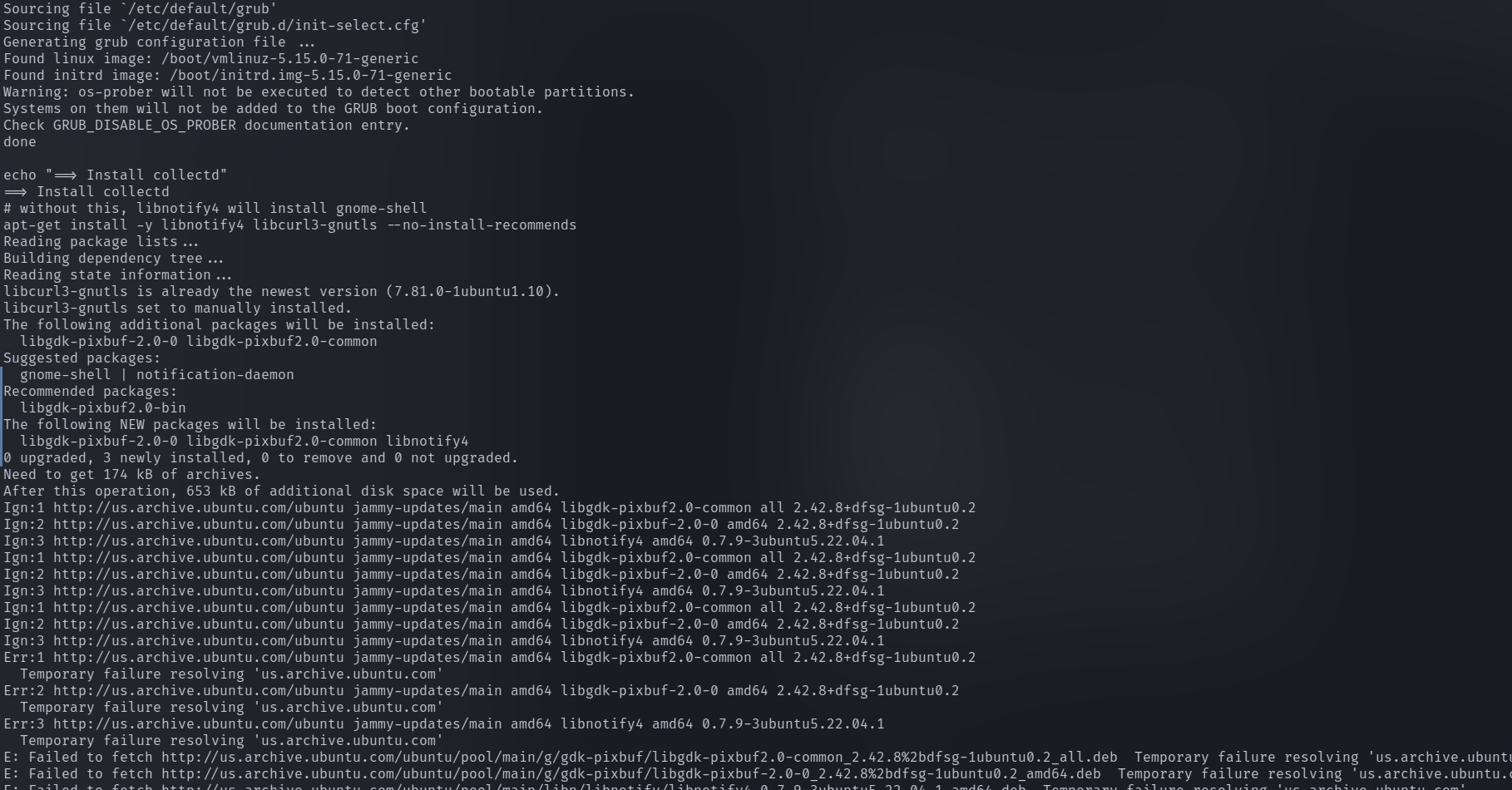
it dose give me the "it seems like there is packages already installed issue, but i looked deeper into my proxmox dns and it looked like it changed.
-
same issue this is the write out of unbound
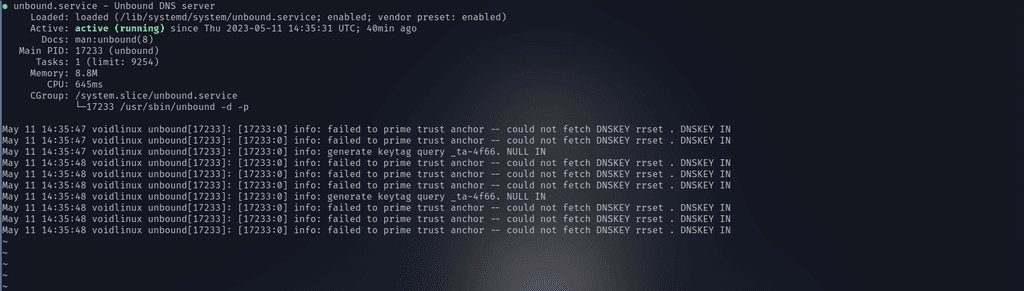
it seems like when i install it on my server something breaks, the dns and the ability to finish the install. i never had this problem before or when i set up cloudron before. because now unbound is running , but it still can't upgrade or update packages.
i get the "Some packages like nginx/docker/nodejs are already installed. Cloudron requires specific versions of these packages and will install them as part of it's installation. Please start with a fresh Ubuntu install and run this script again"
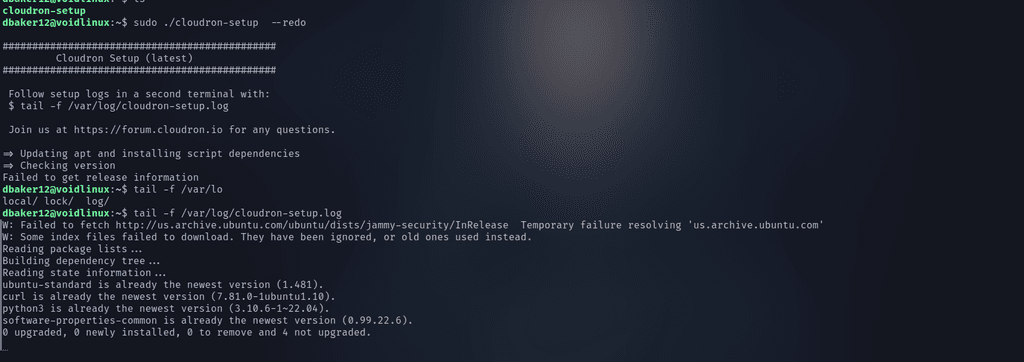
i did a ./cloudron-setup --redo and got this
-
-
@linuxpowerhouse What do you get when you run
host us.archive.ubuntu.com? Is that command failing and if so what is the error message?@girish Host us.archive.ubuntu.com not found: 2(SERVFAIL)
but when i stop unbound i can get it working
-
@linuxpowerhouse What do you get when you run
host us.archive.ubuntu.com? Is that command failing and if so what is the error message?@girish Host us.archive.ubuntu.com not found: 2(SERVFAIL) fails, update fails and install fails
-
@girish Host us.archive.ubuntu.com not found: 2(SERVFAIL)
but when i stop unbound i can get it working
@linuxpowerhouse that is strange, how does it start working with just stopping unbound ? How does your /etc/resolve.conf look like ? It has only 127.0.0.1 right (which is where unbound is listening) ?
As an additional thing to double check: Can you add
do-ip6: falsein the unbound config? For this edit/etc/unbound/unbound.conf.d/cloudron-network.confand add the line in the server section.server: port: 53 interface: 127.0.0.1 interface: 172.18.0.1 ip-freebind: yes do-ip6: yes access-control: 127.0.0.1 allow access-control: 172.18.0.1/16 allow cache-max-negative-ttl: 30 cache-max-ttl: 300Then,
systemctl restart unboundand then againhost us.archive.ubuntu.com. -
@linuxpowerhouse that is strange, how does it start working with just stopping unbound ? How does your /etc/resolve.conf look like ? It has only 127.0.0.1 right (which is where unbound is listening) ?
As an additional thing to double check: Can you add
do-ip6: falsein the unbound config? For this edit/etc/unbound/unbound.conf.d/cloudron-network.confand add the line in the server section.server: port: 53 interface: 127.0.0.1 interface: 172.18.0.1 ip-freebind: yes do-ip6: yes access-control: 127.0.0.1 allow access-control: 172.18.0.1/16 allow cache-max-negative-ttl: 30 cache-max-ttl: 300Then,
systemctl restart unboundand then againhost us.archive.ubuntu.com.@girish this is my /etc/resolv.conf file
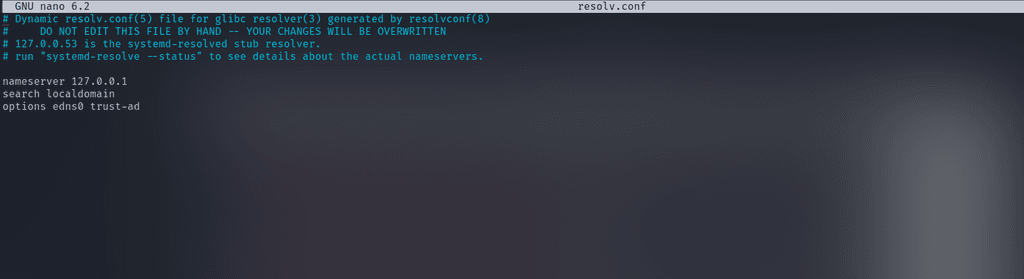
im still getting the same issue. when its running i get the host server error
-
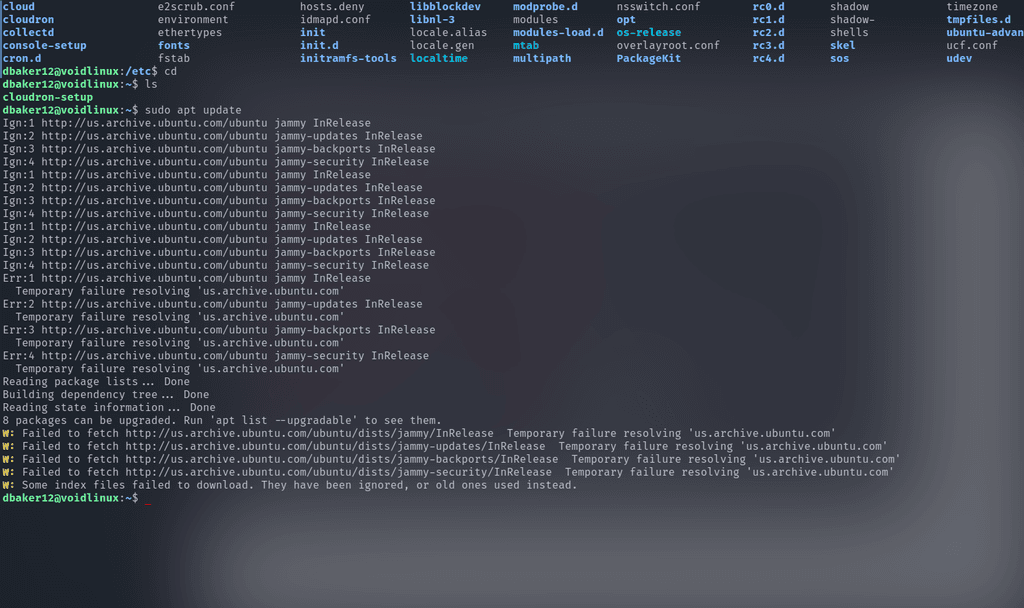
i get this when i also tried to update,
and to maybe add a bit more when i went into the /etc/unbound/unbound.conf.d/cloudron-network.conf it was just 127.0.0.1 under the server section. -
could it be a ubuntu version issue, or somthing that i am missing?
-
-
-
@linuxpowerhouse I would start over to understand where the issue lies.
- Start with fresh ubuntu 22.04
- Does
apt updatework now? - Next,
apt install unbound - Does
apt updatestill work after this?
@girish very weird, i did a fresh install, update works, and then install unbound (its running), and update still is working and the host comand
-
-
ill do it and get back to you.
-
okay, same issue. i get a failed install script. is there s a place i cant send the full log and maybe help you guys with the issue going on
-
@linuxpowerhouse yes, you can put it in https://paste.cloudron.io . If it's private, please just send that link to support@cloudron.io .
-
okay, ill send them an email. even looking through the logs its hard to tell where the issue is coming from. i looked through other issues and thought it was a ubuntu version issue but ive updated and not updated so many times that its very weird to me that it stops right near the end. thank you for your help.
-
@linuxpowerhouse yes, you can put it in https://paste.cloudron.io . If it's private, please just send that link to support@cloudron.io .
@girish also this might be weird, but when echo nameserver 8.8.8.8 | sudo tee /etc/resolv.conf it fixes the download issue, i don't know if it correlates
-
i have solved this issue by installing it into ubuntu 18.04 bionic, but when i upgrade or go to the main startup page i will not resolve the domain name i put in, i keep running into a lot of weird issues
-
@linuxpowerhouse Did you check the upgrading instructions at https://docs.cloudron.io/guides/upgrade-ubuntu-20/ ?
-
 J james has marked this topic as solved on

Hello! It looks like you're interested in this conversation, but you don't have an account yet.
Getting fed up of having to scroll through the same posts each visit? When you register for an account, you'll always come back to exactly where you were before, and choose to be notified of new replies (either via email, or push notification). You'll also be able to save bookmarks and upvote posts to show your appreciation to other community members.
With your input, this post could be even better 💗
Register Login