
Cloudron makes it easy to run web apps like WordPress, Nextcloud, GitLab on your server. Find out more or install now.


Skip to content
  • Categories
  • Recent
  • Tags
  • Popular
  • Bookmarks
  • Search
Skins
  • Light
  • Brite
  • Cerulean
  • Cosmo
  • Flatly
  • Journal
  • Litera
  • Lumen
  • Lux
  • Materia
  • Minty
  • Morph
  • Pulse
  • Sandstone
  • Simplex
  • Sketchy
  • Spacelab
  • United
  • Yeti
  • Zephyr
  • Dark
  • Cyborg
  • Darkly
  • Quartz
  • Slate
  • Solar
  • Superhero
  • Vapor

  • Default (No Skin)
  • No Skin
Collapse
Brand Logo

Cloudron Forum

Apps - Status | Demo | Docs | Install
  1. Cloudron Forum
  2. GitLab
  3. Error During GitLab Update (16.11.2 -> 17.0.1): Insufficient Disk Space

Error During GitLab Update (16.11.2 -> 17.0.1): Insufficient Disk Space
Scheduled Pinned Locked Moved GitLab
5 Posts 3 Posters 2.0k Views 3 Watching
  • Oldest to Newest
  • Newest to Oldest
  • Most Votes
Reply
  • Reply as topic
Log in to reply
This topic has been deleted. Only users with topic management privileges can see it.
  • arshsahzadA Offline
    arshsahzadA Offline
    arshsahzad
    wrote on last edited by
    #1

    I encountered an error while updating GitLab from version 16.11.2 to 17.0.1. The error message is:

    An error occurred during the update operation: FileSystem Error: failed to register layer: Error processing tar file(exit status 1): write /home/git/gitaly/_build/intermediate/praefect: no space left on device


    Screenshot 2024-06-05 at 4.25.04 PM.png

    Screenshot 2024-06-05 at 4.24.38 PM.png

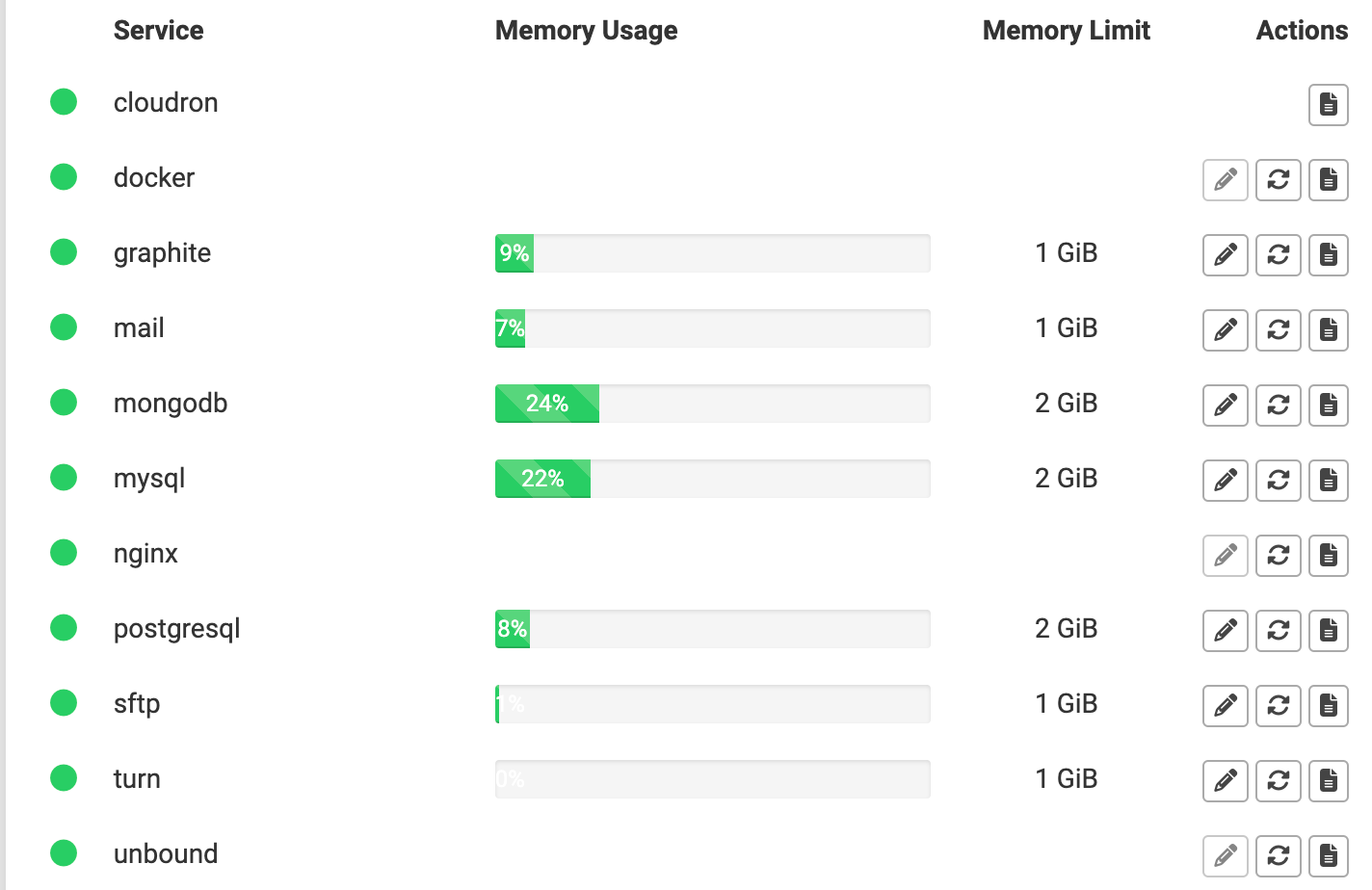
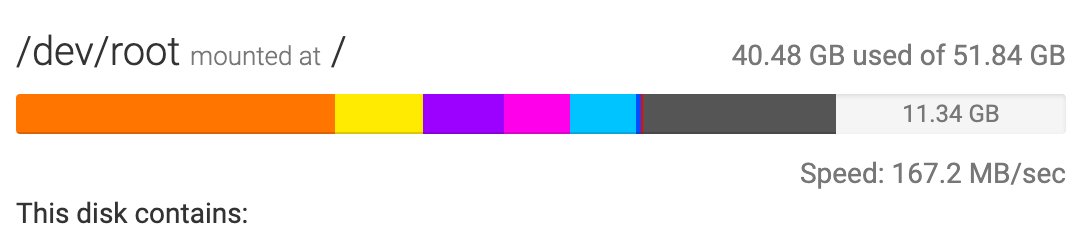
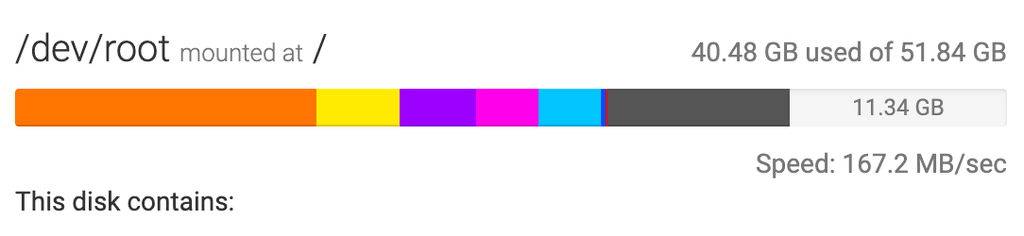
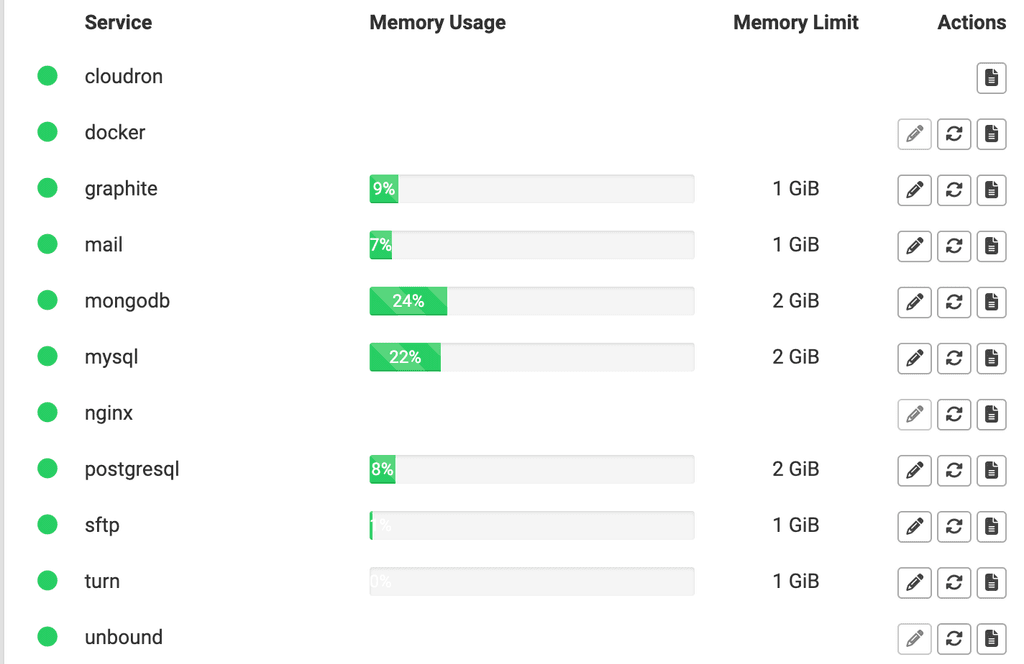
    Although I've verified sufficient space on the server and for services, the error suggests the disk might be full. It's important to note that this is a new configuration and doesn't currently contain any repositories.
    Screenshot 2024-06-05 at 4.23.32 PM.png

    Screenshot 2024-06-05 at 4.23.07 PM.png

    Please advise anyone who has encountered this issue, how to proceed with the given the limited disk space.

    1 Reply Last reply
    0
    • girishG Offline
      girishG Offline
      girish
      Staff
      wrote on last edited by
      #2

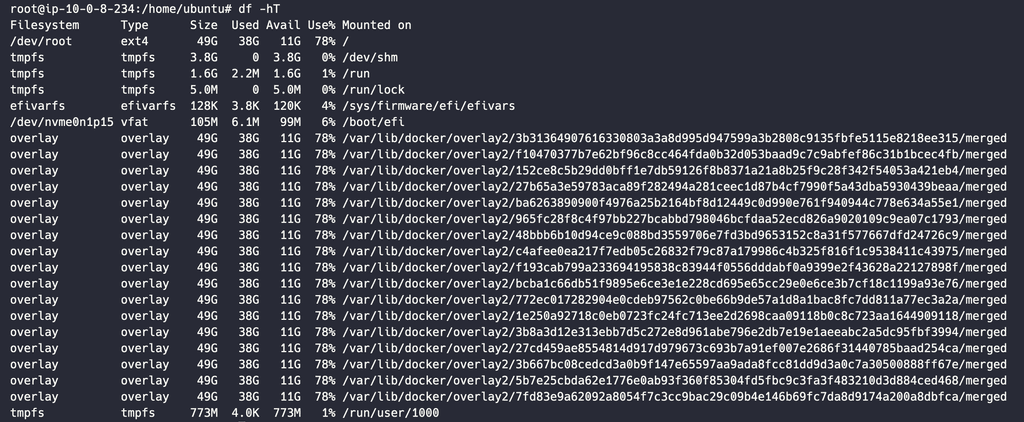
      @arshsahzad The disk usage stats are not update "live". You can check on the server directly using 'df -h` and check the root fs (assuming docker is in the same disk as the root file system).

      If there is space, then you can just app -> recovery -> repair and it should come back up.

      arshsahzadA 1 Reply Last reply
      0
      • arshsahzadA Offline
        arshsahzadA Offline
        arshsahzad
        wrote on last edited by
        #3

        Hi @girish,

        I checked the server earlier, and there is already 11GB of available storage left on the EC2 instance.
        Screenshot 2024-06-11 at 12.53.06 PM.png

        1 Reply Last reply
        0
        • girishG girish

          @arshsahzad The disk usage stats are not update "live". You can check on the server directly using 'df -h` and check the root fs (assuming docker is in the same disk as the root file system).

          If there is space, then you can just app -> recovery -> repair and it should come back up.

          arshsahzadA Offline
          arshsahzadA Offline
          arshsahzad
          wrote on last edited by
          #4

          @girish said in Error During GitLab Update (16.11.2 -> 17.0.1): Insufficient Disk Space:

          app -> recovery -> repair

          Also tried this method but It doesn't seems working

          1 Reply Last reply
          0
          • nebulonN Offline
            nebulonN Offline
            nebulon
            Staff
            wrote on last edited by
            #5

            So despite having 11Gb free, the restore fails due to insufficient disk space? I am not sure how we can help here though. Can you install a fresh gitlab instance fine?

            1 Reply Last reply
            1
            • A AmbroiseUnly referenced this topic on

            Hello! It looks like you're interested in this conversation, but you don't have an account yet.

            Getting fed up of having to scroll through the same posts each visit? When you register for an account, you'll always come back to exactly where you were before, and choose to be notified of new replies (either via email, or push notification). You'll also be able to save bookmarks and upvote posts to show your appreciation to other community members.

            With your input, this post could be even better 💗

            Register Login
            Reply
            • Reply as topic
            Log in to reply
            • Oldest to Newest
            • Newest to Oldest
            • Most Votes


            • Login

            • Don't have an account? Register

            • Login or register to search.
            • First post
              Last post
            0
            • Categories
            • Recent
            • Tags
            • Popular
            • Bookmarks
            • Search


