
Custom skins not loading
-
Previously, custom skins could be added to the
/app/data/skinsdirectory and would render correctly if specified inskinNamein the settings.json file.In this latest version in (org.etherpad.cloudronapp@4.1.0, v2.1.1), custom skins are no longer loading from this directory. Instead, Etherpad is now looking for them in the
/src/static/skinsdirectory.Here's the error in the logs:
[ERROR] settings - Skin path /run/etherpad-lite/src/static/skins/<name> does not exist. Falling back to the default "colibris".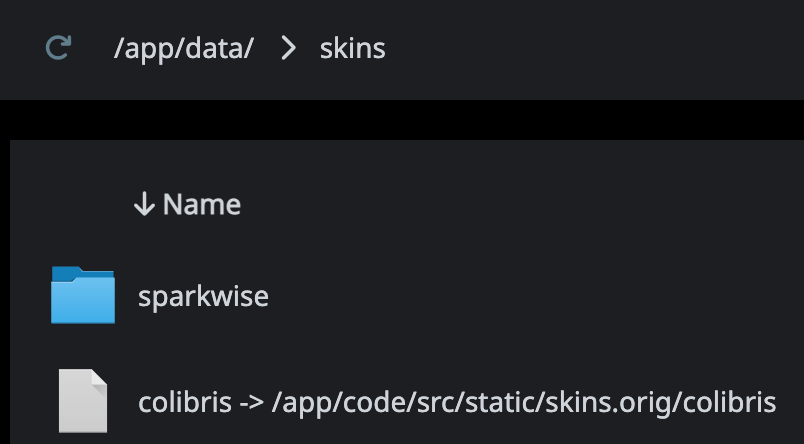
This folder structure previously worked but no longer does. Was the
/app/data/skinspath defined somewhere in the Cloudron package? Perhaps it needs to be re-added? -
 N nebulon marked this topic as a question on
-
@nebulon We're circling back to custom skins as being our primary blocker to updating Etherpad. We believe that the Cloudron packaging change that prevents custom skins from working was when these lines were commented out: https://git.cloudron.io/cloudron/etherpad-lite-app/-/blob/master/start.sh?ref_type=heads&blame=0#L29-33
Would it be possible to reinstate symlink creation for custom skins located in
app/data/skins? I believe the link needs to be added into the/src/static/skinsdirectory to work. -
N nebulon has marked this topic as solved on
-
Thanks for your patience! We just released a new app package which allows adding custom skins again.
Hello! It looks like you're interested in this conversation, but you don't have an account yet.
Getting fed up of having to scroll through the same posts each visit? When you register for an account, you'll always come back to exactly where you were before, and choose to be notified of new replies (either via email, or push notification). You'll also be able to save bookmarks and upvote posts to show your appreciation to other community members.
With your input, this post could be even better 💗
Register Login