
Cloudron makes it easy to run web apps like WordPress, Nextcloud, GitLab on your server. Find out more or install now.


Skip to content
  • Categories
  • Recent
  • Tags
  • Popular
  • Bookmarks
  • Search
Skins
  • Light
  • Brite
  • Cerulean
  • Cosmo
  • Flatly
  • Journal
  • Litera
  • Lumen
  • Lux
  • Materia
  • Minty
  • Morph
  • Pulse
  • Sandstone
  • Simplex
  • Sketchy
  • Spacelab
  • United
  • Yeti
  • Zephyr
  • Dark
  • Cyborg
  • Darkly
  • Quartz
  • Slate
  • Solar
  • Superhero
  • Vapor

  • Default (No Skin)
  • No Skin
Collapse
Brand Logo

Cloudron Forum

Apps - Status | Demo | Docs | Install
  1. Cloudron Forum
  2. Keycloak
  3. realm email configuration

realm email configuration
Scheduled Pinned Locked Moved Keycloak
4 Posts 2 Posters 966 Views 2 Watching
  • Oldest to Newest
  • Newest to Oldest
  • Most Votes
Reply
  • Reply as topic
Log in to reply
This topic has been deleted. Only users with topic management privileges can see it.
  • aurelien-cA Offline
    aurelien-cA Offline
    aurelien-c
    wrote on last edited by
    #1

    I have started investigating KeyCloak as provided by Cloudron (a very good thing!).

    While creating a new realm (beyond the master realm), I have difficulties to set up the mail configuration.

    The master realm has a working configuration, all set by cloudron.

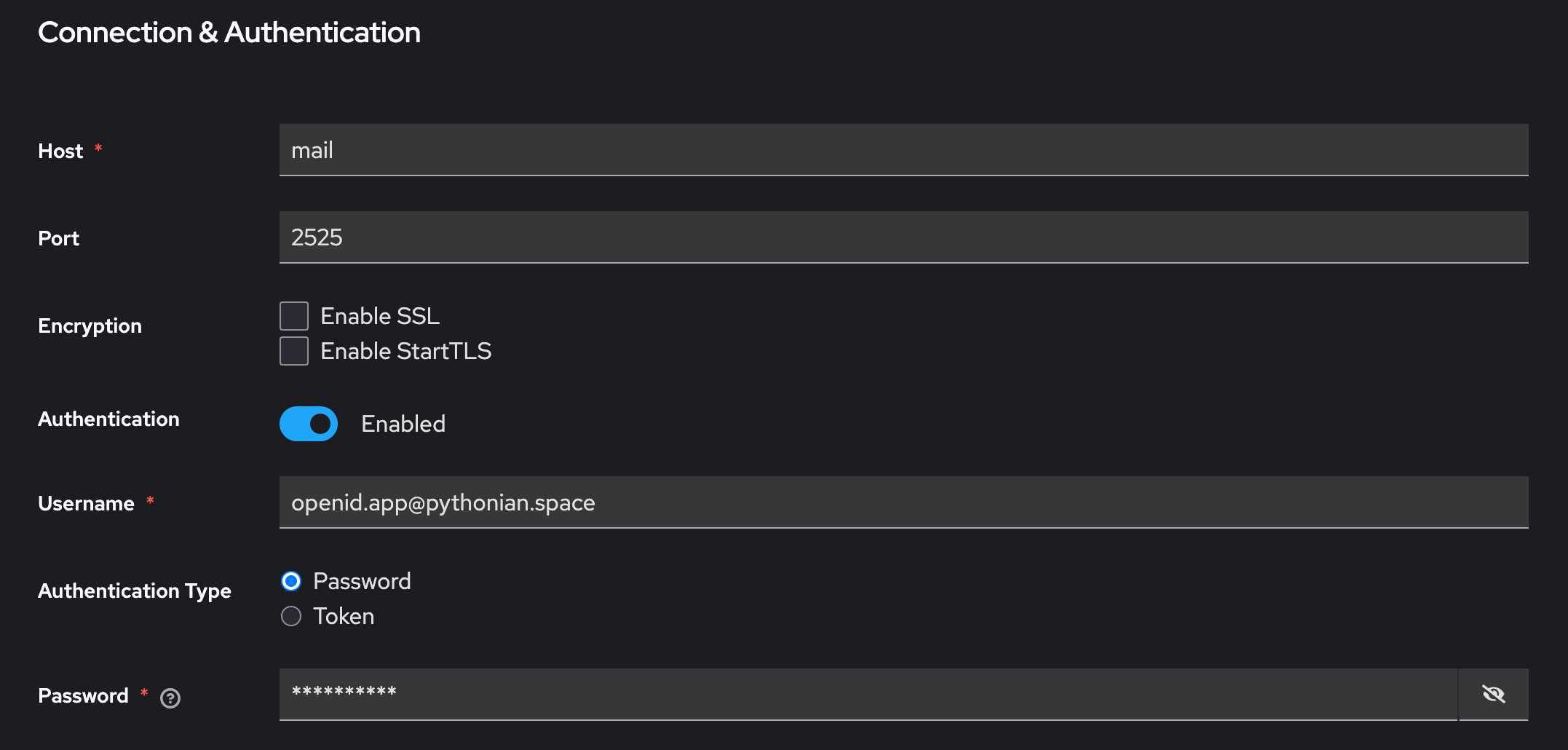
    Trying to replicate as-is (not knowing better), I stumble on the contents of the password field. Its clear value is a sequence of stars, which look like a special value rather than a real password. Replicating it as is clearly does not work.
    Capture d’écran 2025-05-07 à 16.21.03.png

    How are we supposed to set this up for a working realm ? I haven't found (yet) (cloudron-specific) documentation addressing this topic. If it exists I'd be delighted to access it.

    The "mail" host at 2525 clearly looks like an internal cloudron thing, which I see no reason not to reuse there as for the master realm.

    Thanks in advance,
    Aurélien

    1 Reply Last reply
    1
    • J Offline
      J Offline
      joseph
      Staff
      wrote on last edited by
      #2

      @aurelien-c is your email hosted on Cloudron as well? If so, just create a mailbox and use the public mail server credentials (i.e just like you would configure a web mail client) .

      The automatic configuration values can also be used . For this, Web Terminal and then run env | grep CLOUDRON_SMTP_ . This will give the various passwords . But if possible use the first approach, I outlined. The reason is this if the auto configuration changes , then Cloudron will not change your configs ... The public email configuration is constant and won't ever change.

      1 Reply Last reply
      1
      • aurelien-cA Offline
        aurelien-cA Offline
        aurelien-c
        wrote on last edited by
        #3

        Thanks for the quick answer Joseph ! I'll try what you suggest.

        1 Reply Last reply
        1
        • aurelien-cA Offline
          aurelien-cA Offline
          aurelien-c
          wrote on last edited by
          #4

          For the record, the advice was fruitful and I have a working configuration.

          1 Reply Last reply
          2

          Hello! It looks like you're interested in this conversation, but you don't have an account yet.

          Getting fed up of having to scroll through the same posts each visit? When you register for an account, you'll always come back to exactly where you were before, and choose to be notified of new replies (either via email, or push notification). You'll also be able to save bookmarks and upvote posts to show your appreciation to other community members.

          With your input, this post could be even better 💗

          Register Login
          Reply
          • Reply as topic
          Log in to reply
          • Oldest to Newest
          • Newest to Oldest
          • Most Votes


          • Login

          • Don't have an account? Register

          • Login or register to search.
          • First post
            Last post
          0
          • Categories
          • Recent
          • Tags
          • Popular
          • Bookmarks
          • Search