
Public Room List is Not Full
-
I setup Matrix and have added my admin user via this (I did edit the username for my instance but do not include here):
PGPASSWORD=${CLOUDRON_POSTGRESQL_PASSWORD} psql -h ${CLOUDRON_POSTGRESQL_HOST} -p ${CLOUDRON_POSTGRESQL_PORT} -U ${CLOUDRON_POSTGRESQL_USERNAME} -d ${CLOUDRON_POSTGRESQL_DATABASE} -c "UPDATE users SET admin=1 WHERE name='@myuser@mydomain.com'"I setup federation by adding the on the bare domain on port 443 in the well known locations in Cloudron, and it appears to work when I go to federationtester.matrix.org.

I have updated the yaml by placing these two lines in the end:
# By default an instance cannot be added for room discovery in other instances. To enable this feature to make public rooms discoverable, add the following to the config file at /app/data/configs/homeserver.yaml:
allow_public_rooms_over_federation: true
#MSC1772: Matrix Spaces support can be enabled by editing /app/data/configs/homeserver.yaml using the File Manager and adding the following line:
experimental_features: {spaces_enabled: true}
I have no identity server setup and don't know if I need one (please advise). I am trying to add some rooms back that I was a part of through my account on matrix.org (such as Linux Mint and Asahi Linux), but my search results are very limited. I see maybe 100 or so rooms on the public matrix.org listing.

I'm absolutely positive that this is user error, but how can I get access to the full list of public rooms available?
Public spaces is the same - I have one available to join:
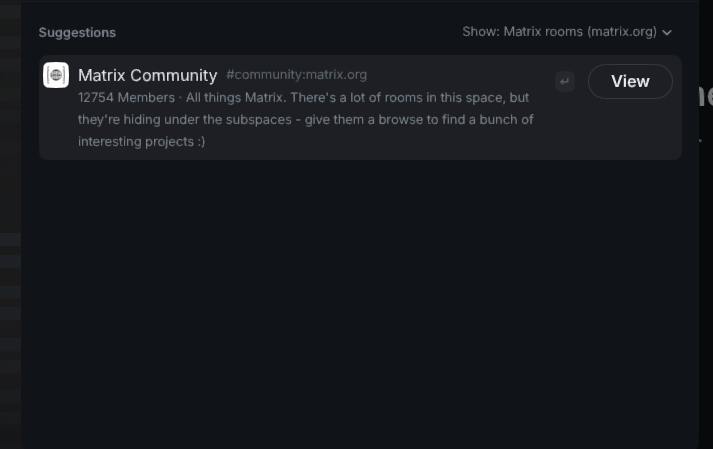
Thanks in advance for any pointers on what I did wrong. Thanks
-
-
I setup Matrix and have added my admin user via this (I did edit the username for my instance but do not include here):
PGPASSWORD=${CLOUDRON_POSTGRESQL_PASSWORD} psql -h ${CLOUDRON_POSTGRESQL_HOST} -p ${CLOUDRON_POSTGRESQL_PORT} -U ${CLOUDRON_POSTGRESQL_USERNAME} -d ${CLOUDRON_POSTGRESQL_DATABASE} -c "UPDATE users SET admin=1 WHERE name='@myuser@mydomain.com'"I setup federation by adding the on the bare domain on port 443 in the well known locations in Cloudron, and it appears to work when I go to federationtester.matrix.org.
I have updated the yaml by placing these two lines in the end:
# By default an instance cannot be added for room discovery in other instances. To enable this feature to make public rooms discoverable, add the following to the config file at /app/data/configs/homeserver.yaml:
allow_public_rooms_over_federation: true
#MSC1772: Matrix Spaces support can be enabled by editing /app/data/configs/homeserver.yaml using the File Manager and adding the following line:
experimental_features: {spaces_enabled: true}
I have no identity server setup and don't know if I need one (please advise). I am trying to add some rooms back that I was a part of through my account on matrix.org (such as Linux Mint and Asahi Linux), but my search results are very limited. I see maybe 100 or so rooms on the public matrix.org listing.
I'm absolutely positive that this is user error, but how can I get access to the full list of public rooms available?
Public spaces is the same - I have one available to join:
Thanks in advance for any pointers on what I did wrong. Thanks
Hello @visamp
I just tested the official element and matrix home server at https://app.element.io/ and had the same issues there.
This is no Cloudron specific issue sadly.The Linux Mint space can be joined directly via. #linuxmint-space:matrix.org and for Ashi, I don't know which one. But you can use the search here: https://matrixrooms.info/search/Asahi
-
Man that helps a lot. Thank you so much. I wonder if we want to update the docs to add rooms/spaces via matrixrooms.info because of this. Either way, thank you so very much.


Hello! It looks like you're interested in this conversation, but you don't have an account yet.
Getting fed up of having to scroll through the same posts each visit? When you register for an account, you'll always come back to exactly where you were before, and choose to be notified of new replies (either via email, or push notification). You'll also be able to save bookmarks and upvote posts to show your appreciation to other community members.
With your input, this post could be even better 💗
Register Login