
CCAI : Cloudron Custom App Installer
-
[Announce] CustomAppGateway (CAG) – Solving the "Chicken & Egg" for Custom Apps
Hi everyone,
I'm excited to share a new project that I hope will be a valuable addition to our ecosystem: CustomAppGateway (CAG).
Available now at CAG Website
The "Chicken & Egg" Problem
For a while now, I've been working on CCAI and then CCAI-P (Cloudron Custom App Installer - Personal), a tool designed to be the primary "Install UI" for custom apps. It empowers you to easily install packaged custom apps that aren't yet in the official store.
However, there is a catch-22: How do you install the installer (CCAI-P) without using the CLI ?
Enter CustomAppGateway (CAG)
CustomAppGateway is the solution to that problem. It is a specialized, lightweight run-once tool designed solely to deploy CCAI-P to your Cloudron instance securely and easily.
It provides three simple methods:
- CAG Online (Hosted): A web-based installer that runs securely in your browser (using a proxy to handle CORS, with tokens processed in memory only).
- CAG Web (self-hosted) : same as above but made easy to deploy to your own server.
- CAG App (Downloaded): A standalone terminal executable for Mac, Windows, and Linux for those who prefer a local utility.
AppStore Independence
CAG and CCAI-P are about AppStore Independence. You are not reliant on waiting for an app to be officially adopted or packaged by the Cloudron team to use it, if you need it NOW.
That said, the Cloudron App Store remains vital. It provides the seamless, tested update mechanism we all rely on. While custom apps give us freedom and immediacy, the App Store is still the gold standard for long-term maintenance and stability.
Updates & Housekeeping
- CCAI-P is now the primary interface for installing custom apps and will receive further updates and improvements.
- The old CCAI open hosted version is effectively deprecated and will be archived/deleted. I encourage everyone to switch to using CCAI-P.
Security
A hot topic which I’ve taken seriously.
CAG leverages the excellent security baked into the Cloudron platform.
We focus on :- using a dedicated one-time token which you create and subsequently delete
- restricting the token to use only on your IP address
The footprint for attack is tiny.
A Note to the Cloudron Team
I want to extend a huge and ongoing thank you to the Cloudron team for their continued, tireless efforts. Cloudron remains the #1 self-hosting platform because of your hard work.
We know you face time and effort constraints with a small team. My hope is that CustomAppGateway and CCAI-P can ease your burden a little by empowering the community to self-service their custom app needs, allowing you to focus on the core platform and official apps.
Where to get it
Status
- hosted installer : zero setup : tested
- web installer : private setup : tested
- desktop installer : minimal setup : tested on MacOS
- TODO :
- test desktop installer on Windows
- test desktop installer on Linux
Feedback is always welcome!
And in doing so, please cut me some slack - it's a ground-breaking project, and as such may have some gremlins for a short (hopefully) while. -
House-keeping :
- Cloudron have announced they will introduce support "in-platform" for custom app deployments

- consequently CCAI (the open hosted-as-a-service version) can no longer be installed from CCAI. (It can be installed manually if really needed but I don't really see why anyone would want to).
- CCAI-P (the personal edition which stores auth creds locally in app) can no longer be installed from CCAI : if you want CCAI-P, use the new https://customappgateway.appx.uk distribution point
- CCAI-P has been cleaned of legacy auth timeouts (inherited from original CCAI) so runtime gremlins should not occur. There is still a manual logout and connect option, in case the user wants to do so manually. Otherwise it should remain 'ready to go' without timeouts.
Improvements :
- both CCAI and CCAI-P still focus on new installations, and there is no support for updating an existing custom app. I am working on introducing support for updates.
The Future :
- with Cloudron's announcement that their v9.1 release will include some support for in-platform deployment of custom apps, "the writing is clearly on the wall" and CCAI / CCAI-P / CustomAppGateway will die and git repos / docker images will be removed at some point.
- I doubt anyone is more pleased than me !
- however we do not know the timescales for Cloudron 9.1 (other big stuff in it too), so I will continue to make available CCAI / CCAI-P until some point after Cloudron 9.1 is stable.
- Cloudron have announced they will introduce support "in-platform" for custom app deployments
-
@timconsidine I left a note at https://forum.cloudron.io/topic/14976/what-s-coming-in-9.1/11 about how we plan to implement this. I don't have a timeline for 9.1 but given the build up all your apps, we are trying to get this out asap!
-
@timconsidine I left a note at https://forum.cloudron.io/topic/14976/what-s-coming-in-9.1/11 about how we plan to implement this. I don't have a timeline for 9.1 but given the build up all your apps, we are trying to get this out asap!
@girish thank you - very helpful - still digesting it.
Hoping to get my final "end of life" changes done today, which can allow CCAI-P to limp on until Cloudron in-platform functionality is tested, then turn the CCAI and CAG websites into digital tombstones.
No need for any rush - always happy for you to take your time to do a proper job (unlike my hashed together PoC).
-
House-keeping :
- Cloudron have announced they will introduce support "in-platform" for custom app deployments
- consequently CCAI (the open hosted-as-a-service version) can no longer be installed from CCAI. (It can be installed manually if really needed but I don't really see why anyone would want to).
- CCAI-P (the personal edition which stores auth creds locally in app) can no longer be installed from CCAI : if you want CCAI-P, use the new https://customappgateway.appx.uk distribution point
- CCAI-P has been cleaned of legacy auth timeouts (inherited from original CCAI) so runtime gremlins should not occur. There is still a manual logout and connect option, in case the user wants to do so manually. Otherwise it should remain 'ready to go' without timeouts.
Improvements :
- both CCAI and CCAI-P still focus on new installations, and there is no support for updating an existing custom app. I am working on introducing support for updates.
The Future :
- with Cloudron's announcement that their v9.1 release will include some support for in-platform deployment of custom apps, "the writing is clearly on the wall" and CCAI / CCAI-P / CustomAppGateway will die and git repos / docker images will be removed at some point.
- I doubt anyone is more pleased than me !
- however we do not know the timescales for Cloudron 9.1 (other big stuff in it too), so I will continue to make available CCAI / CCAI-P until some point after Cloudron 9.1 is stable.
@timconsidine The gui on your new customappgateway.appx.uk is gorgeous!
- Cloudron have announced they will introduce support "in-platform" for custom app deployments
-

deleted my old ccai app and used the new bash thing. I logged in via SSH and typed the command there. It's been going for... 20 mins now? How long is it supposed to take?
Restarted the server and tried the Windows installer instead. It worked perfectly without the https:// part for the cloudron domain link.
@timconsidine new ccai-p is installed now but it won't sync the new library. I entered the token + link in the config and restarted the app. I re-logged in ccai-p as well. No dice.
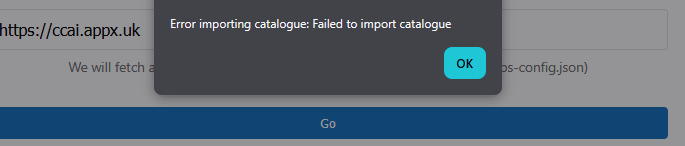
here's the error log when trying to install an app. hth.
[9:18:21 AM] Repository URL provided: https://git.cloudron.io/timconsidine/cloudron-excalidraw [9:18:21 AM] Server will auto-detect default branch and construct manifest URL [9:18:21 AM] Starting installation process... [9:18:21 AM] Installation started. Streaming logs... [9:18:21 AM] [2026-02-05 15:11:37] Verifying Cloudron credentials... [9:18:21 AM] [2026-02-05 15:11:37] Credentials verified successfully [9:18:21 AM] [2026-02-05 15:18:21] Cleaning up any existing installer directory... [9:18:21 AM] [2026-02-05 15:18:21] Creating temporary directory for installation files... [9:18:21 AM] [2026-02-05 15:18:21] Repository URL provided: https://git.cloudron.io/timconsidine/cloudron-excalidraw [9:18:21 AM] [2026-02-05 15:18:21] Server will auto-detect default branch and construct manifest URL [9:18:21 AM] [2026-02-05 15:18:21] Trying https://git.cloudron.io/timconsidine/cloudron-excalidraw/-/raw/main/CloudronManifest.json [9:18:23 AM] [2026-02-05 15:18:21] CloudronManifest.json downloaded successfully [9:18:23 AM] [2026-02-05 15:18:21] Fetching asset logo.png from https://git.cloudron.io/timconsidine/cloudron-excalidraw/-/raw/main/logo.png [9:18:23 AM] [2026-02-05 15:18:22] Fetching postInstallMessage file POSTINSTALL.md from https://git.cloudron.io/timconsidine/cloudron-excalidraw/-/raw/main/POSTINSTALL.md [9:18:23 AM] [2026-02-05 15:18:22] postInstallMessage download failed for POSTINSTALL.md: HTTP 404 [9:18:23 AM] ERROR: Installation failed. Check the logs for details. -
deleted my old ccai app and used the new bash thing. I logged in via SSH and typed the command there. It's been going for... 20 mins now? How long is it supposed to take?
Restarted the server and tried the Windows installer instead. It worked perfectly without the https:// part for the cloudron domain link.
@timconsidine new ccai-p is installed now but it won't sync the new library. I entered the token + link in the config and restarted the app. I re-logged in ccai-p as well. No dice.
here's the error log when trying to install an app. hth.
[9:18:21 AM] Repository URL provided: https://git.cloudron.io/timconsidine/cloudron-excalidraw [9:18:21 AM] Server will auto-detect default branch and construct manifest URL [9:18:21 AM] Starting installation process... [9:18:21 AM] Installation started. Streaming logs... [9:18:21 AM] [2026-02-05 15:11:37] Verifying Cloudron credentials... [9:18:21 AM] [2026-02-05 15:11:37] Credentials verified successfully [9:18:21 AM] [2026-02-05 15:18:21] Cleaning up any existing installer directory... [9:18:21 AM] [2026-02-05 15:18:21] Creating temporary directory for installation files... [9:18:21 AM] [2026-02-05 15:18:21] Repository URL provided: https://git.cloudron.io/timconsidine/cloudron-excalidraw [9:18:21 AM] [2026-02-05 15:18:21] Server will auto-detect default branch and construct manifest URL [9:18:21 AM] [2026-02-05 15:18:21] Trying https://git.cloudron.io/timconsidine/cloudron-excalidraw/-/raw/main/CloudronManifest.json [9:18:23 AM] [2026-02-05 15:18:21] CloudronManifest.json downloaded successfully [9:18:23 AM] [2026-02-05 15:18:21] Fetching asset logo.png from https://git.cloudron.io/timconsidine/cloudron-excalidraw/-/raw/main/logo.png [9:18:23 AM] [2026-02-05 15:18:22] Fetching postInstallMessage file POSTINSTALL.md from https://git.cloudron.io/timconsidine/cloudron-excalidraw/-/raw/main/POSTINSTALL.md [9:18:23 AM] [2026-02-05 15:18:22] postInstallMessage download failed for POSTINSTALL.md: HTTP 404 [9:18:23 AM] ERROR: Installation failed. Check the logs for details.@humptydumpty sorry about your experience - heavy updates and and changed locations - mid-process of going live - almost done now - you might be running into the ecosystem update process.
I will update you when finished. Hopefully not long now
-
Attempting to be concise, I have completed changes to the CCAI environment.
CCAI
- original "hosted-as-a-service" ccai.appx.uk is now disabled and now a placeholder to avoid broken forum links
- new "entry point" is customappgateway.appx.uk
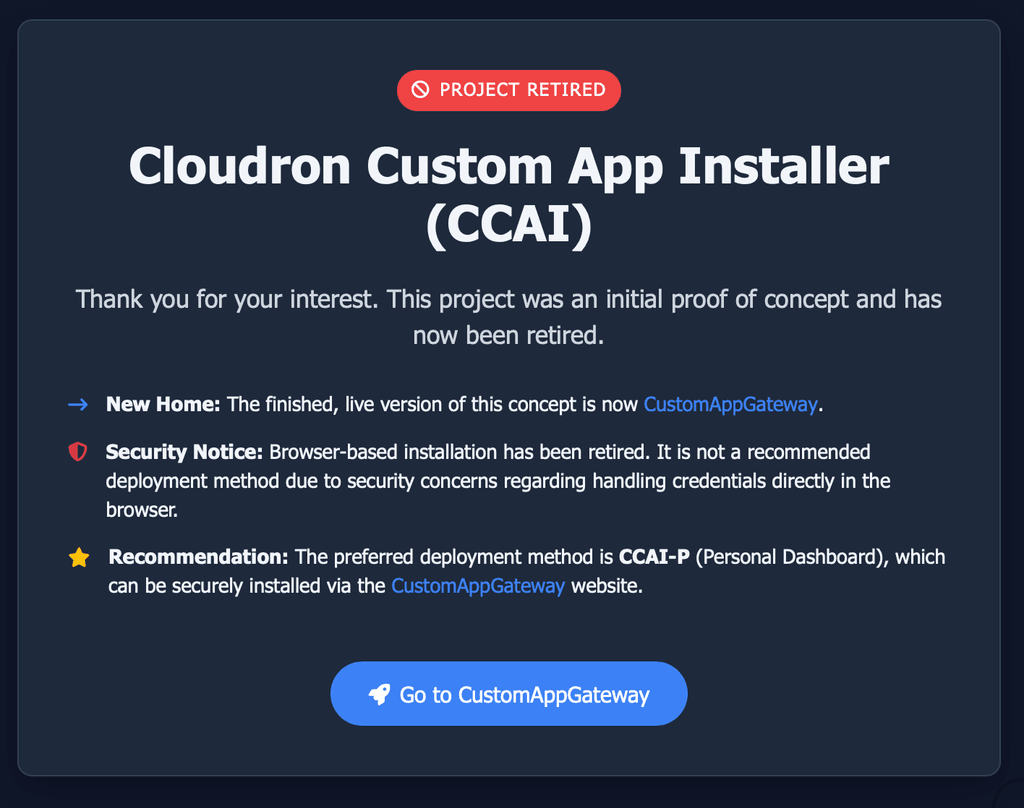
CustomAppGateway
- previously just an installer for CCAI-P, via browser or binary
- deliberate web UI change to create distance from old system/concept
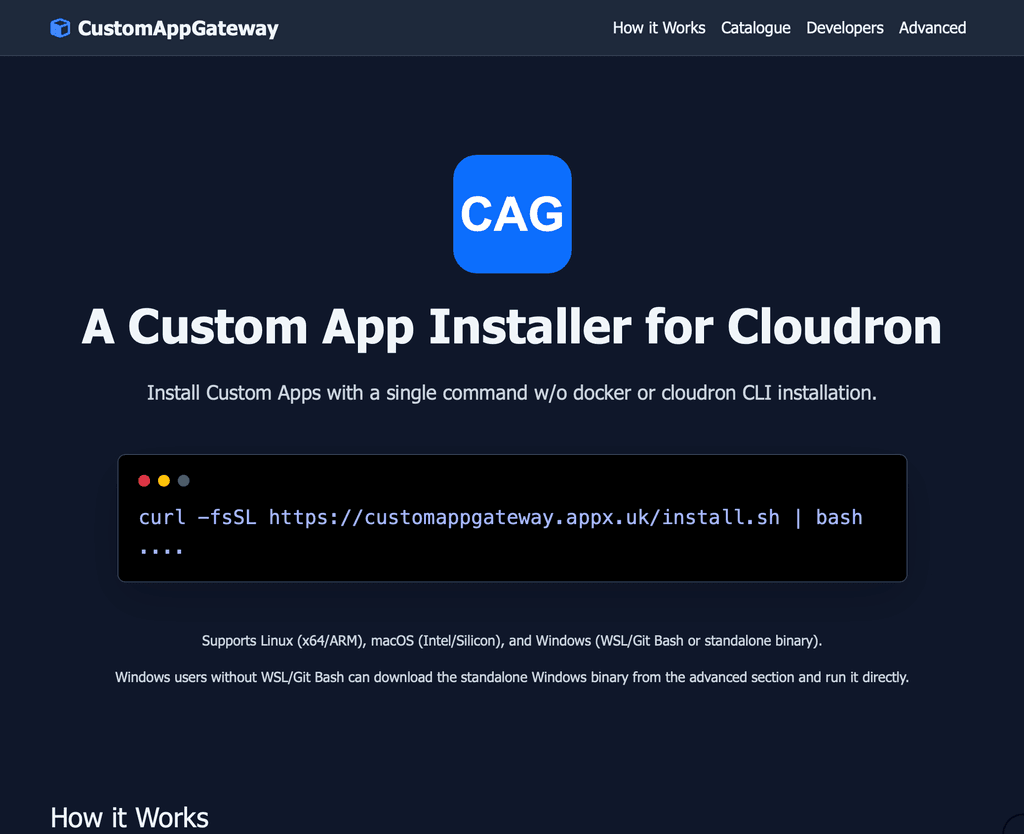
- no more browser-based installations involving submission of creds in a browser
- only supported deploy route is an installer script using a binary (Mac, Linux, Windows as needed), which cleans up by removing the binary on completion
- now can install not just CCAI-P but other custom apps
- custom apps master catalogue now lives in customappgateway
- recommended to install CCAI-P and then install apps from there to enable updates
- but there is also an option to install a single custom app from customappgateway, for those who don't want CCAI-P and don't care about updates
- I re-factored the installer binary to be available for use by others - driven by run-time arguments, no custom app meta-data baked into the installer : see customappgateway.appx.uk Advanced section
CCAI-P
- CCAI-P now supports updates to installed custom apps ... providing they were installed using the new CCAI-P version (uses local 'installed.json' to know what to check)
- Master App Catalogue now maintained (only) by me - I will attempt to keep populated & updated, but let me know if something needs adding or changing - happy to do so
- CCAI-P now supports a Local Catalogue, maintainable by you ! Independence, privacy, experimentation - whatever !
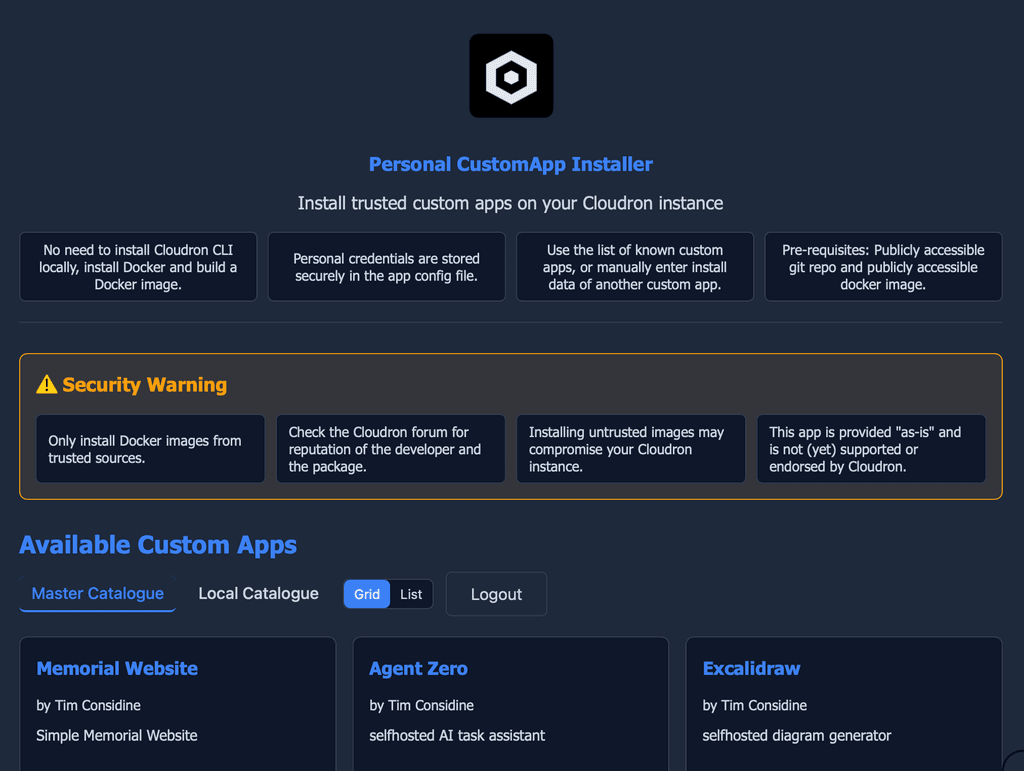
- CCAI-P app update checking and processing is not fully checked (I haven't got any apps to update and I haven't invested time in faking a test). Let me know if any issues. Will try to do some real or fake testing.
Given Cloudron 9.1 upcoming support for custom apps, I am not planning any further major changes, just fixing any reported issues.
-
deleted my old ccai app and used the new bash thing. I logged in via SSH and typed the command there. It's been going for... 20 mins now? How long is it supposed to take?
Restarted the server and tried the Windows installer instead. It worked perfectly without the https:// part for the cloudron domain link.
@timconsidine new ccai-p is installed now but it won't sync the new library. I entered the token + link in the config and restarted the app. I re-logged in ccai-p as well. No dice.
here's the error log when trying to install an app. hth.
[9:18:21 AM] Repository URL provided: https://git.cloudron.io/timconsidine/cloudron-excalidraw [9:18:21 AM] Server will auto-detect default branch and construct manifest URL [9:18:21 AM] Starting installation process... [9:18:21 AM] Installation started. Streaming logs... [9:18:21 AM] [2026-02-05 15:11:37] Verifying Cloudron credentials... [9:18:21 AM] [2026-02-05 15:11:37] Credentials verified successfully [9:18:21 AM] [2026-02-05 15:18:21] Cleaning up any existing installer directory... [9:18:21 AM] [2026-02-05 15:18:21] Creating temporary directory for installation files... [9:18:21 AM] [2026-02-05 15:18:21] Repository URL provided: https://git.cloudron.io/timconsidine/cloudron-excalidraw [9:18:21 AM] [2026-02-05 15:18:21] Server will auto-detect default branch and construct manifest URL [9:18:21 AM] [2026-02-05 15:18:21] Trying https://git.cloudron.io/timconsidine/cloudron-excalidraw/-/raw/main/CloudronManifest.json [9:18:23 AM] [2026-02-05 15:18:21] CloudronManifest.json downloaded successfully [9:18:23 AM] [2026-02-05 15:18:21] Fetching asset logo.png from https://git.cloudron.io/timconsidine/cloudron-excalidraw/-/raw/main/logo.png [9:18:23 AM] [2026-02-05 15:18:22] Fetching postInstallMessage file POSTINSTALL.md from https://git.cloudron.io/timconsidine/cloudron-excalidraw/-/raw/main/POSTINSTALL.md [9:18:23 AM] [2026-02-05 15:18:22] postInstallMessage download failed for POSTINSTALL.md: HTTP 404 [9:18:23 AM] ERROR: Installation failed. Check the logs for details.@humptydumpty I finished the upgrade !
Apologies again that you got caught up in the middle of itIndie app dev, huge fan of Cloudron PaaS, scratching my itches : communityapps.appx.uk
-
@humptydumpty I finished the upgrade !
Apologies again that you got caught up in the middle of it@timconsidine I can't help with code, but more than happy to help with testing!
- I reinstalled CCAI-P via the Windows.exe installer and that went smoothly.
- I reinstalled Zoneminder via the new CCAI-P and that also went smoothly.
- Attempted to install Excalidraw but that didn't work (I logged out in CCAI, restarted app, and clicked on start-over). Here's the log from the CCAI page.
[12:51:13 PM] Repository URL provided: https://git.cloudron.io/timconsidine/cloudron-excalidraw [12:51:13 PM] Server will auto-detect default branch and construct manifest URL [12:51:13 PM] Starting installation process... [12:51:13 PM] Installation started. Streaming logs... [12:51:13 PM] [2026-02-05 18:51:14] Cleaning up any existing installer directory... [12:51:13 PM] [2026-02-05 18:51:14] Creating temporary directory for installation files... [12:51:13 PM] [2026-02-05 18:51:14] Repository URL provided: https://git.cloudron.io/timconsidine/cloudron-excalidraw [12:51:13 PM] [2026-02-05 18:51:14] Server will auto-detect default branch and construct manifest URL [12:51:13 PM] [2026-02-05 18:51:14] Trying https://git.cloudron.io/timconsidine/cloudron-excalidraw/-/raw/main/CloudronManifest.json (Attempt 1/3) [12:51:13 PM] [2026-02-05 18:51:14] DEBUG: Starting download for https://git.cloudron.io/timconsidine/cloudron-excalidraw/-/raw/main/CloudronManifest.json [12:51:16 PM] [2026-02-05 18:51:14] CloudronManifest.json downloaded successfully [12:51:16 PM] [2026-02-05 18:51:14] Fetching asset logo.png from https://git.cloudron.io/timconsidine/cloudron-excalidraw/-/raw/main/logo.png [12:51:16 PM] [2026-02-05 18:51:14] DEBUG: Starting download for https://git.cloudron.io/timconsidine/cloudron-excalidraw/-/raw/main/logo.png [12:51:16 PM] [2026-02-05 18:51:14] Fetching postInstallMessage file POSTINSTALL.md from https://git.cloudron.io/timconsidine/cloudron-excalidraw/-/raw/main/POSTINSTALL.md [12:51:16 PM] [2026-02-05 18:51:14] DEBUG: Starting download for https://git.cloudron.io/timconsidine/cloudron-excalidraw/-/raw/main/POSTINSTALL.md [12:51:16 PM] [2026-02-05 18:51:14] postInstallMessage download failed for POSTINSTALL.md: HTTP 404 [12:51:16 PM] ERROR: Installation failed: Unknown error -
@timconsidine I can't help with code, but more than happy to help with testing!
- I reinstalled CCAI-P via the Windows.exe installer and that went smoothly.
- I reinstalled Zoneminder via the new CCAI-P and that also went smoothly.
- Attempted to install Excalidraw but that didn't work (I logged out in CCAI, restarted app, and clicked on start-over). Here's the log from the CCAI page.
[12:51:13 PM] Repository URL provided: https://git.cloudron.io/timconsidine/cloudron-excalidraw [12:51:13 PM] Server will auto-detect default branch and construct manifest URL [12:51:13 PM] Starting installation process... [12:51:13 PM] Installation started. Streaming logs... [12:51:13 PM] [2026-02-05 18:51:14] Cleaning up any existing installer directory... [12:51:13 PM] [2026-02-05 18:51:14] Creating temporary directory for installation files... [12:51:13 PM] [2026-02-05 18:51:14] Repository URL provided: https://git.cloudron.io/timconsidine/cloudron-excalidraw [12:51:13 PM] [2026-02-05 18:51:14] Server will auto-detect default branch and construct manifest URL [12:51:13 PM] [2026-02-05 18:51:14] Trying https://git.cloudron.io/timconsidine/cloudron-excalidraw/-/raw/main/CloudronManifest.json (Attempt 1/3) [12:51:13 PM] [2026-02-05 18:51:14] DEBUG: Starting download for https://git.cloudron.io/timconsidine/cloudron-excalidraw/-/raw/main/CloudronManifest.json [12:51:16 PM] [2026-02-05 18:51:14] CloudronManifest.json downloaded successfully [12:51:16 PM] [2026-02-05 18:51:14] Fetching asset logo.png from https://git.cloudron.io/timconsidine/cloudron-excalidraw/-/raw/main/logo.png [12:51:16 PM] [2026-02-05 18:51:14] DEBUG: Starting download for https://git.cloudron.io/timconsidine/cloudron-excalidraw/-/raw/main/logo.png [12:51:16 PM] [2026-02-05 18:51:14] Fetching postInstallMessage file POSTINSTALL.md from https://git.cloudron.io/timconsidine/cloudron-excalidraw/-/raw/main/POSTINSTALL.md [12:51:16 PM] [2026-02-05 18:51:14] DEBUG: Starting download for https://git.cloudron.io/timconsidine/cloudron-excalidraw/-/raw/main/POSTINSTALL.md [12:51:16 PM] [2026-02-05 18:51:14] postInstallMessage download failed for POSTINSTALL.md: HTTP 404 [12:51:16 PM] ERROR: Installation failed: Unknown error@humptydumpty let me try it here ....
-
Fixed the issues reported by @humptydumpty
Going to test installation of every app in catalogue, which will take a little time, feel free to report any issues you find.
-
Pushed couple more fixes, continuing to test installation of every app
-
Public service announcement to minimise chance of pulling the rug from under @humptydumpty or others again

Testing of all custom apps in catalogue reveal some stubborn issues on a couple of apps. So ...
 Breaking changes to refactor CCAI-P and CustomAppGateway - they are going to go down for a short while
 Will post here when back up.
-
CustomAppGateway and CCAI-P back in service.
As part of testing installation of all apps in the catalogue, I discovered gremlins (such as what happens if a source repo becomes unavailable or project abandoned, as well some "bound-to-fail-eventually" parsing and other "cleverness").
So I refactored both projects to be simpler and more robust, which needed them to go down.
I probably should do another round of testing all listed apps install correctly. That's on the ToDo list. I think it is all working (ha ha ha, famous last words).
if you already installed CCAI-P, I strongly recommend you reinstall it from customappgateway.appx.uk Custom apps already installed should not need re-installation.
It's just the installers which have changed. -
CustomAppGateway and CCAI-P back in service.
As part of testing installation of all apps in the catalogue, I discovered gremlins (such as what happens if a source repo becomes unavailable or project abandoned, as well some "bound-to-fail-eventually" parsing and other "cleverness").
So I refactored both projects to be simpler and more robust, which needed them to go down.
I probably should do another round of testing all listed apps install correctly. That's on the ToDo list. I think it is all working (ha ha ha, famous last words).
if you already installed CCAI-P, I strongly recommend you reinstall it from customappgateway.appx.uk Custom apps already installed should not need re-installation.
It's just the installers which have changed.@timconsidine i would like to thank you for your efforts and contributions. Please try to do windmill https://github.com/windmill-labs/windmill
And Difyhttps://github.com/AshleyDelph84/dify-self-host
I spend 2 weekends and still not successful
-
@timconsidine i would like to thank you for your efforts and contributions. Please try to do windmill https://github.com/windmill-labs/windmill
And Difyhttps://github.com/AshleyDelph84/dify-self-host
I spend 2 weekends and still not successful
@DualOSWinWiz said in CCAI : Cloudron Custom App Installer:
I spend 2 weekends and still not successful
Well, don't assume I will do better !
Have to finish my VAT return but will look at them afterwards
-
@timconsidine Personally want to thank you for pushing CCAI and moving the development to the point where the Cloudron Team is taking this the next part of journey. In my mind, this makes Cloudron THE platform for hosting custom apps.
@crazybrad thank you.
Almost always I am scratching my own itches, but glad to be able to help others in process.I'm excited to see how Cloudron delivers the functionality, I'm sure it will be more slick than mine.
And I don't think they have ever been 'opposed' to it (it's been in cloudron CLI for yonks), it's just there's always been something more important / higher up on the list. A familiar dilemma.
Even though my project's lifetime will turn out to have short-lived usefulness, it's been a fun project.
Indie app dev, huge fan of Cloudron PaaS, scratching my itches : communityapps.appx.uk




Hello! It looks like you're interested in this conversation, but you don't have an account yet.
Getting fed up of having to scroll through the same posts each visit? When you register for an account, you'll always come back to exactly where you were before, and choose to be notified of new replies (either via email, or push notification). You'll also be able to save bookmarks and upvote posts to show your appreciation to other community members.
With your input, this post could be even better 💗
Register Login