Cloudron 9.0 (beta) bug reports
-
Hello @imc67
You can actually take the id or part of the ID and search for it in the dashboard.
Here: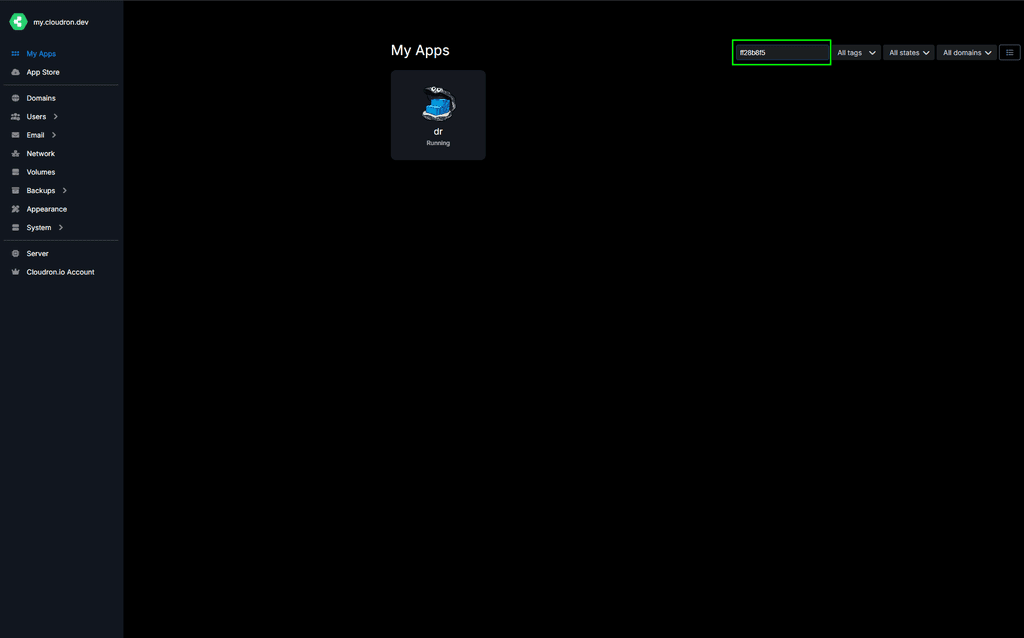
@james said in Cloudron 9.0 (beta) bug reports:
Hello @imc67
You can actually take the id or part of the ID and search for it in the dashboard.
Here:Yes ofcourse I know but for every login of the 30 users to one of the 35 apps (ID) check to corresponding name is ridiculous

In version 8 it like this:
User **** logged in to crm.****.com -
GUI bug?
In the app's Filemanager the 3 dots (menu) on file are hardly visible (MacOS+Safari)
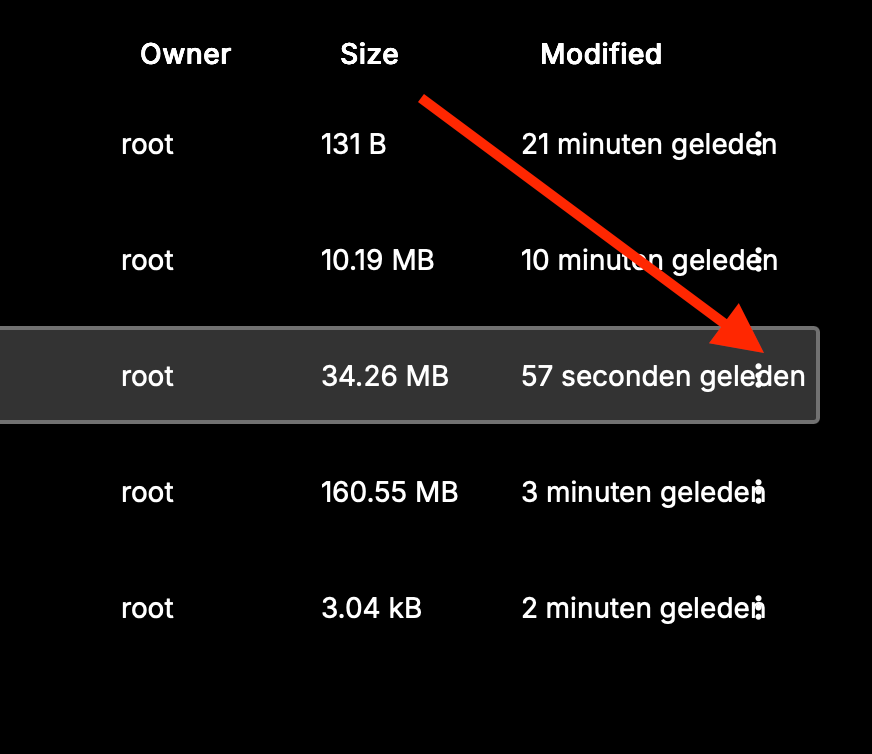 Schermafbeelding 2025-11-20 om 13.00.18
said in Cloudron 9.0 (beta) bug reports:
GUI bug?
In the app's Filemanager the 3 dots (menu) on file are hardly visible (MacOS+Safari)
Schermafbeelding 2025-11-20 om 13.00.18 -
Bug?
In System > Services > nginx > logsAll the logs start with:
Nov 21 01:00:00 *** Nov 21 01:00:00 *** -
haha. same same but different
[no timestamp] 89.xxx.xxx.xxx - - [21/Nov/2025:11:09:52 +0100] "GET /assets/...." [no timestamp] 89.xxx.xxx.xxx - - [21/Nov/2025:11:09:52 +0100] "GET /assets/...." [no timestamp] 89.xxx.xxx.xxx - - [21/Nov/2025:11:09:52 +0100] "GET /api/v1/...." [no timestamp] -
I think I might have found another bug. I am running version 9.0.11.
Let's say you install a new app on "test.example.tld", let it be WordPress Managed. You noticed you installed the wrong app, then your uninstall it. Then you need to install LAMP on the same domain.
After a few minutes working on your new LAMP project, you realize the connection is not working anymore. You check for DNS, seeing that the DNS record (A/AAAA) has been removed.
How can I debug this?
-
Might be wrong, it just came back. The DNS entry was surely gone, I verified it though some external server as well.
-
J jayonrails referenced this topic
-
Request 2: please add an input box to allow custom css so we can customize the dashboard colors easily as it looks like proper classes (global) are being used.

Request 3: please add a dark mode toggle/button to override system settings. My laptop is always in dark mode, but it would be nice to have a light cloudron when needed. Thank you!
-
Subject: Mail Server Performance Issues Since Version 9
Since version 9, I have experienced some issues with the email server. The mail service often hangs when I try to list all mailboxes on the server (overview). In addition, message delivery to Outlook clients is sometimes delayed.
It seems that the mailbox usage overview (storage usage) might consume too many resources and take too long to visualize.
Our server provides 6.75 GiB of memory (without Full & Tika services enabled).
-
Subject: Mail Server Performance Issues Since Version 9
Since version 9, I have experienced some issues with the email server. The mail service often hangs when I try to list all mailboxes on the server (overview). In addition, message delivery to Outlook clients is sometimes delayed.
It seems that the mailbox usage overview (storage usage) might consume too many resources and take too long to visualize.
Our server provides 6.75 GiB of memory (without Full & Tika services enabled).
@CBCUN said in Cloudron 9.0 (beta) bug reports:
Since version 9, I have experienced some issues with the email server. The mail service often hangs when I try to list all mailboxes on the server (overview). In addition, message delivery to Outlook clients is sometimes delayed.
Can you update to 9.0.12 please? I fixed an important IPv6 delivery issue . With 9.0.12, IPv4 will be preferred over IPv6 .
Will look into optimizing the mailbox view to not list usage for all.
-
@imc67 said in Cloudron 9.0 (beta) bug reports:
App’s Filemanager > restart app button: app doesn’t restart
Cloudron Version 9.0.12 not reproducible.
Please check the browser network inspector when pressing the restart button in the web file manager and report any errors that you might see there. -
@imc67 said in Cloudron 9.0 (beta) bug reports:
App’s Filemanager > restart app button: app doesn’t restart
Cloudron Version 9.0.12 not reproducible.
Please check the browser network inspector when pressing the restart button in the web file manager and report any errors that you might see there.@james said in Cloudron 9.0 (beta) bug reports:
@imc67 said in Cloudron 9.0 (beta) bug reports:
App’s Filemanager > restart app button: app doesn’t restart
Cloudron Version 9.0.12 not reproducible.
Please check the browser network inspector when pressing the restart button in the web file manager and report any errors that you might see there.tried to reproduce today and indeed now it works. Maybe some caching since the upgrade?