
[Bug] Cubby: Drag & drop multiple files only uploads the first file
-
Hi @nebulon and the Cloudron team,
I’ve been re-testing Cubby as a NextCloud alternative for my simple file sharing requirements. However, I’ve run into a consistent issue with the web UI on macOS & Windows.
The Issue:
When dragging and dropping multiple files from the macOS Finder / Windows File Explorer or Desktop into the Cubby upload area, only the first file in the selection actually gets uploaded. The rest of the queue seems to be ignored or dropped.Environment:
- OS: macOS Tahoe 26.3 (arm64) / Windows 11 24H2 (x86)
- App: Cubby 2.7.0
- Browser: Safari 26.3 (arm64) and Brave 1.87.188 (arm64) / Brave 1.87.191 (x86)
Steps to Reproduce:
-
Open a folder in Cubby.
-
Select 3-4 files in Finder/File Explorer.
-
Drag and drop them into the Cubby browser window.
-
Observe that only one file appears in the upload queue/folder.
It would be amazing if this could be fixed to support bulk uploads via drag-and-drop, as it's a common basic feature in almost all file sharing apps.
Thanks for all the work on this!
Edit: Updated to report same issue on Windows 11 as on Mac OS Tahoe
-
 N nebulon marked this topic as a question on
-
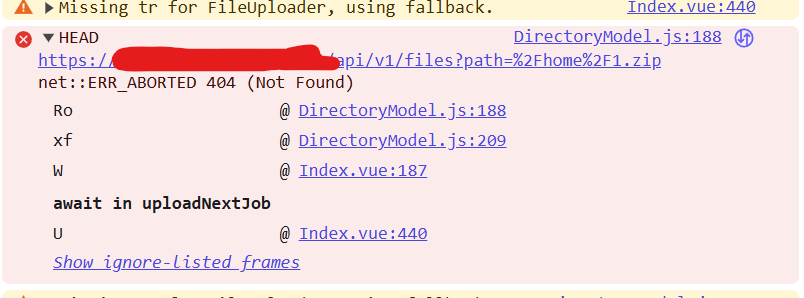
I checked the browser console and noticed a 404 (Not Found) error on a HEAD request right when the drop occurs. It seems to be failing at DirectoryModel.js:188.
Console Log Snippet:
HEAD https://[MY-CUBBY-URL]/api/v1/files?path=%2Fhome%2F[FILE-NAME]... 404 (Not Found)It looks like the application might be halting the queue if it encounters an error checking for the existence of a file path.
-
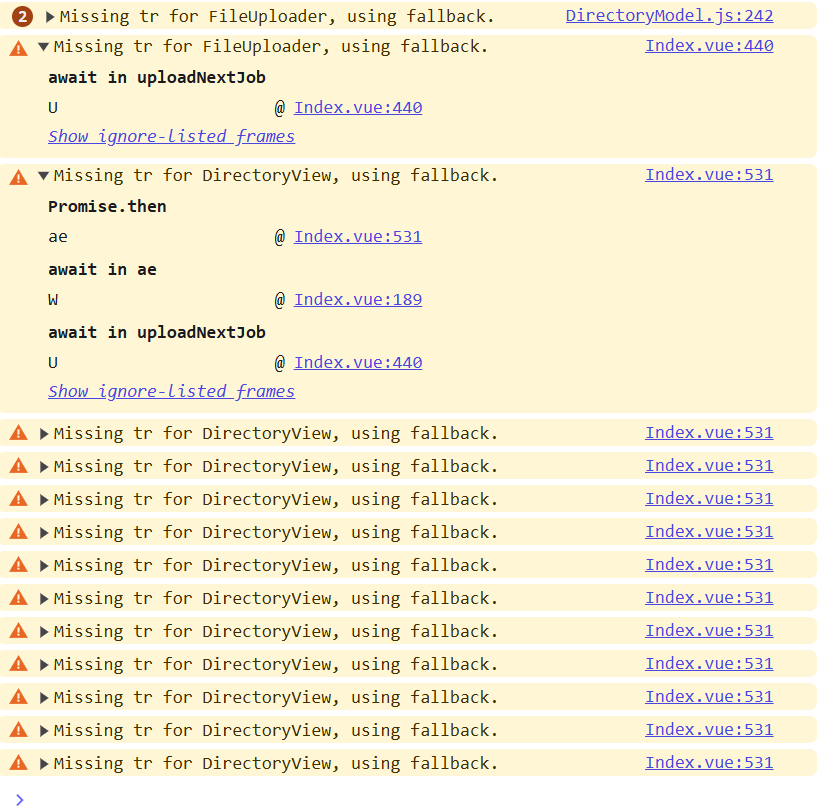
Ok those warnings are to be expected currently and not related. The error is also expected, albeit not an elegant solution, but it checks for filename collisions. So nothing really related to the drop issue. I guess i have to get a setup going where I can reproduce this and debug this. Most likely wrong usage of some browser api it seems on my end.
-
J joseph has marked this topic as solved on
-
N nebulon forked this topic on

Hello! It looks like you're interested in this conversation, but you don't have an account yet.
Getting fed up of having to scroll through the same posts each visit? When you register for an account, you'll always come back to exactly where you were before, and choose to be notified of new replies (either via email, or push notification). You'll also be able to save bookmarks and upvote posts to show your appreciation to other community members.
With your input, this post could be even better 💗
Register Login