Cloudron makes it easy to run web apps like WordPress, Nextcloud, GitLab on your server. Find out more or install now.


Skip to content
  • Categories
  • Recent
  • Tags
  • Popular
  • Bookmarks
  • Search
Skins
  • Light
  • Brite
  • Cerulean
  • Cosmo
  • Flatly
  • Journal
  • Litera
  • Lumen
  • Lux
  • Materia
  • Minty
  • Morph
  • Pulse
  • Sandstone
  • Simplex
  • Sketchy
  • Spacelab
  • United
  • Yeti
  • Zephyr
  • Dark
  • Cyborg
  • Darkly
  • Quartz
  • Slate
  • Solar
  • Superhero
  • Vapor

  • Default (No Skin)
  • No Skin
Collapse
Brand Logo

Cloudron Forum

Apps - Status | Demo | Docs | Install
  1. Cloudron Forum
  2. Cubby
  3. [Bug] Cubby: Drag & drop multiple files only uploads the first file

[Bug] Cubby: Drag & drop multiple files only uploads the first file

Scheduled Pinned Locked Moved Solved Cubby
7 Posts 3 Posters 56 Views 3 Watching
  • Oldest to Newest
  • Newest to Oldest
  • Most Votes
Reply
  • Reply as topic
Log in to reply
This topic has been deleted. Only users with topic management privileges can see it.
  • H Offline
    H Offline
    hakunamatata
    wrote last edited by hakunamatata
    #1

    Hi @nebulon and the Cloudron team,

    I’ve been re-testing Cubby as a NextCloud alternative for my simple file sharing requirements. However, I’ve run into a consistent issue with the web UI on macOS & Windows.

    The Issue:
    When dragging and dropping multiple files from the macOS Finder / Windows File Explorer or Desktop into the Cubby upload area, only the first file in the selection actually gets uploaded. The rest of the queue seems to be ignored or dropped.

    Environment:

    • OS: macOS Tahoe 26.3 (arm64) / Windows 11 24H2 (x86)
    • App: Cubby 2.7.0
    • Browser: Safari 26.3 (arm64) and Brave 1.87.188 (arm64) / Brave 1.87.191 (x86)

    Steps to Reproduce:

    1. Open a folder in Cubby.

    2. Select 3-4 files in Finder/File Explorer.

    3. Drag and drop them into the Cubby browser window.

    4. Observe that only one file appears in the upload queue/folder.

    It would be amazing if this could be fixed to support bulk uploads via drag-and-drop, as it's a common basic feature in almost all file sharing apps.

    Thanks for all the work on this!

    Edit: Updated to report same issue on Windows 11 as on Mac OS Tahoe

    1 Reply Last reply
    0
    • nebulonN Offline
      nebulonN Offline
      nebulon
      Staff
      wrote last edited by
      #2

      Oh that should not be the case, but I only have linux/gnome to test the dropping with, where this works fine. Do you happen so see any errors in the browser console after dropping?

      1 Reply Last reply
      0
      • nebulonN nebulon marked this topic as a question
      • H Offline
        H Offline
        hakunamatata
        wrote last edited by
        #3

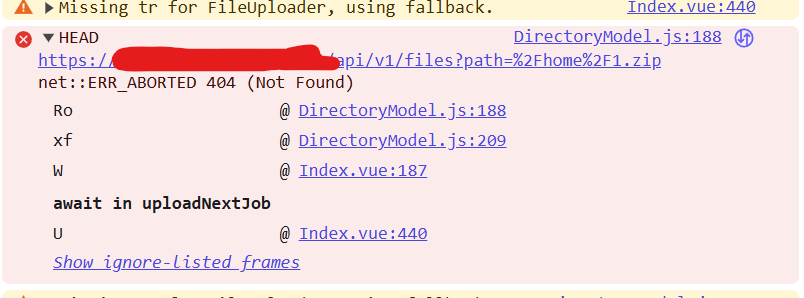
        I checked the browser console and noticed a 404 (Not Found) error on a HEAD request right when the drop occurs. It seems to be failing at DirectoryModel.js:188.

        Console Log Snippet:

        HEAD https://[MY-CUBBY-URL]/api/v1/files?path=%2Fhome%2F[FILE-NAME]... 404 (Not Found)
        

        It looks like the application might be halting the queue if it encounters an error checking for the existence of a file path.

        1 Reply Last reply
        0
        • humptydumptyH Offline
          humptydumptyH Offline
          humptydumpty
          wrote last edited by humptydumpty
          #4

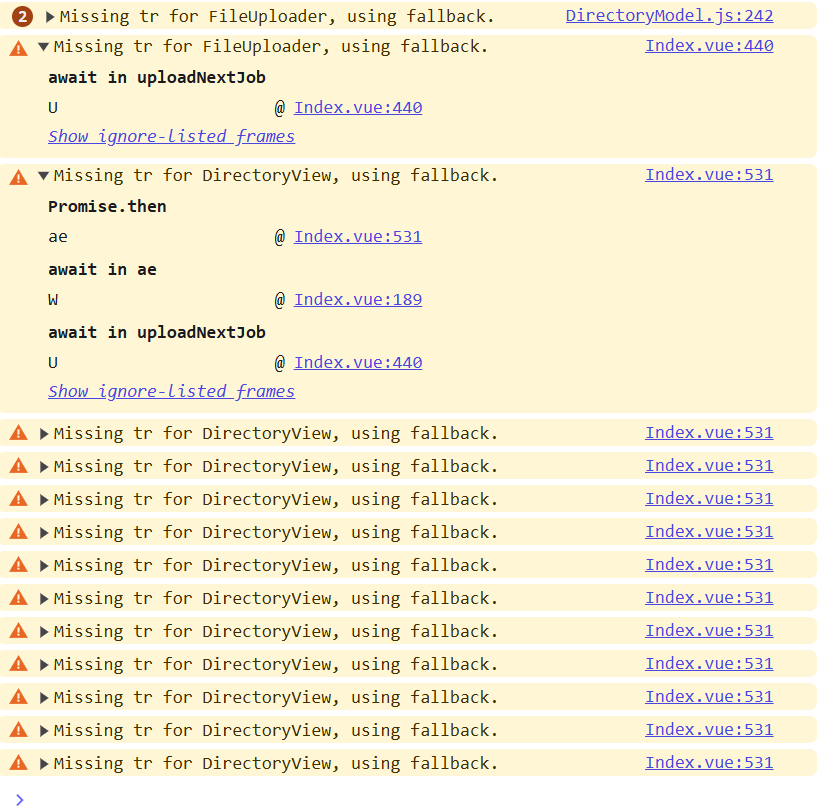
          I can reproduce the issue on Windows 11 in Brave. Firefox handles multi-uploads just fine.

          f3ce7b21-531e-4911-a313-aed3bb05273e-image.png
          28df1696-00b3-461c-9a75-d5ba9042df31-image.png

          1 Reply Last reply
          2
          • nebulonN Offline
            nebulonN Offline
            nebulon
            Staff
            wrote last edited by
            #5

            Ok those warnings are to be expected currently and not related. The error is also expected, albeit not an elegant solution, but it checks for filename collisions. So nothing really related to the drop issue. I guess i have to get a setup going where I can reproduce this and debug this. Most likely wrong usage of some browser api it seems on my end.

            1 Reply Last reply
            2
            • nebulonN Offline
              nebulonN Offline
              nebulon
              Staff
              wrote last edited by
              #6

              I found a fix for this: https://git.cloudron.io/apps/cubby/-/commit/3ea54dc85266177ffde5b35f83e207c9ba5ef527

              will be part of next package release.

              1 Reply Last reply
              3
              • J joseph has marked this topic as solved
              • nebulonN Offline
                nebulonN Offline
                nebulon
                Staff
                wrote last edited by
                #7

                New package is out with the fix.

                1 Reply Last reply
                1
                Reply
                • Reply as topic
                Log in to reply
                • Oldest to Newest
                • Newest to Oldest
                • Most Votes


                • Login

                • Don't have an account? Register

                • Login or register to search.
                • First post
                  Last post
                0
                • Categories
                • Recent
                • Tags
                • Popular
                • Bookmarks
                • Search