
how to reset 2fa for admin?
-
Hello! Documentation says admin can reset 2FA for the user; but how admin's 2FA be reset, if, let's say, he lost his device?
-
Hello! Documentation says admin can reset 2FA for the user; but how admin's 2FA be reset, if, let's say, he lost his device?
@potemkin_ai I just did a little hacking to see if I could do that from the command line.
ssh into your server, get root access.
mysql -uroot -ppassword -e "select username, email, resetToken, twoFactorAuthenticationSecret, twoFactorAuthenticationEnabled from box.users";

+------------------+------------------------+------------------------------------------------------------------+------------------------------------------------------+--------------------------------+
| username         | email                  | resetToken                                                       | twoFactorAuthenticationSecret                        | twoFactorAuthenticationEnabled |
+------------------+------------------------+------------------------------------------------------------------+------------------------------------------------------+--------------------------------+
| t.test           | test@domain.tld        |                                                                  | REDACTED                                             |           1                    |
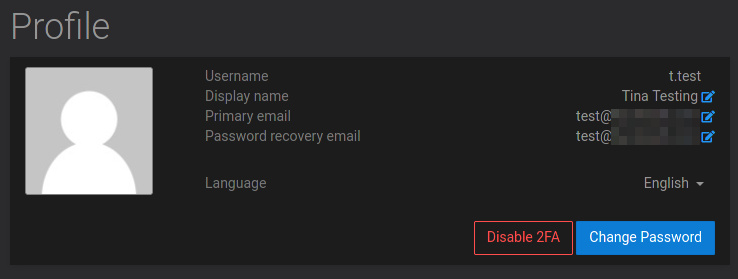
+------------------+------------------------+------------------------------------------------------------------+------------------------------------------------------+--------------------------------+
Then I disable it via mysql:
mysql -uroot -ppassword -e "UPDATE box.users set twoFactorAuthenticationEnabled=0 where username='t.test'";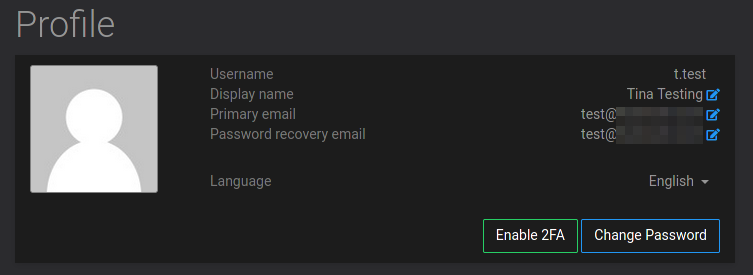
De Nada
Like my work? Consider donating a drink. Cheers!
-
@potemkin_ai I just did a little hacking to see if I could do that from the command line.
ssh into your server, get root access.
mysql -uroot -ppassword -e "select username, email, resetToken, twoFactorAuthenticationSecret, twoFactorAuthenticationEnabled from box.users";

+------------------+------------------------+------------------------------------------------------------------+------------------------------------------------------+--------------------------------+
| username         | email                  | resetToken                                                       | twoFactorAuthenticationSecret                        | twoFactorAuthenticationEnabled |
+------------------+------------------------+------------------------------------------------------------------+------------------------------------------------------+--------------------------------+
| t.test           | test@domain.tld        |                                                                  | REDACTED                                             |           1                    |
+------------------+------------------------+------------------------------------------------------------------+------------------------------------------------------+--------------------------------+
Then I disable it via mysql:
mysql -uroot -ppassword -e "UPDATE box.users set twoFactorAuthenticationEnabled=0 where username='t.test'";De Nada
@brutalbirdie
I might be possible to do this via api.https://my.domain.tld/api/v1/profile/twofactorauthentication_disable{"password":"TheUsersPassword"}Testing right now.
Nah this wont work, you need an active user session for this api call as far as I can tell.
the top solution is working fine. -
@potemkin_ai I just did a little hacking to see if I could do that from the command line.
ssh into your server, get root access.
mysql -uroot -ppassword -e "select username, email, resetToken, twoFactorAuthenticationSecret, twoFactorAuthenticationEnabled from box.users";

+------------------+------------------------+------------------------------------------------------------------+------------------------------------------------------+--------------------------------+
| username         | email                  | resetToken                                                       | twoFactorAuthenticationSecret                        | twoFactorAuthenticationEnabled |
+------------------+------------------------+------------------------------------------------------------------+------------------------------------------------------+--------------------------------+
| t.test           | test@domain.tld        |                                                                  | REDACTED                                             |           1                    |
+------------------+------------------------+------------------------------------------------------------------+------------------------------------------------------+--------------------------------+
Then I disable it via mysql:
mysql -uroot -ppassword -e "UPDATE box.users set twoFactorAuthenticationEnabled=0 where username='t.test'";De Nada
@brutalbirdie thanks a lot!!
-
@brutalbirdie
I might be possible to do this via api.https://my.domain.tld/api/v1/profile/twofactorauthentication_disable{"password":"TheUsersPassword"}Testing right now.
Nah this wont work, you need an active user session for this api call as far as I can tell.
the top solution is working fine.@brutalbirdie thanks for trying a few options!
-
@BrutalBirdie is correct, setting the
twoFactorAuthenticationEnableddatabase field for that user to0will remove the 2fa for that user. The next release will have a button for admins to do this from the dashboard. -
@nebulon thanks; how can admin reset 2FA if he can't login to the dashboard?
@potemkin_ai It's documented in a different section at https://docs.cloudron.io/user-management/#admins . But easiest way is to just SSH and run
cloudron-support --owner-login. This will give you a temporary username/password to login with. Can only be used to login once. This password will bypass any 2FA.I will fix the docs.
-
@potemkin_ai It's documented in a different section at https://docs.cloudron.io/user-management/#admins . But easiest way is to just SSH and run
cloudron-support --owner-login. This will give you a temporary username/password to login with. Can only be used to login once. This password will bypass any 2FA.I will fix the docs.
@girish thanks a lot, that sounds just right



