
@nebulon Now that Euro-Office has been released is there, any plan to integrate Euro-Office as part of the official Cloudron apps in the same way as Collabora or ONLYOFFICE?
G
giofonseca
@giofonseca
Posts
-
a new competitor -
Wopi issue after Update to 26.04.1.4.1How to reproduce:
Update Collabora to version 26.04.1.4.1 and try to open a document in Nextcloud. It will prompt a WOPI unauthorized Error.
Messure to "solve":
Rolled back to previous version
-
Social App for Nextcloud error: 'well-known` URLs, failedHi there!
After installing Social app I am getting this error:
Your web server is not properly set up to resolve.well-knownURLs, failed on:/.well-known/webfingerFor more details see the documentation
And looking at the documentation I don't see the way to solve it for Social.
I recently installed the synapse for Matrix in Cloudron and realized that there is a way to define those well-known URLs on the "Domain settings" in Cloudron. It would be possible to add a similar field for Nextcloud in case of using the Social app, and it would that solve this error, for Nextcloud? Or am I totally lost?Thanks in advance for your help!
Best regards, -
Wopi issue after Update to 26.04.1.4.1Hi @james,
I can confirm that your workaround solved that issue, thanks for your quick reaction, now I will update Collabora in production! -
Social App for Nextcloud error: 'well-known` URLs, failed@james That sounds great, thanks!
-
The php-smbclient library provides improved compatibility and performance for SMB storages. -
Importing database(activitity) presets is not workingHi there,
In my productive Cloudron-Moodle is not possible to import database preset (.zip files) into the database activity. Therefore, I create a fresh Moddle-test instance and the same problem happened.
ERROR: [tempdir]/run/moodle/temp/forms/tempup_vOKdqD is not a preset.Here are the steps to reproduce the error:
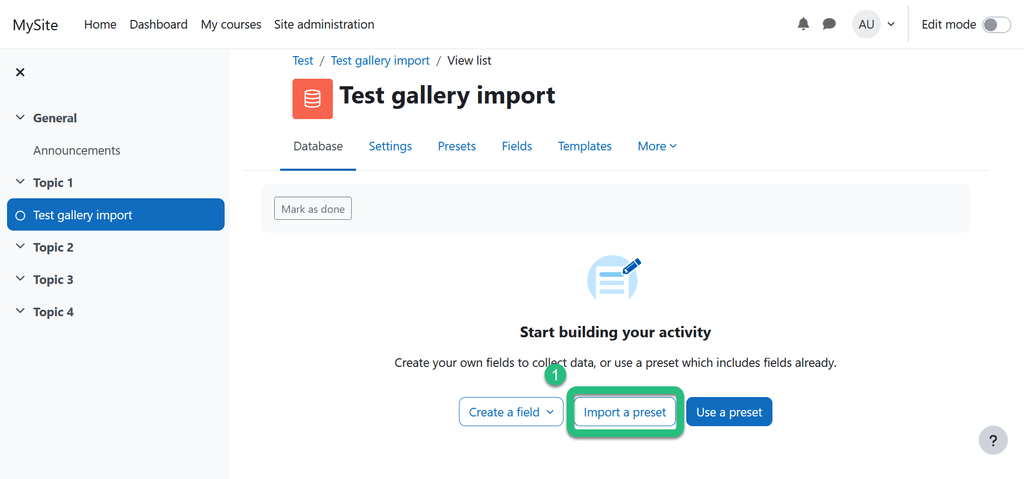
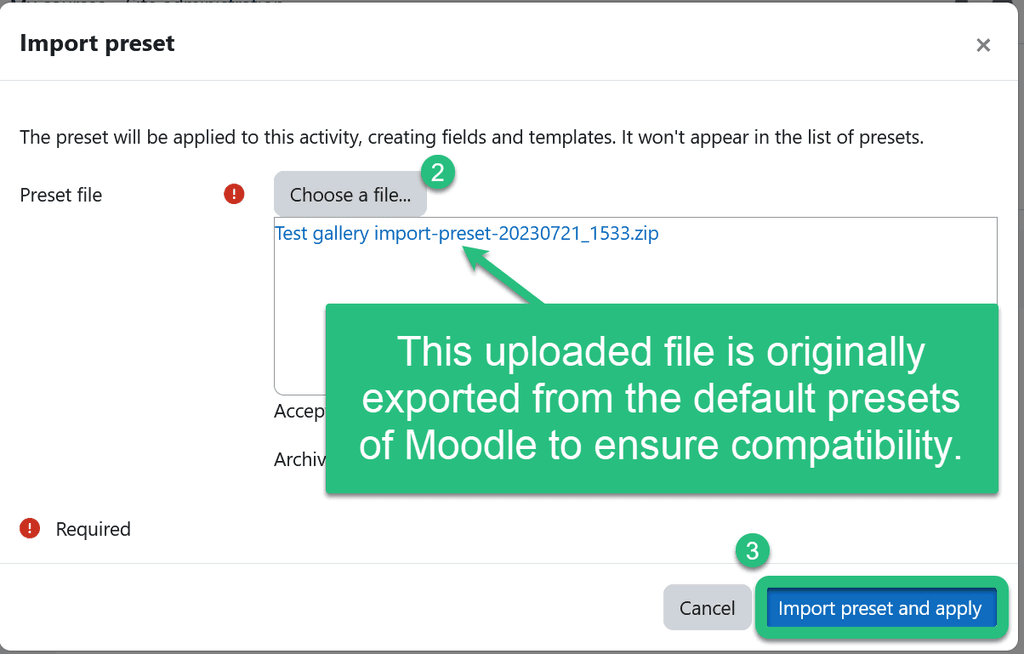
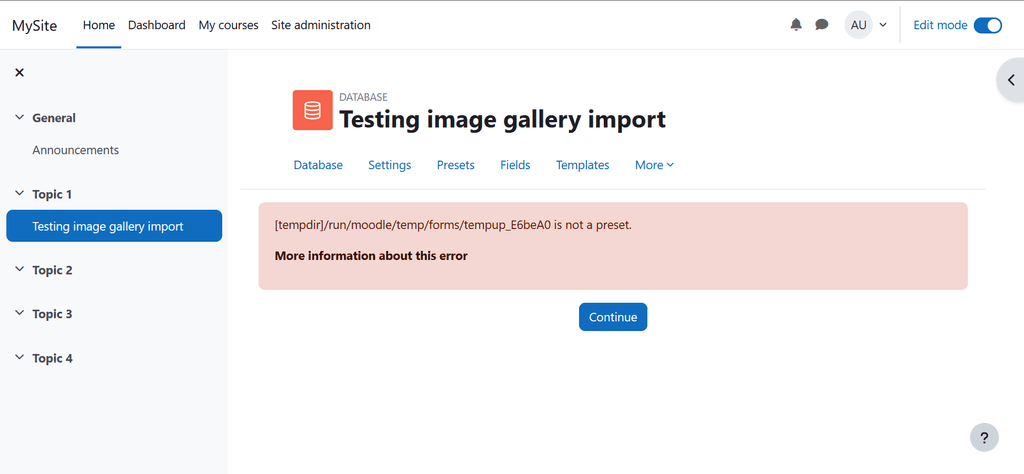
I will be happy getting some help to solve this issue. Importing databases presets is kind of a basic feature in Moodle for this kind of activity.
Best regards,
Gio -
Federated Cloud Sharing between 2 Nextcloud apps on the same Cloudron ? -
No notification on plugin updatesHi Cloudron-Team,
is there a reason to have disabled the notifications on plugins-updates on that config.php?

I was expecting to get those notifications in order to update the plugins manually, or is there an idea on how Cloudron would automatically update the external plugins that have been manually installed?
If not, may I change that config.php in order to get notified and update the plugins myself?
Thanks in advance for your feedback and help on this regard!
Have a great day!
Gio -
Q: How can this task be solved with the packaged app? (Improve AI task pickup speed)Thanks for this improvement!
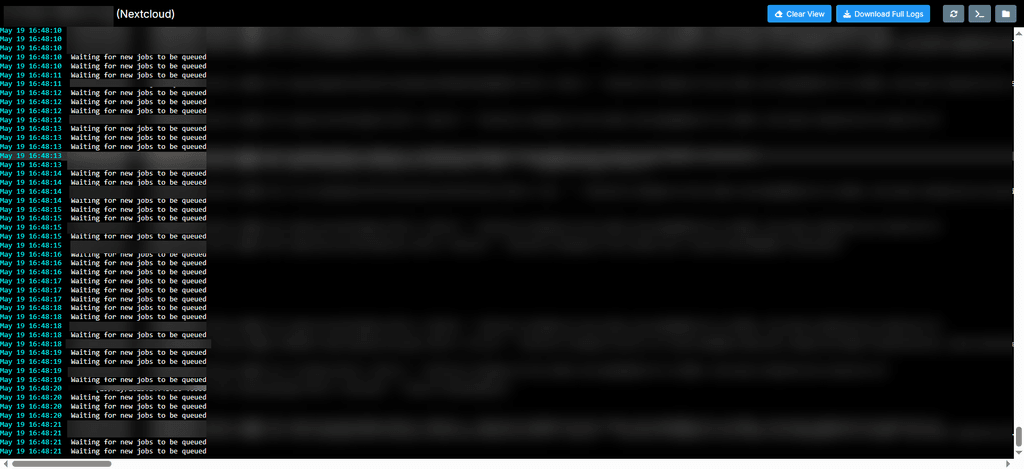
I just updated our test environment and I can see those logs. Also, the time-reaction on AI assistant reduced as expected. Is there a way to set the -t parameter through the terminal? What was the value you used?
-
No notification on plugin updatesThanks for your quick reaction on this matter! With the new version update I am able to get those notifications!
Best regards
Gio -
Nextcloud - Package Updates@Package-Updates there is a hotfix available
https://nextcloud.com/blog/january-updates-available-nextcloud-hub-10-nextcloud-hub-25-autumn/ -
Current Moodle version not being consistent with last release (2.4.0)Hi there!
According to the Moodle Package Update, the last version (2.4.0) should upgrade to Moodle 4.3.0, nevertheless my up-to-date Moodle says that the version is still 4.2.3 (s. pict. below). Could you check this issue, please?
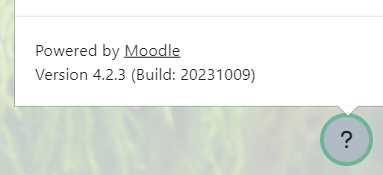
Best regards,
Gio -
NC v33.0.6 available?Thanks a lot for your support we will discuss in our team how to proceed but with your help, the way look promising.
-
The php-smbclient library provides improved compatibility and performance for SMB storages.Since NC 34 to improve compatibility and performance it is required PHP smbclient module (php-smbclient / libsmbclient-php) See Documentation
I got this message under admin settings>external storage:

Apparently, in my case, due to the lack of that PHP module in my Cloudron's NC and using a Hetzner StorageBox as external Storage in NC as a path for the Memories app, is preventing to show those pictures in the timeline since I updated to NC34.
The app is working well with other folders and paths that are not external storage ones, so I guess this should have something to do with the mentioned module.
Is someone else experiencing similar problems?
Is there a way to install that module or even better to get it installed via a custom released by Cloudron's NC? -
The php-smbclient library provides improved compatibility and performance for SMB storages. -
eMudhra cert patch for Nextcloud?First of all, thanks a lot for the amazing work you have done! Chapeau!
Are you planing to deliver a fix for the eMudhra cert issue for Nextcloud as well? So far I have seen under the "release topic" on the forum the last release patches only the PHP vulnerabilities or have I overseen something?
-
eMudhra cert patch for Nextcloud?