
@james Thanks a lot and sorry for not mentioning that the external storage support app was enabled.
G
giofonseca
@giofonseca
Posts
-
The php-smbclient library provides improved compatibility and performance for SMB storages. -
The php-smbclient library provides improved compatibility and performance for SMB storages. -
The php-smbclient library provides improved compatibility and performance for SMB storages.Since NC 34 to improve compatibility and performance it is required PHP smbclient module (php-smbclient / libsmbclient-php) See Documentation
I got this message under admin settings>external storage:

Apparently, in my case, due to the lack of that PHP module in my Cloudron's NC and using a Hetzner StorageBox as external Storage in NC as a path for the Memories app, is preventing to show those pictures in the timeline since I updated to NC34.
The app is working well with other folders and paths that are not external storage ones, so I guess this should have something to do with the mentioned module.
Is someone else experiencing similar problems?
Is there a way to install that module or even better to get it installed via a custom released by Cloudron's NC? -
NC v33.0.6 available?Thanks a lot for your support we will discuss in our team how to proceed but with your help, the way look promising.
-
NC v33.0.6 available?Would it be possible to update from v33.0.5 to 33.0.6 instead to directly v34.0.1?
Our case is the following:
We are using custom menu app and impersonate (among other apps) and these are not compatible with v34 yet.
On the other hand, there is this bug which has been fixed in v33.0.6 and v34.0.1.
We would love to fix that issue (at the moment we have disabled public links) but not having to upgrade to v.34.0.1 until custom menu app or a real improvement of the new waffle menu has been implemented and all the apps we use are compatible with v34.Any orientation or help to update to v33.0.6 would be really appreciated!
-
a new competitor -
Wopi issue after Update to 26.04.1.4.1Hi @james,
I can confirm that your workaround solved that issue, thanks for your quick reaction, now I will update Collabora in production! -
Wopi issue after Update to 26.04.1.4.1How to reproduce:
Update Collabora to version 26.04.1.4.1 and try to open a document in Nextcloud. It will prompt a WOPI unauthorized Error.
Messure to "solve":
Rolled back to previous version
-
Languagetool: Download of n-grams ignores path set in envI would suggest adding the following to the documentation here: https://docs.cloudron.io/packages/languagetool/
If you want to use a volume to install and store ngrams there, after creating that volume[link to doc], mount it to the Language Tool application under the “Storage” menu and set it as a "read and writing" volume.
Normally the volumes are reachable via /mnt/volumens/<volume-id> but once mounted to an application are reachable via /media/<volumen-id>, therefore the command you need to use for installing the ngrams will be as follows:
/app/pkg/install-ngrams.sh /media/<volume-id> en es
and the path under /app/data/env has to be like NGRAMS_DATASET_PATH=/media/<volume-id>
That may help some user like me with a more step-by-step guide

-
Nextcloud - Package Updates@Package-Updates there is a hotfix available
https://nextcloud.com/blog/january-updates-available-nextcloud-hub-10-nextcloud-hub-25-autumn/ -
Social App for Nextcloud error: 'well-known` URLs, failed@james That sounds great, thanks!
-
Social App for Nextcloud error: 'well-known` URLs, failedHi there!
After installing Social app I am getting this error:
Your web server is not properly set up to resolve.well-knownURLs, failed on:/.well-known/webfingerFor more details see the documentation
And looking at the documentation I don't see the way to solve it for Social.
I recently installed the synapse for Matrix in Cloudron and realized that there is a way to define those well-known URLs on the "Domain settings" in Cloudron. It would be possible to add a similar field for Nextcloud in case of using the Social app, and it would that solve this error, for Nextcloud? Or am I totally lost?Thanks in advance for your help!
Best regards, -
Q: How can this task be solved with the packaged app? (Improve AI task pickup speed)Thanks for this improvement!
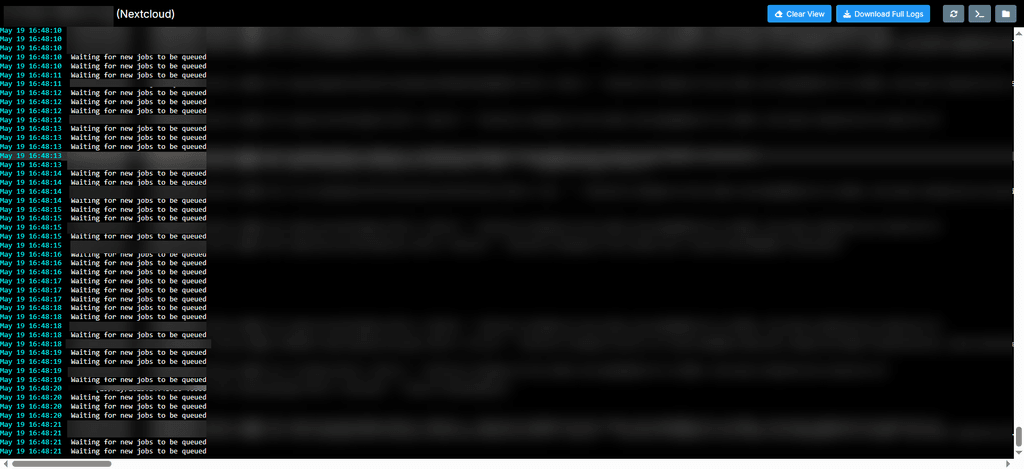
I just updated our test environment and I can see those logs. Also, the time-reaction on AI assistant reduced as expected. Is there a way to set the -t parameter through the terminal? What was the value you used?
-
Update notification for pre-release version? -
Federated Cloud Sharing between 2 Nextcloud apps on the same Cloudron ? -
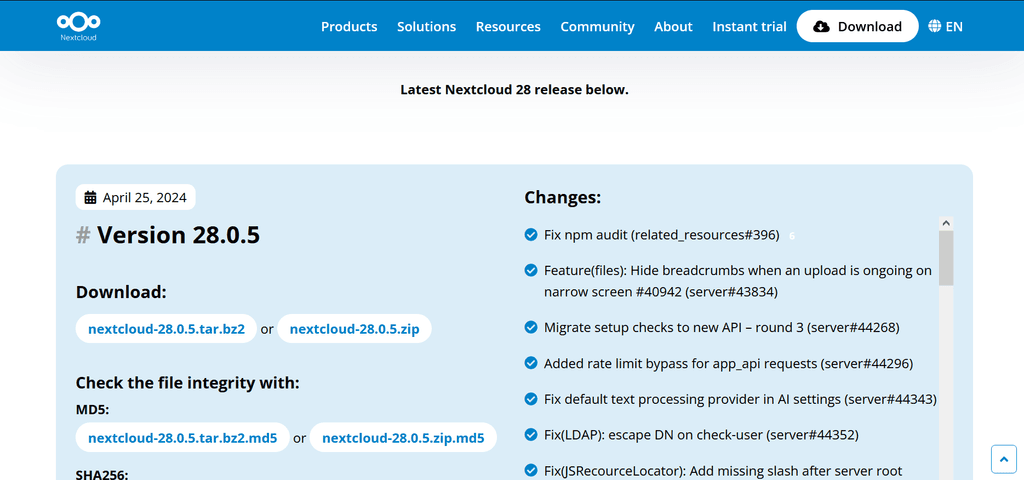
Nextcloud - Package UpdatesHi there, it is only me or there is no changelog for that specific version 28.0.6?
-
Current Moodle version not being consistent with last release (2.4.0)Hi there!
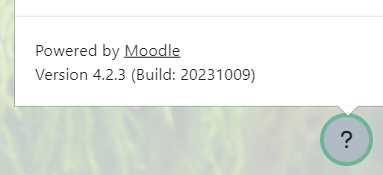
According to the Moodle Package Update, the last version (2.4.0) should upgrade to Moodle 4.3.0, nevertheless my up-to-date Moodle says that the version is still 4.2.3 (s. pict. below). Could you check this issue, please?
Best regards,
Gio -
Nexcloud Hub 7 (v 28) is out -
No notification on plugin updatesThanks for your quick reaction on this matter! With the new version update I am able to get those notifications!
Best regards
Gio -
No notification on plugin updatesHi Cloudron-Team,
is there a reason to have disabled the notifications on plugins-updates on that config.php?

I was expecting to get those notifications in order to update the plugins manually, or is there an idea on how Cloudron would automatically update the external plugins that have been manually installed?
If not, may I change that config.php in order to get notified and update the plugins myself?
Thanks in advance for your feedback and help on this regard!
Have a great day!
Gio
