
Thank you @james . Well noted. Best regards
 O
O
osobo
@osobo
Posts
-
Cloudron down after Ubuntu/Docker update (Docker service fails to start) -
Cloudron down after Ubuntu/Docker update (Docker service fails to start)Hello everyone. Glad the issue is now fixed.
FYI I've received yesterday a legit notification from Hostinger mentioning the following:
**Linux kernel vulnerability disclosed (CVE-2026-31431)**

A security flaw called "Copy Fail" (CVE-2026-31431) has been found in the Linux kernel. It affects nearly all major Linux distributions – including Ubuntu, Debian, RHEL, Amazon Linux, SUSE, Fedora, and more – on any kernel built between 2017 and today.

The vulnerability lets a local user gain full admin access to a server. It can also affect containerized environments.

The fix takes just a few minutes.

Option 1: Update your kernel (recommended)

For Ubuntu/Debian: sudo apt update, sudo apt upgrade -y
For RHEL-based systems: sudo yum update
Then reboot your server.

Option 2: Disable the affected module (temporary fix)

If updating right now isn't an option, disable the vulnerable module to reduce exposure:

echo "install algif_aead /bin/false" > /etc/modprobe.d/disable-algif.conf rmmod algif_aead 2>/dev/null || true

This won't affect SSH, TLS, LUKS, or OpenSSL."
I'm wondering. Is this issue already addressed by Cloudron's latest updates or should I apply the fix myself ?
Thanks for your support and happy workers' Day


-
Cloudron down after Ubuntu/Docker update (Docker service fails to start) -
Cloudron down after Ubuntu/Docker update (Docker service fails to start) -
Cloudron down after Ubuntu/Docker update (Docker service fails to start) -
Cloudron down after Ubuntu/Docker update (Docker service fails to start) -
Cloudron down after Ubuntu/Docker update (Docker service fails to start)Hello all,
Just wanted to share what happened to me and the way to fix it in case you experience the same issue. @cloudron_admin please delete the post if not relevant.
After applying recent Ubuntu security updates and rebooting, my Cloudron instance became unreachable.
cloudron-support --troubleshootshowed Docker was down, and
systemctl start dockerfailed while running dockerd manually worked fine.
I've worked it out with the support of ChatGPT. Root cause : An outdated Cloudron systemd override file:
/etc/systemd/system/docker.service.d/cloudron.confThis override replaces Docker’s default ExecStart and uses older flags (like cgroupfs) that are no longer compatible with newer Docker versions. As a result, Docker fails to start via systemd.
Fix : Remove the override and reload systemd:
sudo rm /etc/systemd/system/docker.service.d/cloudron.conf
sudo systemctl daemon-reexec
sudo systemctl daemon-reload
sudo systemctl restart docker
Verify Docker is running:
systemctl status dockerThen restart Cloudron:
sudo systemctl restart boxResult
Docker starts normally again, containers come back up, and the Cloudron dashboard becomes accessible.
Notes
Modern Docker versions already handle most of the options that the override was forcing.
Removing the override lets Docker run with its correct defaults (including proper cgroup handling).
This issue may appear after unattended upgrades or manual system updates.Hope this helps anyone running into the same issue

-
Web terminal not connecting to any apps -
Web terminal not connecting to any appsHello Cloudron team
All apps and services are running fine. Nevertheless I cannot access the apps via the web terminal. It fails to connect any of them. I've rebooted the server without success. Here is a view of the browser in developer mode.
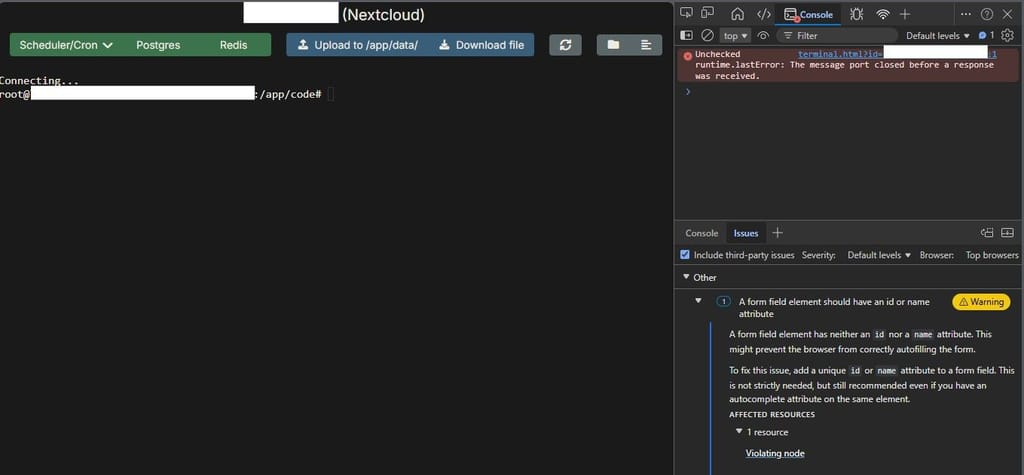
Running
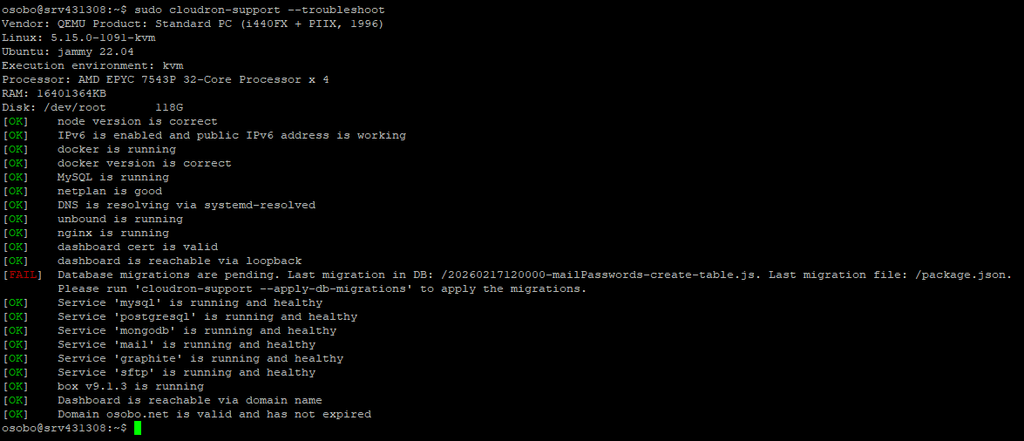
cloudron-support --troubleshootreturns a migration database issue.
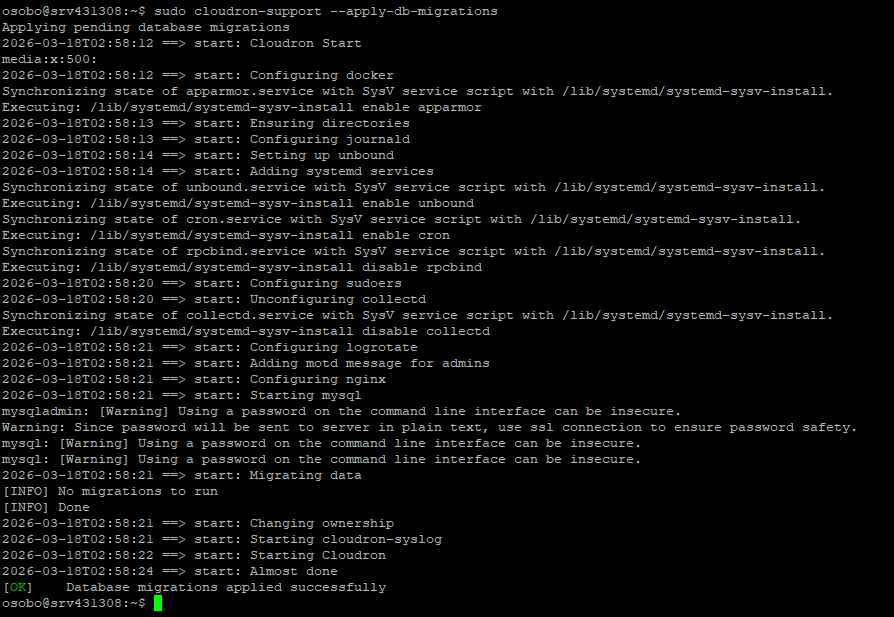
I've applied the suggested fix and it then it mentions no migration needed but nevertheless the errors keeps showing on the next check (same as the first one)
Last, there is no errors in
/home/yellowtent/platformdata/logs/box.log2026-03-15T00:07:50.176Z box:apphealthmonitor app health: 15 running / 0 stopped / 0 unresponsive
Thank you for your support and best wishes
Osobo -
Moodle 5.1.1 App – Missing vendor/ Folder (?)Dear Cloudron team,
I’ve noticed that in the current Moodle 5.1.1 package on Cloudron, the vendor/ directory is missing under /app/code. This triggers the following error when updating some plugins:
Composer dependencies were not found. Make sure the "composer install --no-dev --classmap-authoritative" command has been run in the Moodle root directory. If you are not using Composer, make sure the vendor directory exists and contains the necessary files.
Moodle still runs fine, but it looks like the Composer dependencies may not be bundled correctly in the app image.
Could you please check if the Moodle package should include the vendor/ folder, or adjust the next build process so Composer dependencies are installed during packaging?
Thanks for your support!
-
cloning issues with Cloudflare R2Thank you @james
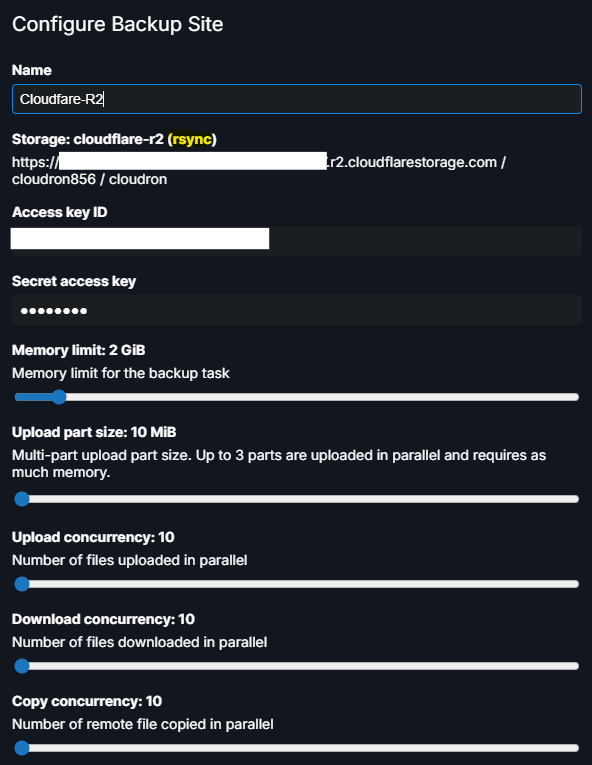
I could not get it to work. After several attempts, I ultimately deleted the backup files and started with a new configuration. As advised, I also set the retention period to "unlimited" (it was previously set to two days).
Everything is working well now, and I was able to back up and clone the app without any issues.
Thanks again, and keep up the good work! -
cloning issues with Cloudflare R2 -
cloning issues with Cloudflare R2@james said in cloning issues with Cloudflare R2:
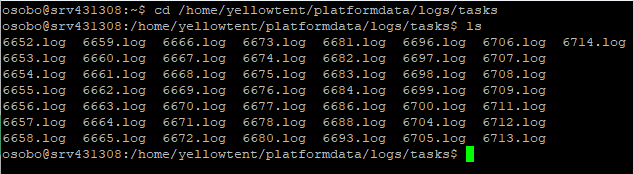
/home/yellowtent/platformdata/logs/
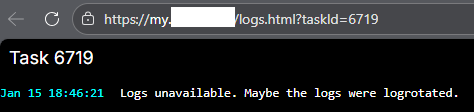
Hello @james . After cloning fails the box.log shows the following message repeating with no other indication :
2026-01-11T00:07:50.199Z box:apphealthmonitor app health: 13 running / 0 stopped / 0 unresponsive -
cloning issues with Cloudflare R2 -
cloning issues with Cloudflare R2Hello everyone,
I've a cloning app issue. It used to work flawlessly. I've tried multiple times but receive this error when I try to clone one Nextcloud app from backups.
Error - Task 6703 crashed with unknown code 1
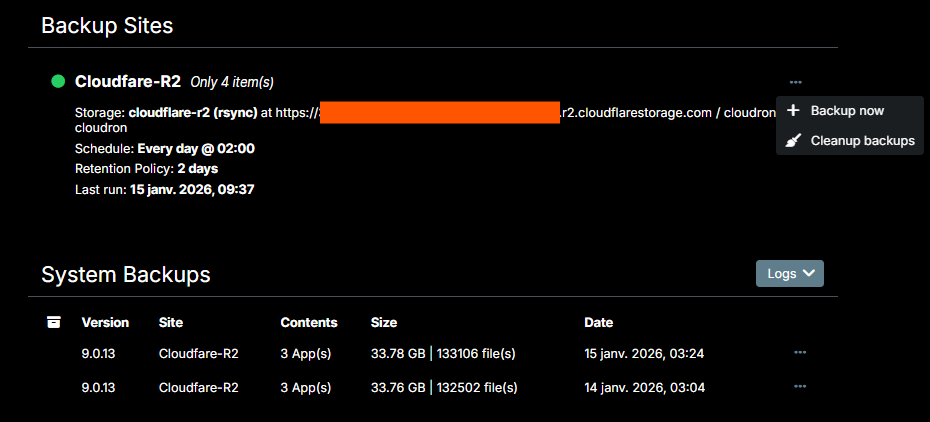
I'm using Cloudfare R2. Location is Asia-Pacific (APAC). Cloudron version 9.0.13 . The apps backup is done once daily without problem reported.
In addition, how to edit the backup configuration once created in Cloudron ? I cannot find the setting on the dashboard
 ...
...
Thank you for your support and meanwhile best New Year's wishes
 !
! -
OpenID Connect user backend 8.2.2 update issue -
OpenID Connect user backend 8.2.2 update issueHello everyone,
I'm running Nextcloud 32.0.3 on Cloudron 9.0.13.
The OpenID Connect user backend app (user_oidc, version 8.1.0) is installed (I can't remember when or why I did this).
So far, Cloudron users have been able to connect to Nextcloud automatically without issue.
However, updating this app to the latest version (8.2.2) has disconnected me from Nextcloud, and I can no longer log in. I had to use a backup and revert to a previous version to regain access. Disabling this app has the same effect.
For now, I'm staying on version 8.1.0, but I have no idea what to do.
Thank you for your suggestions !
Best wishes
-
pretix-fontpack-free plugin installation -
pretix-fontpack-free plugin installationHello all,
Thanks a lot for the Pretix app — it works great! That said, I need to print PDFs of tickets and badges with custom non-Roman Unicode fonts (i.e. the Saysettha Lao font). Currently, they only display as squares.I understand that it is possible to add new fonts with the fontpack plugin: https://github.com/pretix/pretix-fontpack-free.
I'm not sure if this can be easily installed within Cloudron (?)
Would it be possible to include this plugin in future versions of the Pretix Cloudron package?
Thanks a lot for your support!
Best wishes
-
User and live broadcast
 . My bad
  (I was waiting for the prompt to blink or something)

 ). I will try to figure out how to revert that

 I completely overlooked the documentation
  Alright I'll give it a try